Landing Pages Inspiration: 9 Great Examples and the Patterns Behind Them
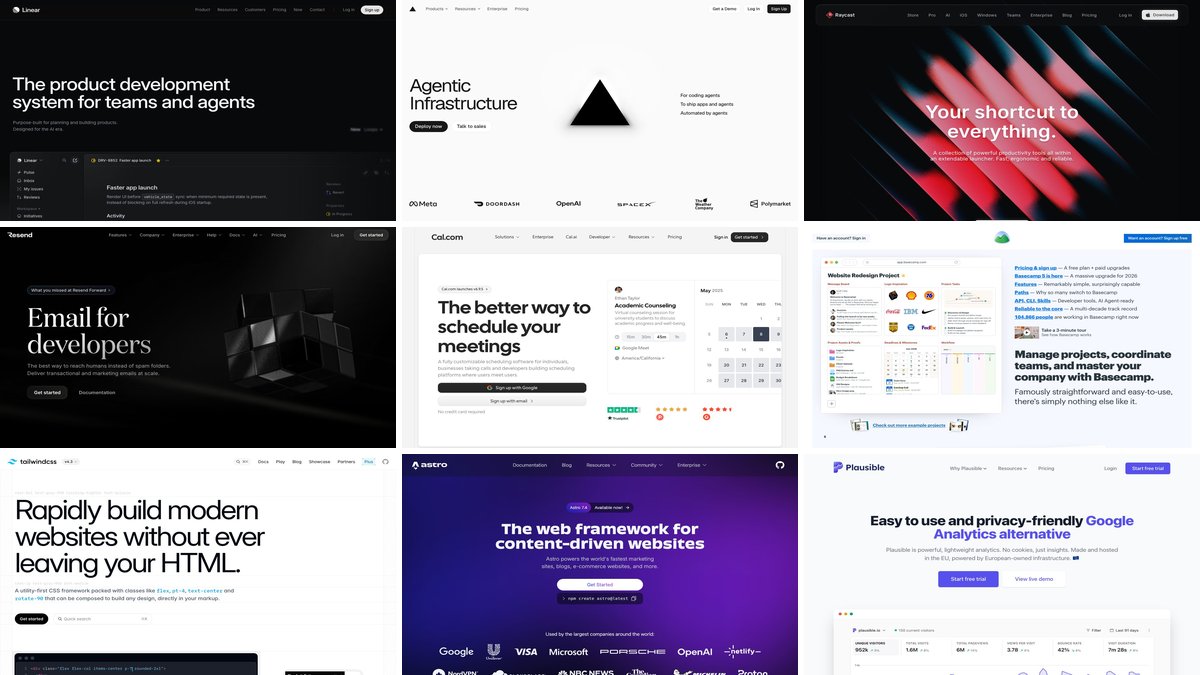
The best landing pages in 2027 do one thing well: they tell a visitor what the product is, who it is for and what to do next, all before the first scroll. If you are looking for landing page inspiration, the nine pages below are live, current and worth studying for exactly that reason. Each one shows a specific, reusable pattern rather than just a pretty hero.
Use this list as a working reference. After the examples you will find a short checklist of the patterns they share, and a few ways to turn them into your own layout.
What the strongest landing pages have in common
When you look at enough landing pages side by side, the same decisions keep showing up:
- A headline that names the outcome. One short sentence, set large, with a supporting line underneath that adds the “how”.
- One primary call to action, repeated. On most of the pages below it appears in the header and again in the hero, styled as the highest-contrast element on screen. Cal.com and Resend, for example, put “Get started” in the header and in the hero area, while Linear keeps a single white sign-up pill in the header.
- A product view in or just under the hero. Real interface, not an abstract illustration, so visitors can judge what they would get.
- A quiet secondary action. “Request a demo”, “Documentation” or “Talk to sales” sits next to the main button but with less visual weight.
- Typography doing the heavy lifting. Big type, tight line height and plenty of white space replace decorative graphics.
9 landing pages worth studying
Linear
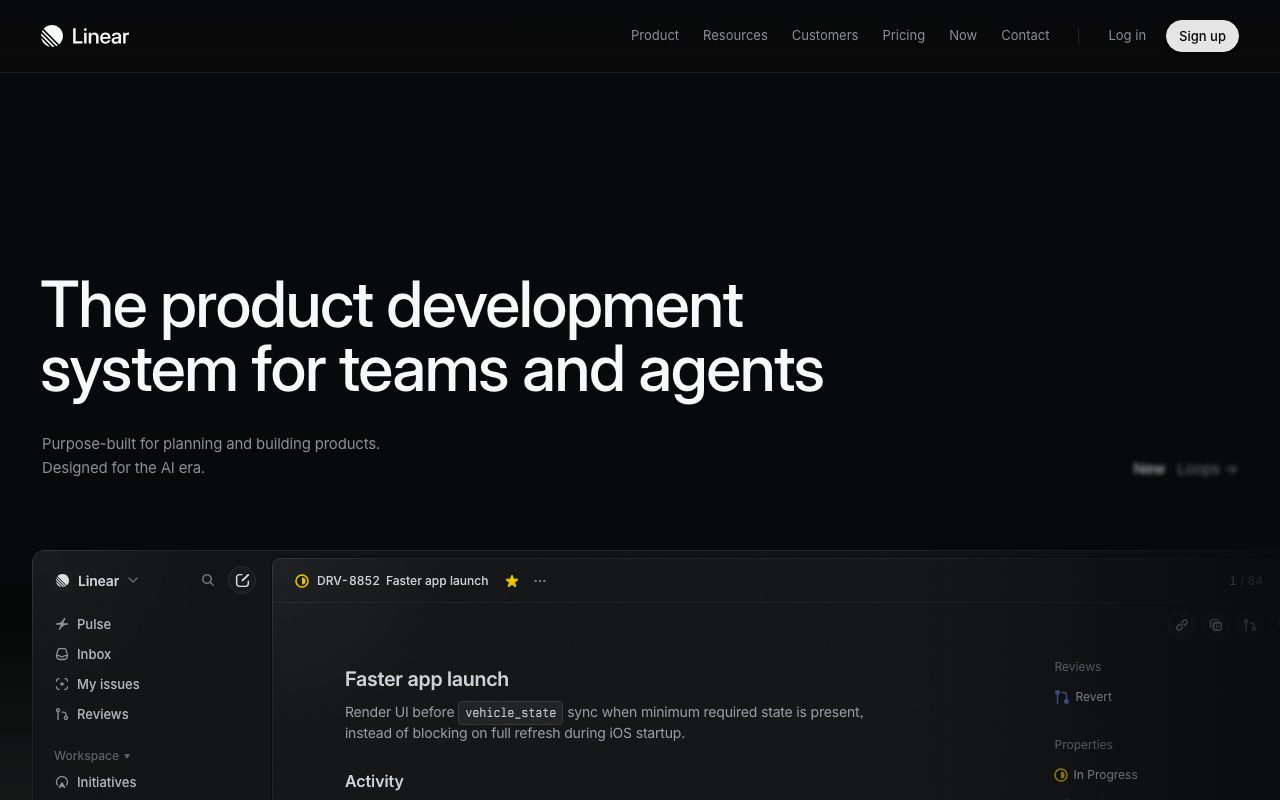
Linear opens with “The product development system for teams and agents” in large, left-aligned white type on near-black, followed by one line of supporting copy. The product interface, an open issue titled “Faster app launch”, starts directly under the copy so the screenshot acts as the proof. In the header the white “Sign up” pill is the only filled element; everything else is quiet grey text.
Vercel
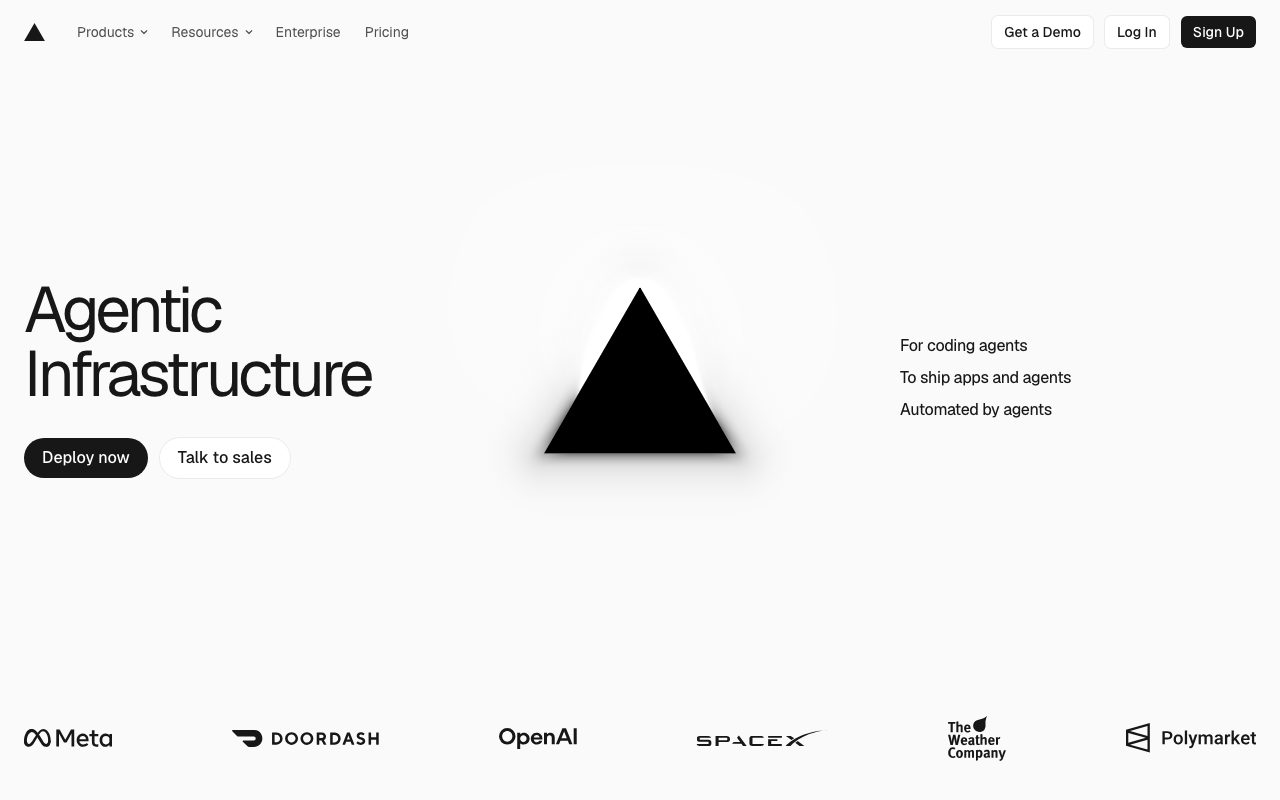
Vercel shows how little a hero needs. The headline is just “Agentic Infrastructure”, with a dark primary button (“Deploy now”) beside a light outlined one (“Talk to sales”), a single brand mark in the center and customer logos right under the fold. The two-button pairing separates self-serve visitors from sales-led ones without adding a form.
Raycast
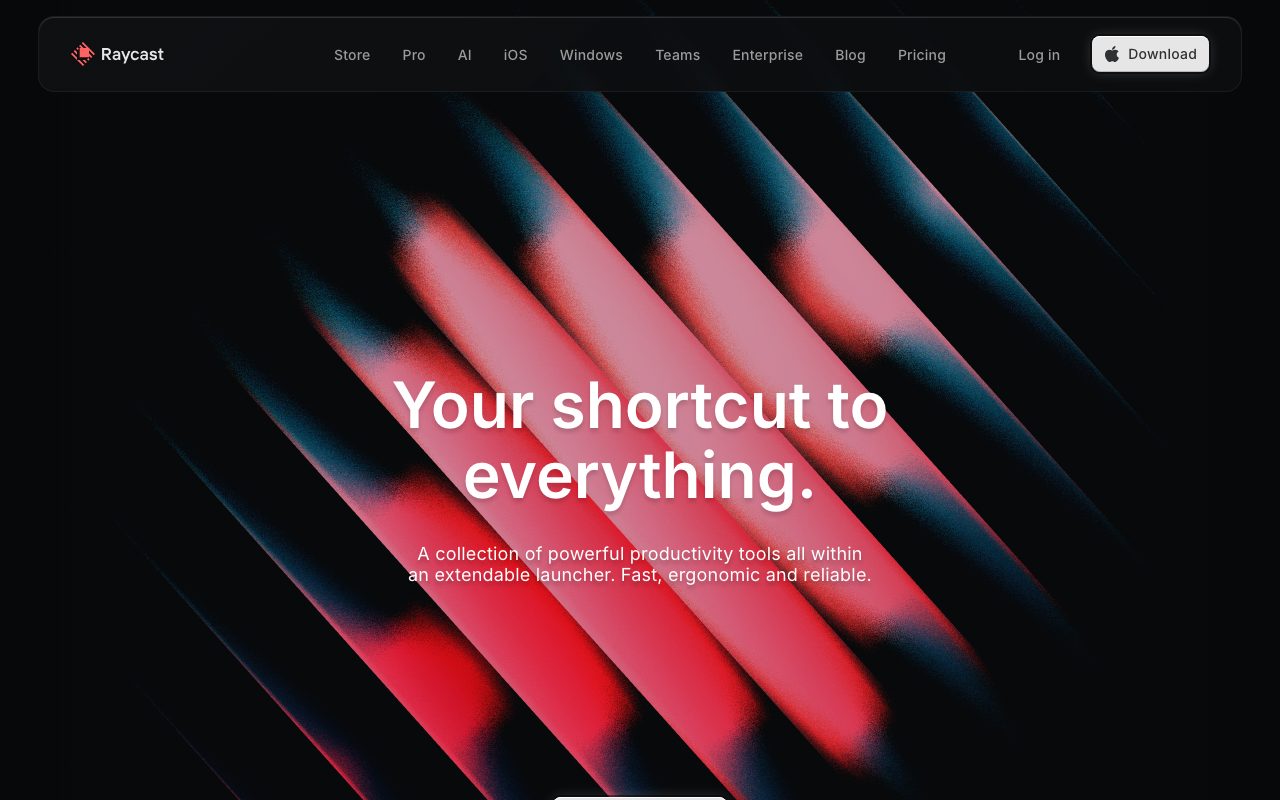
Raycast goes the opposite way from the product-screenshot approach and leads with mood. Bold red and blue diagonals against near-black sit behind “Your shortcut to everything.”, set in centered white type with a soft shadow for legibility. The floating, rounded navigation bar carries a light “Download” button at its right edge, the brightest control on the screen.
Resend
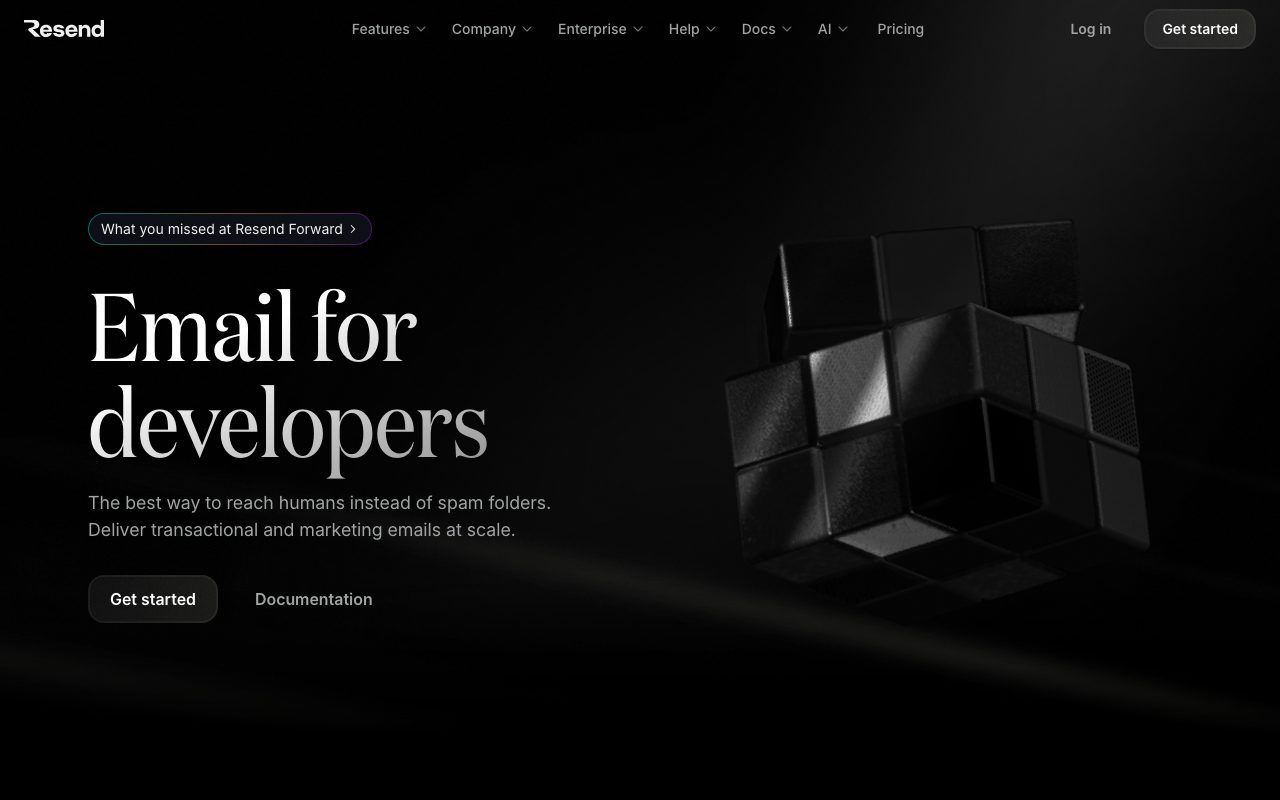
Resend sells to developers, yet sets its “Email for developers” headline in an elegant serif with a gradient fill. It is a useful reminder that a single typographic choice can differentiate a page in a crowded category. A “Get started” button and a plain “Documentation” link give two clear routes.
Cal.com
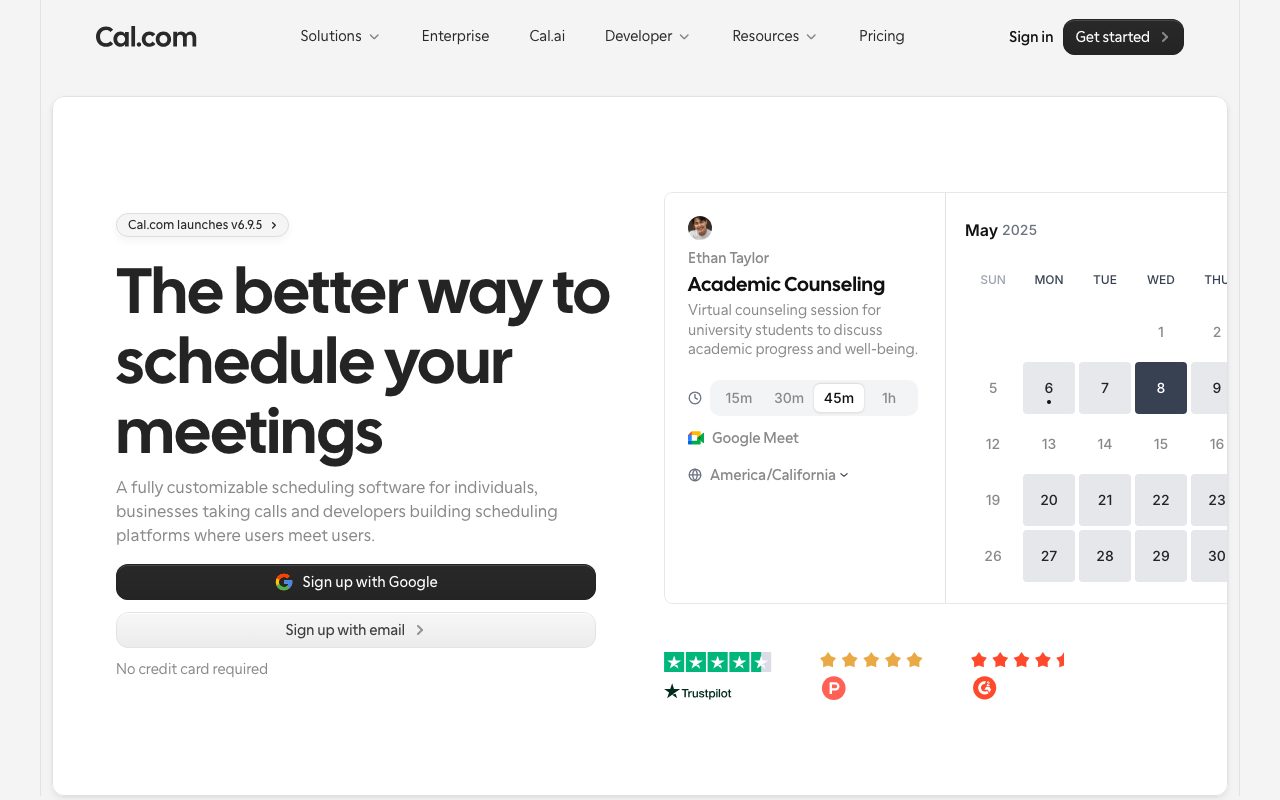
Cal.com puts a working-looking booking widget right beside “The better way to schedule your meetings”, so the product demo and the call to action share one viewport. The two sign-up options (“Sign up with Google” and “Sign up with email”) are followed by a small “No credit card required” line, and star ratings sit under the widget, which places trust signals at the moment of decision.
Basecamp
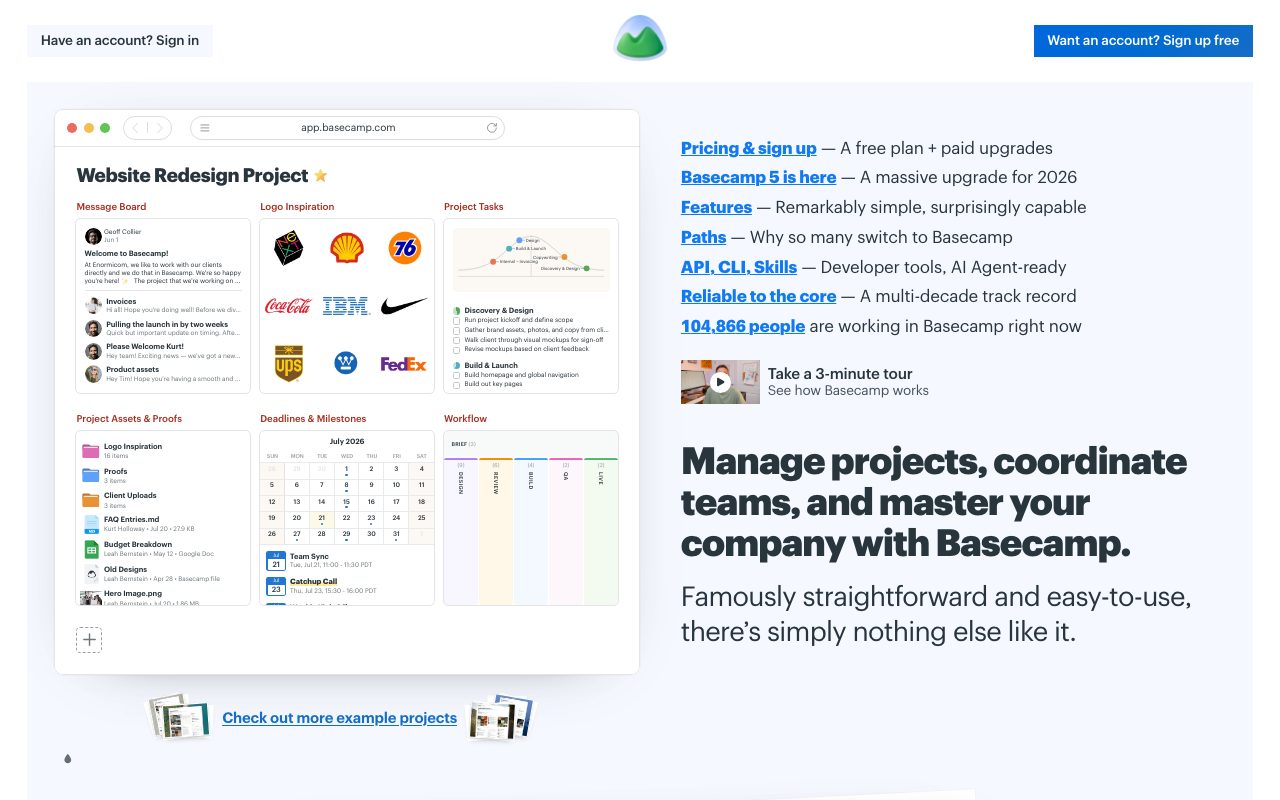
Basecamp breaks the template on purpose. Under the headline “Manage projects, coordinate teams, and master your company with Basecamp.”, instead of a polished hero, it offers a framed product mockup and a plain list of links with short explanations. It proves that a page with a strong point of view and honest copy can convert without any of the usual SaaS styling.
Tailwind CSS
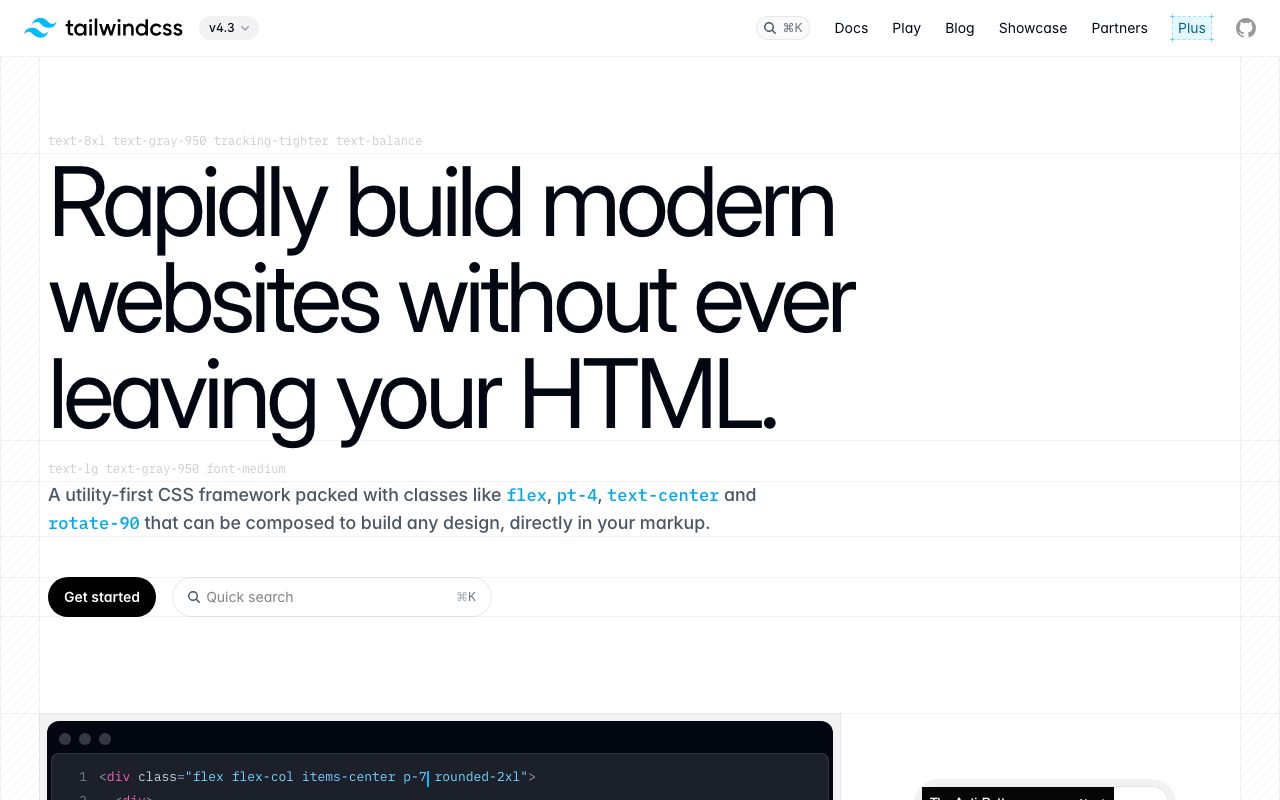
Tailwind CSS demonstrates its own product in the hero. Faint labels above the headline and subhead (such as text-8xl and tracking-tighter) show the utility classes applied to each, and an animated code editor with a rendered preview sits just below. Instead of describing utility classes, the page shows them producing the layout.
Astro
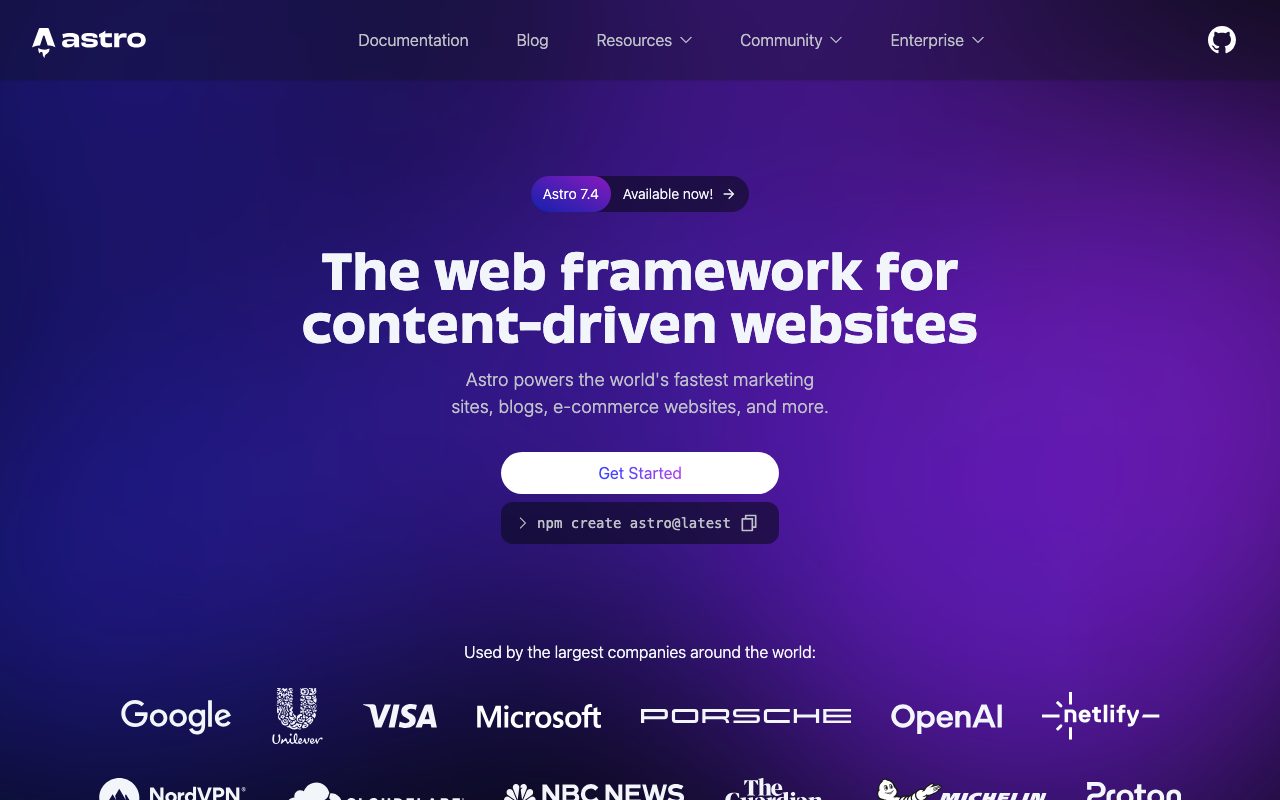
Astro answers “The web framework for content-driven websites” with one white “Get Started” button and a copyable npm create astro@latest command, which gives developers a zero-friction way to try the tool without leaving the page. A “Used by the largest companies around the world” logo grid follows immediately.
Plausible Analytics
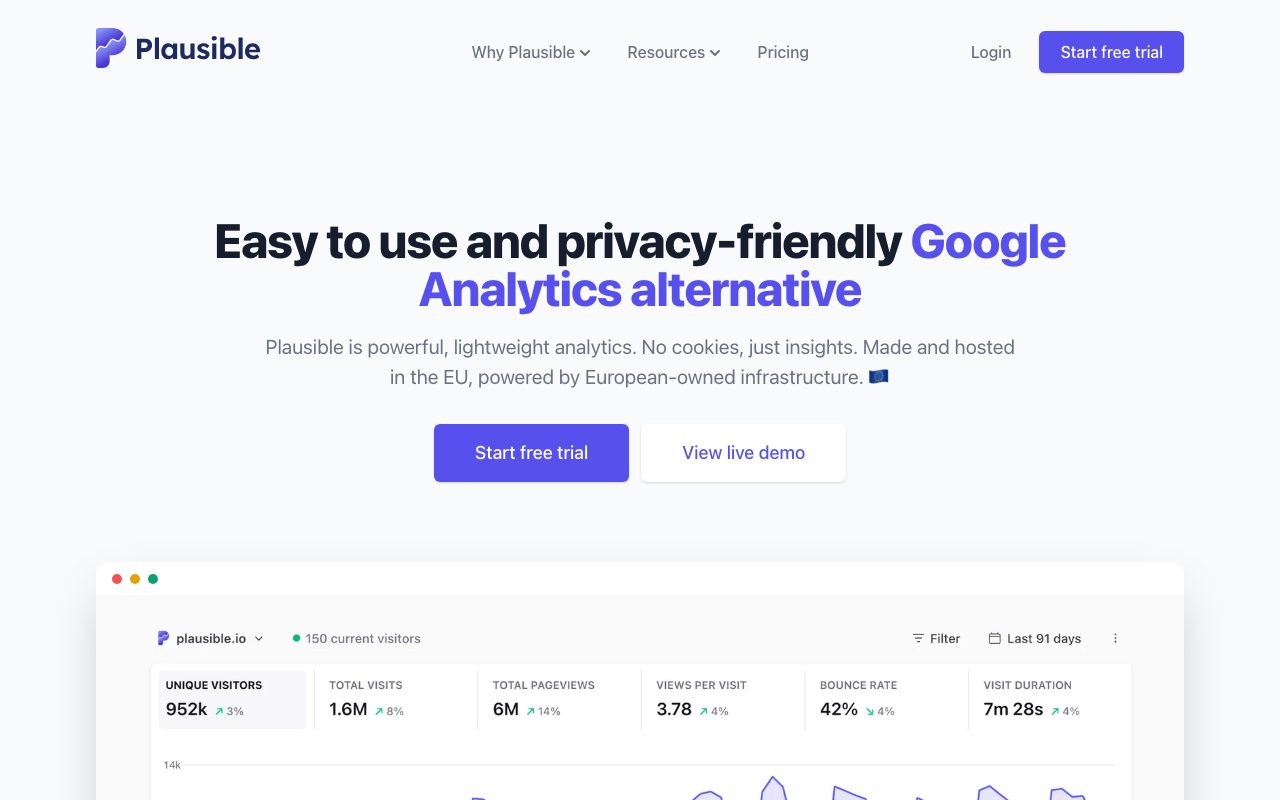
Plausible positions itself in the headline, “Easy to use and privacy-friendly Google Analytics alternative”, by naming the product it replaces, then backs it with a single dashboard screenshot and a “View live demo” button. The simplicity of the page mirrors the simplicity of the product it sells.
Patterns you can reuse
| Pattern | Seen in | Why it works |
|---|---|---|
| Product UI in or just under the hero | Cal.com (beside the headline), Linear, Plausible (below it) | Visitors see the product before reading any feature list. |
| Primary and secondary action pair | Vercel, Resend, Cal.com | Serves ready and not-yet-ready visitors without extra steps. |
| Trust signals near or just under the hero | Cal.com (ratings and “No credit card required”), Vercel and Astro (customer logo strip below the hero) | Ratings, reassurance text and logos reduce hesitation at the decision point. |
| Typography as the identity | Resend, Tailwind CSS | One distinctive type choice differentiates without extra assets. |
| Show the product working | Tailwind CSS, Astro | A visible class-annotated headline or a copyable install command lets developers try before they read. |
Build your own: a practical checklist
- Write the headline first. If you cannot state the outcome in one line, the layout will not rescue it.
- Pick one primary action. Every other link should look quieter than that button.
- Show real product UI in or just under the hero. Use responsive images with explicit
widthandheightto avoid layout shift. - Add proof close to the action: a testimonial, a rating, customer logos or a “no credit card” line. Our testimonial cards snippet is a starting point.
- Make pricing easy to scan. A monthly/yearly pricing table or a feature comparison table removes a common reason to leave.
- Close with a repeat call to action and a clean footer with newsletter sign-up.
- Test on a phone first. The primary button must be visible and tappable without scrolling.
Performance and accessibility basics
A landing page that loads slowly loses visitors before the design matters. Google’s Core Web Vitals give targets worth designing toward: Largest Contentful Paint within 2.5 seconds, Interaction to Next Paint under 200 milliseconds and Cumulative Layout Shift under 0.1. Treat your hero image or headline as the LCP element, avoid carousels above the fold, and reserve space for every image.
For accessibility, keep text contrast at least 4.5:1 against its background (large text can be 3:1), make sure buttons and links show a visible :focus-visible state, and respect prefers-reduced-motion for any animated hero.
More inspiration from Web Designer Wall
If you want to go further, browse our interactive sites roundup, learn the scroll-zoom hero image technique, or start from a hero search box with an image background. Looking for a ready-made starting point? See our list of the best WordPress themes.
In a sense I agree with the above comment but yet I also think it depends on the website itself, each landing page is going to be different depending on how and what they’re wanting to display on the page. Sometimes minimal works best and some it doesn’t. In my opinion anyway. Some great designs though.
This is great inspiration, I just finished a inbound marketing class that went over these landing pages. Love the big call to actions! Great examples, thanks!
The first and the second one are the best to me. Focus and clear.
Interesting how I ran into this specific article. I remember being trained on how to use wordpress with https://www.motionborg.com/home/ and how difficult it was to coming up with the right landing page. After hours of looking around and trying to know the best route to do this, I have came down to my own conclusion. I realized that simplicity was the key to an interesting and nice looking landing page.
Above described landing page designs are really good and looks perfect, but the selection of landing pages is depend on the website and the information which we want to put on that page. We can choose the graphics and multimedia depends on the content we are putting on the page.
That’s great list of Landing pages. Landing pages should be chosen based on what we really want to get from landing pages? We shouldn’t copy someone else Landing pages if we see that one is attractive. The one that looks good to their theme / business might not work for your business.
The designs are incredible and really your collection consists highly optimized landing page designs.
i believe that are the best of landing page that i see in my life, all working with bootstrap right? have much beauty!
cheers
Awesome! Great article for a designer like me.
#WeMakeWebsite