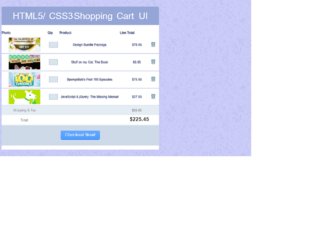
This is a template web form of a shopping cart layout, designed using CSS and HTML. Images and fonts are added into the code with their URLs. The body of the form is given the styles of font-family: 'Helvetica Neue', Helvetica, Arial, sans-serif, font-size: 62.5%, line-height: 1, color: #414141, and background: #caccf7 whereas the background image is added with its URL. The header is given the same font family, color as #fff, text shadow as 1px 2px 0 #7184d8, font size as 3.5em, line height as 1.1em, padding as 6px 0, and text align as center. Quantity Input field is given the styles of width as 33px, height as 22px, border as 1px solid #a3b8d3, background as #dae4eb, color as #616161, and text-align as center. Cursor is set as pointer for remove button and checkout button to display the cursor as a hand. In a hover event, the color of the checkout button changes to gradient(linear, 50% 0%, 50% 100%, color-stop(0%, #4d9cff), color-stop(100%, #338eff)).
Source: https://codepen.io/jakestuts/pen/qKvew
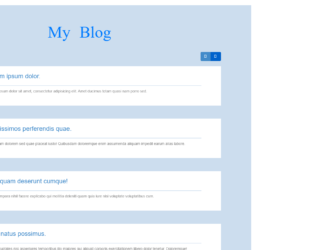
This is a template of a simple flat blog layout designed using CSS, HTML, and JavaScript. JavaScript click(function() had been used to implement the switch between two layouts. Bootstrap styles and fonts have been imported into the form by adding their URLs. Background images are also added into the code with the URL. The font family of the form is set as "Pacifico". Variables are used to define values to avoid using values again and again in different places, such as $size: 150px, and $bg:#CDE. The body is given a style set of padding:0 100px 100px, and background-color: $bg !important. The header has the styles of text-align: center, padding: 50px, font-size: 62px, font-family: "Pacifico", @include text-shadow (0 2px 2px darken ($bg,40%)). The article section is given the styles of position:relative, padding-left:$size+30,padding-right: $size/2,height: $size,margin-bottom:30px,background-color:#FFF,@includeborder-radius($size),andcursor: pointer. In a hover event, the image button takes a transformation of transform(rotate(5deg).
Source: https://codepen.io/renaudtertrais/pen/xJFny
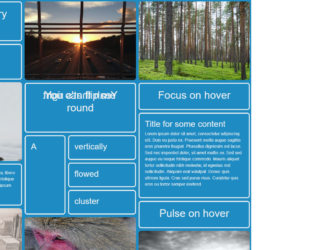
This is another example of a CSS card layout with animations, designed using CSS and HTML. The cards are given focus animations, flipping animations and pulse animations in a hover events. The images are added into the form with their URLs. The font family for the body is set as 'Open Sans', sans-serif. The color palette for the form is set as $black = #000, $red = #e74c3c, $green = #26a65b, $grey = #6c7a89, $purple= #8e44ad, $blue = #1e8bc3, $white= #ecf0f1 and $darkred = #cf000f. The flipping panel is given a style of backface-visibility as hidden to hide the backface of the panel, a transform-style of preserve-3d, a transition of .25s, and a transform style of transform rotateY(180deg). The pulse animated panel is given a style set of transform-style as preserve-3d, perspective of 1000, transition of transform .25s ease 0s and a hover transformation style of transform scale(1.02).
Source: https://codepen.io/jh3y/full/mPgyqw/
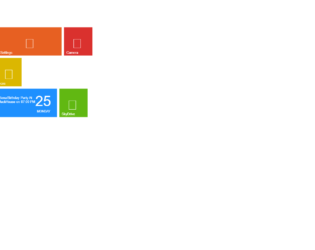
This is a template of a Windows 8 User Interface, designed using HTML and CSS. The Windows tiles and icons have been imported into the code with the URLs added. The font styles is also imported with its URL and set as Open+Sans: 400,300. The body of the form is given the styles of margin as 0px, font-family as "Open Sans", arial, background as #0f6d39, color as #fff, and font-weight as 300. The header "Start" has the styles of font-family as "Open Sans", arial, font-weight as 300, float as left, width as 55%, margin-left as 5px, font-size as 40px, and margin-bottom as 40px whereas the boxes are given a hover transformation of webkit-transform: scale(1.05) and a focus transformation of webkit-transform: scale(1) and assigned colors such as lime{background:#61b812;},orange{background:#e76022;},blue{background:#1E90FF;},redgay{background:#DA312E;},yellow{background:#dbb701;},bluefish{background:#02b9e3;}, magenta{background:#d22a4e;}, and .spacer. The cursor is set as pointer to display the cursor as a hand.
Source: https://codepen.io/pedox/pen/DimhI
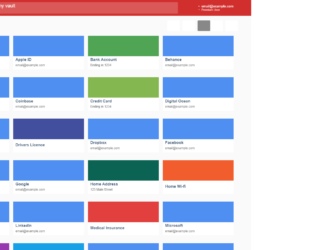
This is an example of a vault layout web form designed using CSS and HTML. CSS grid view elements have been used to separate and organize the displaying sections whereas Flexbox is used to get an identical layout for the browsers that don't support the CSS grid. The concept of Lists has been used with UL and LI components. UL element has been used with the child elements of LI to display the unordered list. The default font size for the form is set to 10px. The body is given the style set of font-family as "Open Sans", Arial, sans-serif, display as flex, min-height as 100vh, background-color as #fafafa, and position as relative whereas the buttons are given the styles of font-size as inherit, font-weight as inherit, color as inherit, display as flex, justify-content as center, align-items as center, and cursor as pointer to display the cursor as a hand. The header is given a background color of #d12f2e and the search input field is given a color of rgba(255, 255, 255, 0.3) in a hover event.
Source: https://codepen.io/GeorgePark/pen/PQweLr
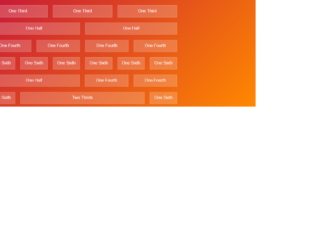
This is an example of a simple column preview with text in them, designed using CSS and HTML. The form is divided into six sections based on their positions and sizes. There are six rows of columns with 5 different sizes which are; One Third, One Half, One Fourth, One Sixth, and Two Thirds. The body of the form is given the style set of font-family as 'Raleway', sans-serif, padding as 10px, and background color as linear-gradient (135deg, #b04, #f80) fixed. The columns have the styles of padding as 10px 0, background-color as rgba(255, 0, 0, 0.25), text-align as center, border as 1px solid rgba(255,255,255,0.25), background-color as rgba(255,255,255,0.2), and color as rgba(255,255,255,0.9). A section is given the styles of max width as 740px, margin as 0 auto, and display as flex.
Source: https://codepen.io/madebyanna/pen/rVRWXw