This is a template of a Google Now inspired flip card layout, designed using HTML, CSS, and JavaScript. The Li element of lists has been used to display the details in a list whereas JavaScript functions have been used to implement the flipping animations. Variables are used to define values to avoid using values again and again in different places such as colors. The predefined colors are $color1: #5271C2, $color2: #35a541, $color3: #bdb235, $color4: #db6623,
$color5: #3e5eb3, and $color6: #aa9e5c. The body of the form is given the styles of min-height as 100vh, background as lighten(black, 12), color as white, font family as 'Lato', and text rendering as optimizeLegibility. The card is given the styles float as left, width as calc(100% * .3333 - 30px + .3333 * 30px), height as 340px, margin as 0 30px 30px 0, and perspective as 1000. For the flipper, the cursor is set to pointer to display the hand cursor, transform style is set to preserve-3d and back face visibility is set as hidden. In a flipping event, the card takes a transformation of rotateY(180deg) scale(1.1) and changes the background to lighten(black, 8).
Source: https://codepen.io/ettrics/pen/zxMPWj/
This is an example of an image layout view where the title appears on the image in a hover event, designed using CSS, HTML, and JavaScript. JavaScript functions have been used to implement hover animations. The images are imported to the form with their URLs. The form is given an initial styles set of background color as #000, color as #fff, font family as 'Roboto', sans-serif, font size as 24px, margin as 1px, text-align as center, max-width as 31px, and min-width as 230px. After a hover event, the images take the background color of rgba (0, 0, 0, 0.5. and a border top and bottom of 50px solid rgba(0, 0, 0, 0.5) and a transformation of scaleY(2). The text-transform of the title is set to uppercase to automatically convert the text to uppercase and the text size is set to 1em.
Source: https://littlesnippets.net/snip1585
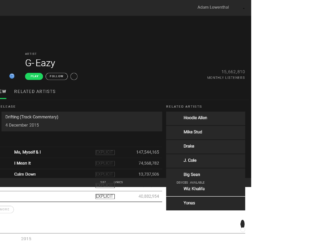
This is a template of a Spotify user interface, designed using HTML, CSS, and JavaScript. The form displays a playlist by an artist with buttons, placeholders, drop-down menus, and a navigation bar. The Li element of lists has been used to display the details in a list whereas JavaScript functions have been used to implement sliders, collapse toggles, and tooltips. Colors, spacing, borders, and font values are defined as variables to avoid using values again and again in different places. The background images are imported with its URL added to the code. The background of the body is given the styles color as $black, and font family as 'Roboto', sans-serif. The header is given the styles background as $light-black, padding as $padding-sm, color as $grey, align-items as center, and border-bottom as 1px solid $black. Cursor is set as pointer for most of the headings, buttons, and sections. The playlist is given the styles of padding as $padding, background as $light-black, border top and bottom as 1px solid $black which then changes background color to lighten( $light-black, 10% ) in a hover event.
Source: https://codepen.io/alowenthal/pen/rxboRv
This is another template of a simple web form, designed using CSS and HTML. The concept of Lists has been used with UL and LI components. UL element has been used with the child elements of LI to display the information in a list. The font family of the body is set as Verdana. The background color of the body is set to #10889E whereas the background color of the container is set to #E1F1F2. The header has the styles of text-align as center, font size as 3em, color as #445566, font family as Georgia, Times, Serif, font-weight as normal, and padding as 20px. Header 2 and 3 are also given the color #445566 whereas the navigational bar is given the styles background color as #45bcd2, height as 30px, margin-bottom as 20px, and text-align as center. Finally, the footer is given a style set of height as 50px, and background color as lightgrey.
Source: https://codepen.io/wcc/pen/LDqlI
This is a template web form with a skeleton layout, designed using HTML, and CSS. The concept of Lists has been used with UL and LI components. UL element has been used with the child elements of LI to display the unordered list. The background image is imported with its URL added to the code. The body is given a background of #FDD761, font family of 'Lucida Sans Unicode', 'Arial', serif, and the color as white. The font-weight for headers and buttons is set as 700. The text-transform of the header is set to uppercase. The menu items have the styles of text-align as center, background as #fcca2f, font size as 14px, color as steelblue, text-shadow as 0px 1px 0px rgba(0, 0, 0, 0.25), and a transition of all ease .3s which changes its color to #fcc316, in a hover event. The services section has an initial style set of padding as 25px, background as #fafafa, and border-radius as 4px which in a hover event, changes the color to #f4ba04 and font size to 5.5em.
Source: https://codepen.io/SitePoint/pen/PwmjYp
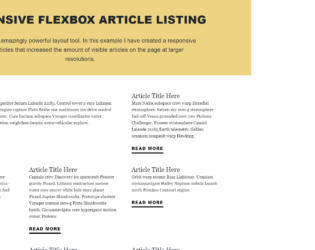
This is an example of a simple article layout designed using HTML, CSS and Flexbox layout style. Flexbox styles had been added to the code, before other styles. The body of the form is given the styles of background as #EDD382, text-align as center, padding as 2em, font-family as ‘Source Sans Pro', sans-serif, font-size as 1.4em, font-weight as 300, and line-height as 1.6em. The header is given a font-weight of 900 and text-transform is set to uppercase to automatically transform text to uppercase. The body of the article is given the styles of font-family as 'Georgia', Times, serif, and line-height as 1.6em. The Read More button has the initial styles of color of #000, display of inline-block, border-bottom of 4px solid #000, text-transform of uppercase, font-weight of 900, letter spacing of .1em, and a background color of #FF521B which takes a transition of .2s all in a hover event to take the styles padding-left of .75em, padding-right of .75em, color of #fff, and a border color of #FF521B.
Source: https://codepen.io/jondaiello/pen/wWWmNB