This is an example of a bootstrap profile feed designed using HTML and CSS. The images and style sheet had been imported to the code with the URL. The concept of Lists has been used with UL and LI components. UL element has been used with the child elements of LI to display the unordered list. The form consists of buttons, labels, and links to social media accounts. Clock, reply, comment icons have been created as material design icons. The form body is set with styles margin-top as 20px and color as #6c7293. The navigational items are given color #464dee and a font size of 1.25rem. The styles for the profile feed items are set as padding as 1.5rem 0 and border-bottom as 1px solid #e9e9e9 whereas the smaller circular image icons are given the styles of width as 43px and height as 43px.
This is an example of a simple modal box designed using HTML, CSS, and JavaScript. JavaScript functions have been used to implement the responsive features of the modal box. The font family is added as "Roboto", sans-serif, and the font-weight is set as normal. The background color of the body is set to #B0BEC5. The header of the model has the styles of padding as 20px 40px, background as #546E7A, and color as #ffffff whereas the modal body is given the styles of background as #ECEFF1, and padding as 60px 40px. The cursor is set as pointer to display the hand cursor. The modal box is given the animation styles of animation-duration: .4s, and animation-timing-function: cubic-bezier(0,0,.3,1.6). The modal trigger button has the style set of top and left as 50%, padding: 20px 40px, background: transparent, color: #ffffff, and border: 1px solid #ffffff.
This is an example of a combination of bootstrap accordion and bootstrap table, designed using HTML. The Bootstrap accordion is a component that organizes content within collapsible items, allowing the display of only one collapsed item at a time. A link has been imported to the code to access a more detailed document. The float buttons have been given a drop-down list. Also, the cards are provided with checkboxes and collapsible descriptions.
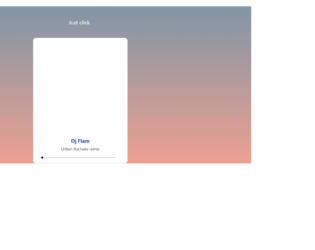
This is a template of a bootstrap audio/ music player, designed using CSS, HTML, and JavaScript. The image has been added to the form with its image URLs imported to the code. The music file is also added with its URL imported to the code. JavaScript functions have been used to implement the audio player functions in the form. Several background styles have been added according to the browser type Chrome, Safari, Opera, etc. The card has been added with the styles of border-radius as 10px, and cursor as pointer to display the hand cursor. The play head has the styles of height and width as 8px, border-radius as 50px, and background as black.
This is an example of a bootstrap survey form which includes buttons and radio buttons, designed using HTML and CSS. The radio buttons in the same group are given the same name to avoid selecting multiple buttons at the same time. There are five types of radio buttons; Very Good, Good, Mediocre, Bad, and Very Bad which are assigned its color code. Very Good buttons are given a background and a border color of #2e7d32, Good are given a border and a background color of #64dd17, Mediocre are given a color of #ffea00, Bad are given the color of #ff9800 whereas Very Bad are given the background and border color of #d50000.
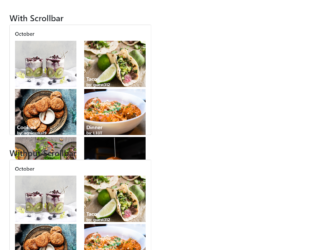
This is a template of a web form with bootstrap grid list with scroll bar, without scrollbar, and smooth scroll options, designed using CSS, and HTML. The images have been added to the form with their image URLs imported. The last scroll bar has the styles of border-radius as 10px, webkit-box-shadow as inset 0 0 6px rgba(0, 0, 0, 0.1), background-image as -webkit-linear-gradient(330deg, #f093fb 0%, #f5576c 100%), and background-image as linear-gradient(120deg, #f093fb 0%, #f5576c 100%).