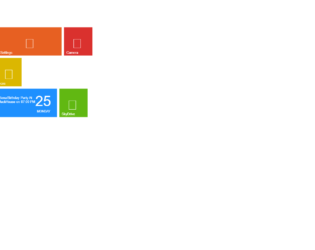
This is a template of a Windows 8 User Interface, designed using HTML and CSS. The Windows tiles and icons have been imported into the code with the URLs added. The font styles is also imported with its URL and set as Open+Sans: 400,300. The body of the form is given the styles of margin as 0px, font-family as "Open Sans", arial, background as #0f6d39, color as #fff, and font-weight as 300. The header "Start" has the styles of font-family as "Open Sans", arial, font-weight as 300, float as left, width as 55%, margin-left as 5px, font-size as 40px, and margin-bottom as 40px whereas the boxes are given a hover transformation of webkit-transform: scale(1.05) and a focus transformation of webkit-transform: scale(1) and assigned colors such as lime{background:#61b812;},orange{background:#e76022;},blue{background:#1E90FF;},redgay{background:#DA312E;},yellow{background:#dbb701;},bluefish{background:#02b9e3;}, magenta{background:#d22a4e;}, and .spacer. The cursor is set as pointer to display the cursor as a hand.
Source: https://codepen.io/pedox/pen/DimhI
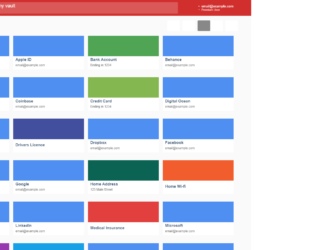
This is an example of a vault layout web form designed using CSS and HTML. CSS grid view elements have been used to separate and organize the displaying sections whereas Flexbox is used to get an identical layout for the browsers that don't support the CSS grid. The concept of Lists has been used with UL and LI components. UL element has been used with the child elements of LI to display the unordered list. The default font size for the form is set to 10px. The body is given the style set of font-family as "Open Sans", Arial, sans-serif, display as flex, min-height as 100vh, background-color as #fafafa, and position as relative whereas the buttons are given the styles of font-size as inherit, font-weight as inherit, color as inherit, display as flex, justify-content as center, align-items as center, and cursor as pointer to display the cursor as a hand. The header is given a background color of #d12f2e and the search input field is given a color of rgba(255, 255, 255, 0.3) in a hover event.
Source: https://codepen.io/GeorgePark/pen/PQweLr
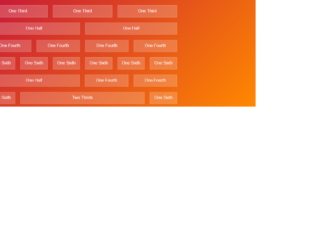
This is an example of a simple column preview with text in them, designed using CSS and HTML. The form is divided into six sections based on their positions and sizes. There are six rows of columns with 5 different sizes which are; One Third, One Half, One Fourth, One Sixth, and Two Thirds. The body of the form is given the style set of font-family as 'Raleway', sans-serif, padding as 10px, and background color as linear-gradient (135deg, #b04, #f80) fixed. The columns have the styles of padding as 10px 0, background-color as rgba(255, 0, 0, 0.25), text-align as center, border as 1px solid rgba(255,255,255,0.25), background-color as rgba(255,255,255,0.2), and color as rgba(255,255,255,0.9). A section is given the styles of max width as 740px, margin as 0 auto, and display as flex.
Source: https://codepen.io/madebyanna/pen/rVRWXw
This is an example of a web form with a 3D fold-out reveal card preview, designed using HTML, CSS, and JavaScript. The background images of the cards are imported to the code with their URLs. JavaScript functions have been used to create 3D animations in a focused event. The font family of the form is set as Sans+Pro and imported into the code with its URL. The colors are predefined as variables and set as white: #ffffff, lightBG: #dce1df, salmon: #ff6666, teal: #0096a0, tealMid: #0ebac7, tealContrast: #33ffff, darkGrey: #4f585e, and tealShade: #007c85. The body of the form is given the styles of background: @lightBG, color: @darkGrey, font-family: 'Source Sans Pro', sans-serif, and text-rendering: optimizeLegibility. The cards are given an initial set of styles such as background: @white, display: inline-block, margin: 8px, max-width: 300px, perspective: 1000, position: relative, text-align: left, and transition: all 0.3s 0s ease-in. The cursor is set as pointer to display the cursor as a hand, in a focus event on cards.
Source: https://codepen.io/candroo/pen/wKEwRL
This is an example of a FAQ web form with collapsible sections, designed using HTML and CSS. Variables are used to define values to avoid using values again and again in different places. The font family has been defined as 'Open Sans', sans-serif and been added to the code with its URL. The colors that are defined as variables are primary: #4f56c0, white: #FFFFFF, light: #F4F4F4, black: #333333, grey: #C4C4C4, and ghost: rgba(0,0,0,.0). The transitions that are defined as variables are $time: 200ms, $ease: cubic-bezier(0.165, 0.84, 0.44, 1), $smooth: cubic-bezier(0.175, 0.885, 0.32, 1.275), and $transition: $ease, $time. The section title is given the styles of color as $color, font-size as 4rem, font-weight as bold, text-align as center, text-transform as uppercase to convert the text to uppercase automatically, and padding as 3rem 0. The collapsible card initially has the styles of border: .1rem solid map-get ($colors, grey), border-radius: .4rem, overflow: hidden, and margin: 0 0 1.5rem whereas the button is given the styles of color: map-get ($colors, white), font-size: 2rem, width: 100%, and padding: 1rem 0.
Source: https://codepen.io/luiquecruz/pen/LYPjWbg
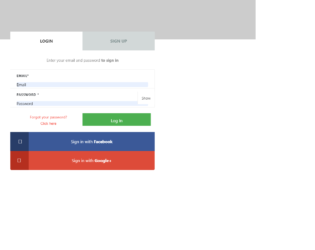
This is another example of a signup/sign-in form where the sign in and signup options have been given using toggle buttons, designed using HTML, CSS, and JavaScript. Bootstrap library and bootstrap style sheets have been imported to the code. JavaScript functions have been used to hide and show the password. Sign in using social media accounts function has been implemented with their respective links imported. Cursor style is set as pointer to display the cursor as a hand whereas text-transform style is set as uppercase for the headings to convert the text to uppercase automatically. The list has a style set of width: 50%, position: relative, float: left, text-align: center, background: #D2D8D8, line-height: 72px, height: 72px, font-weight: 700, font-size: 16px, and color: #809191 whereas the subtitle is given the styles of display: block, font-weight: 400, font-size: 15px, color: #888, and line-height: 48px. In a focused event, the login and signup tabs get an outline border of outline: dotted 1px.
Source: https://codepen.io/arunslite/pen/dojLOg
This is another example of a signup/sign-in form where the sign in and signup options have been given using toggle buttons, designed using HTML, CSS, and JavaScript. The Li element of lists has been used to display the details in a list. The form consists of placeholders, checkboxes, and a button. JavaScript click(function() have been used to implement the toggle feature. The body of the form has the styles of box-sizing: border-box, font-family: 'Open Sans', sans-serif, and a background color of linear-gradient (rgba(246,247,249,0.8), rgba(246,247,249,0.8)). The background of the container is imported with its URL. The text-transform style is set as uppercase to convert the text to uppercase automatically. The sign in and sign-up sections have the styles color: rgba(255,255,255,.3), and cursor: pointer to display the cursor as a hand which takes a transition of all .25s ease in a toggle event and takes the border style of solid 2px #1059FF and padding-bottom of 10px. The sign in and signup buttons are given the styles of float: left, font-weight: 700, text-transform: uppercase, font-size: 13px, text-align: center, color: #ffffff, padding-top: 8px, height: 35px, border-radius: 20px, margin-top: 23px, and background-color: #1059FF.
Source: https://codepen.io/joshsorosky/pen/gaaBoB
This is an example of a web signup/sign in form designed using HTML, CSS, and JavaScript. Signup and sign in options have been given using toggle buttons. JavaScript functions ready(function() and click(function() have been used to implement the toggle feature. The background of the body is set as #FAF3EC and the font family as 'Roboto'. The color of input placeholders is set as #748194 to work on different browsers. The background picture is added to the form with its URL imported and given the styles background-size:300px 400px, background-color:white, width:300px, height:400px, position:absolute, and border-radius:15px 15px 200px 200px. The signup and signup buttons are given a background color of white and cursor as pointer to display the cursor as a hand. The signup and get started buttons have the styles of font-weight: bold, width: 230px, height: 45px, padding: 6px 15px, border-radius: 5px, background: #EE9BA3, color: white, and font-size: 14px.
Source: https://codepen.io/chintuyadav/pen/mBaBqW
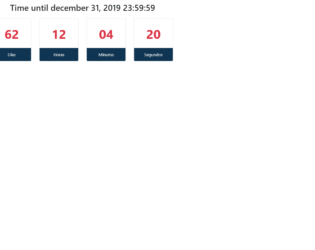
This is a template of a web form with a countdown feature, designed using HTML, CSS, and JavaScript. The countdown is displayed in all days, hours, minutes and seconds formats. The form is divided into three main sections as the header, counter box, and footer. The header displays the time when the countdown ends and the footer displays the time formats. The counter box is given the styles of width as 150px, margin as 0 15px, color as #dc3545, font-size as 3em, and font-weight as 700. The footer has the styles of background-color as #103552, and color as white. The JavaScript functions have been used to make the counter up and running. getTime() function had been used to set the ending time and get today's time whereas setInterval(function() had been used to update the counter every second. Math.floor had been used to calculate the time for days, hours, minutes and seconds.
Source: https://codepen.io/isacs33/pen/bGGevBy
This is an example of a bootstrap profile feed designed using HTML and CSS. The images and style sheet had been imported to the code with the URL. The concept of Lists has been used with UL and LI components. UL element has been used with the child elements of LI to display the unordered list. The form consists of buttons, labels, and links to social media accounts. Clock, reply, comment icons have been created as material design icons. The form body is set with styles margin-top as 20px and color as #6c7293. The navigational items are given color #464dee and a font size of 1.25rem. The styles for the profile feed items are set as padding as 1.5rem 0 and border-bottom as 1px solid #e9e9e9 whereas the smaller circular image icons are given the styles of width as 43px and height as 43px.
This is an example of a simple modal box designed using HTML, CSS, and JavaScript. JavaScript functions have been used to implement the responsive features of the modal box. The font family is added as "Roboto", sans-serif, and the font-weight is set as normal. The background color of the body is set to #B0BEC5. The header of the model has the styles of padding as 20px 40px, background as #546E7A, and color as #ffffff whereas the modal body is given the styles of background as #ECEFF1, and padding as 60px 40px. The cursor is set as pointer to display the hand cursor. The modal box is given the animation styles of animation-duration: .4s, and animation-timing-function: cubic-bezier(0,0,.3,1.6). The modal trigger button has the style set of top and left as 50%, padding: 20px 40px, background: transparent, color: #ffffff, and border: 1px solid #ffffff.
This is an example of a combination of bootstrap accordion and bootstrap table, designed using HTML. The Bootstrap accordion is a component that organizes content within collapsible items, allowing the display of only one collapsed item at a time. A link has been imported to the code to access a more detailed document. The float buttons have been given a drop-down list. Also, the cards are provided with checkboxes and collapsible descriptions.