Useful WordPress Plugins Worth Installing
The useful WordPress plugins today are a short list: one for SEO, one for caching or performance, one form builder, one security layer, one backup tool, and a couple of developer utilities. Everything else is a feature you should first try to get from WordPress core, your block theme or your host.
This is a rewrite of a 2007 list that recommended Ajax comment plugins, Digg buttons and a plugin that made the admin menu open on mouseover. WordPress absorbed most of that: tags, Gravatars, XML sitemaps, lazy-loaded images, paginated comments, a block editor and a Site Editor. What follows is what still earns a place on a site, and how to decide whether you need it.
Check core before you install anything
Each plugin adds code that has to be updated, secured and loaded. Before you install one, ask whether WordPress already does the job. These things used to need plugins and no longer do:
| Old plugin job | What to use now |
|---|---|
| XML sitemap generator | Core generates a sitemap at /wp-sitemap.xml (an SEO plugin can replace it with its own) |
| Gravatar plugin | Avatars and Discussion settings are built in |
| Paged comments | Comment pagination is a Discussion setting |
| Tag management | Tags are a core taxonomy with a bulk editor |
| Lazy-loading images | Core adds loading="lazy" to images |
| Page navigation and recent comments widgets | Query Loop pagination and the Latest Comments block |
| Custom sidebars, layouts, galleries | Patterns, the Gallery block and the Site Editor in a block theme |
If you are still choosing a theme, start with a block theme, since it handles much of this without extra plugins. Our roundup of WordPress themes is a starting point.
SEO: Yoast SEO or Rank Math
An SEO plugin handles titles and meta descriptions, canonical URLs, Open Graph tags, structured data, redirects for changed slugs and a sitemap. You only need one, and the two big choices are Yoast SEO and Rank Math. Both are free in the plugin directory, with paid upgrades.
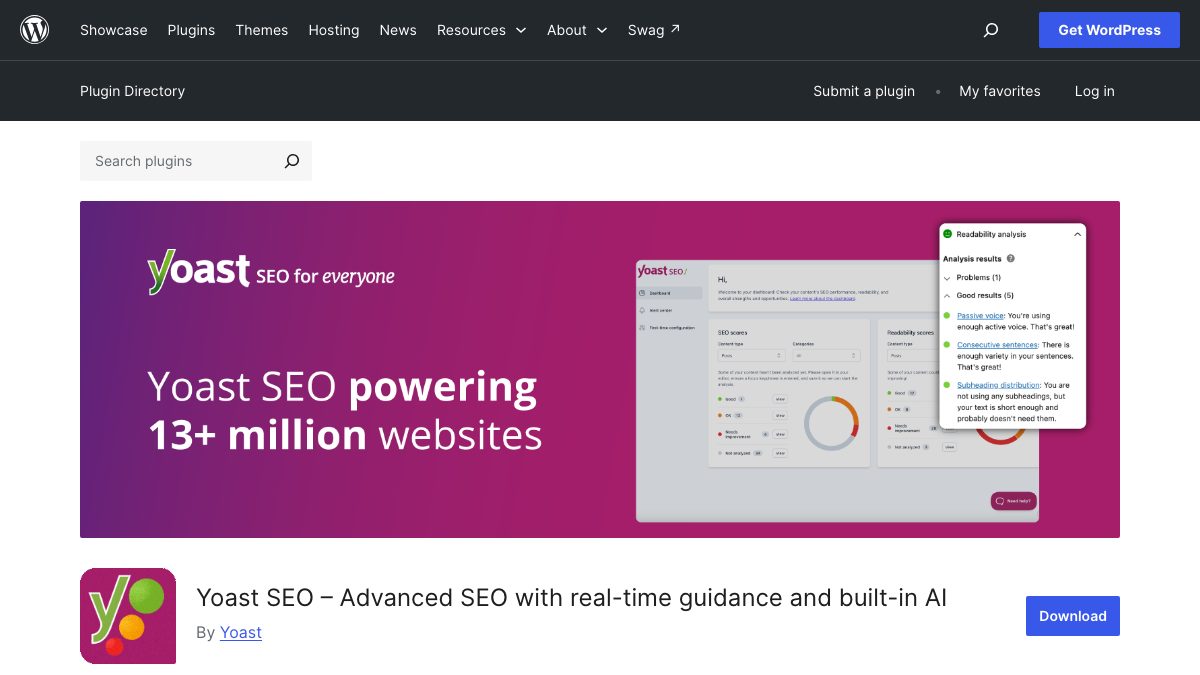
Pick whichever interface you find clearer and stay with it. Switching later means migrating per-post titles and descriptions, which both plugins offer as an importer, but it is still extra work. Treat the green-light content scores as hints, not goals: a page can be technically perfect and still unhelpful.
Performance: caching and image formats
The 2007 list started with WP Cache, and caching is still the plugin category with the clearest payoff. A page cache saves a rendered HTML file and serves it without running PHP and database queries on every visit.
Check first whether your host already provides page caching. Many managed WordPress hosts do, and running a second cache on top can cause stale pages. If yours does not, there are two well-known free options:
- WP Super Cache, from Automattic, is the direct descendant of the idea behind the original WP Cache. It is simple, with sensible defaults, and a good fit for a typical blog or brochure site.
- W3 Total Cache has many more options (object caching, CDN integration, minification). Those options are useful on a tuned server and easy to misconfigure elsewhere.
For images, the WordPress core performance team publishes Performance Lab, a collection of performance features that are tested as plugins before some of them move into core. Its Modern Image Formats module is also available as a standalone plugin. Read the plugin descriptions and enable only what you need.
Whatever you install, measure before and after with PageSpeed Insights or Lighthouse, and compare field data where it exists. If a plugin does not improve the numbers, remove it. Our guide to speeding up a slow WordPress website goes deeper on the causes beyond caching.
Forms: Contact Form 7 or Fluent Forms
Two of the 2007 picks were contact form plugins, which tells you how little changed about the need. For a plain contact form, Contact Form 7 is a long-standing free choice: you define the form and the email template in a small markup language, and style it with your own CSS. It is flexible, but it is not a visual builder.
If you want a drag-and-drop builder, multi-step forms or quizzes without code, Fluent Forms is a free option in the directory with that scope. Whichever you use, add spam protection (a honeypot or a CAPTCHA alternative), and send a test message after setup, because mail from a default WordPress install often lands in spam. An SMTP or transactional email plugin fixes that.
If you only need the design of a form, our Bootstrap 5 registration form with floating labels shows clean markup you can adapt.
Security and backups
Most compromised WordPress sites are hacked through outdated plugins or themes, or through weak passwords, not through exotic attacks. The basics matter more than any plugin: keep everything updated, delete what you do not use, use strong unique passwords with two-factor authentication, and install only plugins from sources you trust.
On top of that, a security plugin adds a firewall, malware scanning and login protection. Wordfence Security bundles all three in a free tier. Note that some hosts already offer a web application firewall at the network level, which may overlap.

Backups are the safety net for everything else. UpdraftPlus backs up and migrates a site, and can send copies to remote storage. The remote part is the one that matters: a backup stored on the same server as the site disappears with it. Run a restore on a test site at least once. Our guide to protecting WordPress sites covers the wider checklist.
Developer and maintenance tools
Two free plugins make working on a site much easier:
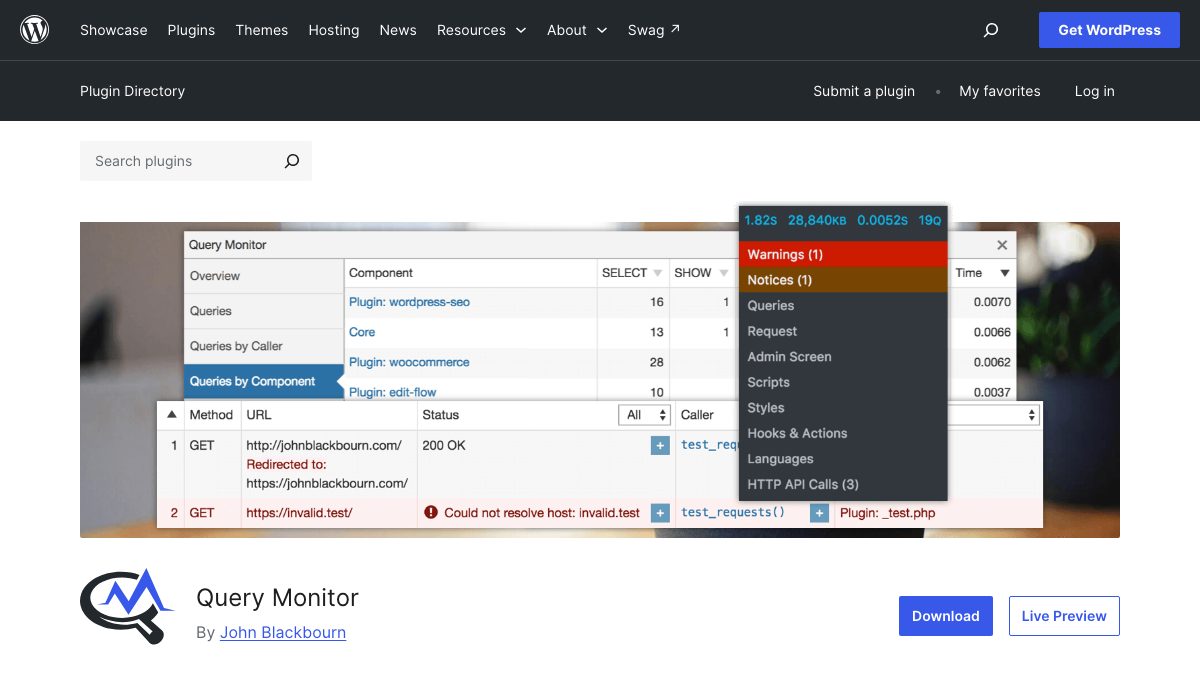
- Query Monitor adds a debugging panel to the admin bar that shows database queries, PHP errors, hooks, HTTP requests and which plugin or theme caused each. It is the first thing to install when a page is slow or throwing warnings. Use it on a staging site, or remove it when you are done.
- Redirection manages 301 redirects and logs 404 errors from the admin. It is useful after a redesign or a slug change, when old URLs would otherwise break and lose traffic. If your SEO plugin has a redirect manager, you may not need it.
Do your testing locally before touching a live site. Our walkthrough on installing WordPress locally explains the idea, and the tooling has changed since, so use the current WordPress developer documentation for the newest options.
How to vet any plugin before you install it
These checks take two minutes on the plugin’s directory page and catch most bad choices:
- Last updated. A plugin untouched for a year or more may not work with current WordPress or PHP, and may have unpatched vulnerabilities.
- Tested up to. It should name a recent WordPress release. The directory also shows the required PHP version.
- Support forum. See whether the author answers questions.
- Scope. Prefer a plugin that does one thing well over an all-in-one that duplicates features you already have.
- Load. Test with Query Monitor or Lighthouse, on staging, before and after.
- Exit plan. Ask what happens to your content if you uninstall it. Shortcodes and custom tables can leave junk behind.
Download plugins only from the WordPress.org directory or the vendor’s own site. “Nulled” copies of paid plugins are a common way to get malware onto a site.
A sensible starter set
For a typical small site, this is enough: a block theme, one SEO plugin, a page cache if your host does not provide one, one form plugin if you need forms, a security plugin and an off-site backup. Add Query Monitor while you are building. Every plugin beyond that should have a specific reason that you can state in one sentence.
Thanks, I try to find out how WordPress works. And these plug-ins will probably make my life easier :)
Another great post guys with a lot of plugins I defintely want to take a look at.
What would you guys recommend as the best Flickr plugin to display all your photos from within your blog. FAlbum?
Pretty interesting post. Some plugins I didn’t know about, like Adsense Deluxe or Sideblog, which I found particularly interesting.
Hello,
good post. Very useful !
I’m looking for a plugin which allows custom fields creation like I want to publish an album with Title, Song and time without having to create an article…
I have become a bit of a WordPress addict recently – but I have reservations about relying too heavily on it and the plugins. Simply because I sometimes get the feeling that I am not in control. If there is a big error, I wouldn’t really know how to fix it as it’s all someone else’s code, unlike something I built where I know it inside out. If a critical upgrade comes out and half of your plugins aren’t compatible you might have some issues. That said – WordPress is still the shiznizzle.
Franck – see the previous post for the Custom Field options :)
Wow thats a good list. I saw the title and was expecting to see a bunch of plug-ins that I already use but you put together a nice list. Thanks!
thanks for the list. i like your wordpress theme, it’s extreme individual!
That’s a pretty good list of plugins, i would also suggest the “Share this” plugin by Alex King
Gravatar plugin is out of date, as it’s implemented now in the core and a sideblog is easy to manage via a second loop in the sidebar…
Kool. I will be putting some of these on my new WordPress Blog soon
Thanks a bunch, this list is great! If anyone can find a good plug-in that allows a reader of a blog to join (register) and create a simple profile with a photo, I was would be deeply indebted.
You can add these to your list, they are very useful.
“Content Show/Hide” – “Contextual Related Posts” – “Subscribe2” – “Share This”
They are a must have in your blog.
Adsense Deluxe is highly deprecated (not maintained and not using WP’s internal security functions). Have a look at Who Sees Ads instead :)
Don’t know of any HTML comment or image upload comment plugins do you by any chance?
Best contact forms I have seen is cforms, I use it all the time and also allows you to use several forms on one website.
Capital N for Nick! Man yesterday I wrote a comment in Ndesign-studio site in Plugins i use in my site! Thanks for the follow up plugins in wordpress!
you have no idea how i much i needed this “category tag cloud” fake plugin. thank you!
Don’t forget the Shareomatic! plugin. It’s gives your readers access to (currently) 69 services with one single link.
There even is a feedflare for all feedburner-users out there ;)
Waaahhh! great bunch of useful plugin list you got there, I’ve use only a few and many that I don’t really know. Currently I’m under repairing my site with the help of one of my best buddy due to my action installing some lousy plugins.. damn! need to get this problem fix faster.
BTW big thanks for sharing!
What can I say, Web Designer Wall is easily becoming one of my most frequent resources for new and exciting tips.
This list of WordPress plug ins is absolutely perfect. I’m excited to start adding them to my projects.
This is great, i tried the Paged Comments, as well as the AJAX inline comments and they don’t seam to play nice.
That being said the Ajax Comments site doesn’t have any mention of how to actual use it, it might be a install and go type of thing, but that doesn’t leave much room for trouble shooting.
Coffee2Code’s Get Custom Field plugin is great — it’s amazingly versatile, and makes using custom fields (like you mentioned in your other post) really easy…
What’s the plugins you used for “comment preview” and “collapse/expand all”.
The linkpref.js for “Add” and “Back to top” links works fantastic. Would you share this .js anyway.
The only one I disagree with is the Google Sitemaps plugin, that thing can make a mess of your blog and your database.
Hi
Great post ..
What do you use for the Ads on this site or are they manually added, I have a requirement to include Ads (non AdSence or Yahoo!) in a community type wordpress site, you mentioned “Adsense Deluxe” but this only seems to be used to “Selectively embed Google AdSense and Yahoo! Publisher Network ads in your WordPress posts.”
Thanks,
Adam
The ecom plugin is very useful if you run a shopping website with wp.
Thanks for the information
This is very useful list of WordPress plugins nick. Thanks for sharing them with all of us.
Awesome post Nick. Thanks! Does anyone know if the InTouch Ajax Contact Form has any issues with installing on WordPress 2.3.1? It keeps giving me an error that the intouch-sajax.php file does not exist, but it’s in the folder?
@Jacorre – I just upgraded Web Designer Wall to WordPress 2.3.1 (currently latest) and I don’t have any problem with InTouch form.
Thanks a lot~ These are really useful for me~~
I was just really wondering what is the plug-in used on the images on the page “”.
When I clicked your small images, I can see kind of lightbox Plug in. But it seemed to be a little bit different from others. Can you tell me what that is? Thanks~
@Jacorre
Hi I have the same problem with InTouch Ajax Contact and I’m using also WP 2.3.1. Well, now I use ContactForm 7 it works very well and it has a easy configuration. So good luck! Try ContactForm 7…
@Milan or Jacorre – also check out cforms plugin (more features).
You have got me into really downloading the wordpress – I dont think I have anything wise to say in my blog – but I just has to try it out. thanks for being such an inspiration
very interesting, but I don’t agree with you
Idetrorce
I agree with the list but I think the polyglot should be included. I know that few people keep a multilingual blog, but for those who do need to post in different languages… That is a must have.
Is that a plugin or custom css in your right column? The one that has the “Extra’s and Recent Comments” Tabs?
I would love to get something like that for my blog.
Thanks.
alejandro
Thanks a lot for the useful list. I was just looking for sth like “Simple-Recent-Comment” and “Admin Drop down menu”.
Looking forward to your updated version of the list in the future.:-)
Holy crap this is an awesome list. Thanks;
hey man, think you could update some of these links, a lot are broken.
But thanks for taking the time to do this, as a new word press user, this is helpful!
I would highly recommend a plugin I wrote, Yet Another Related Posts Plugin. Listing related posts on a page is not only user-friendly, but good for SEO as well.
Could you say what you use for the Expand/Collapse All, in comments and for the Comment Guidelines thing? Thanks!
Hello everybody, my name is Damion, and I’m glad to join your conmunity,
and wish to assit as far as possible.
Being new to your blog I swear this is the best blog design I’ve seen…
Definitely I wouldn’t want to miss anything tips you have shared here, are sharing and will be sharing in the future.
Aloha, what’s a good way to have rss feed similar to your website?
You’re always here when I Google something about wordpress, webdesign or ergonomy. You are quite important for the blogosphere! Keep the good stuff going out of your keyboard.
What about a plugin that enables your blog to be part of a distributed social network ;) ? Minerva WordPress plugin ( ) adds the following capabilities to your blog with a single click:
– Add friend
– Join other people networks
– Create and manage your own networks
You don’t have to register anywhere and you don’t need an openid account, your blog is the only account you’ll need.
thanks for that link.. i will be checking it out in a while!just want to say you have a avery wonderful layout theme! love it so much…everyhing in it…is this in any way available anywhere ? or any tutorials on how to tweak my own site into something like this?
Hi there,
Know anyone how plugin to use if I want only a part of the article to be displayed? If someone want to read more there will be a “read more” link…
On my blog right now is displayed all of article content and I don’t want this…
I’m talking about the latest 10 articles displayed on the first page of my blog.
I’m using WordPress.
Can anyone help?
Hi Nick, this is a great list of plugins! Thanks for sharing it with us.
What is the plugin you use for your portfolio page?
Many thanks for the work.
Thank you guys.
Really great articles…
Thanks for share…
Anyway…any read more plugin?
How about adding the Arkayne Widget to your list. It makes tagging obsolete by automatically cross linking your posts for you based on content.
I ask because this seems like a cool list and Arkayne seems to fit right in with some of the other plugins you’ve reviewed.
what do you use to display recent posts on the side panel? also what do you use to create the cool tag cloud?
I have usefull plugin too, check it out…
Here is one of the best new plugins to be released to work with WordPress, it’s a mass video embedding plugin that works with over 30 search engines.
Now you can add 100’s of videos to your blog in a matter of seconds.
Here is the site
http://www.videoswiper.com/
Hi,
Here is the another wordpress plug-in which helps to translate your blog into 10 different languages.
https://wordpress.org/plugins/free-translation/
Thanks,
Nick, there seems a lot of spam in your comments section. Is Akismet not a good WP plugin?
Nick, there seems a lot of spam in your comments section
i am wondering how can i get your theme :)
liability certificate 25 insurance acord of acord insurance certificate liability form of
geisinger pa plan health plan gold geisinger health
life insurance reliastar company minneapolis insurance life company rating reliastar
Very good list I use a number of these plugins at the airport parking website World airport parking
Very good list I use a number of these plugins at the airport parking website World airport parking
Very good information, I was looking for something like this that will give me list of only necessary plugin details.–
Shirasmane
sall prietene ,as vrea sa fiu si eu admin pe sv acesta se poate?
Great post, very useful information even if I know lots of the plugin you have talked about here, but I have learned something new today by reading your blog. Thanks!
Plugins are not working on my wordpress. I don’t know what went wromg. I uploaded it on the plugins directory but did not show up in the Plugins Dapce in Admin Panel.
pretty nice post here. i personally try to use as few plugins as possible and have narrowed it down to about 10 that i must have installed on all blogs i work with. wp plugins
Thank you very much for the review… I have some idea about what Plugins to add to my WordPress Blog from this article.
Great post! Another great wordpress plugin is “SyntaxHighlighter Evolved”. I found that this was the best way to include code in your posts. It has an option to copy the code to your clipbourd and it looks quite good too. You can see an example of this code highlighter in action here.
Wow! Amazing list. Thanks!
However, I’d put SpamTask on it for the spam filter.
There are a few of these plugins that I currently use, and they are a must have.
I am currently developing WordPress plugins and have four available. They are very simple ones, but are very useful. Would you be interested in checking them out and letting me know what you think?
Hi,
Nice list and i’d agree with almost all of those recommendations! But I’d like to suggest my plugin for addition!
It’s called the Wapple Architect Mobile Plugin for WordPress and it mobilizes your blog. It works for every single device, from a WML phone to a brand new swanky phone with XHTML. Images are dynamically resized and you get the option to really customize your blog any way you want.
In addition, you can upload mobile logos and style your site so the mobile version matches the website and you retain your brand identity.
If you fancy giving it a go, the URL is https://wordpress.org/plugins/wapple-architect/ – it’d be great to hear your feedback!
If you need any help setting it up or would like any assistance enhancing your mobile blog, get in touch over at and I’ll do my best to lend a hand!
Wp-PreventCopyBlogs WordPress Plugin prevent and copyProtect Your WordPress Blog from fraudulent copies
1.Track the visitors who try to copy your content.
2.Record the ip of the user who tries to do fraudulent copy with their landing url of your site and referral url.This can help you to do necessary measures if you notice something bad.
3.Enable Message displayed to your user upon user’s choice.
4.Disable Selection of you text and Right Click for users depending on the option.
I love wordpress plugins, i appreciate you for a helpful and informative post, keep it up good work. Thanks
I use WordPress for my blogs so these plugins are useful for me.
My favorite plugin that you have listed here is the, Breadcrumb Navigation plugin. It boosts your SEO up a bit and makes it easier for people to navigate through a persons site.
I am mainly into SEO Optimization and currently have seven WordPress plugins that are free. I don’t do the coding, I just come up with the idea of the plugin and what functions I want. My coder does the rest for me.
Great list, but you forgot one (or perhaps you simply dont like/use it):
All in One SEO.
I’ll certainly be looking at some of the plugins from your list that I haven’t used before :)
All great plugins, I’m using some of them already and put my eyes on a few more due to your post. However, there is one plugin that helped me a bunch and I see you haven’t listed it here; it’s the lockpress plugin. Designed to block certain posts/pages on your blog, user can see them after paying whatever ammount you want via paypal.
It’s a great little thing that made me money in the last few months. It’s also free to use.
Chris
I suggest to use free PHP IDE Codelobster PHP Edition with special WordPress plug-in.
The designs showed here show what simple and tasteful design is all about. Another one to consider
Nice post, great collection of wordpress plugins, comin back again here… All in ONE SEO Pack is also ok
Thank you. I use Theme Switcher plugin to build my free theme url
Thanks a lot for yet another marvellous article. I am always searching for good WordPress tutorials to recommend to my own readers. Thank you for creating this article. It’s just what I was looking for. Truly great post.
Thanks for yet another amazing WordPress tutorial. I am always on the look-out for awesome WordPress tutorials to recommend to my readers. Thank you for creating this article. It’s exactly what I was looking for. Truly first-rate post.
I love your twitter sticky-note-like box. Can you tell me where I can get that?
I have used most of these plugins, some of them are now dead and vulnerable. WP Cache remains on the top of my radar. Overall a good list, thank you.
I personally love the User Interface of your blog, very comic and interesting.
is there something like a free translation service that we can use online ? ~'”
What about the All In One SEO plugin?
Regards,
Aaron
health plans may be expensive but it is really very necessary to get one for yourself .’`
As for caching plugins, I recommend W3 Total Cache.
For mobilizing your blog, there is the WP Mobile Detector – https://wordpress.org/plugins/wp-mobile-detector/
Great post, Ive been using 3 plugins search everything, wp cache and google sitemap xml in my arcade site…. it really does work, But I just change recently my wp cache to w3 total cache.. I think you have to consider this great plugin than wp cache!
Great post, for those who wants to build an arcade site, the easier plugin to use in feeding mochi is myarcadeblog not the pro, it takes time to work on pro as a beginner or new to blog that turns into arcade site! But still if you want both mochi and heyzap games pro is what you need!
Apple’s launch of the iPhone 4 white has seen the greatest excitement for a new phone ever, with HD video recording, a super high-res screen and ridiculously slim dimensions, it’s not hard to see why its so popular in the world.
now supplying the latest white iphone 4 conversion kit to make your iphone 4 different from others. As a fashion fans like you will surely love it.
Thank you for sharing. Recommending for all WordPress webdesigners!
Great post, Ive been using 3 plugins search everything, wp cache and google sitemap xml in my arcade site…. it really does work, But I just change recently my wp cache to w3 total cache.. I think you have to consider this great plugin than wp cache!
I have used Headspace2 on several sites, as it does some things better than other plugins. Plugins are great. Thanks for the nice collection of plugins.
San Diego Mobile Notary
Great post, I definitely agree with the WP cache! Great Plugin.
Excessive fear, anger, and work under stress last pregnancy, infants can lead to excessive hassaslığa. Intense emotions, going through the mother’s blood circulatory system and brain functions that affect the baby in some leads to the release of chemical
I Like your website, I’m currently looking for an e commerce website
Nice list.
I’m curious how others deal with installing the same plugins on new installs over and over. I just finished creating a tool for creating a custom install script. It automatically downloads and activates a list of chosen plugins during installation.
Hopefully someone finds it useful Or maybe there is a better way to do this?
Great post about WordPress plugins. We’ll be doing a podcast covering the latest and greatest plugins for WordPress on Wednesday, June 15th. For more information, click here.
Use the SMS Plugin to send new post alerts via SMS to your WordPress users. SMS are sent through SMSGlobal, who offer highly competitive pricing for bulk SMS.
Use the SMS Plugin to send new post alerts via SMS to your WordPress users. SMS are sent through SMSGlobal, who offer highly competitive pricing for bulk SMS.
There are certainly a whole lot of details like that to take into consideration. That is a great level to bring up. I supply the ideas above as general inspiration however clearly there are questions just like the one you bring up where a very powerful thing might be working in sincere good faith. I don?t know if finest practices have emerged around things like that, however I’m sure that your job is clearly identified as a fair game. Both girls and boys really feel the impression of only a second’s pleasure, for the remainder of their lives.
Thanks so much for giving everyone an extraordinarily splendid possiblity to read critical reviews from this web site. It can be so fantastic and also stuffed with a lot of fun for me personally and my office fellow workers to search your website at the least thrice a week to learn the fresh stuff you have got. Of course, I’m just usually motivated with the breathtaking principles served by you. Selected 2 points on this page are really the most impressive I’ve had.
These are really stunning, there are even some sites that are new to me. All the colour schemes complex 41are definatly brave but I really think they work to make the sites eye catching and engaging.
hy… just want to know….
If I create my own Template. How the plugins will work with?
Tnx
Nice plugin if you want to increase page views: upPrev – display a floataing box when scrolling the page, like NYT. wordpress.org/extend/plugins/upprev/
I hope you have a good mood.With love to do things, with a heart of gratitude to be a human.
Mulberry Bags, Mulberry Handbags, Mulberry Sale, Mulberry UK,mulberry alexa bag, mulberry bags, mulberry outlet, mulberry factory shop, mulberry alexa bag
That China warned the United States not to participate in the south China sea dispute, the Philippines military confirmed the Mulberry Bags news of the joint war games. The Philippines Mulberry Handbags military spokesman rodriguez said: “sea joint war games will be Mulberry Bag on June 28, the western regional held in the Philippines.” He also said this drill since last year has set up a file in the planned. The article points out that Mulberry Outlet the exact location, about joint Mulberry UK Philippine military and for any statement published. But the western naval forces SuLuHai mostly Mulberry Sale and around military exercise activities at sea. Mulberry Men’s Bags Mulberry Bag UK Mulberry Women’s Bags
Have the Philippines related, officials said the war at sea is called “Cooperation Afloat Readiness for for years-” (CARAT), in line with the beauty of the Mulberry Bags Mulberry Handbags Mulberry Bag Mulberry Outlet Mulberry UK Mulberry Sale Mulberry Men’s Bags Mulberry UK Sale Mulberry Alexa Bag signed phillips mutual defense treaty”.
Aw, this was a really nice post. In concept I would like to put written like this in addition – spending time and actual work to produce a really good write-up
Good List of plugins. We are currently working on awarding the best wordpress plugins. Every month we have another category award .
Check it out the best wordpress plugins
Cheers
Hendrik
thanks for all plugin collection . all are useful . Here is many plugin that i really don’t know. now i know every important Plugins. Again thanks for sharing with us
Painting on the tablet is fun, but to do cool things need work.a
Here is many plugin that i really don’t know. now i know every important Plugins.
I have been browsing online more than three hours today, yet I never found any interesting article like yours. It’s pretty worth enough for me. In my opinion, if all site owners and bloggers made good content as you did, the web will be a lot more useful than ever before.
That China warned the United States not to participate in the south China sea dispute, the Philippines military confirmed the Mulberry Bags news of the joint war games. The Philippines Mulberry Handbags military spokesman rodriguez said: “sea joint war games will be Mulberry Bag on June 28, the western regional held in the Philippines.” He also said this drill since last year has set up a file in the planned. The article points out that Mulberry Outlet the exact location, about joint Mulberry UK Philippine military and for any statement published. But the western naval forces SuLuHai mostly Mulberry Sale and around military exercise activities at sea. Mulberry Men’s Bags Mulberry Bag UK Mulberry Women’s Bags
Have the Philippines related, officials said the war at sea is called “Cooperation Afloat Readiness for for years-” (CARAT), in line with the beauty of the Mulberry Bags Mulberry Handbags Mulberry Bag Mulberry Outlet Mulberry UK Mulberry Sale Mulberry Men’s Bags Mulberry UK Sale Mulberry Alexa Bag signed phillips mutual defense treaty”.
really helpful article buddy. your website looks awesome. thank’s .. good work.. keep it up ..