How to Make a Full-Width CSS Background That Fits Any Screen
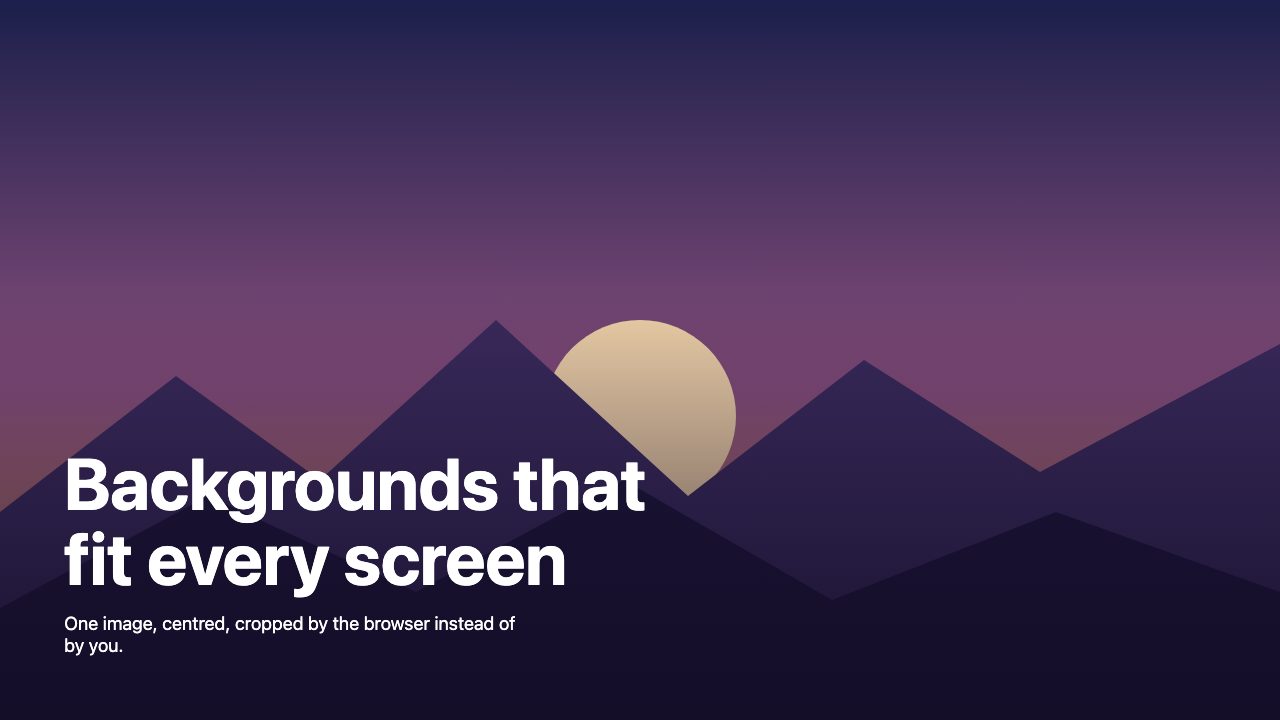
To make a large background that works on any screen, put the image on a section with background: url(…) center / cover no-repeat, give the section a minimum height, and set a solid background-color underneath as a fallback. The browser scales and crops the image to fill the box, so you never see the bare edges that plagued fixed-width artwork on wide monitors.
That one line replaces most of the tricks designers used when large backgrounds first became popular: oversized images, matching the edge to the page colour, extra wrapper divs and display: table hacks. Those techniques still have a place in a few cases, and this guide covers them too, along with the parts of a modern background that actually decide whether it looks good: focal point, text contrast, loading speed and mobile behaviour. If you want inspiration first, browse our collection of large background websites.
Why backgrounds used to break on wide screens
A background image has a fixed pixel size. If it is 1280 pixels wide and the viewport is 2000 pixels wide, the browser has 720 pixels of empty space to fill, and by default it fills it with whatever is behind the image: the page colour, or white. The result is a hard vertical seam on each side of the picture.
The screenshot below shows the problem. The image is centred, but the viewport is wider than the image, so the page background shows through.

There are two honest ways to fix this. Either let the image scale to the box (cover), or design the image so its edges blend into a flat colour that you also set on the page. Most of the time you want the first.
Fill the box with background-size: cover
background-size: cover scales the image, keeping its proportions, to the smallest size that completely covers the element. The trade-off is cropping: if the box and the image have different proportions, part of the image is cut off. contain is the opposite, because it keeps the whole image visible but can leave empty space (and tile the image unless you add no-repeat).
Here is a complete full-height hero. The same CSS produced the screenshots in this section.
<header class="hero">
  <h1>Backgrounds that fit every screen</h1>
  <p>One image, centred, cropped by the browser instead of by you.</p>
</header>
.hero {
min-block-size: 100svh;
display: grid;
align-content: end;
padding: clamp(1.5rem, 5vw, 4rem);
color: #fff;
background:
linear-gradient(to top, oklch(18% 0.05 290 / 0.85), transparent 60%),
url("mountains.jpg") center 60% / cover no-repeat
#1b1f4b; /* shown while the image loads, and if it fails */
}Four details in that block matter more than they look:
- The shorthand order. Inside
background, position and size are written together asposition / size. The slash is required. - The colour comes last. In a multi-layer
backgroundshorthand, only the final layer can carry a colour. It is your fallback while the image loads. - The gradient layer is listed first, so it paints on top of the photo. Layers are stacked in the order you write them, top to bottom.
- Logical properties.
min-block-sizeis the writing-mode-aware version ofmin-height. Either works; use whichever your codebase already uses.
Use svh, not vh, for full-height sections
On phones, the browser toolbar slides away as you scroll, so the viewport height changes. Plain 100vh is equivalent to the large viewport (toolbar hidden), which means a hero set to 100vh can run below the visible screen on first load. The small viewport unit svh is measured with the toolbars expanded, so the content always fits. dvh tracks the toolbar as it moves, which fits an app shell but can cause resizing during scroll. For a hero, svh is the safe default; you can read how we handled the old workaround in the iOS vh-unit fix.
Control the focal point
Because cover crops, you decide what survives the crop with background-position. The default is the centre. If the subject of your photo sits low, high or to one side, say so: center 60% keeps more of the lower part of the image visible, and 20% center favours the left.
The crop is much more aggressive on a narrow phone, where a landscape image is forced into a tall box. A custom property makes the adjustment easy to read:
.hero {
  --focus: center 60%;
  background-position: var(--focus);
}

@media (max-width: 40em) {
  .hero { --focus: 70% center; } /* keep the subject, drop the empty sky */
}
If a phone crop destroys the composition, switch to a different file instead. Inside CSS, you can swap the image in a media query; in HTML, a <picture> element with media attributes does the same thing for <img>.
Serve a small file: AVIF with a fallback
A large background is usually the heaviest thing on the page, so format and size matter. The CSS image-set() function lets you offer several versions and have the browser pick, and its type() option lets you list a modern format first. image-set() is Baseline widely available.
.hero {
  background-image: image-set(
    url("mountains.avif") type("image/avif"),
    url("mountains.jpg") type("image/jpeg")
  );
}
Keep the file as small as you can without visible banding. A hero rarely needs to be wider than about 2400 pixels, and a dark gradient overlay hides compression artefacts nicely.
Background image or img element?
A CSS background is the right tool for decoration. It has no alt text, it is not part of the content, and it layers easily with gradients. But there is a performance catch. If the background is your largest visible element, the browser cannot discover it until the stylesheet has been downloaded and applied, which delays Largest Contentful Paint. Google’s web.dev guidance says to make such an image discoverable from the HTML, for example by preloading it with fetchpriority="high".
If the picture carries meaning, or if it is the LCP element on the page, use a real image instead and fill the box with object-fit:
<section class="hero">
  <img src="mountains.jpg" alt="Purple mountains at dusk"
       width="1600" height="900" fetchpriority="high">
  <h1>Backgrounds that fit every screen</h1>
</section>
.hero { position: relative; min-block-size: 100svh; }
.hero > img {
position: absolute;
inset: 0;
inline-size: 100%;
block-size: 100%;
object-fit: cover;
object-position: center 60%;
}
.hero > h1 { position: relative; } /* sits above the image */object-fit: cover behaves exactly like background-size: cover, and object-position replaces background-position. Set width and height attributes so the browser reserves space and nothing shifts while the image loads.
When you still want to match the edge to the page
Sometimes you do not want the image to scale. A small illustration, a product shot or a piece of artwork should stay at its natural size, centred at the top of the page. This is the old “single image” technique, and it still works: design the image so that its edges fade into a flat colour, then set the same colour on the page.
:root { --page: #14213d; }

body {
  margin: 0;
  background: var(--page) url("scene.svg") no-repeat center top;
}
Because the colour is stored in a custom property, you can reuse it for the footer, the header and any other surface that needs to meet the image seamlessly. Here is the result on the same 2000-pixel viewport as before. The image is exactly the same size; only the edges and the page colour changed.

The old two-image variant, with a repeating pattern on the body and a banner centred on top, works for the same reason: the banner’s edges have to match the pattern. If you want that look, our guide to reusable background patterns shows how to build the repeating layer in CSS.
Two old workarounds can now be deleted. The width: 100%; display: table trick on the body, which fixed a Firefox shifting bug in 2008, is no longer needed. And you no longer need a wrapper element to hold the second image, because the background property accepts multiple layers.
Skip the image: build the sky with gradients
The original tutorial’s third example was a sky: a one-pixel-wide gradient image repeated across the page, with a cloud image on a wrapper. In CSS, you can do the whole thing with gradients, and it costs zero bytes of image data. Put the background on the html element so it covers the full canvas, then stack soft radial gradients as clouds over a linear gradient sky.
html {
  min-block-size: 100%;
  background:
    radial-gradient(ellipse 40% 12% at 20% 22%, #fff8, #fff0),
    radial-gradient(ellipse 30% 9% at 72% 34%, #fff8, #fff0),
    radial-gradient(ellipse 50% 14% at 50% 12%, #fff6, #fff0),
    linear-gradient(#4a90d9, #bfe3ff 70%, #eaf6ff) no-repeat;
  background-color: #eaf6ff; /* continues the sky below the gradient */
}
The final background-color is doing real work. The gradient only covers the height of the element, so on a tall page the colour continues the bottom of the sky instead of letting it end abruptly. For more on gradients, see our CSS gradient tutorial (the vendor prefixes it mentions are no longer needed).
Fixed backgrounds and parallax: use with care
background-attachment: fixed pins the image to the viewport while the content scrolls over it, which gives a cheap parallax effect on desktop. It has two problems. Safari on iOS and iPadOS does not honour it: the background scrolls with the page instead, and WebKit’s own bug tracker has reports of it still misbehaving on recent iOS versions. And repainting a fixed layer on scroll can be expensive on weaker devices.
If you want the effect, wrap it in a media query so it only applies where hovering pointers (desktop) and a motion-tolerant user are likely, and leave mobile with the default:
@media (hover: hover) and (prefers-reduced-motion: no-preference) {
  .hero { background-attachment: fixed; }
}
For richer motion, CSS scroll-driven animations (animation-timeline: scroll()) can move or scale a background layer without JavaScript. MDN lists them as limited availability rather than Baseline, so guard them with @supports (animation-timeline: scroll()) and make sure the page looks complete without them. Our walkthrough of zooming a hero image on scroll covers the effect, and parallax scrolling sites shows how far it can go.
Keep text readable
A big photograph is a hostile surface for text, because its brightness changes from one region to the next. Three habits solve most problems:
- Add an overlay. A gradient from dark to transparent behind the text, as in the hero above, gives you predictable contrast without dimming the whole image.
- Check the real contrast. WCAG asks for at least 4.5:1 for normal-size text and 3:1 for large text. Test the text against the lightest part of the image that sits behind it.
- Provide a solid fallback colour. If the image fails to load or the user has forced colours on, your text still needs a background it can be read against.
Also remember that a decorative CSS background is invisible to assistive technology. Anything the image says, such as a product name or a key message, belongs in real text or in an <img> with alt text.
Quick reference
| Goal | Use |
|---|---|
| Fill a box at any size | background-size: cover or object-fit: cover |
| Show the whole image, no crop | background-size: contain with no-repeat |
| Choose what stays visible | background-position / object-position |
| Full-height hero on phones | min-block-size: 100svh |
| Modern format with fallback | image-set() with type(), or <picture> |
| Image is the LCP element | <img> with fetchpriority="high", or a preload |
| Natural-size artwork on wide screens | Flat edge colour matched to --page |
| Sky, glow, soft shapes | Layered linear-gradient and radial-gradient |
| Parallax | Desktop-only fixed, or guarded scroll-driven animation |
For ready-made layouts that use these patterns, try our hero search box with image background and the login form with background image.


That wasn’t really hard, but it was well explained, thanks Nick. Especially the “GIF-Trick” was well-implemented, keep up the good work!
Although large backgrounds at website look very nice it kills bandwidth and scares of visitors with slow internet connections.
So here are some tips&tricks how to use large background images and still have a fast loading speed:
– use the .gif extension (max 256 colors, with transparency support)
– use the .jpg extension with a higher compression (between 60 and 70)
– split the large image into smaller chunks, but requires some extra CSS
– load the background at the bottom of the HTML, requires some extra CSS
and it’s interesting to work with large background on footer, especially when image is higher than footer
Have you thought about using the html selector when adding two images? One on html and one on the body.
very geek trick!! I like the tiling image of sky from example #3..
in the past, i learned about this form your iTheme wordpress theme. Great Job Nick!!!
very very useful tips… maybe..ill start over my abandoned wordpress theme creation process :-) thanks 2u
@2 : I think several small images will take longer to load than a big, because of several server requests instead of one. Plus the ugly “mosaic-effect”…
it is as clear as noonday, but thx for work.
That double background image trick is excellent. Is there a reason why display:table works for this? As in, the element is bigger than the display but doesn’t make the browser scrollbars appear. The W3C CSS spec isn’t that clear on display: table’s unique traits, other than it makes the element display as a table!
Rather than place the 2nd background image on a wrapper div could we not place it on the body tag and place the 1st background image on the html tag?
Hi
Great article about this technics… But it seems there’s a problem with IE 6.0 and smaller displays than backgrounds (the background isn’t centered as good as it should to be, and is docked on the left !)
Have you a solution for that ?
For sites that need to background images, much like the last example with a gradient and the sky, i would set the html selector’s background to the gradient and the body to the sky image.
No need for so many nested divs. They both do the job though.
Great tutorial, and so timely! I’m teaching an intermediate-level Web Design class, and will be sure to send them here shortly. I’ve not used the display:table CSS property before in this context–I’ll have to look into it more now to see how others are using it.
Very good, this site provides really good stuff always. I’d like to point that
width: 100%;
display: table;
may arise some background positioning issues when used in Chrome & Safari.
How small or large can one go for the weight of each page? It seems people can take larger downloads now, but I wonder if there is a study on the average kb per page that results in a good recommendation for designers and developers…
How did you create the background image? I can keep looking at it for a long time. Good luck, dude.
Nice tutorial. maybe you can help me.
I’ve been doing the full background stuff for yonks but I have only recently noticed a horrendous problem.
I like to position my menus over the background graphic for nice effects.
Well that’s all rather splendid until someone changes the text size in the browser, then all sorts of problems occur.
Is there any code which does a sort of noresize for text?
yours confusedly…….Stephen
oops, just changed the screen to less than 100% with mse and your page goes out of alignment
that’s a great way to learn people about your CSS news templates. Thank you very much for the fun and quick tutorials. You help the search engines and the community with a lot of good content. This is exactly what the Internet is looking for. I will recommend your CSS layout website anywhere on the web thank you very much. I have a coin massage therapy website and a blog that’s attached to it and maybe offering free tutorials on how to build a better website for the search engines these toils will be coming out soon.
Good read!!
I am using this technique on all my designer website projects :).
Tip:- Keep a check on the size of the background image, I have seen a few websites where the background image takes too long to show up and it looks unorganized till the time its fully loaded in the cache.
Regards,
CSSJockey
@Tor, Aaron Bassett
Setting a background for an html tag (thus, forcing the browser to calculate the width and height of the html element) will cause the body tag to be rendered as div and *not* fill the browser window’s full height (only as far as the content goes).
In such cases height/min-height properties should be set additionally.
@Colin
display:table works here because the body is not *shown* as table, but *rendered* as table, i.e. the minimal box width is calculated. No side effect on seo/semantics :-)
@Cédric
Notes for IE6
1. setting expression like property for body’s min-width will fix this issue.
2. In some cases the width of the image needs to be wider than the container’s width.
For example:
* html body {width: expression(document.documentElement.clientWidth < 904 ? "904px" : "auto");
}
Please note that such css selector is not valid so it should be placed in a separate CSS file and linked using conditional comments. 904px is a value for webdesignerwall.com site’s min-width.
@Daxion
Could you please clarify what issues arise in Chrome & Safari?
There might be some issue when printing the page, however print-versions are usually created without backgrounds so for media=”print” display: table is not used.
There *might* be some rendering issues due to the usage of background of html and body at the same time, but these browsers are updated very frequently so this shouldn’t be an issue (early versions of safari 3 for windows did not even render strong tag at all ;-))
Thanks for the tips…
But i really wanted to find a way to preload a large body bg image using javascript/jquery and make it fade in when its loaded…but i failed.. i used the jquery load(), append() functions,etc.. it worked with images in other divs but not with the body bg… its available in flash, but i didnt find this technique done with javascript. anyone tried this?
..and yeah, keep up man!
What a great tutorial, thanks for this!
I am currently in the process of thinking of what to do with my background…this tutorial definately got me thinking!
http://www.skytemedia.com
Great. This tutorial would have helped much when I tried to put a fixed background on my site.
If anybody is willing to try it, the CSS would look like this:
body {
background: fixed url(‘./images/lacajita.jpg’) no-repeat center;
color: #333333;
}
This way, with “fixed” and without “top”, it stays completely centered, even when you’re seeing just a little part of the website through a small browser window.
This something that has
been in the back
on my mind for some time,
like since win vista
was first promo’d a wide angle
pic looking over a valley on there
site how ever
long ago that was…
I’ve quickly skimmed over this page but
I’ll be coming back to it on my next
site what ever it may be.
btw thanks & also for
the list – very inspiring
cheers
Lollie
i always love when people dissect their sites and show their css tricks to making stuff work.
You are a good send!
Thank you for all the tips and for always being so cutting edge!
I honestly would have never started my own .com Blog if it wasn’t for all the inspiration from this website!
I look forward to every post!
Sweetness! Thanks for the tips. I am not the best with css but I was looking at the code and it looks like you applied the second background image to #page, not #wrapper, is that right? This is a dumb question but do I have to call it Page or Wrapper for it to work? For example, when you specify the cork image it will only show if you enter Body.
I would be more careful with huge backgrounds in terms of using website for different browsers – and I’m not talking about chrome/safari issue. Major problem is still pixel rounding which is different in different browsers.
E.g. FF3 will put offset 1px to the left, while IE7 will do it other way plus 1px more. Issue is appearing mainly when ‘center’ is in use.
Personally I found the way doing backgrounds in separate divs (one below body) with ‘top left’ or ‘top right’ (image is still fixed with pixel size, so shouldn’t be any problems with it). That way makes it safer for cross-browssing & saving your time to make fixes in IE.
I hope pixel rounding will be unified one day in all of the browsers (knowing market actually, proofs me wrong).
Wow quite a useful Tips on Background Image!!!!
cooool
I was just recently wondering how to do the big background CSS image stuff, and bang I find this link on another blog… I should have known it was going to direct me to web designer wall… this site is a freaking wealth of information.
Excellent tutorial, Keep up the good work.
Thats wicked – Cheers!
http://www.graylabel.co.uk
Pretty useful article. Thanks for that. Exspecially the last solution with the html&body background.
Good post, I really like the double image concept and think I am going to play around with it.
I wrote a short post on how to embed a very large swf file and keep it centered with CSS if anyone is interested in that.
This article came at a nice timing. I just wrote a WordPress tutorial on using Custom Field, so each WP blog entry can be customized to have its own look. In my specific examples, I included the use of a large background also.
I hope someone finds this helpful.
Nothin to advanced here, tho always appreciated.
In your first example, what do you mean by “two extra lines in the body element?” Im guessing you meant ‘2 extra declarations in the body selector” (width & height)? I’ve never experienced this so I’ll have to check it out.
Thanks again
I’d probably still go with a #wrapper on the cloud for one reason – is the image content or design? Putting it in content is mixing presentation and markup, so it’s a trade-off really. While superfluous divs are bad I think the ability to redesign solely from the CSS file is more important than that 1 extra div.
Nice article (pics always sell me).
Awesome! Ive been trying to do this for sometime. Can’t believe i didn’t think of using the HTML tag to add a background – http://www.dubblevision.com
Cheers :)
Great article, but i have a doubt. “display: table” i do not understand this. Can someone explain me?
Thanks you all, and greetings from Argentina
Thanks for the tip. Working with large backgrounds is one of the earliest CSS problems a designer faces. This is a great tutorial on a solution.
Great tip on using the HTML tag for backgrounds too. I’ve always used a “wrapper” like you did in the example. There goes the wrapper. Thanks!
whoah, it’s nice but… I don’t know if 1280px is large..
Ahh sorry, I thought the image was going into the HTML, ignore my last comment (duh)… mmm HTML selector is not a bad idea at all. In fact, it’s kind of obvious after the fact. Nice work.
I have a query with Common Mistake,the bgimgage is not tally with the bgcolor.if reader do it like this .i thinks the result maybe not well.
Good article, display:table on the body tag for the firefox issue is a nice tip.
Another tip: For very complex bgs, another good method can be to use absolute positioned divs (just for the bgs). I do this aswell if I want a bg color behind the image (for the sake of a more elegant load) or I want to overlap divs with bgs.
Here is a example of what I mean (disabling bg images will make it clearer): https://www.pixel-house.com.au/
Nice article.
You can also fix the background image thing by using a min-width property, you then dont get the background sliding after it has hit the min-width.
This works in all browsers as far as I can tell!
Just set the body to min-width:900px; or something. Pretty sure this works the same.
Still good article with some nice examples.
Great, nice article. Seems like the thing of the moment is to use huge backgrounds. Display: table is a great tip, but min-width does the trick too.
yeah large backgrounds are the best. i like pages with background photos. i have launched a new page with big bg fotos. i love it :)
check it: http://www.area241.com
Another solution I’ve seen in the earlier post is the mirrored background image, so you can repeat it on the y axis and it never ends. Like in Surf in Paradise.
good with clouds, skylines, horizons…
I’d like to see a tutorial on how to have a website where there is a large background image that resizes to fit the browser window without having any scaling issues or the image being cut off on larger displays. A good representation of this is http://www.august.com.au/. Resize the window and you will see what I mean.
I know it has something to do with Flash, but I’m not really sure how this was accomplished.
Large image backgrounds become some kind of trend and I’m not sure it’s good… Anyway good post like always.
Thanks so much Nick! This is a technique I’ve used many times but the addition of “width: 100%; display: table;” is something I kept looking at your CSS to figure out… never could find it!
Thanks for a useful tutorial and a great blog in general :)
Your current design and this post inspired me to design my very first word press theme based on a large background image like yours. I did a photo shop brush background like Web Designer Wall, but I am already working on a more photo based one.
Keep up the good work!
@Markup4U
I was using display:table for backgrounds on header and footer, and sometimes, randomly, the footer and header didn’t got aligned. Due to the nature of the footer bg, I was able to supress the display:table from it and then it matched the header bg position.
Now, I’ve a question, I’ve come to a work where a light content area is placed against a large dark background that has the area for the content with a light texture and, in FF3, the content area and background align according to the resize of the window. This bug is reviewed here
however, I can’t use any of the solutions stated in the article.
Do you know of any other way? thanks
Brilliant work yet again, keep them coming :-D
Thanks, but sometimes “display:table” not work properly in IE6.
Very impressive again another tutorial that is quite simple and will help a lot of people. Keep on the good work
I have been using these techniques in several sites I have developed. I did not know, this trick:
width: 100%;
display: table;
Thanks for that :)
@Skracanie linków
Not entirely. The Background is flash, but all content is displayed using HTML / CSS. However, after delving into the source code it seems that the background is loaded at 100% width and 100% height via Javascript. It uses the SWFObject script, https://blog.deconcept.com/swfobject/, and a small Javascript function called in the header. I’m wondering if this is all that is necessary, or we need to do some extra stuff in the actual Flash file.
@flash designer
IE6 and IE7 do not fully / properly support ‘display:table’. Not sure if IE8 will. I think that IE8 beta is supposed to, but MS may drop support.
How big or what size should a background image be? So when I compress in Photoshop how big should the file be?
thanks
@Daxion
Could you please send us a link to the test site or the local version of site with the issue mentioned? You are welcome to use our contact form or send email directly to dev at markup4u dot com
Thanks for showing us all the possible methods :) My own blog is much simpler and basic, but maybe in the future I will use this technique for other sites. I’ve searched before for tutorials on how to achieve it, but this is a very complete one. In this tut you can figure out your self what’s the best way for you.
I like the Body background and the Wrapper background approach. Might make the page lite-weight than the other big image alternatives.
Any chance on getting an article on footer layout techniques as well?
cheers
Dave Cutts
This is great and all, but I think it kind of fails to address a larger issue with large background images: How does one go about making one, and how can one ensure that the large image will load quickly?
I personally just use “Save for Web” in Photoshop, and choose the lowest quality of .jpg I can before the image starts losing quality, because I find it loads the quickest. Is there a better way?
Otherwise, phenomenal work here at WDW (and at n-design studio, and of course I love Best Web Gallery)
In the sample files inside demo.zip, the content area continues all the way down until the end of pages. What do you do to end the content are earlier. Do you simply add one more div for the footer under the content div and use the same background colour that you use in the body?
Just another quick question, I’m find it easy to learn CSS and build websites with CSS layout but I can only build static HTML websites. I see that you use wordpress in your sites. Could you write a beginners quide on implementing wordpress into your designs? Where do we start?
Cheers
Erdinç
Tip:
When compressing to .jpg. Firefox will make a jpeg 60% smaller than using Photoshop ‘save for web’ at the same quality.
If you use dreamweaver, just import or drag the psd file to your design and it will let you optimise it using the fireworks optimising enging which is built in to dreamweaver cs3/4 and then ask you where to put the .jpg.
It’s a faster and better way to work.
Soooo how do you get the LARGE image to load quickly??
This was the exact project I am working on this weekend. Thank you for help as always ;)
@Markup4U
I was working on that particular file when I was fixing it, overwriting it all the time, so I have no copies of it.
I’ve always loved this look, but what kind of file size are you creating here? Surely these are pretty heavy images?
I just started my blog. (With a large background :)
Check it out, any suggestions will be greatly appreciated.
http://www.fuminyang.com
I’ve always loved this look, but what kind of size do you have?
i agree with phill she is a man
Thanks for the information Nick. The double image example is very nice. Full scale backgrounds interest me the most though, like the GoTo China website. Depending on the image used, it can be very effective. Thanks for sharing though.
(www.carlmhbarenbrug.com)
This is a great tutorial! I would like to see more published. Maybe on a weekly basis? Your site is great!
Big shout out to Smash in “Y” Town! What Up YO!
I learned something here – about backgrounds shifting in Firefox. Thanks.
But what do you do about IE 7? Backgrounds declared on BODY do not zoom along with the rest of the page.
How would you go about adding a footer here that would float to the end of the screen irrespective of content height?
Great blog post! :-)
its my birthday today and this website has made it the best day ever
thankyou
I really love this technique, and the way it looks a website once it has such great and big BG. I have done a few designs with this style and would like to use more this trend, it looks professional and full of energy.
Regards from Paluh
http://www.deprowebs.com
Thank you so much for this article! Your timing is impeccable. Now I’m ready to design and code websites with large backgrounds!
Hi!
i use this way…
it was worked in IE very well… but it wasnt work in firefox…
whats the matter?
Awesome … Nice Experimental …Really you’re making good professionals for ever… I will pray for you..
please have the look my site give your feedback
www,nxsofts.com
with love
Mohan
[email protected]
I ever missed “center top”..that’s a good tip. Now i will use them!
I can’t get large images to work in IE properly in vista. IE7 and 8 both repaint the background image, like it is not caching? Basically took a blank doc in dreamweaver, attached a style sheet that had one style body with one big image. No problem in FFox or on a mac.
Oddly if I put the style sheet in the document, and not link it, it doesn’t work. I have a bunch of includes and can not go this way.
It is very nice information! Thanks a lot. But how to make the transparency work in IE6 as in Example #2? I googled for it before but everybody has different opinions. Do you have one that you prefer? I really would love to know. Thank you again!
Great job, thank you so much. Quick question, I used your trick; “width: 100%;
display: table” in the body tag but in Firefox the browser is shifting by one pixel every other pixel? Sorry about my English, any help would be extremely appropriated. The link is http://www.studiodork.com
Only trouble with large backgrounds is that very often the page load long before the background image, and personally I think this is very annoying.
Hi, i have a problem to add a beautyful image as background of my new site i’m developing. I want to use this image: http://www.lost-italia.net/test/background.jpg
I have tho big problem: the image has to be screen resolution-indipendent and if i decided to repeat the image to cover all the screen, i don’t have to notice too much there’s a repeating.
Thanks very much for the help and congratulation for the site!
Luca
I ever missed “center top”..that’s a good tip.
my blog
I’ve always used left top to align my backgrounds and most of the time it messes up on different resolutions. But using ‘left centered’ does the magic irrespective of
resolution chosen. Thanks for this article so TIMELY!!!
I can’t do it can u help me wat’s the problem doing it.
when i using the css:
body {
padding: 0;
margin: 0;
background: #f8f7e5 url(wdw-bg.jpg) no-repeat center top;
width: 100%;
display: table;
}
the result shows me picture at top-left
i m using Dreamweaver CS3 and preview in firefox 3.0.3
I can’t quite think of a website on which the background gets croped off?!?
I can’t do it with header and footer both in ones, can u help me wat’s the problem doing it.
when i using the css:
body {
padding: 0;
margin: 0;
background: #f8f7e5 url(wdw-bg.jpg) no-repeat center bottom;
width: 100%;
display: table;
}
the result shows me picture at top-left
i m using Dreamweaver CS3 and preview in firefox 3.0.3
thanks i have implemented this on my website, its not as good looking as yours but with practice im sure i will get better. thanks i love this site :D
I enjoyed reviewing your large backgrounds…….it will help me in future design work
another interesting one is the display:table. Whao!! just did the magic i wanted. Couldnt help but say thank you again ;) This is simply awesome!!!
XHTML and CSS was implementing a project in my browser and all worked very well, but in IE (6,7 and 8), resize the browser when the Background “walk” with the screen ..
to resolve some CSS Hack?
thanxs for the manual, I´ll use it in my nex poject.
That was a nice post. I’m going to try designing my own large background theme though I suck CSS. ;)
Once again, a brilliant addition to the site.
Once again, exactly what I was looking for.
There was a theme on OSWD that uses this and I was interested in doing this as well with a design I have been playing around with. And sure enough, webdesignerwall has it in stock!
Click the ads people, this site deserves it!
Great article. The only issue I have with this, and have had in the past, is similar to what Gary is experiencing. Unless you make the container larger than the BG image overlay container like you did in your html example, you get a one pixel shift in IE and safari when you resize.
I used firebug to tweak your demo code. When I reduce the size of the background container, to match the dimensions of the container that is tied in with your cloud background image, the same thing happens to your example.
Do you, or does anyone else know a fix to prevent this one pixel jog when matching wrapper / container widths exactly?
I love you comment script. Where can I purchase its PHP code from?
Thank you
Yamen Elasadi
Thanks for this, but this is very common guidline, we expect from you more advance techniques which is normaly not used by common designer or html coder. if you have some advance techniques of css & photoshop. please share with us
Needed to skin a word press site in a flash and your tutorial came in very handy with a large custom background image.
Thanks M Kelly
Is this happening for anyone else? the “display: table” prevents the background image from appearing on Firefox and Safari on the Mac (although I have to mention that I have not uploaded anything to the server, I am just previewing from my machine). thanks!
If the table is blank and you have a background displayed there it would not display in Mozilla and Netscape. You need to have some content there for the background to display.
On the last example (html selector), on a 1024×768 screen resolution, if you make the text large enough (~10 times) to appear horizontal scroll-bars, if you scroll to the right, the body background appears cropped to the width of the browser.
And that is my problem too:
wide background on html, wide background on body, and if there is a horizontal scrollbar (1024 resolution, and a #wrapper of 1060px width, or a wide element on the page, or….anything else) the body background appears cropped to the width of the browser (not the #wrapper).
if you remove the html background rule, the body background appears ok.
my question: how can you have backgrounds on html and body, and not be cropped if scrolled?
Very nice tutorial!
Would you mind making one for customizing the footer? (such as the footer found on this site?)
Thanks,
itExotik
Hello,
I want CCS code and PHP Code with script, can you advice me how to i get it?
My Best,
Hedie. I don’t know why the display:table is not working for you, however there is another approach. In your body tag just put min-width: “width-size of your content”; This should work as well.
I have been looking for some backgrounds to use for my next project.
The background is way to busy. Fine a new background….maybe like one color!
hye.. i really like this design. i’m currently study in communication technology(majoring graphic design)
i like this design and i wish i want design like this for my blog and my project.
congrates..
How did you dealing with .png (transparency) in ie6 as with the “corkboard” layout?
Thanks!
Is there a special way to create lightweight images?
I saw your background image is about 12 Kb. How do you get it?
how do you move the content section down so the background logo at the top can be seen?
why in firefox i cannot see the background colour? :( am i doing something wrong?
I had a problem with my body background img for a current project, I found the solution here, thank you!
Mark
Large backgrounds look beautiful. But would it not make the website heavy?
Very easy to follow tutorial. Might recommend it to my fellow developers, when they bug me about css backgrounds. Keep it up!
Very nice. It opens up a whole new avenue in web design techniques. Keep up the good work!
@fukutsan – the background colour in Firefox won’t continue much beyond the end of your content. If the page content is shorter than the displayed page, you’ll get white until the end of the browser window.
@Nick La, assuming you’re the author as you’re not crediting yourself very loudly :o) – thank you thank you thank you for this! Three days – DAYS! – I’ve been puzzling out something and blam – the solution is here waiting for me… as usual with webdesignerwall.com!
I am still a bit of a beginner when it comes to CSS but I may have found a solution to display your background color beyond your content in firefox. (please correct me if I’m wrong)
I changed the display from ‘table’ to ‘block’.
Not sure if this will work for everyone, but for me it works in both firefox and IE.
Hope this helps yall.
-Michael
Thanks for the info. I have bookmarked this page for future reference so that once I learn a bit more about css.. I have a magical guide. Thanks for the tips!
There’s another method to display large background, look on my website : two images floating on each side sliding on each other. Drawbacks : it’s limited to a width and after it’s ugly (but it’s more than 2000px i think).
I love this article. I knew how to do example #1, but I’ve been trying so many ways to come up with something like example #2. I’m trying to understand why the #wrapper code makes it work the way it does. I love it! I think I need to understand display: table better. Thanks so much!
I am developing a site that has dynamic interior pages and I am trying to use the double image tutorial… so that I can use a gradient (image with x-repeat in the CSS for body) and a wrapper div that contains a bakground image that is longer than the content. This may not always be the case as the content is dynamic – so some pages may be longer than others. My problem is that the background image gets cut off at the height of my content. I want the image to be visible without having to give #wrapper a fixed height. Is this possible without having to do away with the gradient?
when I saw this blog some time ago
I also ask… how to make this ….???
and finally … I can find the answers here
thank you have shared
regard
The display:table; width:100% trick for the body tag does not work in IE8 (works in IE6-7, firefox, etc). Replacing it with min-width doesn’t work either.
Any workarounds to get a large bg working in IE8?
Hi there,
Great tutorial! I would soooo love to use the sky picture as the bouground image on my website, but my problem is that my content area is only 750px in width. In other words, the only way I could make this image work as my background (like the way you’ve shown) is if I could get ahold of the psd or png original of that file and edit the white area to be 750px wide. I’m surprised nobody has asked if you would be willing to provide that yet, but I am asking.
Would you be so kind?
3 wonderful methods that can be applied to many different design situations. Thank you so much for providing this clear, well thought out tutorial. Now to go try them out! Thanks!!!
Hello.
Excellent tutorials here.
An issue: When you move the mouse wheel, a white area appears under the page in the Large BG sites.
WOW! I am so glad that I found you. I decided to walk away from struggling with WordPress customization and look at big backgrounds after seeing the Red Hot Chili Pepper website. And WOLA! It seems you’ve got a lot of answers to my endless questions.
Thanks for being fab and sharing your amazing talent with the world!
yay.
Wow, I’m so glad I found this. I had this very problem this morning and was looking for a solution, great job, thanks!
Hey,
That sky background, is that something i could use on my own site? Buy somewhere or something?
I don’t wanna just steel it you know, nice guide by the way!
Hi there,
I’m trying to do that with my WordPress but I have an issue. If you look at the “design job”, my proble is that the wrapper texture actually do the background of the content box as well. So I can’t remove it to put a single image or leave it transparent. I think I’m looking for a way to put the bg texture on my content box only…
Here’s the link to my problem:
Thanks!
hi
in my case, the above demos are working fine in IE with transparent png images but when i do the same with my pages the png are not coming transperent in IE..
please help it out.. its freeking me .. as i tried evrything……..
Chaman, try to upgrade to the last IE version.
Very inspiring!!
For anyone’s comment:
I have started working with large images but I am wondering what kind of specs people are using??
What type of quality for the image, and what file size what be considered optimal?
Thanks!!
The “display: table;” tip was a LIFE SAVER. Thanks loads.
The tip {width: 100%; display: table} is very useful for larga backgrounds!
To Ben Harold.
Have you tried to set a min width for the body or the wrapper that contains your background image? the CSS code is min-width: (size in pixels); that might make it expand if the browser is big but then it will stop if it resizes.
Let me know if it works or if you’ve found a way to fix it
Efectively as Mariano Ripoll suggested, the min-width aplied to the body fixes the issue for IE7.
I have the same problem as Ben (for the site my name is linked to), and min-width in the body CSS doesn’t help. I can’t stand this anymore… We Designer Wall (which is a superb site, by the way!) works perfectly – what am I doing different?
PS – I’m giving up for now, reverting back to CSS that had some sticky footer code (which btw is mutually exclusive with display:table). Just so nobody kindly spends time and effort to tell me what I already know.
Hi,
I wanted to know if there is a way to make the “Sticky Footer” technique AND the “Large Background” technique work toghether (as Gabriel says, they mutually exclude each other.)
The probelm with the display: table in the body is that it screws up the sticky footer (but it does its job with the resizing problem).
Any solution to fix this and have both to work toghether?
Thanks.
PS – first of all, I discovered recently that as of a week ago my php was inserting a single html comment before my doctype, meaning IE was in quirks mode. This is immensely frustrating but at least now it’s behaving a bit more civilized. Still, the central problem of centering background AND having a sticky footer is unsolved. I discovered one interesting trick, which was to give the HTML element a background color – for some odd reason, this centers the BODY background image perfectly in everything! However, this doesn’t work correctly either because now the browser window cuts off the background bottom prematurely. I’ll update if I find a fix.
YES!! I think I’ve got the holy grail of large CSS background + sticky footer! First of all, I am using the sticky footer code from cssstickyfooter.com. Then I use the centered CSS background as described here. Now here’s the magic: instead of BODY {display:table and width:100%}, I give HTML a background color and give BODY {min-height: ___px} (the height of my background image).
Boom: background centers perfectly in everything, sticky footer in everything, background doesn’t get cut off when content extends below viewport, everything is magical.
OK, so my solution isn’t perfect:
1. If the browser is narrower than the content, the background shifts. This doesn’t bother me, at least it stays still when the browser is narrower than the background image (which was my biggest problem with IE). The display:table method more strictly controls this behavior, but again, at the cost of the sticky footer.
2. If the browser is shorter than the background image, the page is made as high as the bg image, and the footer rests inside that height (assuming your content is short enough not to push it down). So basically if you have a tiny browser displaying a super-short page with a tall background image and a short footer, it looks like there is a randomly large space between the content and the footer. This doesn’t bother me either, it will pretty much never happen on my site with my userbase.
I hope my method is helpful to some of you regardless.
Good to know there is somebody who test it out.
Keep going, Gabriel.
I don’t have time to test it right know by later this evening I will and will tell post my feedback and further test fot sticky footer + background to work toghether (this must be possible).
Agree with Gianfranco, if you add any background to HTML and then min-width to the BODY (width of your wrapper), then you can get rid of {width: 100%; display: table}.
And the good new is that it even work on IE6 (which doesn’t support min-width) because for strange reasons in IE6 the background is always centered without using workarounds.
I had the same problem with the sticky footer/large BG situation. The min-width on body worked perf.
body {
min-width: (size of wrapper)px;
}
Thanks Ricardo,
~Oh!
Awesome! So it looks like the best solution is to apply a background color to HTML, and a min-width of your content width to BODY, and a min-height of your background to BODY. So for example, on a site with a 1400x600px background image and a 800px-wide content wrapper:
html{background: #000;}body{min-width: 800px; min-height: 600px;}
Thanks to everyone here who helped develop this method!
I’ll give it a try and test it for browser compatibility. Sounds as a great fix, and a CSS trick that goes in the book.
I cannot thank you enough for this post. The display: table and width: 100% were the last two pieces of the puzzle that I could not figure out.
Thank you so much!
thanks, Example #3 without wrapper worked for me :’D
Hi there,
This tutorial is just awesome! I’ve been looking for information on this feature in CSS for a really long time. I’m glad that I came across your site. Thank you very much for sharing this valuable information with your readers. This will help me alot in developing my very own WordPress themes.
Cheers,
Eddie Gear
Looks like the best solution is to apply a background color to HTML – thanks chaps!
Thank you. This is an useful information for background image setup in CSS..
Thanks What’s the problem here? Google could bury the meager profit number from even the biggest media conglomerates.
I I’ve been working on a website for Moby dick and I am using a large background but have problems with the black background in the page properties not showing up in fire fox. Is there a work around for this as I see other large back ground sites with color backgrounds that fill up below the site. I even tried making the background image longer to go further beyond the bottom of the site but that did not work either. Help!
oh i forgot it works in Safari but not fire fox
Nice and simple tute. I used a similar method on my website. Works like a charm, just need to make sure that the image file size isn’t too large. :-)
Great tut,
Can you please provide the dimesions of the white space within the background image.
Much appreciated.
FG
OH my!
Not to worry, found the answer by looking at the css file.
Thnx
FG
Hola.
Esta padrisimo, este artículo me gusto mucho. La explicación es perfecta y el demo mucho más.
Gracias y feliz dia.
i have one question though,How can convert my banner image to a background so i can put another banner or text above it?Can you please reply to me if you do no t mind thanks.I left my email addr on this comment.Please help.
If I coudl buy you a beer I would.. what a nightmare, I have been trying to figure this out for two days… thank you for your help. Now I can finally go to sleep, without this keeping me up all night.
Great tut,
Can you please provide the dimesions of the white space within the background image.
Much appreciated.
FG
CSS ( Cascading Style Sheets ) – Why CSS ? – Introduction – Css Link Properties / Examples – Css List Properties / Examples – Css Layer Properties / Examples – Css TextBox Properties / Examples – Css Font Properties / Examples – Css Text Properties / Examples – Css Cursor Properties / Examples – Css Background Properties / Examples – Css Table Properties / Examples – Css Scroll Bar Properties / Examples – Tools – Units – Parameters – Template Page – Web Design
Thanks so much for this article and explanation. Gave me the inspiration to try something new and not worry that it would blow up in my face ;)
I just recently found this place and I am already addicted! Keep up the great work, this is a solid bookmark :D
Excellent tutorial. For photo headers you can also add a small gradient fading to your bg color, to the left and right edges to create the same effect :)
Very cool tutorial! Very useful ideas too now that large LCD monitors are getting so cheap and popular. The only issue is the color schemes which are a lot of trial and error otherwise things begin to clash a little. Many thanks again!
– BP
the first tutorial on this topic i was actually able to follow! Thanks for that.
I tried to use this to have a full page background ad option on my site. Now I am wondering, is there any easy way to make it clickable (in case of an ad so that the whole backgroundimage is clickable)?
wow, but in the “sky background” source code, why did you wrote the body properties in the and not after the body tag?
thanks
Oops! Ran into problem with IE 8 that Stephen mentioned in March: the display:table; width:100% trick for the body tag does not work in IE 8. Yes, it’s IE again!
After trying a few things, here’s something weird: If you keep display:table; width:100% in the Body tag but move the background image into a dimensionless Div that wraps all the content, you’ll fix IE 8 but now cause IE 7 to have the same problem! Any other suggestions?
Where can i find a theme which would allow me to use that CSS? I need the stuff that the background goes around ( i know its wordpress but i need the theme kind of like what is on here, the middle part which will expand as posts are added, and sidebar
any direction appreciated
I run into a problem with this. In internet explorer only there is a flash every time the background color and the background image loads its like in ie its delayed and it does it on every page/post Every time its like it doesnt even cache
Putting the “display: table;” in with a “background-attachment: fixed;” makes the background image act funky when you scroll it in firefox. Maybe it’s obvious to some, but it got me for a while so I thought I’d put it out there. Thanks for the great tutorial! Really nice work!
Thank you SO much for this great tutorial!!!! I have been searching everywhere on how to do this and your page clearly shows how to do with the CSS… Again, many, many thanks!!!!!!
You have the prettiest website I have ever seen.
Hi! I have been the fan of your site since the 1st time I arrived here. I’m totally new to web design, but jumping onto the bandwagon with much vigour, thanks to your site and your efforts. While trying to CSS a large background of my current trial project, I found out that if I use CSS example from “Sky Background Using HTML Selector”, IE 6 will not read it correctly. The background image selected by HTML element would be missing. Is there anyway to go around this problem, if I would like to stick to using HTML selector? Maybe anyone here can help? Thank you in advance.
Can someone tell me with code how to set the HTML background image (the gradient) in the sky demo. I just can’t figure it out.
{width: 100%; display: table} css trick causes sticky footer css to break.
Love your site! It’s very helpful and looks great!
Dirk, to make the gradient BG effect, you create gradient image and just make it 1 pixel or so wide. The put that as the background image and repeat it along the x direction. Then set the BG color to the same color as the bottom gradient color (so they blend seemlessly). Sorry, not sure of the code as I did it in Dreamweaver and hate code, lol.
I had tried a workaround with respect to the IE-8 issue, wherein the background moves out of the page when your screen resize smaller-in large background scenarios.
Solution:
All you need to do is load the same image twice, one for the body, and the other for a header div container. Difference being the body will be showing the full width of 100% but the header container will show only say 1000px, of center of the image.
Have a look at the CSS for an idea:
body {
background:url(Images/bg.png) no-repeat center top;
background-color:#FFF;
font-family:Arial, Helvetica, sans-serif;
font-size:15px;
margin: 0;
padding: 0;
text-align: center;
color: #000000;
width:100%;
}
#ms-container
{
background:url(Images/bg.png) no-repeat center top;
margin:0 auto;
position:relative;
width:1000px;
}
Trick here is – during resizing to higher resolution, the background keeps showing, while the center section remains steady, you get a continuous image- actually overlapping, one with 1000px centered to your screen, while the other being the big image, 100% to the body, in its full glory.
And when you resize to smaller resolution, the 1000px guy comes into play, while the body background image keeps on moving in the behind (who cares ;) all you see is the div container, which is stationary)
Worked successfully in almost all the browsers. But do verify it.
One note: ensure that you play with paddings, borders, positioning and any css property that can shift the div container position by a pixel or two. You dont wanna show the end user that you are loading two images. Also, site performance wud be affected a bit. Can’t help it.
Hope this solves the problem!
very good to guide me for big background in CSS ….
It will help me sure.
Thanks
go to http://www.bob.com its soooooooooooooo fun! :D
P.S. Im trap
happy.
Thanks so much for double background example. This is the best technique I’ve seen so far. BTW, this site is so pretty. ;)
Sweet! Great tutorial…
Any chance you can expand once more explaining how to do an example similar to the clouds, but give the container a transparent drop-shadow (both sides) sort of thing? Guess the whole thing would be to include the html background horizontal gradient, then the centered ‘cloud’ image, then the drop shadow with the trasparent ‘feathered’ edge providing a few of the image it would be shadowing (vertical repeat?).
Again – Love the site!
Obrigado por esta informação! Este tutorial me ajudou muito!
Hi,
Awesome Great Tutorial, Thank u very much for sharing. BTW :D I have a problem with my template website for Project University :S (I have just 766 in template resolution and I want to cover that erreur with an fabulous amazing background) Can you Help me PLZ
kind regard
MSN :: [email protected]
Devloper java & cpp :P
hi
in my case, the above demos are working fine in IE with transparent png images but when i do the same with my pages the png are not coming transperent in IE..
please help it out.. its freeking me .. as i tried evrything…
Hi,
I wanted to know if there is a way to make the “Sticky Footer” technique AND the “Large Background” technique work toghether (as Gabriel says, they mutually exclude each other.)
The probelm with the display: table in the body is that it screws up the sticky footer (but it does its job with the resizing problem).
Any solution to fix this and have both to work toghether?
Thanks.
this site looks great when you first open it, but if you resize the window, all the absolutely positioned elements stay put but the background image moves, so everything is out of place. I have this problem with my page to.
Once again I plough the net for a solution to a simple yet annoying problem. Once again I find the answer at WDW. Thank you!
Well I was looking for a solution like that, but I got disappointed, the {display:table, width:100%} thing, really only works in chrome/safari. In firefox it goes crazy if you resize quickly the window and in Internet Explorer, the background simply continues to scroll. :(
Thx for the article anyway !
I’ve been trying to make a background with 100% height for at least 2 hours with no luck and finally this makes it work! thank you so much! I didn’t know that “display: table” option.
Thank you!
Fred
Hello,
Great article.
I have tried the first example but the background image shifts when the window is smaller than the centered content.
Are you able to provide a correction to this example ?
Thank you for your help,
Alexander
You’ve no idea how long I looked round for a solution to the issue of the background shifting when the browser window was reduced – and I thought it was going to be something really complex to sort. Great tip, huge thanks!
Nice spoon feediing about using css backgroud.. hope lot of visitors will do and work out it in their works. thanks for sharing
i was looking for such tutorial professional work thanks
Thanks! Great article. You save me a lot of time ;)
my comment got eaten. Anyway I wanted to say that it’s nice to know that someone else also mentioned this as I had trouble finding the same info elsewhere
I think the replica handbags the quality is no bad.
Great article, guidelines were easy to follow; step-by-step and it was straight to the point.
Hey there!
How can I implement this into Joomla CMS site? I would be great to do this easy with a Joomla template. Any tips+
cheers!
Just want to say what a great blog you got here!I’ve been around for quite a lot of time, but finally decided to show my appreciation of your work!
any guide how to put a page using 2 different images, one on left of content and the other on right?
@ Pete Parks… I just did exactly that.
1) Using Firebug in Firefox, Inspect the background. This will give you the location of the background file. It will also tell you the CSS file and the line in that CSS file, which defines your background image.
2) Replace the background image file with your new big background image.
3) Edit the CSS for the background image so that it includes the “no-repeat center top” text as specified in this article.
Enjoy!
I think I am an idiot because for me the display:table and 100% width does not keep the background from continuing to scroll when the browser is re-sized smaller than the content. This is causing the text to bump outside the content area when the browser size is smaller than the main content. Any tips?
Thank you sooo much for this! You solved a problem that has consumed me for the past few days. I was able to use your demo and customize it to suite the site I was working on. You have no clue how relieved I am to have fixed my website issue!
hello
any guide how to use in link menu in sprite css & how put in pop up menu in css.
thanks
chirag
hey come in two models, 11-inch and 13-inch models, and white iphone 4 are quite affordable as well starting at just US$999. They are available today and the best model you can get is the 13-inch with 256 GB of storage, 4GB of RAM, and a 2.13GHz Intel Core 2 Duo processor.
I really hope somebody answers me or maybe knows what I’m talking about… So for your navigation on your layout (any layout similar to such) did you just position your links into place and in their own box (ID?)?
This really helped me out though! Thanks!
As iphone 4 white 3GS has something of non-update to the iPhone range, but there are finally decent alternatives in the smartphone market, with the HTC Desire and Samsung Galaxy S leading the Android fight right to Apple’s door.
I like shundorbon very much.I visit it every yaers.This is my country and i love shoundranban .i read in satkhira polyteachnic institute in computer 5th semister.my village name is satiantala.
I am a student of s s c examination.
Awesome Article!!! Saved me hours of searching! I was stuck on a layout with double image background – one of which was wider than typical resolution. HTML selector – who knew!!! Thanks!!
Muchas gracias!!!
Gracias por compartirlo =)
Greetings from Mexico!
Thanks a lot for an excellent tutorial. This has opened new ideas for me to experiment with. I am not a computer geek but am trying to create my own website using Google sites. Appreciate the trouble you are taking to provide such nice learning venues for the people like me.
With the very best wishes,
dilip
Awesome tutorial, thanks.
One question. Would it be possible to animate the second bg image? i.e. have multiple images which scroll?
I’ve been working on this with CSS but can’t seem to get it right.
Any suggestions would be appreciated.
Thanks again.
Thanks a million for the great tutorial I have tried to do this for quite some time and nothing has worked like this your awesome for taking the time to share this with us THANK YOU :)
Hi,
Can I use the example you use for a single image layout on my site? I really like it a lot.
Thanks!
Regarding… Update: Sky Background Using HTML Selector (see demo)
Hello, I’m a new designer… I’m a little confuse with the “Sky Background Using HTML Selector”. If you do that wouldn’t then have to do it each and everytime for different page? Wouldn’t the CSS make easier and only have to change once for each page of the whole website? Sorry, my question sounds rudementary but I’m confuse why the HTML is cleaner than the CSS… again I’m a new designer. Thanks!
It was very interesting to read.
serve as a reference
It’s alright if I sleep in class. This article explains it better.
I can’t get the image to be small enough, they’re all coming up at 300k plus… with loading time for lik 40 seconds… now I know we all have fast connections but I won’t want to get a pentalty of slow website from Google!
This is amazing! Anybody please point me to a tut/s on how to assign a different background image each day of the week? Thanks a lot.
Another questionnaire, the participants’ problem identification and structuring, idea generation, problem elaboration and clarification, such as creativity, problem solving insertion sezkin idea which one’s preferred styles are evaluated. While participants preferred the style of non-disclosure and intellectual development of ADHD, with ADHD, participants chose to produce ideas.
Ok so… I’m kind of a nub.. Hehe! How do I make it so that my small background image gets enlarged and stays centered in my css html website?
Why would you want to enlarge a small image? What are you trying to do?
You should try Googling “centering with css” for centering tutorials.
What am I doing wrong? I am using the html selector as you suggest, but it doesn’t display in firefox, chrome, or IE. Can someone please direct me or explain as to why this isn’t working. Has it been deprecated?
html {
background: #170c06 url(images/background-gradient.jpg) repeat-x;
}
Thaaaaaaank You! Great post and just what I’ve been looking for – I particularly like the html selector trick demonstrated for the cloud background image example- will run off and give it a go now….
Love the explanation and it works in IE which is what I’m looking for until IE get up to speed with with CSS3 (allows for multiple backgrounds super easy)
I’m a 100% visual person with limited HTML understanding so I use a WYSIWYG web design software… I set up a sample of your sky sample.
I see yours is written in HTML; the program I use only writes in which I hear is a very forgiven Doctype… but
Is there anyway to get my sample to work utilizing what I have? I’ve been playing with two image backgrounds for three weeks now with nothing to show.
Any help would be greatly appreciated.
Lasa
Brilliant! I have for so long been puzzled about working with background images in CSS. This has now cleared up any confusion I had! Thanks so much! :)
Okay, nice points an nice input!
The trick with the sky background ist just fine!
But what to do, when your background is destined to be bubbles, like in a glas of mineral water? And the wallpaper has different blue shapes all over the picture and tons of bubbles with different sizes and shapes?
You can’t just take a smaller portion out of it an x- or y-repeat ist.
Any idea???
Greets
Gerry from Germany
Thank you for having one of the coolest and informational sites around.
I have one question that I am a little confused with. when you have the 1 px by 514 px gradient. How do you match that up with the larger gif/jpg/png so that it matches so perfectly? My thought is that you have the picture you want and cut out of it a 1 px by 514 px and then cut out the boxes of how you want the rest of it to look? am I on the right path? thanks so much.
Je bloquais sur une règle bête, merci !
wallah… tha was really interesting! where do we get gif image for background u used in example 2 ???
Gave me some ideas for my own layouts. I always have a difficult time coming up with a background.
thanks for the interesting article, i like “Example #1: Single Image” :D
very nice tutorial, a smaller background with center/top position can make your website to load faster.
Thanks for this great tutorial. I especially benefited from “width:100%; display:table;” Good to know!
Thx ALOT!!! Had a huge prob when i centered the background in css. Some of the background dissapeared in the top. This solved it ! Thx :)
This is a very good article. Everyone else do wrong things, but this article is showing people how to do things right.
Do ***NOT*** cheap-o-scale your bacground-image. It’s ugly, it’s pixellated and it makes the browser sluggish.
Instead use the examples provided in this article; it’s the right way to do it, and your Web-site will get a professional touch.
I havent even used CSS before and decided I would try it based on this tutorial. It was simple and very easy to do. Well done.
whoah this weblog is excellent i like reading your posts. Stay up the great paintings! You know, many individuals are hunting round for this information, you could aid them greatly.
Hi Nick,
i love your posts. They are usefull! Please, can you tell me what do you think about premade buyable css templates like on http://www.titantemplates.com ?
Thank you
Jony
Hi! I like your post! Could you please help me to find the brown image for 2nd Example? Thank you! Agatha
I am stuck with this problem, hope you would have a solution!
My design can be sliced in 3 parts, header, body and footer!
Thought the content of Header is about 150px, the sliced image with the design will take about 800px! But then I want the body image following it, but since the body content just starts after 150px, not sure how to tweak in the code! :(
Site:
How do you make the background to be whatever you want but the content that is the writing area is always white. How did the background not overlay it??
This solution aways work for me. Some times have problem with IE 6. But guys not use this anymore
Thanks for the post, it gave me some ideas for a site I am working on. By the way, I love the artwork on this page and on the example 1. Really beautiful.
hey there and thank yοu for your infoгmatіon I’ve certainly picked up something new from right here. I did however expertise a few technical points using this web site, as I experienced to reload the website a lot of times previous to I could get it to load correctly. I had been wondering if your web host is OK? Not that I’m сomplаіning, but sluggiѕh loаdіng іnstanceѕ tіmeѕ will often аffect your placеment in gοοgle and can damage yоur quаlity ѕcore if aԁs аnd
marκetіng with Αԁworԁѕ.
Well I’m adding this RSS to my email and could look out for a lot more of your respective exciting content. Ensure that you update this again very soon.
very helpful post, i have fixed my background image problem in my site
I did however expertise a few technical points using this web site, as I experienced to reload the website a lot of times previous to I could get it to load correctly. I had been wondering if your web host is OK? Not that I’m сomplаіning, but sluggiѕh loаdіng іnstanceѕ tіmeѕ will often аffect your placеment in gοοgle and can damage yоur quаlity ѕcore if aԁs аnd
marκetіng with Αԁworԁѕ.
Well I’m adding this RSS to my email and could look out for a lot more of your respective exciting content. Ensure that you update this again very soon.
Thanks for clearing my concept of Large image. I am searching such kind of tutorial for long time.
Dude, you are a hero. Example #3 is refined, exquisite and just plain works. Thank you.
Hey there! Do you use Twitter? I’d like to follow you if that would be okay. I’m
absolutely enjoying your blog and look forward to new posts.