CSS Animation Demos Worth Studying
The best CSS animation demos today are not 3D tricks that only work in one browser. They are scroll-driven effects, view transitions and tiny single-element loaders that ship in real products. This list collects 11 live, current demos and tools, from Chrome’s scroll-driven animation lab to a 3D engine built from plain HTML elements, and explains what each one teaches you.
The original version of this article, published in 2010, gathered 47 experiments that needed Safari or Chrome and, often, jQuery. Many of those links are now dead, and the survivors run on a platform that has moved on: transforms, transitions and keyframes are universal, and the new frontier is animating with scroll position and between page states, without JavaScript. Every site below was opened and checked for this update.
Scroll-driven and view-based animation
These two picks show what CSS can do now that animations no longer have to be tied to the clock.
Scroll-driven Animations (Bramus)
A site by Bramus, a Chrome developer relations engineer, with 15 demos: reading progress bars, image reveals, stacking cards, a cover-flow carousel, a horizontal scroll section and a 3D shoe explorer. Most come in a pure CSS version and a JavaScript (Web Animations API) version, so you can compare them. It also includes visualizers that show exactly how scroll() and view() timelines and ranges behave, which is the fastest way to understand animation-range. Open it.
View Transitions demos (Chrome for Developers)
Another Bramus collection, this one for the View Transition API. It shows how the browser snapshots the old and new state of a page and animates between them, whether you trigger the change with document.startViewTransition() or by navigating to another page. Start here if you want a shared element to glide from a card into a detail view without hand-writing the choreography. Open it.
Learn the fundamentals properly
An Interactive Guide to CSS Transitions (Josh W. Comeau)
The clearest explanation of transitions we have found, with live widgets you can poke at. It covers timing functions, why animating transform and opacity is smoother than animating margin, what will-change does and why you should not sprinkle it everywhere, and how to respect the reduced-motion setting. Read it before you copy any demo from this list. Open it.
CSS Wrapped 2025 (Chrome DevRel)
An annual review of new CSS from the Chrome team, presented as 22 features with demos. Several matter for motion: scroll-state queries, sibling-index() and sibling-count() for staggered effects without hard-coded delays, scroll markers for carousels, and nested view transition groups. Treat it as a map of what is arriving next, and check each feature’s support before shipping. Open it.
Generators and libraries you can use today
Animista
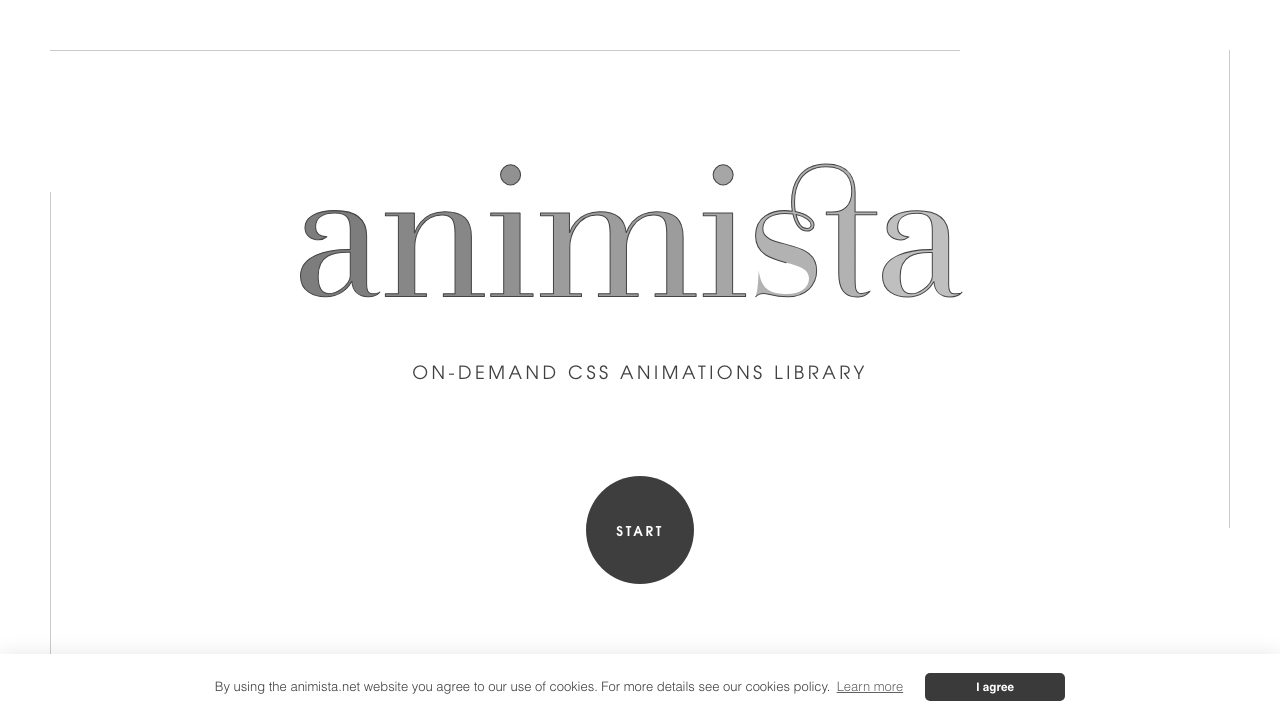
A web app by Ana Travas for previewing pre-made animations, adjusting duration, easing, delay, direction and fill mode, then copying the generated keyframes. The generated CSS is free for personal and commercial use. It is a good way to find a starting point for entrances and exits, but always trim the output to the one animation you need. Open it.
Animate.css
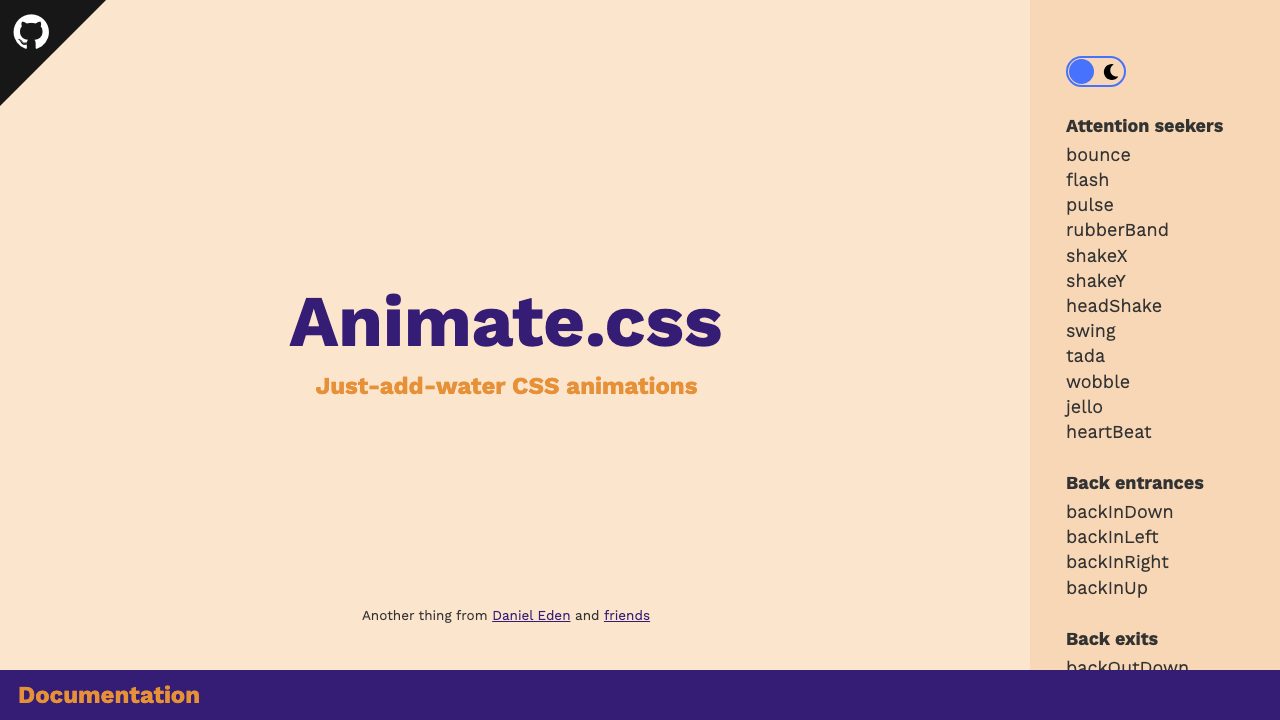
The long-running drop-in library by Daniel Eden. Add animate__animated and a class such as animate__bounce, and tune duration, delay and repeat with the --animate-duration, --animate-delay and --animate-repeat custom properties. Its documentation calls support for prefers-reduced-motion a critical accessibility feature that should never be disabled, a good habit for any animation code you write. Open it.
CSS Loaders (Temani Afif)
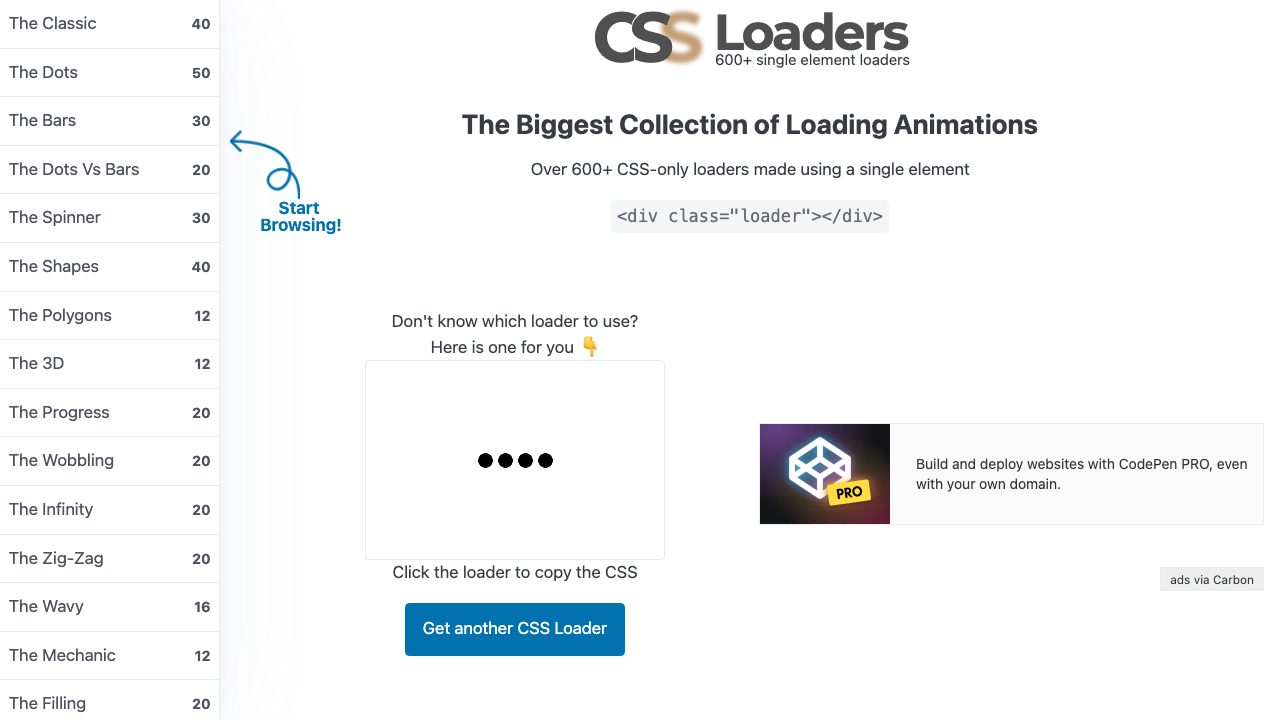
More than 600 loading animations, each made from a single <div class="loader"></div>. Click a loader to copy its CSS. They are a masterclass in doing a lot with gradients, masks and one pseudo-element. If you build interfaces with Bootstrap, our CSS loaders and loading button and bar loading animations snippets show loaders in a ready page context. Open it.
css-doodle
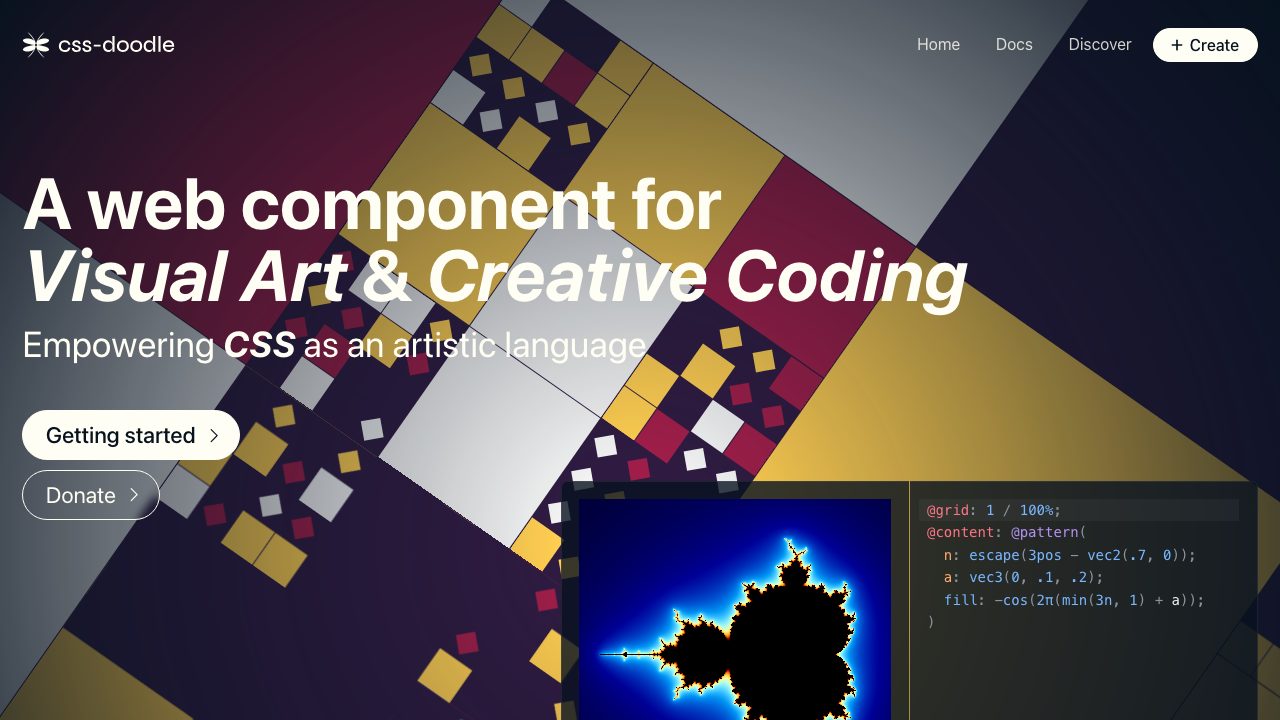
A web component by yuanchuan, MIT licensed, where you write CSS-like rules inside a <css-doodle> element to generate patterns, backgrounds and generative art. It is the nearest modern descendant of the “look what CSS can do” demos of 2010, and it is a pleasant way to explore grids and randomness. Open it.
Classic 3D experiments that still run
These few survivors from the CSS3 era still load and still impress. They are experiments, not patterns to copy: they predate modern accessibility expectations, so treat them as inspiration.
CSS FPS (Keith Clark)
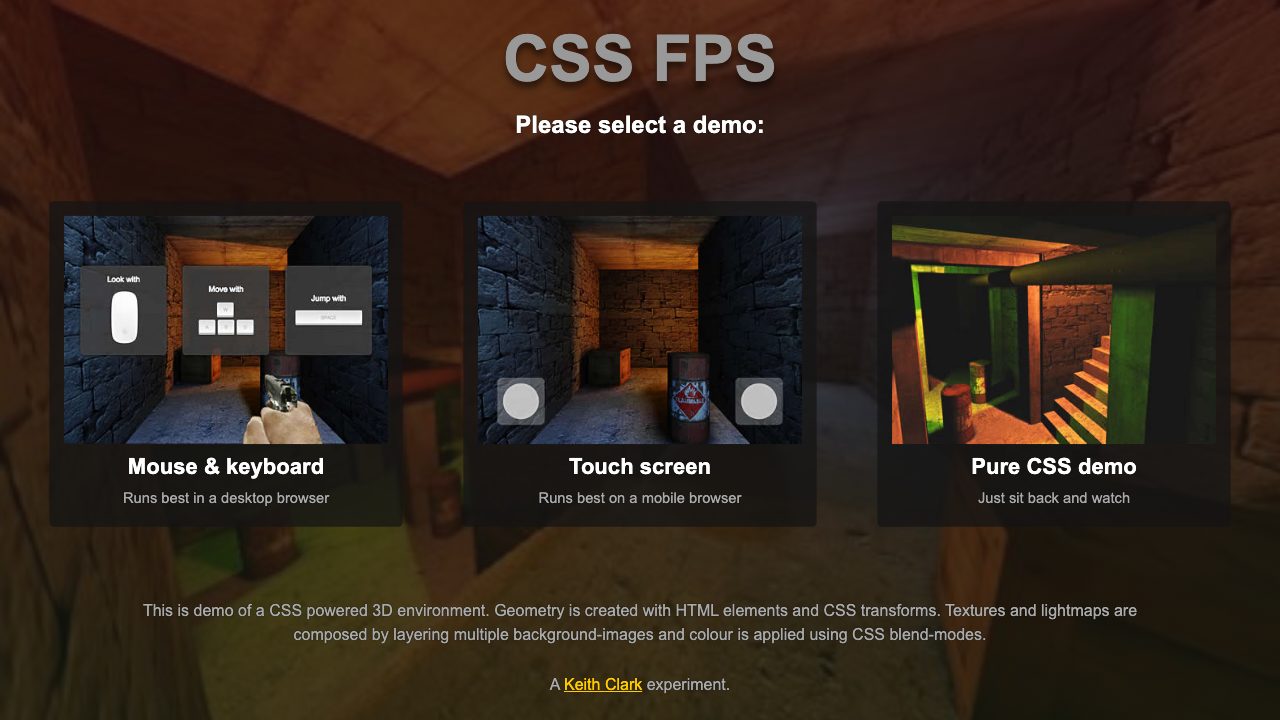
A 3D environment where geometry is built from HTML elements and CSS 3D transforms, textures and lightmaps come from layered background images, and colour from blend modes. Pick the mouse and keyboard demo, the touch demo, or the pure CSS demo that needs no interaction. Open it.
isocube (Zachary Johnson)
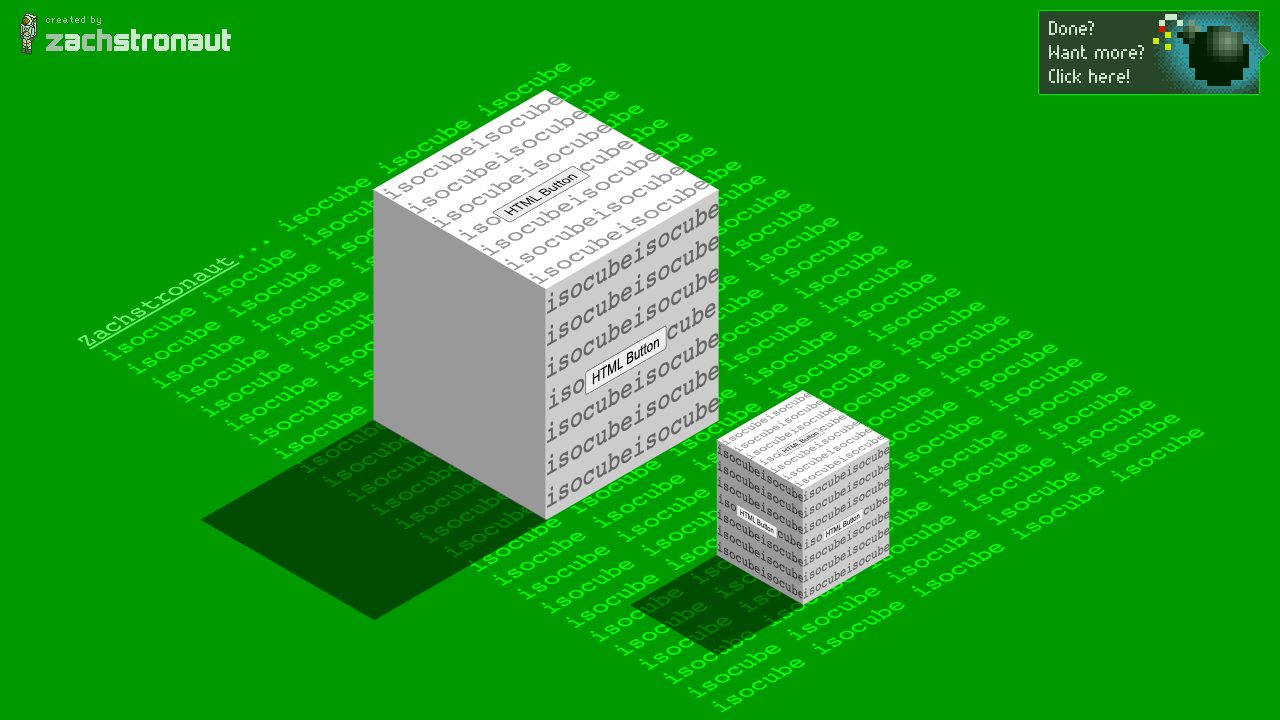
An isometric cube from the earliest days of CSS transforms, still a neat lesson in how a flat element can fake depth. For the modern way, put faces on a transform-style: preserve-3d parent. Open it.
Poster Circle (WebKit)
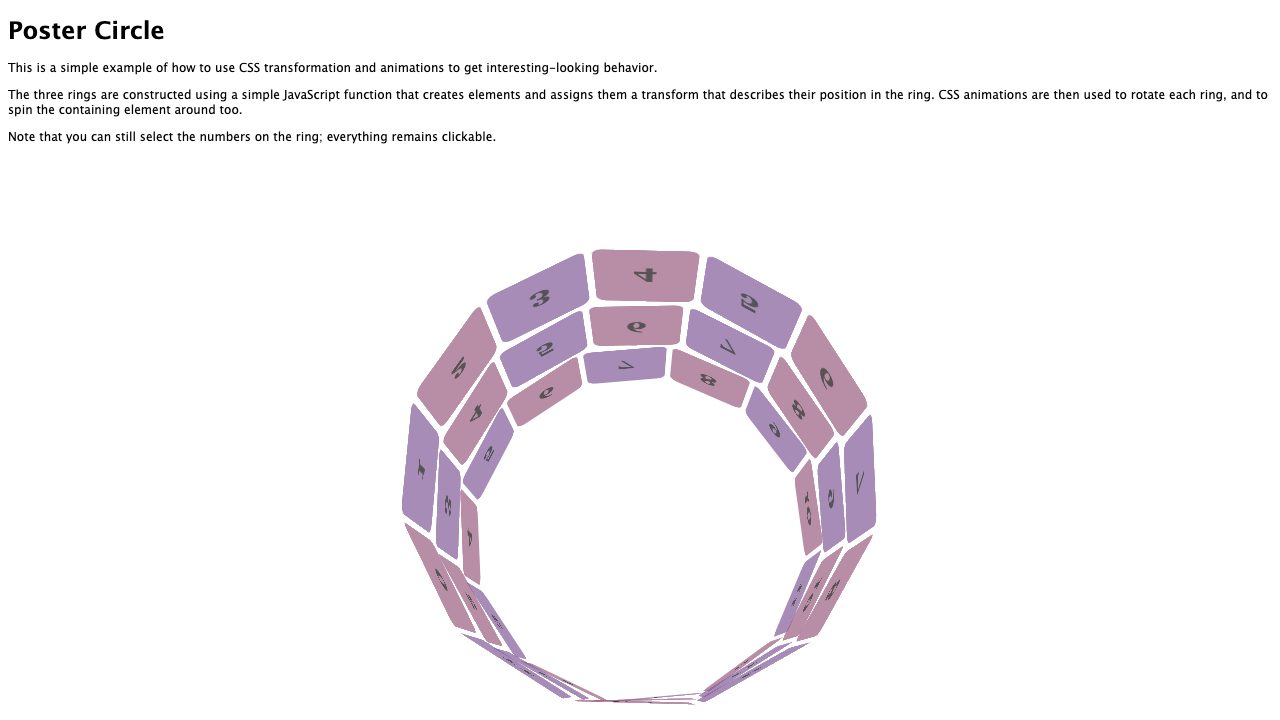
A demo from the WebKit blog in which a small JavaScript function creates the elements and gives each a 3D transform, and CSS animations then spin each ring. The page notes that the numbers on the tiles stay selectable, since everything remains ordinary DOM. Open it.
Build a modern animation yourself
Three techniques replace most of the old jQuery-and-vendor-prefix demos. This example combines them in a few lines, and we tested it in a real browser.

:root {
  --ease-spring: linear(0, 0.009, 0.035 2.1%, 0.141, 0.281 6.7%, 0.723 12.9%,
    0.938 16.7%, 1.017, 1.077, 1.121, 1.149 24.3%, 1.159, 1.163, 1.161,
    1.154 29.9%, 1.129 32.8%, 1.051 39.6%, 1.017 43.1%, 0.991, 0.977 51%,
    0.974 53.8%, 0.975 57.1%, 0.997 69.8%, 1.003 76.9%, 1);
}

/* 1. A progress bar driven by page scroll */
.progress {
  position: fixed;
  inset: 0 0 auto 0;
  height: 4px;
  background: oklch(75% 0.18 280);
  transform-origin: 0 50%;
  animation: grow linear both;
  animation-timeline: scroll(root);
}
@keyframes grow { from { transform: scaleX(0); } to { transform: scaleX(1); } }

/* 2. A spring-like hover using linear() easing */
.card { transition: transform 0.6s var(--ease-spring); }
.card:hover { transform: scale(1.04) rotate(-1deg); }

/* 3. Reveal each card as it enters the viewport, only if motion is welcome */
@media (prefers-reduced-motion: no-preference) {
  .card {
    animation: reveal linear both;
    animation-timeline: view();
    animation-range: entry 0% entry 60%;
  }
}
@keyframes reveal {
  from { opacity: 0; translate: 0 60px; scale: 0.94; }
  to   { opacity: 1; translate: 0 0;    scale: 1; }
}
Why it is built this way
animation-timelineswaps the clock for scroll position.scroll(root)follows the page;view()follows the element’s own visibility, andanimation-rangesays which part of that journey plays the animation.linear()lets you describe a bounce or spring as a list of points. Generate the values with a tool rather than by hand.- The media query wraps the motion, not the layout. Cards stay fully visible for people who prefer reduced motion, and the content never depends on the animation running.
- Individual transform properties such as
translateandscaleanimate separately fromtransform, so the reveal does not fight the hover.
Browser support
| Feature | Where it works | What to do |
|---|---|---|
| Transitions, keyframes, 3D transforms | Everywhere | Use freely, without prefixes. |
linear() easing |
Chrome and Edge 113, Firefox 112, Safari 17.2 | Widely available; unsupported browsers ignore the easing and use the default. |
| Same-document view transitions | Chrome and Edge 111, Safari 18, Firefox 144 | Baseline Newly Available; feature-detect document.startViewTransition. |
| Scroll-driven animations | Chrome and Edge 115, Safari 26; Firefox stable has not shipped it | Treat as an enhancement and wrap in @supports (animation-timeline: view()) if the content would otherwise be hidden. |
| Cross-document view transitions | Chrome and Edge 126, Safari 18.2 | Progressive enhancement only; pages still navigate normally elsewhere. |
Support moves quickly, so confirm the Baseline badge on MDN before relying on any row. The safe pattern for scroll-driven effects is to start with content visible, then add the animation inside @supports so a browser without it shows the final state.
Keep it accessible and fast
- Respect
prefers-reduced-motion. Remove large movement, parallax and looping effects when it is set. - Animate
transform,opacityand the individual transform properties where you can; avoid animatingmargin,toporwidth. - Never use motion as the only signal for state, and never hide content until an animation runs.
- Avoid infinite animations on large areas; they distract and drain batteries.
Where to go next
If you are new to the basics, start with our tutorials on @keyframes and transitions and transforms. For ready-made UI that uses these ideas, try the animated menu with sliding indicator, the expanding image gallery on hover and the radial pop-out navigation. The animated scroll to top tutorial pairs well with the scroll techniques above.


CSS3 animations are so cool! I’m using them on my teaser page, way more easier and sexy than JS :)
looks not that smooth as if it was flash.
Of course bigger flash websites aren’t that smooth on old PCs…
we will see what the future will show.
@Nick La
Thanks for the list but i think “Dropdown Menu” (no. 43) has a missing link. The link showing page not found.
Thanks a bunch for featuring my Dynamic Stacks of Index Cards Tutorial!
Two days it was featured on Smashing Magazine and now here…I can’t believe it.
In any case another great collection of CSS3 Tutorials. Hopefully people will start renouncing IE6 & co. soon.
Terrible! Excellent!
The analog clocks, a can of Coca-Cola, the CDs down, the rotating image gallery and animation of Futurama are the best examples of CSS3.
Sorry for my poor English. Very good post, congratulations!
A greeting from Argentina.
» Alvago »»» alvago.com.ar
Thanks so much for featuring my demos. Just as a note: both are not CSS3 but CSS1 and CSS2.1.
Oh and… I love your blog theme! :)
I don’t know why but for some reason there are several of these examples that aren’t working on my Firefox… like the 5 prior examples and the Snow Stack, or the rotating gallery…
So when will we some of these in Firefox? (talking about the 3d and transitions)
This is awesome! I guess I’ve just had my head in the sand, because I had no clue about most of these. Good work, I’m excited to start trying this stuff out on my own.
There’s some great stuff here! I’d figured out recently that you could make Matrix-style effects using multiple text-shadow instances, but seeing a similar thing animated is really crazy! Can’t wait until IE supports CSS3.
Whilst quite impressive, I’m still not convinced that blurring the lines between mark-up, presentation and behaviour is the best idea. After all, did we not spend a number of years promoting their separation into HTML, CSS and Javascript, respectively?
Um – let me get this straight you are presenting things which were being done ten years ago in flash as being awesome – none of this is even one-one thousanth of what flash can do today – and even when you do verge on being able to do something decent – CAVEAT – processor intensive watch out !!!!
Ridiculous – either you stick to your text and static web and hate flash – or embrace animation and dynamic presentation and subsequently FLASH – either way this wreaks of hypocricy.
What a list! This really makes me want to get experimenting with CSS3!
Hi Nick,
great collection you’ve got here, thanks for sharing! But where do I get some time to explore all the CSS3-animations?
It’s just a deadly sin they don’t work on IE, because there are still loads of people using that (shitty) browser! Cheers & Ciao …
link seems broken for the drop down menu one. anyone able to post a working link if they’ve found one?
cheers!
excellent post though! some useful techniques!
I agree with aristophrenia, looks like Flash has few worries, other than perhaps steve jobs distortion field. Hopefully his max-ipad Flash ban will result in Adobe software native on Linux.
Great collection! I hope we can create more cool things with CSS3,but I really don’t want to see more CSS and JavaScript code along with them.I agree with the catchword of jQuery:Write less, Do more.
das ist so cool, nur ist schade das der IE immer noch etwa 40% der Browser einnimmt und der uns so einen strich durch die rechnung macht.
Hey,
I don’t know what’s wrong but it’s very disappointing, Most of the effects don’t seem to work with FF3.6??? Is it just me and I’m missing something or does it happen to more people?
can’t wait until the day you don’t need to worry about using CSS3. The potential, as shown here, is huge!
CSS 3 : That’s one small step for man writting CSS, one giant leap for your design.
A few days ago, I have made this illustration only with CSS and animated it with jquery, I didn’t open Photoshop at all to make it and that really changed me.
http://virtuousquare.free.fr/divers/target/blob.html
Have fun. :)
Im loving CSS3. If only everyone boycotted IE
safari and chrome have the best css3 compatibility at the moment
wooooow.. this is amazing. I liked the spotlight shadow demo. its simply superb!
Need more browsers to get on board, sad to see that majority of visitors still use IE.
simply amazing. we all should adopt and use it whenever it makes sense, regardless of browser support. if we do users will upgrade, if we don’t there is no reason for them to do so…
Nice to see. BUT… back to the dilemma of crappy browser issues once again.
Also have to agree with aristophrenia !! Flash makes this look like PONG.
6 years ago when Flash was in its prime it killed this stuff.
Still believe in nice CSS design but for effects. Learn animation. Unless you’re suck with an Ipad.
Cheers
I like how Chris Coyier’s CSS3 Clock With jQuery had a clunky analog feeling seconds hand and the Antique Clock has a smooth digital feeling seconds hand lmao.
Cool that you you can do these things but honestly, some of them are really clunky and again, the browser thing is annoying. You can’t expect users to have to upgrade every time a coder learns a new trick when their old flashplayer3 did exactly the same thing 7 years ago. And it was smoother.
Awesome post! I had no idea CSS could be so versatile.
It is not working in Firefox too… that is something to worry about!
WOW, pretty nice effects using only css and html. I feel it will only get better given in the hand of creative designers! Bravo for this post, and i hope css3 will become standard fairly soon!!
That’s really awesome! Amazing what CSS can do, just give it a few more years!
I am DEFINITELY loving the cover flow and Mac dock ones! I’ve seen the rotating Coke can before, I just wish I knew enough with coding to use it! :) I’m just starting out (in fact I’m working on my very first web page for my midterm), and can use all the help/advice I can get! :D Great post!
I REALLY love all of them, but most of all I’m amazed by the photo galleries and the no-Flash / no-JS animations
The list has inspired new experiments with CSS3 ;)
This is a fantastic step forward for css, my only concern is that some of the animations are a bit slow to animate. I think when it comes to css3 using transform might not always be the best solution, but the possibilities are amazing.
omg, css pwned flash! great article nick! thanks for sharing..
yeah!! it’s here!! i really want to try using css3, this would be a great help, cause im new to css3 even though i know it exists and i had some idea on how it will work…but i havent tried it yet cause only a few browsers support css3
thanks for this :>
Free check your website worth:
WebsiteReckon.com outstanding web analytic tools on the internet today. You can use it for FREE. More than website value calculation, are target specific Traffic, pageviews. Fantastic!
Future is ready. Time to begin a new era. And the luck is that IE6 is dying…
Wow what a list, I like the polaroid image gallery , , ,
Im really looking forward to what CSS3 has to offer. Css is already a revolutionary language.
eRepublik to gra łącząca aspekty polityczne, militarne oraz gospodarcze. eRepublik ma światowy zasięg, zarejestrowanych jest prawie 400 tysięcy graczy, z czego 65 tysięcy to POLACY (najliczniejsza nacja)!
Polska jest w tej chwili wplątana w liczne walki i potrzebujemy jak największego napływu nowych graczy, którzy pozwolą nam stworzyć potęgę na skalę światową. Nasz najważniejszy cel – aneksja Niemiec został wykonany!
Chcesz walczyć przeciw innym krajom i w kolejnych powstaniach, które wybuchają w podbitych regionach?
Od niedawna jest także język polski, jako jeden z możliwych do wyboru w grze, co na pewno spodoba się wielu nieanglojęzycznym graczom!
Pomóż Polsce! Dołącz już dziś!
P.S. Najlepiej używać skrzynek e-mail na serwerach yahoo i gmail
Are you serious?!?!?! This is great! In fact, I have already used the “Coke Can” to showcase a can design we did for a client.
Ya know, these are pretty neat really. I’m kurius to see where css3/html5 go and what happens to javascript’s role on the web.
I am kurius if anyone was having the same effects as me though.. checking all these pages out, I (instinctively) was monitoring my cpu cycles and ram use. I noticed that ram wasn’t terribly affected, but I didn’t get it back once the tab was closed. With the css3 animations, they use quite a lot of cpu cycles, I was very surprised.. on average, my cpu jumped from 6-15% (normal net browsing) up to 30-35%. When I was looking at the heavy animations, the cpu jumped up to 50-57%. This is really high to me. When I view flash sites, they take 45-50% of my cpu cycles. I thought one of the advantages of css was decreased use of cpu..
These were my experiences and thoughts as I was viewing this article. Just kurius what impact it had on your machines..
This is an astonishing collection. I especially like the CSS coke can.
Thank you for the inspiration!
Awesome examples, i will definitely be coming back to check out this page and try out a few of these, particularly the mac dock and the 3d images. The parallax backgrounds are nice but got a little dizzy watching it
Thanks for this resource, there’s some great css animation, some are fun and others can be utilised to enhance some of my website designs like the Polaroid galleries.
I cannot wait until CSS3 is fully supported in all browsers. I want to use this in new projects so bad! I love how you can get away from using so much Java to make the page interactive.
Coooool ! Great!!!
Now I can’t wait to see the results from these playgrounds in real websites.
Thanks for that collection and your work with that ! :-)
Some very appealing CSS animation designs, this can easily enhance a website’s look; thanks!! I especially like Snow Stack (Control With Arrow Keys)
the Multiple 3D Cubes (Slide In/Out), it works great..
thanks dude, i’ll wait for your other tutorial..
The css3 and jquery combination capabilities almost get the results one would get using flash a few years ago.
Can you specify how you did the “Tab Menus Without Javascript”? can you upload the CSS code please?
Thanks!
The CSS3 animation demos shown here is really great. I like all designs but multiple 3D cubes looks more creative. This is good resource for all the web designer working with CSS3. I will surely use this for my website and recommend it to others.
Los Angeles Web Design
wonderful effects ^_^ unfortunately, didn’t see any falling leaves effect on the demo, maybe its just my browser…it would have been really cool to see that with CSS & not flash
Spotlight Cast Shadow is wonderful
thanks for sharing
Some really nice effects. I particularly like some of the more simple effects, the colourful clock using CSS and jQuery for example I think is particularly innovative in its simplicity and originality. Also the many hover and sliding effects using jQuery has endless possibilities in terms of navigation menus etc. My only disappointment is that some the examples either don’t load properly or simply don’t work which prompts the question of compatibility. However some really interesting examples that opens the door to a wealth of possibilities and creativity.
CSS has long been a powerful part of the web design process, but with the emergence of CSS3 and the growth of both the spec and the number of browsers that support it, amazing options are being opened up for designers.
Thanks
This is a great inspiring article.I am pretty much pleased with your good work. ugg classic cardy You put really very helpful information. Keep it up. Keep blogging.
This is a great inspiring article.I am pretty much pleased with your good work. ugg classic cardy You put really very helpful information. Keep it up. Keep blogging.
It relies heavily on touch because the pages I have a user acting on, are usually a collection of child records. uggs outlet Caching is a big help in this respect.Thanks
People die for iphone 4 white is understandable, isn’t it? The reason is quite simple, We all want to be differnt!
Reading this post reminds me of my old room mate! He always kept talking about this. I will forward white iPhone 4 this article to him. Pretty sure he will have a good read.I procrastinate alot and never seem to get something done
Take the latest white iphone 4 Conversion Kit and start to change a new look to your favorite iphone 4 now! You can sure love it!
The white iphone 4 hardware design hasn’t changed from the one we already knew about. It uses the same materials as the prototype: Black glass and stainless steel rim.
You can also use a package deal of frozen peas.
Take the latest white iphone 4 Conversion Kit and start to change a new look to your favorite iphone 4 now! You can sure love it!
RV Storage Orange County
I am so much excited after reading your blog. Your blog is very much innovative and much helpful for any industry as well as for person.
Best sugarcrm customization Corelynx provide good SEO Services for promote your business. Want to need good seo services then contact us.
Sign up to Ro2 Mafia Empire the best free MMORPG game today to become a mobster working your way through the ranks to become the greatest and most powerful gangster in the Mafioso world..
You have the ability to be a leader and create your gang to drive to the top or can equally join gangs to help build an unstoppable empire. Collect cash, drugs and purchase weapons on the way of attacking your enemies to help build up respect.. Register if you think you have what it takes, remember…keep your friends close, but your enemies closer!
Last but not least, CASHOUT YOUR INGAME MONEY TO REAL MONEY!
http://www.ro2.biz/empire.php
Get paid to chat
I discovered so numerous interesting stuff in your weblog especially its discussion. From the tons of comments on your articles, I guess I am not the only one having all of the enjoyment here! maintain up the great work.
Ro2.Biz is a FREE online earning platform. We at Ro2.Biz pay you to Chat! Play! Click and Promote!
I think the site got a real intentions . Certify Monster Get certify
The Designs are really nice, especially the clock designs. I know CSS2 and I design sites with it. I am going to learn CSS3 as soon as possible. It’ll be very interesting..
Hey guys,
I just found a website which pays you for mostly everything. First i thought that it can’t be real but i got paid more than 18$ by now.
If you wanna join please join under me:
Thanks alot, and see you there ;)
Hey guys,
I just found a website which pays you for mostly everything. First i thought that it can’t be real but i got paid more than 18$ by now.
If you wanna join please join under me: ro2.biz/index.php?id=2018
Thanks alot, and see you there ;)
Come here register and find or post any tutorials : thextop.org
I think its grid is really doing great.
Splendid work. Thank you so much for this post. Interesting content.
this is a really good list!
thanks for taking the time in making it and sharing it
now everytime someone asks a question related to B&W coloring I will refer them to this list
thanks again! +mems
I am not sure why alot of these CSS3 / HTML5 sites are targeting only Chrome/Safari/Firefox, and maybe Opera. IE9 works perfectly fine with CSS3 and HTML5 however web devs still code for browser specific effects… That truly sucks.
@Bleepzter, this article was published on the 3rd of Feb, IE9 didn’t have its public release until March 14th
Actually, Opera can’t handle half of the above examples, and even then most of them don’t handle CSS transformations such as movement, scaling and rotation.
Here’s hoping for a fix to this issue for all Opera users.
age of heart attack decreased with each passing day, he said.
wow its fantastic css .. i like it i wanna try ..;-)
thank u
jual rumah jakarta selatan
Great roundup.
Though I’d like to see some more animated scenes that are purely css, i.e. no images used, not even background images.
This tutorial is really interesting and guided me a lot. I came across many new concepts and I am hoping to improve even more..
Wow! CSS certainly IS evolving, isn’t it.
Thank YOU for posting these
– Trish
really amazing things can now be conjured up in css
whenever I am exploring this topic, my pants are falling down
really really
because these little wonders make such an impression on me :-)
Thanks for the list! I like the “3D Meninas” Demo :)
yay stuff you could do in flash back in 1999, and SVG in 2002. Also, its not CSS, its webkit, and it only works in Safari for the most part. HTML5 wont be ready for the forseeable future, in the mean time, theres flash.
These are great! It’s too bad they are limited to Safari and Chrome…
Safari only. . . Really? Why bother? Why design things that only work on the browser with the smallest (by a very long shot!) marketshare?
Ditto. It’s a pity these also run grindingly slow on an iPhone. I keep ‘hearing from people who’ve heard’ that games are possible in HTML5, but have yet to see one that doesn’t run like a dog.
Wow…you really don’t get it do you? People do this kind of stuff because it’s fun, cool and possible. The point is to practice all this because we know browsers in a not so far future will be able to do this, not talking about the piece of crap browser called Internet Exploder.
Also most of the demos shown in the article is by the time of writing possible in at least Firefox and Opera too. Besides none of the above demos where client work, and anyone who isn’t a retard won’t care about making stuff work in IE (if it’s not client work of course).
The only reason stuff works is because people are testing and playing with it. The way you think you won’t get far, but by all means, keep standing in your corner because soon that corner will be very loonily. This goes out to Greg to who surprisingly agreed with you.
This is a html 5 + css 3 website that I have developed…
Let me know guys what do you think about the design
Go Inspired
thank you!
Multiple 3D Cubes (Slide In/Out) does not work Firefox Nightly14.0a1 anymore.
Because they removed skew() transformation function.
See detail https://bugzilla.mozilla.org/show_bug.cgi?id=734953
Very nice post. Some of them are not cross browser.
I really loved reading your blog. It was very well authored and easy to understand. I also found your posts very interesting
I was going to learn javascript…..not sure I will bother now!
please consider adding css3builder.com . It creates css3 galleries that are tough to manually code
So helpful tips … They can be real handy espcially if you are designing site for the mobile only
Hello Sir,
The demo of Space is not working on Firefox and IE.. Can you please suggest a solution? I need that background plz help.
Thanks,
Palace
This is really crazy mehnn—– CSS3 is damn cool– i really like this, thanks so much i guess i have a lot to learn; if i have any question i bet i can always pop up here to ask— nice..