This is an example of a table layout with a fixed table header, designed using Html, CSS, JavaScript, and Bootstrap framework 4. The font style is imported to the code with its URL. The table consists of a fixed header and five data columns. The body of the form is given the styles of background as linear-gradient(to right, #25c481, #25b7c4), and the font-family as 'Roboto', sans-serif. The title of the table is displayed using the styles of font-size as 30px, font color as #fff, text-transform as uppercase to automatically convert the text to uppercase, font-weight as 300, text-align as center, and margin-bottom as 15px. The table header is given a background color as rgba(255,255,255,0.3). The table header has the styles of text-align as left, font-weight as 500, font-size as 12px, font color as #fff, and text-transform as uppercase. The table is also given a scroll bar.
Source: https://mdbootstrap.com/snippets/jquery/berika_tavadze/461964#js-tab-view
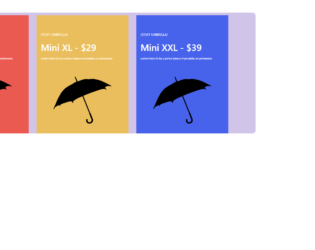
This is an example of a colorful pricing table with hover animation, designed using HTML, CSS, and Bootstrap framework 4. The product images are imported to the code with their URLs. The body of the form is given the styles of background-color as #D1C4E9, and border-radius as 12px. The form is split into three product cards and given separate styles. The first card is given the styles of background-color as #eb5a51, width as 100%, and height as 450p. The second card is given the styles of background-color as #eabe5c, width as 100%, and height as 450px. The third card is given a background-color as #4863eb, width as 100%, and height as 450px. The product name is displayed using a font-size of 12px, and font color of #fff. The product size and prize is displayed using a font-size of 35px. The product image is given an animation style of umbrella 1.5s ease-in forwards, to create the scale-up hover effect.
Source: https://bbbootstrap.com/snippets/bootstrap-colorful-pricing-table-animation-24141494
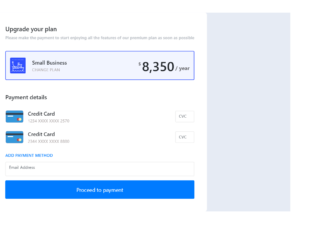
This is an example of a pricing plan with credit card payment details, designed using CSS, HTML, and Bootstrap framework 4. The card images are imported to the code using their URLs. The form is given a background color of #e6ebf4. The information card is given a box-shadow of 5px 6px 6px 2px #e9ecef. The heading of the form is displayed using a font-size of 23px. The subtitle is displayed using the styles of font-size as 16px, font-weight as 500, and font color as #b1b6bd. The pricing section is given a border style of 2px solid #304FFE and the price is displayed using a font-size of 50px. The CVV and email input text fields are given a border style of 2px solid #eee, which turns to 2px solid #304FFE, in a focus event. The 'Payment' button is created as a primary type button and given a font-size of 20px.
Source:https://bbbootstrap.com/snippets/bootstrap-pricing-plan-credit-card-payment-details-23640312
This is an example of a simple white pricing table, designed using CSS, HTML, and Bootstrap framework 4. The background color of the form is set as white. The background of the form is an image, which is imported to the code using its URL. The form consists of three price cards with header title, and content section which displays the price plan names, monthly charges, and a feature list. Each price card has two 'Purchase buttons, one at the top, and the other one at the bottom. The header title of the cards is created as muted text. The content of the cards is also displayed using muted text. The 'Purchase' buttons are created as info type buttons. The buttons are assigned a link to redirect to a different form, once a button is clicked.
Source:https://bbbootstrap.com/snippets/bootstrap-bootstrap-4-white-pricing-tables-atlante-avila-64910265
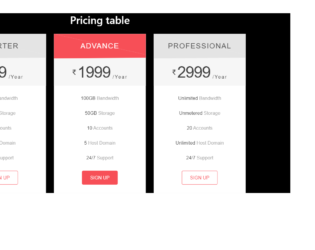
This is another example of a pricing table with hover effects, designed using CSS, HTML, and Bootstrap framework 4. The form consists of three price cards. The concept of Lists has been used with UL and LI components. UL element has been used with the child elements of LI to display the price cards, in an orderly manner. Media quarries have also been used to increase the responsiveness of the form. The form is given a background color of #000. The price cards are given a background color of #fff. Two of the cards are given the color of #f6f6f6 as the color of the header, whereas the card in the middle is given a header background color of #f74f57. The header title is displayed using the styles of font-family as "Raleway", sans-serif, font-size as 28px, font-weight as 400, letter-spacing as 2px, and text-transform as uppercase to automatically convert the text to uppercase. The price is displayed using the font style of "Lato", sans-serif, and font-size of 28px. The left and right side cards turn the color of their headers and 'Sign up' buttons to #f74f57, in a hover event.
Source: https://bbbootstrap.com/snippets/pricing-table-hover-effect-69254954
This is an example of a pricing table template, designed using CSS, HTML, and Bootstrap framework 4. The form consists of three pricing cards that take a scale-up effect in a hover event. The body of the form is given a background color of #C9D6FF. The concept of Lists has been used with UL and LI components. UL element has been used with the child elements of LI to display the price cards, in an orderly manner. The 'Signup' button is displayed using a background color of #C64545, the font color of #fff, and a border-radius of 20px. The price card headers are given a text style as light and font-weight as normal. In a hover event, the price card takes a transform effect of scale(1.05), to create the scale-up effect. Each price card is given a deco-layer that takes a transform effect of translate3d(15px, 0, 0), in a hover event.
Source: https://bbbootstrap.com/snippets/pricing-table-template-62499869