- Latest
- Featured
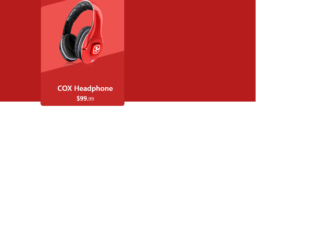
This is an example of an e-Commerce product card with an animation effect, designed using HTML, CSS, and Bootstrap framework 4. It can be used to showcase the e-commerce products stylishly. The product image has been imported to the code with its URL. The body of the form is given a background color of #B71C1C. The product card is given the styles of height as 420px, width as 320px, background-color as #C62828, border-radius as 10px, and a transform effect of skewY(345deg), to create the hover animation. In a hover event, the image changes its width to 80%, creating the hover effect. The justify-content and align-items styles have been set as center to centralize the elements. The 'Buy Now' button is created as a success type button and given a style set of font color as #fff, background-color as #ef5350, border-color as #ef5350, and width as 160px. In a hover event, the button takes the background color of #e84040 and the border-color of #e84040.
Source:https://bbbootstrap.com/snippets/bootstrap-ecommerce-product-card-animation-effect-30372547

This is another example of our team section with hover effects, designed using CSS, HTML, and Bootstrap framework 4. The profile images are imported to the code with their URLs. The form title is displayed using the styles of font-size as 36px, font color as #283d50, text-align as center, and font-weight as 500. The subtitle of the form is displayed using the styles of text-align as center, font-size as 15px, padding-bottom as 60px, color as #556877, and width as 50%. The border-radius of the user profile is set as 50% to get the circle shape. The member name is displayed with the styles of font-weight as 700, font-size as 18px, and font color as #fff, whereas the user designation is displayed using the styles of font-style as italic, font-size as 13px, and color as #fff. The user profiles take a filter layer of rgba(0, 62, 128, 0.7) in a hover event, to implement the hover effect.
Source:https://bbbootstrap.com/snippets/our-team-section-hover-and-font-awesome-icons-64425105
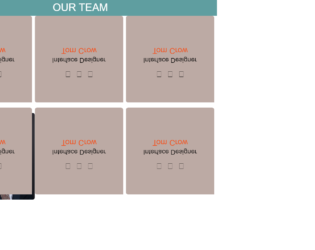
This is an example of our team Section with hover animation, designed using CSS, HTML, and Bootstrap framework 4. The font style and member images are imported to the form using their URLs. The body of the form is given a style set of font-family as 'Noto Sans HK', sans-serif, and height as 1000px. The form heading section has the styles of width as 100%, height as 80px, background-color as cadetblue, and font color as white. The member cards are given a width of 33.33335%, height of 330px, border-radius of 8px, and the cursor style is set as pointer to get the hand cursor effect on hover. The profile name is displayed using a font-size of 30px, and font color of #f4511e. The backside of the profile cards is given a background color as #bcaaa4. The member cards take a transform effect of perspective(600px) rotateX(180deg), to implement the flipping animation, in a hover event. The Facebook, LinkedIn, and Twitter icons also change their background color to #3B558D, #007BB6, and #2CAAE1, respectively, on hover.
Source: https://bbbootstrap.com/snippets/our-team-section-animation-38917236
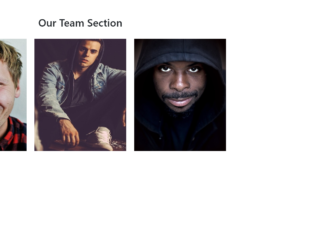
This is another example of our Team Section with hover effects, designed using CSS, HTML, and Bootstrap framework 4. The profile images are imported to the form using their URLs. The title of the form is displayed using the styles of text-align as center to centralize the title, font-size as 40px, position as relative, and margin-bottom as 40px. The member name is displayed using a font-size of 20px. The social media icons are given a style set of color as #fff, font-size as 15px, width as 36px, height as 36px, background as #3f51b5, display as inline-block, text-align as center, line-height as 36px, and the border-radius as 2px. The opacity of the profile card gets changes to 1, in a hover event. Each member profile is given a hover effect to reveal the hidden member information, in a hover event.
Source: https://bbbootstrap.com/snippets/our-team-section-font-awesome-icons-78040843
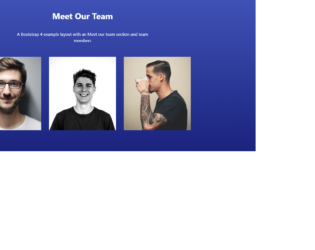
This is an example of a meet our team section template with hover effects, designed using HTML, CSS, and Bootstrap framework 4. The profile images and social media icons are imported to the code with their URLs. The background image is given the styles of background-image as linear-gradient(#3F51B5, #1A237E), color as #000, and overflow-x as hidden. The title of the form is displayed using font-weight as bold, margin-bottom as 40px, padding-top as 40px, and color as #fff. The introduction section is given a font-size as 16px. The cursor style for the profile card is set as pointer to get the hand cursor effect on hover. The opacity of the social media icons is set as 0.7, which gets changed to 1, on hover. The profile title is displayed using the styles of text-transform as uppercase to automatically convert the text to uppercase, font-size of 13px, and font-weight as bold. The profile card takes a filter layer of rgba(31, 148, 255, 0.75), in a hover event.
Source: https://bbbootstrap.com/snippets/meet-our-team-section-hover-social-icons-16498436

This is an example of a team Members Showcase with animation on hover, designed using CSS, HTML, and Bootstrap framework 4. The fonts, CSS styles, and profile images are imported to the code using their URLs. Facebook, Twitter, and LinkedIn icons are given the background colors of #3B5998, #55ACEE, #007bb5, and change the opacity to 0.7, in a hover event. The form title is displayed using a font-family style of 'Yrsa', serif, and a font-size of 50px. The team member card is given a width of 260px, and a height of 100px. The front side of the profile card is given a background color as #bbb, whereas the backside is given the color #f2f2f2. The member details are displayed using the styles of font color as #007b5e, font-family as 'Yrsa', serif, font-size as 30px, and padding as 15px. The profile cards take a transform effect of rotateY(180deg), to create the flipping animation in a hover event.
Source: https://bbbootstrap.com/snippets/team-members-showcase-43885384

This is an example of another signup form, with a background image, designed using CSS, HTML, and Bootstrap framework 4. The background image is imported to the code with its URL whereas the media quarries have been used to increase the user-friendliness of the form. The image container is given a box-shadow of 1px 1px 5px rgba(0, 0, 0, 0.1). The form is given a background color of #ffffff. The title of the form is displayed using the styles of font-size as 24px, line-height as 1.5, and margin-bottom as 30px. The input text fields are given a height of 40px, and a border-bottom of 1px solid #dfe7f1. The 'Sign-up' button is created as a primary type button and given a style set of background as green, border-radius as 4px, and padding as 11px. The button takes a transform effect of translateY(1px), in a hover event.
Source: https://bbbootstrap.com/snippets/bootstrap-signup-form-image-left-side-40740957