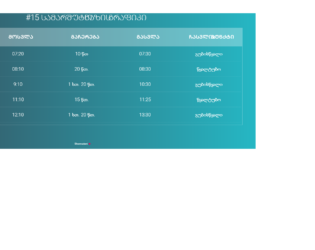
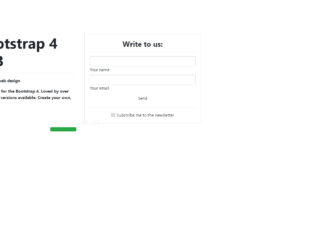
This is an example of another data table layout, designed using Html, CSS, JavaScript, and Bootstrap framework 4. The font style has been imported to the code with its URL. The title of the table is given a style set of font-size as 30px, font color as #fff, text-transform as uppercase to automatically convert the text to uppercase, font-weight as 300, text-align as center, and margin-bottom as 20px. The table header is given a background color as rgba(255,255,255,0.3). The body of the form is given the styles of background as linear-gradient(to right, #25c481, #25b7c4), and the font-family as 'Roboto', sans-serif. The table header has the styles of padding as 20px 15px, text-align as center, font-weight as 500, font-size as 20px, font color as #fff, and text-transform as uppercase. The table data is displayed with a style set of text-align as center, vertical-align as middle, font-weight as 300, font-size as 18px, font color as #fff, and border-bottom as solid 1px rgba(255,255,255,0.1).
Source: https://mdbootstrap.com/snippets/jquery/berika_tavadze/462110#js-tab-view
This is an example of a table layout with a fixed table header, designed using Html, CSS, JavaScript, and Bootstrap framework 4. The font style is imported to the code with its URL. The table consists of a fixed header and five data columns. The body of the form is given the styles of background as linear-gradient(to right, #25c481, #25b7c4), and the font-family as 'Roboto', sans-serif. The title of the table is displayed using the styles of font-size as 30px, font color as #fff, text-transform as uppercase to automatically convert the text to uppercase, font-weight as 300, text-align as center, and margin-bottom as 15px. The table header is given a background color as rgba(255,255,255,0.3). The table header has the styles of text-align as left, font-weight as 500, font-size as 12px, font color as #fff, and text-transform as uppercase. The table is also given a scroll bar.
Source: https://mdbootstrap.com/snippets/jquery/berika_tavadze/461964#js-tab-view
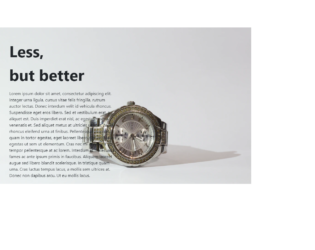
This is an example of a simple product details page, designed using CSS, Html, and Bootstrap framework 4. The form consists of a sidebar with hover effects, a header, and a product description given in a paragraph. The product image which has been used as the background image is imported to the code with its URL. The details container is given a margin-top as 8%, and a margin-left as 10%. The background-size of the form is defined as cover. The header is displayed using a font-size of 60px, and a font-weight as bold to highlight the text. It is given a margin-top value of 5%. The product details paragraph is displayed using a font-size of 16px. The sidebar items take the font color of gray, in a hover event.
Source: https://mdbootstrap.com/snippets/jquery/krzysztof-wilk/1241435#js-tab-view
This is an example of a testimonial card layout, designed using CSS, Html, and Bootstrap framework 4. The testimonial card consists of the profile image, profile details sections, and a navbar to scroll through user details, user email id, and web page. The profile image and logo are imported to the code with its URL. The image is given height and a width of 200. The form is given a background color of #d7ccc8. The details are justified and centered. The user name is displayed using a letter-spacing of 15px, and two font colors: #bcaaa4 to display the surname and #d7ccc8 to display the first name. The designation of the user is displayed using a letter-spacing of 5px. The content section is displayed with a font color of #8d6e63. The bottom section of the testimonial card consists of a navbar, created using toggle buttons.
Source: https://mdbootstrap.com/snippets/jquery/krzysztof-wilk/1527271#js-tab-view
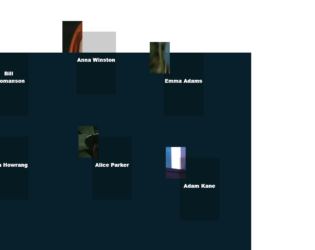
This is an example of a web layout with movable profile avatars and hover effects, designed using CSS, HTML, JavaScript, and Bootstrap framework 4. The avatars are given an animation to move along with the mouse cursor movement, on hover. The profile images are imported to the code with their URLs. JavaScript methods have been used to implement the movable animation and the resize effect on the avatars. The body of the form is given a background color as #08202B. The navbar is given a style set of font-family as 'GTAmericaExpanded', sans-serif, font-size as 2.4rem, font color as #fff, font-weight as 900, text-transform as uppercase to automatically convert the text to uppercase, cursor style as pointer to get the hand cursor effect on hover, and line-height as 1.2em. The avatar name is given the styles of font-size as 1.2rem, font color as #fff, font-weight as 800, and transform as translateY(-50%). The name changes its font-size to 1.7rem, on hover. The avatar photo container is given a width and a height of 50%, and 60% respectively, which gets changed to 65% and 75% in a hover event.
Source: https://mdbootstrap.com/snippets/jquery/tomekmakowski/854141#js-tab-view
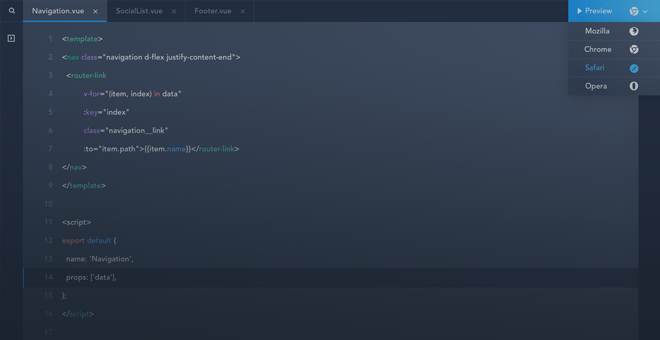
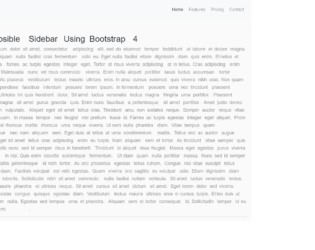
This is an example of a collapsible Toggle sidebar layout with a navbar, designed using Html, CSS, JavaScript, and Bootstrap framework 4. JavaScript methods have been used to implement the functionality of the toggle bar. The font style is imported to the code with its URL. The concept of Lists has been used with UL and LI components. UL element has been used with the child elements of LI to display the child elements of the toggle bar and navbar, in an orderly manner. The body of the form is given the styles of font-family as 'Poppins', sans-serif, and background color as #fafafa. The content section is displayed using the styles of font-size as 1.1em, font-weight as 300, line-height as 1.7em, and font color as #999. The child elements of the navbar are displayed using a font-size of 15px. The navbar is given a box-shadow style of 1px 1px 3px rgba(0, 0, 0, 0.1). The toggle bar is given a background color of #005086, and a font color of #fff, which changes its background color to #318fb5, on hover.
Source: https://bbbootstrap.com/snippets/bootstrap-collapsible-sidebar-navbar-74494348
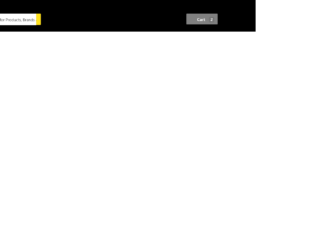
This is another example of a navbar layout designed using CSS, Html, JavaScript, and Bootstrap framework 4. The concept of Lists has been used with UL and LI components. UL element has been used with the child elements of LI to display the child elements of the navbar, in an orderly manner. The form is given a background color as grey. The navbar is given the styles of background-color as #000, and font color as #FFFFFF. The text inside the search bar is displayed using a font-size of 15px. The search button is given a background color of #ffe11b, border value of 1px solid #ffe11b, the font color of #565656, and the cursor style is set as pointer to get the hand cursor effect on hover. The cart button is given a background color of #808080, box-shadow of 0 4px 4px 0 rgba(0, 0, 0, .23), inset 1px 1px 0 0 hsla(0, 0%, 100%, .2), font-weight as 500, and a font color as #FFFFFF. The dropdown items are displayed using a font-family style of 'Roboto', sans-serif, and a font-size of 12px. Media quarries have been used to increase the responsiveness of the form.
Source: https://bbbootstrap.com/snippets/ecommerce-navbar-18505241
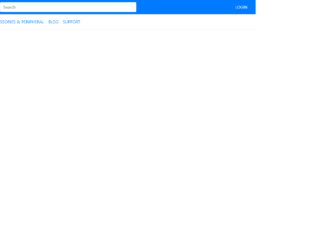
This is an example of a navbar layout with a search box, designed using CSS, Html, and Bootstrap framework 4. The concept of Lists has been used with UL and LI components. UL element has been used with the child elements of LI to display the child elements of the navbar, in an orderly manner. The icons are imported to the code with their URLs. The form consists of a navbar, search box, and a dropdown list on the notification button. The form is given a background color as #eee. The background of the header section is given a color as #007bff. The notification dropdown is given a style set of font-size as 12px, line-height as 1, text-align as center, border-radius as 3rem, font color as #fff, and background-color as #007bff. The search bar is given a border value of 1px solid #ffffff, whereas the search button is given the styles of font color as #007bff, and background-color as #ffffff. The 'Login' link is given a text-transform style as uppercase to automatically convert the text to uppercase.
Source: https://bbbootstrap.com/snippets/ecommerce-menu-navbar-search-89616595
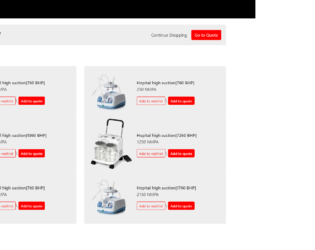
This is an example of an e-commerce product listings with a navbar, designed using CSS, Html, and Bootstrap framework 4. The fonts and product images are imported to the code with their URLs. The concept of Lists has been used with UL and LI components. UL element has been used with the child elements of LI to display the child elements of the navbar, in an orderly manner. The navbar items are given the styles of text-transform as uppercase to automatically convert the text to uppercase, font-size as 12px, and font color as #fff. The right side section of the navbar changes the value of the clip-path as polygon(81% 0, 100% 0, 100% 50%, 100% 100%, 65% 100%), on hover to change its shape. The product card is given the styles of background-color as #eee, height as 200px, and border-radius as 4px. The 'Add to Quote' buttons are created as success type buttons and given a border-radius of 4px, and a background-color as red, whereas the 'Add to Wish list' button is given a border style as 1px solid red, and the font color as red. The 'Add to Wish list' button changes its background color to red, on hover.
Source:https://bbbootstrap.com/snippets/bootstrap-ecommerce-product-listings-navbar-42254845
This is an example of a simple login form with tabs, designed using HTML, CSS, and Bootstrap framework 4. The body of the form is given a background color of #000. The information container is given a width of 400px. The form consists of two navigation tabs, input text fields, and a button. The user is given the option to either Signup or Login, using the navigation tabs. Each navigation section has input text fields to enter user details. The 'Signup' button is created as a dark type button from Html and given a style set of font color as #fff, background-color as #0d6efd, and border-color as #0d6efd. The navigation tabs are given a background color of #0d6efd2e, and a border-bottom style of 1px solid #0d6efd40. The input text fields are given the styles of margin-bottom as 12px, and border-radius as 3px.
Source: https://bbbootstrap.com/snippets/bootstrap-simple-tabbed-login-register-form-29443624
This is an example of a feature discovery form with a navbar, designed using CSS, Html, JavaScript, and Bootstrap framework 4. %. The concept of Lists has been used with UL and LI components. UL element has been used with the child elements of LI to display the child elements of the navbar, in an orderly manner. The background image is imported to the code with its URL. The form consists of a navbar, a subscription section, and a hidden feature section. The users are given the ability to view a hidden message upon clicking on the success type button given in the form. JavaScript functions have been used to implement the functionality of the button. The hidden feature section is given a style set of height and width as 60vw, background as #00c851, border-radius as 50% to get the circle shape, transform as scale(.01), border as 1ps solid black, and box-shadow as 0 0 20px -10px black. The text inside the hidden section is given a font-size of 2.4rem. The feature section turns its opacity to 1, and takes a transform effect of scale(1), on the active mode.
Source: https://mdbootstrap.com/snippets/jquery/pjoter-2-0/780079