This is an example of a stylish navbar, designed using Html, CSS, and Bootstrap framework 4. The navbar consists of navigation items, a search bar, and a dropdown list. The font, bootstrap, and CSS styles are imported to the code with their URLs, whereas media quarries have been used to increase the responsiveness of the form. The body of the form is given the styles of background color as #eeeeee, and font-family style as 'Varela Round', sans-serif. The navbar is given the styles of font color as #fff, background color as #926dde, and box-shadow as 0 0 4px rgba(0,0,0,.1). The user image is given a width and a height of 36px with the border-radius set as 50% to get the circle shape. The Brand logo is displayed with a font color of #efe5ff, and a font-size of 24px. In a hover event, the brand logo and navbar items change their font color to #fff and take a text-shadow style of 0 0 4px rgba(255,255,255,0.3).
Source: https://www.tutorialrepublic.com/snippets/preview.php?topic=bootstrap&file=beautiful-navbar-with-menu-icons
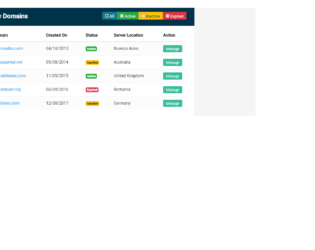
This is an example of a data table with a filtering option, designed using CSS, Html, JavaScript, and Bootstrap framework 4. The font, bootstrap, and CSS styles are imported to the code with their URLs. The body of the form is given the styles of font color as #566787, background color as #f5f5f5, and font-family as 'Roboto', sans-serif. The table wrapper is given a box-shadow style of 0 0 1px 0 rgba(0,0,0,.25). The table title section is given the styles of border-bottom as 1px solid #e9e9e9, background color as RGB(0, 50, 74), and font color as #fff, whereas the table header title is displayed with a font-size of 24px. The table is given a set of four filters: All, Active, Inactive, and Expired, which are created as info, success, warning, and danger type buttons from Html. JavaScript methods have been used to implement the functionality of the filters. Each individual data row is given a manage button with a background color of #37BC9B, which changes to #2e9c81 on hover.
Source:https://www.tutorialrepublic.com/snippets/preview.php?topic=bootstrap&file=data-table-with-filter-row-feature
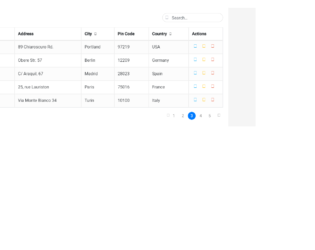
This is an example of another data table with View, Edit, Delete options, and a search bar, designed using Html, JavaScript, CSS, and Bootstrap framework 4. The font, bootstrap, and CSS styles are imported to the code with their URLs.The buttons are given a tooltip feature, which is implemented using the JavaScript methods. The concept of Lists has been used with UL and LI components, whereas the UL element has been used with the child elements of LI to display the child elements of the page links, in an orderly manner. The body of the form is given the styles of font color as #566787, background color as #f5f5f5, and font-family as 'Roboto', sans-serif. The table wrapper is given a box-shadow style of 0 1px 1px rgba(0,0,0,.05). The table title is displayed using a font-size of 22px. The search box text is displayed using a font color of #a0a5b1, and a font-size of 19px, whereas the border of the search box, is set to change its border color to #3FBAE4, on a focus event.
Source:https://www.tutorialrepublic.com/snippets/preview.php?topic=bootstrap&file=data-table-with-search-box
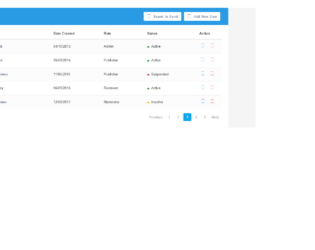
This is an example of a user management data table layout, designed using CSS, JavaScript, Html, and Bootstrap framework 4. The users are given the ability to remove table rows, view settings, export table data to excel, and add new users, using buttons. The 'Settings' and 'Add New User' buttons are given a tooltip feature, which is implemented using the JavaScript methods. The font, bootstrap, and CSS styles are imported to the code with their URLs. The body of the form is given the styles of font color as #566787, background as #f5f5f5, font-family as 'Varela Round', sans-serif, and font-size as 13px. The table wrapper is given a box-shadow style of 0 1px 1px rgba(0,0,0,.05). The table header is given a background color of #299be4, and font color of #fff, whereas the table header title is displayed using a font size of 24px. The cursor style of the buttons is set as pointer to get the hand cursor effect on pointer. The user names in the table are displayed with a font color of #566787, which changes to #2196F3, on hover.
Source: https://www.tutorialrepublic.com/codelab.php?topic=bootstrap&file=user-management-data-table
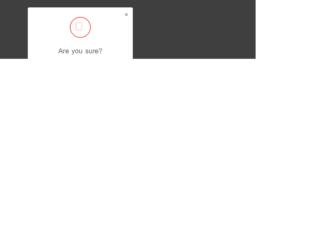
This is an example of a delete confirmation modal, designed using Html, CSS, and Bootstrap framework 4. The CSS and font styles are imported to the code with their URLs. The delete confirmation form is designed to be opened upon clicking on the modal link. The form is given a font-style of 'Varela Round', sans-serif. The body of the confirmation form is set as #636363. The title of the login form is displayed with a font-size of 26px. The cross icon is given a width and a height of 80px, a border style of 3px solid #f15e5e, and a border-radius of 50% to get the circle shape. The modal content is displayed with a font-size of 14px. The form consists of a 'Cancel' button and a 'Delete' button, which are given the background color of #c1c1c1, and #f15e5e, respectively. In a hover event, the 'Cancel' button turns its background color to #a8a8a8, whereas the 'Delete' button turns to #ee3535.
Source:https://www.tutorialrepublic.com/codelab.php?topic=bootstrap&file=delete-confirmation-modal
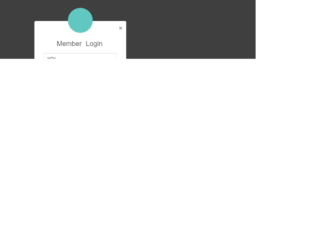
This is an example of an elegant login form, which can be accessed through a modal link. It is designed using Html, CSS, and Bootstrap framework 4. The CSS and font styles are imported to the code with the URLs. The body of the form is given a font-family style of 'Varela Round', sans-serif. The title of the login form is displayed with a font-size of 26px. The input text fields turn its border color to #70c5c0, on focus mode. The avatar is given a background color of #60c7c1, height and width as 95px, box-shadow as 0px 2px 2px rgba(0, 0, 0, 0.1), and border-radius as 50% to get the circle shape. The 'Login' button is created as a primary type button and given a background color of #60c7c1, which changes to #45aba6, in a hover event. The user name and password fields are validated by making them required fields.
Source:https://www.tutorialrepublic.com/snippets/preview.php?topic=bootstrap&file=elegant-modal-login-form-with-avatar-icon
This is an example of a registration form, designed using Html, CSS, and Bootstrap framework 4. The font and CSS styles are imported to the code using their URLs. The information card is given a width of 450px, box-shadow of 0px 2px 2px rgba(0, 0, 0, 0.3), and consists of labels, input text fields, 'Accept Terms' checkbox, and 'Register Now' button. The body of the form is given the styles of font color as #fff, background color as #63738a, and font-family as 'Roboto', sans-serif. The input field text is displayed using a font color of #969fa4. The input text fields take a border color of #5cb85c, on the focus mode. The title of the form is displayed with a font color of #636363. The 'Register Now' button is created as a success type button and given the font-size of 16px, and the font-weight as bold. The 'Privacy policy' and 'Terms of Use' links take an underline effect, in a hover event.
Source:https://www.tutorialrepublic.com/codelab.php?topic=bootstrap&file=simple-registration-form
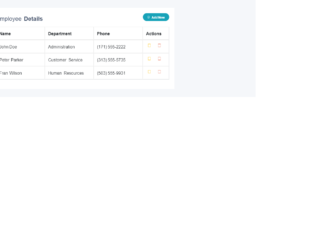
This is an example of a data table with add and removes row feature, designed using CSS, Html, JavaScript, and Bootstrap framework 4. The CSS and font styles are imported to the code with their URLs. The body of the form is given the styles of font color as #404E67, background color as #F5F7FA, and font-family as 'Open Sans', sans-serif. The table wrapper is given a width of 700px, and a box-shadow of 0 1px 1px rgba(0,0,0,.05). The table title is displayed using a font-size of 22px. The 'Add New' button is displayed with the styles of height as 30px, font-weight as bold, font-size as 12px, border-radius as 50px to get the round shape, and line-height as 13px. The table rows are given a border-color as #e9e9e9. The functionality of the 'Add New', 'Edit', and "Remove' buttons are implemented using JavaScript methods. The cursor style for the Edit and Delete buttons is set as pointer to get the hand cursor effect on hover, and the buttons are also given a tooltip feature to be activated on hover.
Source:https://www.tutorialrepublic.com/snippets/preview.php?topic=bootstrap&file=table-with-add-and-delete-row-feature
This is an example of a simple login page, designed using CSS, Html, and Bootstrap framework 4. The CSS styles and fonts are imported to the code using their URLs. The form is given a width of 350px and a margin of 50px auto. The form consists of input text fields to enter user name and password, 'Remember me' checkbox, and 'Forgot Password' and "Create Account' links to other forms. The login card is given a background color of #f7f7f7, and a box-shadow style of 0px 2px 2px rgba(0, 0, 0, 0.3). The information card title is given a margin value of 0 0 15px. The card information is displayed using a font-size of 15px. The 'Login' button is created as a primary type button and given the styles of font-size as 15px, and font-weight as bold to highlight the button name.
Source: https://www.tutorialrepublic.com/codelab.php?topic=bootstrap&file=simple-login-form
This is an example of a registration form, designed using JavaScript, Html, CSS, and Bootstrap framework 4. The form consists of input text fields and a 'Sign Up' button. JavaScript methods have been used to implement the functionality of the input text fields. The information container is given a border style of 1px solid #dadce0. The header is displayed with the styles of font-size as .875rem, font color as #3c4043, and font-weight as 500. The 'Sign Up' button is given a border color of #dadce0. On hover, the button changes its background color to #f6f9fe, and border-color to #d2e3f. In the active mode, it takes a background color of #e4eefd and a border color of #d2e3fc. The input text fields are given a border style of ed4da, and the input text is displayed using a font-size of .875rem, and a line-height of 1.5. The input text fields take a border value of #4285f4, and a box-shadow inset 0px 0px 0px 1px #4285f4, when they are focused.
https://mdbootstrap.com/snippets/jquery/bartek-malanowski/280980#html-tab-view
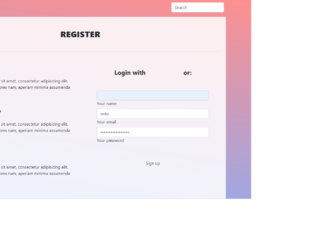
This is an example of a registration web page, designed using HTML, CSS, and Bootstrap framework 4. The table consists of an information container, search bar, navbar, input text fields, and 'Signup' button. The background image is imported to the code with its URL. The information card is given a background color of rgba(255, 255, 255, 0.85). Media quarries have been used to increase the responsiveness of the form. The concept of Lists has been used with UL and LI components. UL element has been used with the child elements of LI to display the child elements of the navbar, in an orderly manner. The font-weight of the section headers is set as bold to highlight the text. The users are given the ability to login with social media logins as well. The 'Signup' button is created as a rounded button from Html.
Source: https://mdbootstrap.com/snippets/jquery/mdbootstrap/49383#js-tab-view
This is an example of an admin dashboard interface, designed using CSS, Html, JavaScript, and Bootstrap framework 4. The form consists of a navbar, sidebar, search bar, input text fields, and a date-picker. The concept of Lists has been used with UL and LI components. UL element has been used with the child elements of LI to display the child elements of the sidebar, in an orderly manner. The JavaScript methods have been used to implement the functionality of the sidebar and the date-picker. The body of the form is given a background color as #A9A9A9. The search bar is given a border-top and a border-bottom style of 1px solid rgba(255, 255, 255, 0.3). The sidebar item is created as collapsible items, and given a side wave effect from Html, on a focus event.
Source: https://mdbootstrap.com/snippets/jquery/krzysztof-wilk/314029#js-tab-view