This is an example for the design of a HTML5 table using HTML and CSS. The background color of the page has been set to the value of #fb887c using the background class, font color is set as #fff and font family is set to 'Lato', Arial, sans-serif. The title of the table is designed with the element h1 and with the styles of font family as "proxima-nova", sans-serif, letter spacing as -0.01em, font weight as 700 and font style as normal. The HTML element row span has been used to merge rows for a given element; such as setting the rowspan value to 2 will merge two rows together for a given element. The border of the table and the cells has been set the style value of border 1px solid #fff and border-collapse as collapse. The thickness of the border is 1px. The table headers and the table data cells have its padding as 15px.
credits - https://codepen.io/DavidKern/pen/PwzYvv
This is an example for a search box with expandable animations designed with HTML, JavaScript and CSS. In order to make the code more organized and readable, the variables has been set in CSS for each color value so the variable will be reusable within the CSS class as same color has been used in several places. The background color of the page has been set to the value of #2A2E37 in the background class. The initial width of the search box has been set it to 3px to make it hidden. On the open class, the width will be overridden with the value of 420px so that the search box will be visible to the user on a click event. JavaScript function has been used to toggle the class by the name ‘open’ to apply the style on the selected element.
credits - https://codepen.io/kristyjy/pen/zGOXYb
This is an example for a search button designed with HTML and CSS. The complete page background class has been set with the value of #252525, the width and the height as 100%. In order to hide the text input field, the input type of text element is used with different values to occur on different states. When it is initially loaded, the width is set to 50px which means it will be on the bottom layer of the search button. On the event of focus, it will set the width to 300px which will make it visible to the user. The placeholder of the text field has been set with the use of the placeholder CSS class, setting the color as white, opacity as 0.5 and font weight as bolder. The shade of the text box has been implemented with the values of 0 0 25px 0 crimson, 0 20px 25px 0 rgba(0, 0, 0, 0.2) set to the box shadow class.
credits -https://codepen.io/AlbertFeynman/pen/BPvzWZ
This is an example for a search button designed with HTML and CSS. The complete page background class has been set with the value of #252525, the width and the height as 100%. In order to hide the text input field, the input type of text element is used with different values to occur on different states. When it is initially loaded, the width is set to 50px which means it will be on the bottom layer of the search button. On the event of focus, it will set the width to 300px which will make it visible to the user. The placeholder of the text field has been set with the use of the placeholder CSS class, setting the color as white, opacity as 0.5 and font weight as bolder. The shade of the text box has been implemented with the values of 0 0 25px 0 crimson, 0 20px 25px 0 rgba(0, 0, 0, 0.2) set to the box shadow class.
credits -https://codepen.io/AlbertFeynman/pen/BPvzWZ
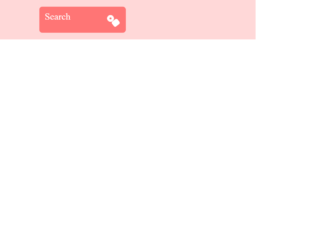
This is a small search button animation with the use of the HTML and CSS. Mouse hover animation has been used with the hover class in CSS. The transform class has been used with the value of rotate set to 520 so the animation could happen on the Z axis. The background color of the entire page has been set with the value of #ffd8d8 to the background color class. The input type of text element has been set with the styles of width as 100%, height as 96px, font size as 60px and line height as 1. The color of the placeholder in the textbox has been set with the value of #e16868 for the font color. In order to apply the ease in effect on the mouse hover, the transition class has been used with the value of 0.5s ease all.
credits - https://codepen.io/himalayasingh/pen/dqjLgO
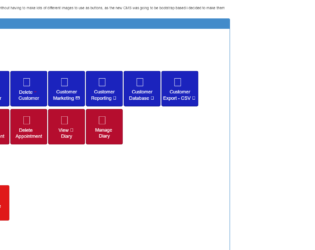
This is an example of an admin dashboard with buttons, designed using HTML and CSS. Bootstrap CSS styles have been imported to the HTML file with the use of the link and script elements. The basic CSS has been used to apply the borders of the labels to be curved with the use of the border radius in the CSS styles. The button hovers effects are added to the HTML by the use of the hover class in CSS styles and adding the background color on the mouse hover. When a button is on the active state, the value of the background image will be set to none which means the background image will not be displayed