This is an example of a signup form in a newsletter with HTML and pure CSS. The background colors have been set by the use of CSS style background with its values set to blue (#1e46c2). Google font has been imported by adding its URL and the @import class in CSS to display text. CSS style transition has been used to implement the slide in animations. The image has been set with the use of the img element in HTML by setting the image URL as the src of the element. The color of the panel is set as #416efe while the border-radius value is set to 5px and the position of the value as relative to get the circle shape.
Source: https://codepen.io/encoder_decoder/pen/rKqxBb?page=7
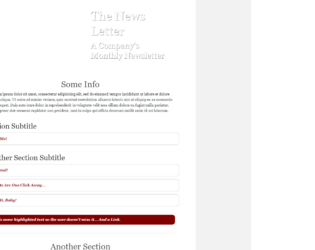
This is a template for a newsletter form designed using HTML, CSS and JavaScript. The background images have been set up by adding the URL of the images. The media queries have been used to dynamically change the CSS styles of the element based on the screen resolution of the user. The JavaScript function has been used to expand the paragraphs on a click event. CSS style “display” has been used with the value block to display the HTML block values and to the same style has been used with a none value to hide the content.
Source: https://codepen.io/tjstoll/pen/pOXdWW?page=6
This is an example of a subscription form designed using HTML, CSS, and JavaScript. The background colors have been set by CSS style background and set its value to linear-gradient to display the color shades. The JavaScript functions have been used to implement the click events for the elements in the HTML. Flip and rotate animations have been added on button click event using the transform style and its values being set with translateX. These styles have been added to the elements dynamically with a click event using the addClass function.
This is an example of the signup form and displaying the confirmation of the signup in a single page with the use of HTML, CSS, and JavaScript. The basic CSS styles have been used to implement the design with the colors and the background image. The background color of the entire page is set with 3 shades of purple (to bottom, #daa7cd 0%, #c4a1ca 60%, #848ec3 100%). The JavaScript function javascript query selector has been used to identify the elements in the HTML by its element types such as input, h1, and button. The button click function is implemented in the JavaScript with the use of element h1 and its innerHTML to change the current value on a button click event whereas the other elements have been hidden by dynamically accessing its styles and setting the display value to be none in a click event function. The email text box is set with the values: width -100%, background color- transparent, border value- 3px solid white.
Source: https://codepen.io/TheEcnemelc/pen/qvRmLL
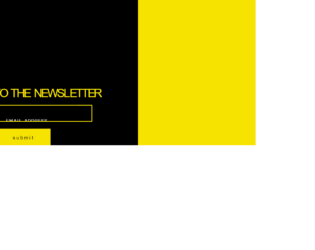
This is a template for the signup form and the confirmation of the signup in a single page with the use of HTML, CSS, and JavaScript. The basic CSS styles have been used to implement the design with the colors and the background image. The entire page has a combination of two colors which is set as linear-gradient and yellow(to right, #000000 0%,#000000 66%,#f7e300 66%,#f7e300 100%).The JavaScript function in Javascript query selector has been used to identify the elements in the HTML by its element types such as input, h1, and button. The button click function is implemented in the JavaScript with the use of element h1 and its innerHTML to change the current value on a button click event whereas the other elements have been hidden by dynamically accessing its styles and setting the display value to be none in a click event function.
Source: https://codepen.io/TheEcnemelc/pen/pGmYYj
This is a sample newsletter form with slide animations designed using HTML, CSS, and JavaScript. CSS style background image has been used to add the background image by providing the URL of the image. JavaScript is used to implement the click event for the given elements. Initially, the Subscribe button is hidden by adding the CSS style “display” with its value set to none. The fade-in and fadeout functions in JavaScript have been used to trigger the click event “Skip NewsLetter sub” and the slide-up and slide-down functions to display the slide animations in this example.
Source: https://codepen.io/perikan/pen/pXNdxX