This is an example of a simple individual user profile in a social network, designed using HTML, CSS, and Bootstrap framework 4. The images are imported to the code using their URLs. The body of the form is given the styles of background as #654ea3, background color as linear-gradient(to right, #e96443, #904e95), and min-height as 100vh. The text in the profile header is given a font color as white and the profile head is given a transform style as translateY(5rem). The no of photos, following, and followers are given a font-weight as bold to highlight the text. The about section is given a font style of Italic. The 'Show All' button is set as a muted text link, which takes an underline effect, in a hover event. The Edit Profile button is also set to take a fill effect, in a hover event.
Source: https://bbbootstrap.com/snippets/individual-user-profile-social-network-94176986
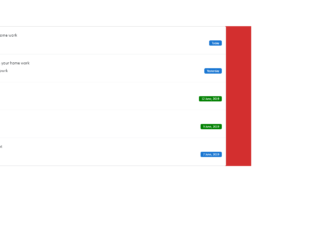
This is another example of a user timeline with profile image, designed using HTML, CSS, and Bootstrap framework 4. The font styles and images are imported to the code with their URLs. The body of the form is given the styles of background-color as #D32F2F, and font-family as 'Calibri', sans-serif. The profile image is given a border-radius of 100%. Some labels are given a background color of #1976d2, whereas some are given the default color of success. The label is given the styles of padding as 3px 10px, line-height as 13px, color as #ffffff, font-weight as 400, border-radius as 4px, and font-size as 75. The user card is given a box-shadow of 0px 5px 20px rgba(0, 0, 0, 0.05). The user section is given a cursor style as pointer to get the hand cursor effect in a hover event whereas the background of the card also changes to rgba(0, 0, 0, 0.02), in a hover event.
Source: https://bbbootstrap.com/snippets/bootstrap-user-timeline-profile-image-47156152
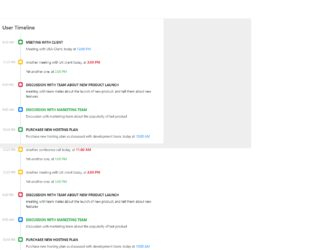
This is an example of a scrollable timeline with time, designed using CSS, HTML, and Bootstrap framework 4. The form is given a background color as #eee. The timeline card is given the styles of position as relative, display as flex, flex-direction as column, background-color as #fff, border as 1px solid rgba(26, 54, 126, 0.125), and border-radius as .25rem.The timeline is given a height of 100%, a width of 4px, and a background color as #e9ecef. The timeline title has the styles of font-size as .8rem, text-transform as uppercase to convert the first letter of each word to uppercase, margin as 0 0 .5rem, and font-weight as bold. The content section of the timeline is given a font-size as .7619rem, and font color as #adb5bd. A scrollbar is given to scroll through the timeline. The dates are indicated with a set of primary, success, warning, and danger badges, which are defined in the HTML.
Source: https://bbbootstrap.com/snippets/scrollable-user-timeline-time-12654784
This is an example of a user timeline web form, designed using HTML, CSS, and Bootstrap framework 4. The avatar images are imported to the code with their URLs. The body of the form is given a background color of #f9f9fa. The image circle is given a border radius as 500px. Some of the icons are given a background color of #f4c414 linear-gradient(45deg, #f4c414, #f45414), and a font color of #fff. The timeline is displayed using the background color of rgba(160, 175, 185, .15). The timeline card is given the styles of background as #fff, border-radius as .25rem, box-shadow as 0 1px 3px rgba(0, 0, 0, .05), and as margin-bottom: 1.5rem. The avatar is given a border radius of 500px, font-weight of 700, and box-shadow as 0 5px 10px 0 rgba(50, 50, 50, .15). The links and profile circles are given an underline effect to take place in a hover event. Media quarries are used to increase the responsiveness of the form.
Source: https://bbbootstrap.com/snippets/user-timeline-avatar-92172382
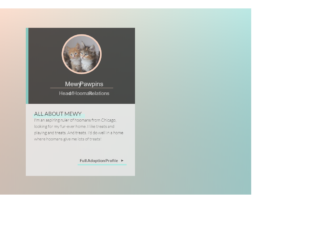
This is an example of a simple user profile card with hover effects, designed using HTML, CSS, and Bootstrap framework 4. The image is imported to the code with its URL, whereas media quarries are used to increase the responsiveness of the form. The body of the form is given the styles of min-height as 100vh, and a linear background as linear-gradient(transparent, rgba( 110, 110, 110, .3)), linear-gradient(100deg, rgba(250, 214, 195, .8) 30%, #B0EAE8 120%). The profile card header is given the styles of background as #272727, border-left as 0.625rem solid #97ece1, padding: 1.5em 1.5em 1em, and text-align as center. The image card container is given the styles of display as block, width, and height as 9.5rem, background as rgba(250, 214, 195, 1), and border as 0.375rem solid rgba(250, 214, 195, 1). The image is given a grayscale filter. The profile header title has the styles of color as #f3f3f3, font-size as 1.5rem, margin-top as 0.8em, and font-family as 'Oswald', sans-serif. The paw and heart icons are given a transform style of scale(1.2), in a hover event. The Full Adoption Profile link takes the styles of border-top-color as #222, and border-bottom-color as #fdc1a0, in a hover event.
Source: https://codepen.io/meowwwls/pen/reQQeb
This is an example of a task management dashboard interface, designed using HTML, CSS, and Bootstrap framework 4. The fonts and images are imported to the code with their URLs, whereas media queries have been used to make the form responsive. The colors are predefined as variables. The body is given a set of styles as justify-content as center, flex-direction as column, overflow as auto, width as 100%, height as 100vh, padding as 20px, font-family as 'DM Sans', sans-serif, and font-size as 12px. The cursor style for buttons is set as pointer to get the hand cursor effect. The left bar is given the styles of background-color #f5f8ff, width as 230px, and border-right as 1px solid #e3e7f7, whereas the right bar is given the styles of width as 320px, border-left as 1px solid #e3e7f7, display as flex, and flex-direction as column. The header is given the styles of font-size as 20px, color as #5d606b, and margin-left as 30px. The task box takes a transforming effect of scale(1.02), in a hover event.
Source: https://codepen.io/aybukeceylan/pen/gOpbRPO