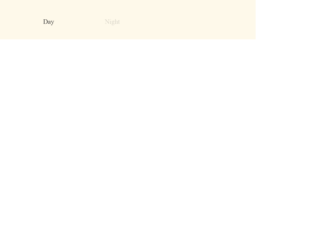
This is an example of a bootstrap toggle button with animations, designed using HTML, CSS, JavaScript, and Bootstrap framework 4. The fonts and icons are imported to the code with their URLs. JavaScript functions have been used to implement toggle features. The body of the form is given the styles of font-family as 'Lora', serif, and color as #303030. The night label is given an opacity value of 0.2. The toggle button is given a cursor style as pointer to get the hand cursor effect in a hover event. The day section of the toggle button is given a background color of #61b9e5, which changes to #d0edff, when the button switches to night, with a transform value of translate(-2 -2). The night section of the toggle button is given a background color of #004373, whereas the stars are given a background color of #fff5a6. The background color of the form turns to #b0b0b9 when the switch is turned to night event.
Source: https://codepen.io/ste-vg/pen/oNgrYOb
This is another example of a web form with an animated line chart with animations, designed using HTML, CSS, JavaScript and Bootstrap framework 4. JavaScript functions have been used to implement the refresh button. The fonts and icons are imported to the code with their URLs. The colors are predefined as variables which are $green:#50E3C2, $blue:#21A6EE, $purple:#807CCC, $navy:#384051, $dot-color:fade-out(white,0.9), and $text-color:fade out(white, 0.7). The body is given the styles of background as $navy, color as $text-color, and font-family as "Montserrat", sans-serif. The credits section has the styles of width as 560px, margin as 9em auto 3em auto, text-align as center, and font-size as 0.75em. The chart is given a linear gradient color of (center center, $dot-color, $dot-color 2px, transparent 2px, transparent 100%), a width of 560px, height of 260px, and a background-size of 29px 29px. Datasets 1, 2, and 3 are given background colors of $green, $blue, and $purple, respectively. The refresh button is given a background as fade-out(white, 0.5), border-radius as 5px, color as $navy, padding as 0.25em 1em, font-size as 1em, and cursor style as pointer to get the hand cursor effect.
Source: https://codepen.io/christiannaths/pen/yNBjBq
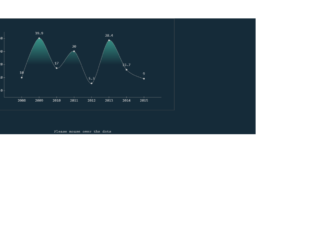
This is another example of a web form with an animated line chart with animations, designed using HTML, CSS, JavaScript and Bootstrap framework 4. JavaScript functions have been used to implement the chart. The body of the form is given a style set of overflow as hidden, background as #152B39, font-family as Courier, monospace, font-size as 14px, and color as #ccc. Chart label is given the styles of height as 1em, padding as .3em, background as rgba(255, 255, 255, .8), position as absolute, and color as #333. The width and height for the form are defined as 700 and 350, whereas the line width is set as 1. The chart color is set as a linear gradient color by combining hsla(167,72%,60%,1) and hsla(167,72%,60%,0) colors. The dataset for the X-axis is set as 2008- 2015 whereas the Y-axis is set as 0- 40.
Source: https://codepen.io/enxaneta/pen/KVGWQL
This is an example of a web form with a responsive and animated line chart, designed using HTML, JavaScript and Bootstrap framework 4. JavaScript functions have been used to implement the chart with the Chart.js library imported to the code with its URL. Chart labels have been defined as January, February, March, April, May, June, and July. Three datasets have been defined with separate background colors as rgba(151,187,205,0.5) for dataset 1, rgba(151,187,205,0.5) for dataset 2, and rgba(220,220,220,0.5) for dataset 3. The responsive option is set as true to optimize the chart's layout for different screen sizes through the dynamic insertion and removal of columns. The chart can be randomized by clicking on the Randomize button which dynamically adds data to the datasets array. The method myBar.update() refreshes and updates the chart after dynamically changing it.
Source: https://codepen.io/chriswatts90/pen/yayoBg
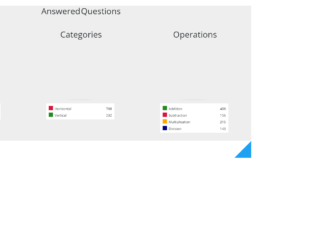
This is another example of a web form with responsive and animated pie charts, designed using HTML, CSS, JavaScript and Bootstrap framework 4. The concept of Lists has been used with UL and LI components. UL element has been used with the child elements of LI to display the details in an orderly manner. Media queries have been used to increase the responsiveness of the form. Javascript functions with createPieCharts() have been used to create and implement the pie charts. The body of the form is given a style set of font-family as "Open Sans", Arial, background as #EEE, text-align as center, and font-weight as 300. Three pie charts have been created as Micro-skills, Categories, and Operations. The chart legend section is given the styles of background as #FFF, padding as 0.75em 0.75em 0.05em, font-size as 13px, box-shadow as 1px 1px 0 #DDD, 2px 2px 0 #BBB, text-align as left, and width as 65%. The list items are given the styles of height as 1.25em, margin-bottom as 0.7em, padding-left as 0.5em, border-left as 1.25em solid black em, and font-style as normal.
Source: https://codepen.io/MaciejCaputa/pen/VjVpRZ
This is an example of a bootstrap user profile card with animations, designed using HTML, and CSS. The images are imported to the code with their URLs. The concept of Lists has been used with UL and LI components. UL element has been used with the child elements of LI to display the details in an orderly manner. The form is given the styles of background-color as #fefefe, box-sizing as border-box, font-family as 'Roboto', sans-serif, font-size as 14px, and font-weight as 400. The header image is given the animation styles as animation as zoomEffect 35s infinite, animation-timing-function as linear, animation-direction as alternate, and backface-visibility as hidden. The main heading is given the styles of color as #fff, font-size as 26px, font-weight as 300, and margin-bottom as 12px. The font-size for designation tabs are set as 11px, with text-transform style as uppercase to automatically convert the text to uppercase. The more button in the card container is given a cursor style as pointer to get the hand cursor effect.
Source: https://codepen.io/fabian-palma/pen/JjoXybb