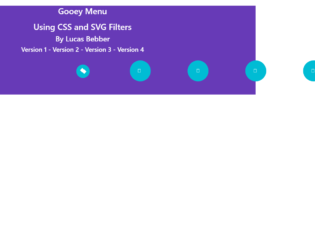
This is an example of a menu bar with gooey style animations, designed using HTML, CSS, and Bootstrap framework 4. The CSS style sheet is imported to the code with its URL. The body of the form is given the styles of background as #673ab7, color as white, and text-align as center. The menu icon is given the styles of background as #673ab7, border-radius as 100%;, width and height as 80px, margin-left as -40px, font color as white, text-align as center, line-height as 80px,
transform as translate3d(0,0,0), and transition as transform ease-out 200ms. The child elements of the menu are also given the styles of background as #673ab7, which turns to white in a hover event. The buttons are given a cursor style as pointer to get the hand cursor effect in a hover event, whereas the menu button is given a gooey filter, which is imported to the code with its URL. The menu button takes the style of transform as scale(1.2,1.2) translate3d(0,0,0), in a hover event.
Source: https://codepen.io/lbebber/pen/pvwZJp
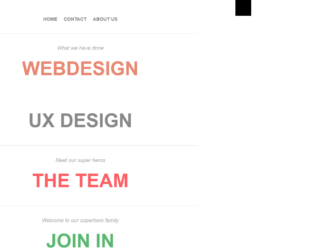
This is an example of a responsive full-screen overlay navigation menu, designed using HTML, CSS, JavaScript and Bootstrap framework 4. The concept of Lists has been used with UL and LI components. UL element has been used with the child elements of LI to display the child elements of the navigation bar, in an orderly manner. Media quarries have been used to increase the responsiveness of the form whereas the JavaScript functions have been used to implement the toggle function of the navigation bar. The content of the form is given the styles of text-align as left, padding as 10px 0, font color as #ddd, line-height as 25px, font-size as 22px, and font-family as 'redacted_scriptbold', Arial, serif. The title of the content has the styles of font-family as 'redacted_scriptbold', Arial, serif, font-size as 30px, color as #4e4e4e, and line-height as 30px. The list items of the navigation bar are given different font colors, which change to #414141, in a hover event.
Source: https://codepen.io/nikhil/pen/wvzul
This is an example of a navigation bar with expanding effects, designed using HTML, CSS, JavaScript, and Bootstrap framework 4. The fonts are imported to the code with its URL whereas the JavaScript functions have been used to implement the expanding function of the navigation icon. The concept of Lists has been used with UL and LI components. UL element has been used with the child elements of LI to display the child elements of the navigation bar, in an orderly manner. The body of the form is given the styles of background-color as #28363D, font-family as "Roboto", and color as #fff The button is given the styles of width and height as 50px, margin as 70px 97px, padding as 10px, and cursor style as pointer to get the hand cursor effect on a hover event. The menu container is given the styles of overflow as hidden to hide the content when inactive, background as #212121, width as 250px, box-shadow as 0 0 10px #000, and transform as translateZ(0) translateX(-100%). The child elements of the menu take the style of text-decoration as line-through, in a hover event.
Source: https://codepen.io/MilanMilosev/pen/GJbGJq
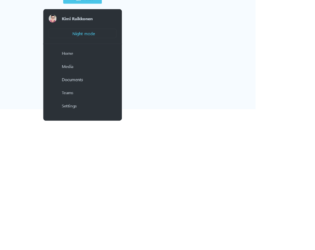
This is an example of a sidebar layout with hover effects and a color theme, designed using HTML, CSS, JavaScript and Bootstrap framework 4. The JavaScript functions have been used to implement the day and night themes in a click event. The icons and images are imported to the code with the URLs. The colors used in the form are predefined as variables. The body of the form is given the styles of font-family as 'Inter UI', system-ui, font-size as 1.6rem, and background as #F6FBFF. The sidebar has the styles of background as #2B3137, font color as #FFFFFF, width as 100%, max-width as 300px, border-radius as 1rem, transition as all 200ms ease, and box-shadow as 0px 5px 12px rgba(black, .1), 0px 3px 6px rgba(black, .06). The menu buttons are given the styles of padding as 1rem 1.5rem, background as linear-gradient(to top, #2B3137, #394047), font color as #FFFFFF, border-radius as .3rem, cursor as pointer to get the hand cursor effect, box-shadow as 0px 3px 6px rgba(black, .15), and text-shadow as 0px 1px 1px rgba(black, .2). The buttons take the styles of background as #4BC6E9, and font color as #FFFFFF, in the night mode.
Source: https://codepen.io/ryanparag/pen/gZEbOq
This is an example of a full-screen menu layout with a toggle button, designed using HTML, CSS, and Bootstrap framework 4. The concept of Lists has been used with UL and LI components. UL element has been used with the child elements of LI to display the menu items in an orderly manner. The body of the form is given a linear gradient color of linear-gradient (SlateBlue, RoyalBlue ), whereas the toggle button has the styles of position as absolute, top and right as 15px, border-radius as 3px, and cursor as pointer to get the hand cursor effect in a hover event. The toggle button takes a transform effect of rotate(225deg) when it's checked. The menu container has the styles of display as table to display the items in a table order, width as 100%, height as s('calc(100% /'+$btnscount+')'), border-bottom as 1px solid rgba(white, .3), background as rgba(white, .15), perspective as 0px, transform as rotateX(-90deg) scale(.5), and transition as all .3s ease .1s. The menu items are given the styles of display as table-cell, vertical-align as middle, text-align as center, font-size as 2.5em, letter-spacing as .2em, color as white, text-shadow as 0 0 3px rgba(black, .3), font-family as 'Helvetica', sans-serif, and font-weight as 100. The menu items change their background to rgba(white, .1), in a hover event.
Source: https://codepen.io/shakdaniel/pen/raWBOb
This is an example of a full-screen burger style menu layout, designed using HTML, CSS, JavaScript and Bootstrap framework 4. The fonts are imported to the code with its URL. JavaScript functions have been used to implement the expanding function of the burger icon. The body of the form is given the styles of height as 100%, background-color as #333, font-family as 'Quicksand', sans-serif, and color as white. The burger icon has the styles of height as 6px, width as 30px, border-radius as 15px, and background-color as rgba(255, 255, 255, 0.95). The bars in the icons get the transform styles of rotate (45deg) and rotate (-45deg) to make the letter “X”. The heading of the form is given a font-size of 3em, whereas the content is given the styles of line-height as 160%, and letter-spacing as 1px. The menu list items are given the cursor style as pointer to get the hand cursor effect in a hover event. The menu items take the styles of background-color as rgba(white, .8), transition as all .15s, letter-spacing as 2px, color as #333, and border as 1px solid rgba(255, 255, 255, .15), in a hover event.
Source: https://codepen.io/pwsm50/pen/KHDEI