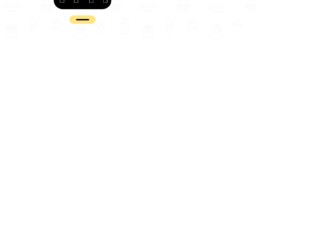
This is an example of a simple toggle button, designed using HTML, CSS, JavaScript, and Bootstrap framework 4. The menu icon is imported to the code with its URL. The JavaScript functions have been used to implement the expand feature of the toggle button. The body of the form is given a background color of #ffffff. The plus icon is given the styles of width as 100px, cursor as pointer to get the hand cursor effect on a hover event, transition as all .3s ease 0s, height as 100px, background color as #ffe581, border-radius as 50% to get the circle shape, display as flex, and position as relative. The line in the plus icon has the styles of width as 6px, height as 50px, background as #000, and border-radius as 10px. The line takes a transform effect of rotate(90deg) when it’s checked to form the links menu. The menu links are given the styles of color as #fff, font-size as 30px, visibility as hidden to be hidden when inactive, transition as .3s ease 0s and transform as scale(.5).
Source: https://codepen.io/knyttneve/pen/rGLxbP
This is an example of a simple star rating form, designed using HTML, CSS, and Bootstrap framework 4. The icons are imported to the code with their URLs. The form is given the styles of display as flex, flex-wrap as wrap, height as 100vh, align-items as center, justify-content as center, and padding as 0 20px. The rating label has the styles of cursor as pointer to get the hand cursor effect on a hover event, width and height as 40px, background-size as 76%, and margin-top as auto. The feedback container is given the styles of max-width as 360px, background-color as #fff, width as 100%, padding as 30px, border-radius as 8px, display as flex, flex-direction as column, flex-wrap as wrap, align-items as center, and box-shadow as 0 4px 30px rgba(0,0,0,.05). The container consists of five feedback stars with five emoji’s to appear according to the rating given, which is implemented by the transform styles on the rating labels. Rating 1 has the transform style of translateY(-100px), rating 2 has the transform style of translateY(-200px), rating 3 is given a transform style of translateY(-300px), rating 4 has translateY(-400px), and rating 5 is given the transform style of translateY(-500px).
Source: https://codepen.io/knyttneve/pen/EBNqPN
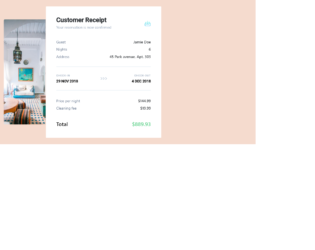
This is an example of a responsive email template with a customer receipt, designed using CSS, HTML, and Bootstrap framework 4. The CSS style sheet is imported to the code from outside, whereas the images and fonts are also imported to the code using URLs. Media queries have been used to increase the responsiveness of the form. The form is given a background color of #f5dbce. The fonts for the form is defined as Roboto, -apple-system, "Segoe UI", sans-serif. The title of the form is given a font-size of 24px, whereas the receipt information section is given a font color of #718096. The customer information section is given the styles of font-weight as 600; text-align as right; width as 50% and align as right. The information container is given the styles of background as #edf2f7, height and line-height as 2px, and font-size as 14px. The check-in and check-out lines are given the styles of color as #a0aec0; font-size as 10px, text-transform as uppercase to automatically convert the text to uppercase, and letter-spacing as 1px, whereas the date information section is given the styles of font-weight as 600, and color as #000000. The total value amount is given the styles of font color as #68d391 and font-size as 20px.
Source: https://codepen.io/maizzle/pen/zmjjyJ
This is an example of a carousel with a reversed easing effect, designed using HTML, CSS, JavaScript, and Bootstrap framework 4. The fonts used in the form are imported to the code using its URL. The concept of Lists has been used with UL and LI components. UL element has been used with the child elements of LI to display the carousel items in an orderly manner. JavaScript functions have been used to implement the carousel feature. The body of the form is given a background-color of #141316, and font color of #FAFAFA. The arrow buttons are given the styles of background-color as transparent, width as 65px, padding as 20px, transition as opacity 200ms, and transform as translate3d(0, -50%, 0). In a hover or focus event, the button changes its opacity to 0.6. The carousel item heading has the styles of text-transform as uppercase to automatically transform the text to uppercase, font-size as 1.2rem, and letter-spacing as 0.05em, whereas the item quote is given the styles of font-size as 1.1rem, line-height as 1.4, and letter-spacing as 0.03em.
Source: https://codepen.io/michellebarker/pen/OaYpWp
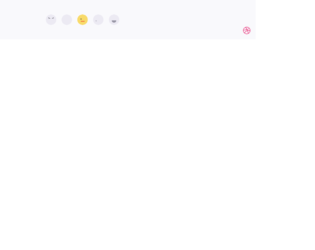
This is an example of a web form that consists of feedback reactions icons, designed using HTML, CSS, JavaScript, and Bootstrap framework 4. The feedback icons are imported to the code with their URLs. The concept of Lists has been used with UL and LI components. UL element has been used with the child elements of LI to display the icons in an orderly manner. JavaScript functions are used to implement the active status of the feedback icons. The number of feedback icons is five with angry, sad, ok icons and two happy icons. Each icon has three sections as eye left, eye right, and mouth, which is used to implement the reactions. The colors of the feedback icons are predefined as normal: #ECEAF3, normal-shadow: #D9D8E3, normal-mouth: #9795A4, normal-eye: #595861, active: #F8DA69, active-shadow: #F4B555, active-mouth: #F05136, active-eye: #313036, active-tear: #76b5e7, and active-shadow-angry: #e94f1d. The cursor style for the icons is given as pointer to get the hand cursor effect on a hover event. The reaction animations are created by giving different styles to the eyes and mouth sections of each icon.
Source: https://codepen.io/aaroniker/pen/mdyYBPP
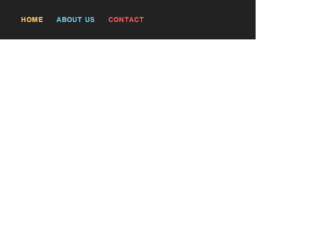
This is an example of a navigation bar with hover effects, designed using HTML, CSS, and Bootstrap framework 4. The concept of Lists has been used with UL and LI components. UL element has been used with the child elements of LI to display the menu items in an orderly manner. The body of the form is given the styles of display as table, width as 100%, height as 100vh, background as #222, font-family as 'Roboto Condensed', sans-serif, font-size as 26px, font-weight as 600, letter-spacing as 5px, and text-transform style as uppercase to automatically convert the text to uppercase. The menu items are given a display style as inline-block. The three menu items are given three different background colors as #FFC56C, #6EC5E9, and #FF5959. The menu items are also given a cursor style as pointer to get the hand cursor effect on a hover event. The container of the menu items, take the background color of #fff in a hover event, generating an underline effect on the menu items.
Source: https://codepen.io/rauldronca/pen/qaEGrb