This is an example of an E-Commerce single product card template, design using JavaScript, CSS, HTML styles, and Bootstrap framework 4. The form consists of a product card that gives three views of the product from different angles. The product images are imported to the code with their URLs. JavaScript getElementById method has been used to select the images. The discount section has the styles of text-align as center, height as 25px, line-height as 8px, border-radius as 4px, font-size as 13px, display as flex, align-items as center, justify-content as center, and color as #fff. The thumbnail product images are displayed using the styles of width and height as 50px, border as 1px solid #eee, padding as 5px, cursor style as pointer to get the hand cursor effect on hover, and border-radius as 4px. The thumbnails take a border effect of 1px solid #00000059, in a hover event over them. The 'Add to cart' button text is given a text-transform style as uppercase to automatically convert the text to uppercase. The button changes its background color to #343a40, in a hover event.
Source:https://bbbootstrap.com/snippets/bootstrap-ecommerce-single-product-using-card-98035165
This is an example of a simple E-commerce sale template, designed using CSS, HTML styles, and Bootstrap framework 4. The product image is imported to the code with its URL. The body of the form has the styles of background-color as #daecec, display as grid, and place-items as center to centralize the items. The border-radius of the sale template is set as 20px, and a background color given as #ffffff. The heading of the form is displayed using a font-size of 18px and a font color of #fbdfdc. The upper section of the card has the styles of background-color as #f57979, font color as #f9dad6, and border-radius as 10px 10px 0px 0px. The card description is displayed using the styles of font color as #b8babb, and font-weight as 500. The '2- days' button has the styles of background-color as #f05c5d, border-radius as 10px, and font-size as 80, which changes its font color to #77cbc5, on hover.
Source: https://bbbootstrap.com/snippets/bootstrap-e-commerce-sale-template-96064784
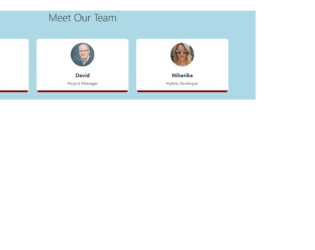
This is an example of a meet our team section with image hover effect, designed using CSS, HTML, and Bootstrap framework 4. The form consists of 3 team member profiles. The team member images are imported to the code using their URLs. The body of the form is given a background color as #ADD8E6. The title of the form is displayed using the styles of font color as #000, margin as 40px 0 60px 0, and font-weight as 300. The profile cards are given a border-bottom of 7px #8B0000 solid. The border-radius of the profile images are set as 50% to get the circle shape. The name of the team member is displayed using a font-size of 20px, and a font-weight of 700. The front and back sides of the cards are given styles separately. In a hover event, the front side card takes a bottom style as -200px, to reveal the backside card, whereas the border-color also gets changed to #FF0000.
Source: https://bbbootstrap.com/snippets/meet-our-team-section-image-hover-effect-65308030
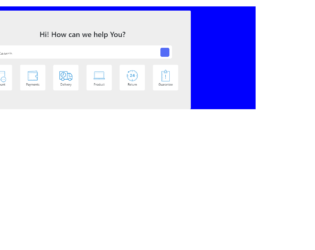
This is an example of a need help template with a search bar and hover effects, designed using CSS, HTML styles, and Bootstrap framework 4. The icon images have been imported to the code using their URLs. The background color of the form is set as blue, whereas the background color of the template is set as #eee. The background color of the search bar is set as #fff, while the border-radius is set as 5px. The search input of the search bar is displayed with the styles of caret-color as #536bf6, font-size as 19px, font-weight as 300, color as black, and transition as width 0.4s linear. The background of the search icon is set as #536bf6. On hover, the background color of the search icon turns to #fff. The inner cards are given a style set of word-wrap as break-word to allow breaking and wrapping long words onto the next line, background-color as #fff, border as 1px solid rgba(0, 0, 0, .125), border-radius as .25rem, cursor style as pointer to get the hand cursor effect on hover, and transition as all 2s. The inner cards take a transforming effect of scale(1.1), in a hover event to scale up the icon.
Source: https://bbbootstrap.com/snippets/bootstrap-need-help-support-template-search-97309157
This is an example of a coupon code template, designed using HTML, CSS, and Bootstrap framework 4. The background image is imported to the code using its URL. The concept of Lists has been used with UL and LI components. UL element has been used with the child elements of LI to display the services, in an orderly manner. The coupon is given an overall style set of border as 3px dashed #bcbcbc, border-radius as 10px, font-family as "HelveticaNeue-Light", "Helvetica Neue Light", "Helvetica Neue", Helvetica, Arial, "Lucida Grande", sans-serif, and font-weight as 300. The coupon title image is displayed with the styles of font-size as 30px, height as 30px, and margin-top as 5px. The coupon price is displayed with the styles of font-size as 40px, font-weight as 700, and font color as #FF0000. The disclosure section has the styles of padding-top as 15px, font-size as 11px, font color as #bcbcbc, and text-align as center. The coupon code is displayed using the font color as #333333, and a font-size of 11px.
Source: https://bbbootstrap.com/snippets/coupon-code-template-sidebar-53018244
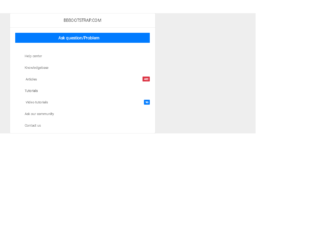
This is an example of a navigation sidebar with icons and badges, designed using CSS, HTML, and Bootstrap framework 4. The body of the form is given a style set of font-family: Roboto, -apple-system, BlinkMacSystemFont, "Segoe UI", Roboto, "Helvetica Neue", Arial, sans-serif, "Apple Color Emoji", "Segoe UI Emoji", "Segoe UI Symbol", "Noto Color Emoji", font-size as .8125rem, font-weight as 400, line-height as 1.5385, font color as #333, text-align as left, and background-color as #eee. The information card has the styles of display as flex, word-wrap as break-word to allow breaking and wrapping long words onto the next line, background-color as #fff, border as 1px solid rgba(0, 0, 0, .125), and border-radius as .1875rem. The 'Ask Question' bar is given the styles of background-color as #007bff, font color as #fff, and border-radius as 1px. The badge is given the styles of font-size as 75%, font-weight as 500, line-height as 1, text-align as center, and border-radius as .125rem. The navigation items turn their background color to #f5f5f5, in a hover event.
Source: https://bbbootstrap.com/snippets/bootstrap-navigation-sidebar-font-awesome-icons-and-badges-32247422