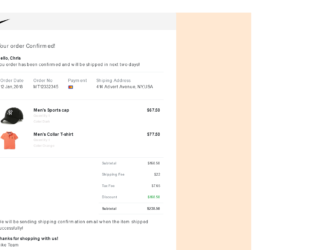
This is an example of an order confirmation invoice/bill template, designed using HTML, CSS, and Bootstrap framework 4. It displays the purchased products, product images, purchased quantity, and pricing details with the total amounts. The product images and the font style is imported to the code with their URLs. The body of the form is given the styles of background-color as #ffe8d2, and font-family as 'Montserrat', sans-serif. The footer and logo area of the form is given a background color of #eeeeeea8. The product quantity is displayed using the styles of font-size as 12px, and font color as #dedbdb. The prices are displayed using a font-weight style as bold to make them highlighted. The discount value is displayed using the success style making the font color green. The justify-content style is set as center in HTML, to centralize the form.
Source:https://bbbootstrap.com/snippets/bootstrap-order-confirmation-invoice-bill-template-49857128
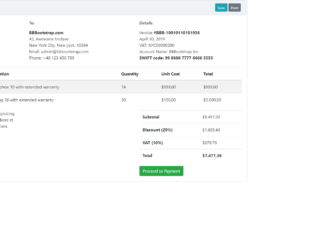
This is an example of a sale invoice template, designed using CSS, HTML, and Bootstrap framework 4. The template can be used to display the product details, pricing details, and proceed to payment or to get a printout. The form is given a style set of position as relative, display as flex, flex-direction as column, word-wrap as break-word to allow breaking and wrapping long words onto the next line, background-color as #fff, background-clip as border-box, border as 1px solid #c8ced3, and border-radius as .25rem. The card header is given the styles of padding as .75rem 1.25rem, background-color as #f0f3f5, and border-bottom as 1px solid #c8ced3. The 'Print' and 'Save' buttons are crated as secondary and info type buttons in the HTML. The headings are given a text style as strong, in the HTML to make them highlighted. The 'Proceed to Payment' button is created as a success type button in HTML.
Source: https://bbbootstrap.com/snippets/sale-invoice-template-85038753
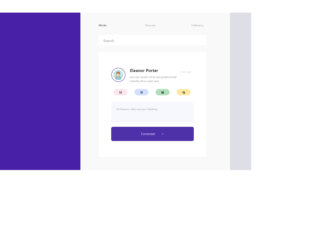
This is a template of an input search with detailed information form, designed using CSS, HTML, and Bootstrap framework 4. The images are imported to the code with their URLs. Media quarries have been used to increase the responsiveness of the form. The body of the form is given a background color of #DEDEE6. The left side container is given a background color of #4820A7, whereas the right side container is given #F9F9F9. The upper tabs are displayed using the styles of font-size as 10px, font-weight as bold, and font color as #C4C4C6. The cursor style for tabs is set as pointer to get the hand cursor effect on hover. The font color of the tabs gets changed to #5B5B5B, in a hover event. The user image takes a border effect of 2px solid #d8ff00, in a hover event. The input text field is give a style set of background as #F7F8FD, letter-spacing as 1px, font color as #C4C4C6, font-size as 10px, and font-weight as bold.
Source: https://bbbootstrap.com/snippets/bootstrap-input-search-detailed-information-70715936
This is an example of a search bar with hover effects, designed using CSS, HTML, and Bootstrap framework 4. The body of the form is given a background color of #e74c3c, and the height and the width are set as 100%. The search input is given a style set of font color as white, margin-top as 5px, line-height as 40px, and transition value as width 0.4s linear. The caret color of the search input is set as red. In a hover event. The search icon is given a style set of height and width as 50px, float as right, display as flex, justify-content as center, align-items as center, border-radius as 50% to get the circle shape, font color as white, and background-color as black. The search icon changes its background color to red and the font color to #fff.
Source: https://bbbootstrap.com/snippets/awesome-search-bar-hover-17080978
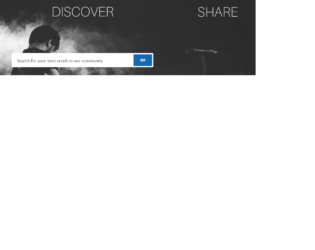
This is an example of a search box on header with image in background, designed using CSS, HTML styles and Bootstrap framework 4. The background image is imported to the code with its URL. The form is given the styles of padding as 40px, margin-bottom as 22px, font color as #fff, text-shadow as 0 1px 2px rgba(0, 0, 0, 0.25), background-color as #2e9df7, and box-shadow as 0 15px 15px -15px rgba(0, 0, 0, 0.25). The input text of the search bar is given the styles of font-family as "lucida grande", "Lucida Sans Unicode", tahoma, sans-serif, color as #333, font-size as 15px, padding as 3px;width as 250px, background as #fff, and border as 1px solid #999. The background color of the 'Go' button is set as #1268b3. The font-size for the button is set as 13px, and a text-transform style is given as uppercase to automatically convert the text to uppercase.
Source: https://bbbootstrap.com/snippets/search-box-header-image-background-70660533
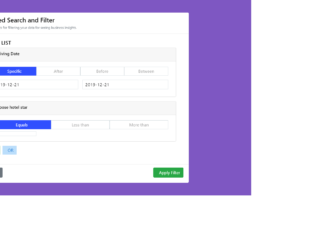
This is a template of an advanced search and filter menu, designed using JavaScript methods, CSS and HTML styles, and Bootstrap framework 4. JavaScript methods have been used to implement the functionality of the filter. The form is given a date-picker to select the arrival date. The body of the form has the styles of color as #000, height as 100%, and background-color as #7E57C2. The arrival information section is displayed using the styles of border as 1px solid #CFD8DC, color as #9E9E9E, and cursor as pointer to get the hand cursor on hover. The arrival tabs take the styles of background-color as #304FFE, font color as #fff, and border as 1px solid #304FFE, on hover. The 'And' button has the styles of color as #388E3C, background-color as #C8E6C9, padding as 5px 9px, and cursor as pointer, whereas the 'Or' button is given the styles of background-color as #BBDEFB, color as #1976D2, padding as 5px 12px, and cursor as pointer.
Source: https://bbbootstrap.com/snippets/advanced-search-and-filter-menu-97854833