This is an example of another simple but stylish login form, designed using CSS, HTML, and Bootstrap framework 4. The font style and background image is imported to the code with their URLs. The login form is given the styles of position as absolute, top and left as 50%, transform as translate(-50%,-50%), width as 410px, height as 460px, and background as rgba(0,0,0,0.55). The user logo of the form header is given a style set of height and width as 120px, background color as #a5414b, border-radius as 50% to get the circle shape, and box-shadow as inset 0px 0px 3px 15px #b5525c. The title of the login form is displayed using the styles of padding as 50px 0px 5px, display as inline-block, font-size as 30px, font-weight as 600, font color as #f1f1f1, font-family as "Open Sans","Raleway",sans-serif, text-transform as uppercase to automatically convert the text to uppercase, and border-bottom as 10px solid #f1f1f1. The input text field labels are given a font color of #f1f1f1, and a font-size of 18px. The 'Login' button is given the background color of #a5414b, font color of #f1f1f1, font-size of 18px, and cursor style as pointer to get the hand cursor effect on hover.
Source: https://mdbootstrap.com/snippets/jquery/utsav_luitel/474567#html-tab-view
This is an example of another simple login page with a background image, designed using HTML, CSS, and Bootstrap framework 4. The background image is imported to the code with its URL, whereas media quarries have also been used to increase the responsiveness of the form. The information card is placed in the center of the form by defining the value of align-items and content styles, as center. The form is given a background color of rgba(229, 228, 255, 0.2). The form consists of a navbar, input text fields, and a 'Sign Up' button. The input text fields take the styles of border-bottom as 1px solid #8EDEF8, and box-shadow as 0 1px 0 0 #8EDEF8, in the focus mode. The font color of the input text field labels also gets changed to #8EDEF8, in the focus mode. The input text is displayed in the color of #fff
Source: https://mdbootstrap.com/snippets/?search=login&top=all
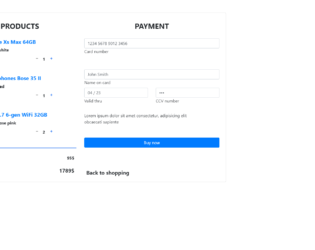
This is an example of an e-commerce shopping card form, designed using CSS, HTML, and Bootstrap framework 4. The product images are imported to the code with their URLs. Media quarries have been used to increase the responsiveness of the form. The form consists of product details, the number of quantity to be purchased, input text fields to enter the user and payment details, and a 'Buy Now' button. The input text fields are given a border style of 2px solid #4285f4, to be displayed on the active mode. The button is created as a primary type button in HTML. The input text fields are given a set of default autofocus values. This template can be used in an e-commerce website in which products can be added into the cart, where the total amount will also be displayed, and payment details will also be entered into the form to submit a purchase request.
Source: https://mdbootstrap.com/snippets/jquery/marta-szymanska/731529#js-tab-view
This is a purple color login page template, designed using HTML, CSS, and Bootstrap framework 4. This form consists of input text fields to enter user name and password, 'Remember me' checkbox, Forgot password link, and the 'Sign in' button. The social media icon images are imported to the code with their URLs. The card header is given the styles of background as linear-gradient(to right,#fc4496,#b242ae), border-color as #fc4595, and border as 0px solid transparent. The 'Sign in' button is created as an info type button in HTML. The email fields are validated to capture and notify if an incorrect email format is entered. The social media icons also given a linear gradient color of (to right,#fc4496,#b242ae), and a border-color of #fc4595.
Source: https://mdbootstrap.com/snippets/jquery/kalpesh1982/1342492#js-tab-view
This is a UI design template for a mobile phone, designed using CSS, HTML, and Bootstrap framework 4. The font style and icons are imported to the code with their URLs. The font style for the form is defined as 'Roboto', sans-serif. The name is displayed with the styles of font-size as 3rem, font-weight as 500, and font color as #728096. The date is displayed with a style set of font-size as 13px, font-weight as 400, text-align as center, and font color as white. The target button is given a height and width of 30px, and 70px, respectively. It is given a background color of #3b465e, which gets changed to #2e3951, on hover. The charts are displayed using three colors: lightseagreen, orange, and #3b465e. The 'Statistics' card is displayed using a style set of width as 320px, height as 100px, background-color as #2e3951, and border-radius as 10px. The cursor style for the card is set as pointer to get the hand cursor effect on hover. The cards take a background color of #3b465e and change the font color to gray, on hover.
Source: https://mdbootstrap.com/snippets/jquery/charkiewicz/898532#js-tab-view
This is a template of a simple email landing page with a background image, designed using CSS, HTML, and Bootstrap framework 4. The background image is imported to the code using its URL. The background of the form is given a linear gradient color of (40deg, rgba(0,51,199,.3), rgba(209,149,249,.3)). The heading of the form is displayed with the styles of font-weight as 700, and font color as #5d4267, whereas the subheading is displayed using a font color of #bcb2c0. The 'Get Started' button is given a linear gradient background color, which changes its font color to #fff, on hover. The title section is given a font color of #5d4267, and the subtitle is given a font color of #bcb2c0. The input text fields are given a border color of #4285f4, and a box-shadow of 0px 0px 0px 1px #4285f4. The input text is displayed with a font-size of 11px, and a font-weight of 500.
Source: https://mdbootstrap.com/snippets/jquery/marta-szymanska/260117#js-tab-view