This is an example of a profile card with rotating animation, designed using JavaScript, html, CSS, and Bootstrap framework 4. The user profile picture is imported to the code with its URL. The body of the form is given a background color of rgb(255, 255, 255), and a font color of rgb(0, 0, 0). JavaScript methods have been used to implement the flipping animation on hover. The profile card is given a transform-style as preserve-3d. The front side and the back side of the card is given separate styles. Both front and back sides are given a box shadow of 0px 1px 10px -2px rgba(0,0,0,0.43). The header section is given a background color of #d32f2f, box-shadow style of 0px 10px 20px 0px rgba(0,0,0,0.43), and transform style of translateY(-25px). The profile name is displayed using a font-size of 30px. In a hover event, the card takes a transform effect of translateY(-100%) rotateY(180deg), to create the rotate animation.
Source: https://mdbootstrap.com/snippets/jquery/tomekmakowski/346089#js-tab-view
This is an example of a stylish registration form with a background image, designed using CSS, Html, and Bootstrap framework 4. The form consists of a navbar, search bar, input text fields, and 'Sign Up' button. The background image has been imported to the code with its URL and media quarries have been used to increase the responsiveness of the form. The body of the form is given a linear gradient color as linear-gradient(to 45deg, rgba(0, 0, 0, 0.7), rgba(72, 15, 144, 0.4) 100%). . The concept of Lists has been used with UL and LI components. UL element has been used with the child elements of LI to display navbar items in an orderly manner. The information card is given a background color of rgba(126, 123, 215, 0.2). The font-weight of the form title is set as bold to highlight the text whereas the description is displayed with a line-height of 1.7
Source: https://mdbootstrap.com/snippets/jquery/mdbootstrap/102382#js-tab-view
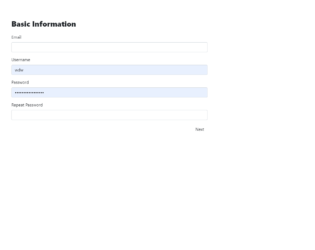
This is an example of a vertical registration form with steps, designed using JavaScript, CSS, Html, and Bootstrap framework 4. The form consists of a stepper to indicate the steps and input text fields to enter relevant details. The functionality of the stepper has been implemented using JavaScript methods. The stepper is given a background color of #7283a7, and a height of 50px. The individual steps in the stepper are indicated by buttons, which are given a height and a width of 60px, border style of 2px solid #59698D, background color as white, border-radius as 50% to get the circle shape, and padding as 18px 18px 15px 15px. In a hover event, the stepper circles change their border value to 2px solid #4285F4. The users are given the ability to switch between the steps by clicking on the relevant stepper circle, where only the relevant information form is displayed according to the step.
Source: https://mdbootstrap.com/snippets/jquery/piotr-glejzer/72
This is an example of a profile card with hover effects, designed using CSS, HTML, and Bootstrap framework 4. The profile image and font styles are imported to the code with their URLs. The body of the form is given the styles of background-color as #212121, and font-family as 'Roboto', sans-serif. The profile picture is given the styles of width as 100px, height as 100px, border-radius as 50px to get the circle shape, and border as 2px solid white. The title of the profile is displayed using the styles of font color as white, font-size as 1.3rem, and font-weight as 400, whereas the subtitle is given the styles of color as #c45c00, font-size as 0.9rem, and font-weight as 500. The profile card is given the styles of height and width of 300px, and a grayscale filter of grayscale(70%) blur(8px). In a hover event, the profile card takes a transform effect of scale(1.3).
Source: https://mdbootstrap.com/snippets/jquery/charkiewicz/940342#js-tab-view
This is an example of a page menu with a corner effect, designed using HTML, CSS, JavaScript, and Bootstrap framework 4. The font style is imported to the code with its URL. The form is given a background color of #212121. The menu list is given the styles of font-family as 'Raleway', Arial, sans-serif, text-align as center, text-transform as uppercase to automatically convert the text to uppercase, font-weight as 500, and letter-spacing as 1px. The menu items are displayed using a font color of rgba(255, 255, 255, 0.5). The menu items take a border-right and a border-top effect of 3px solid #9b59b6 to create the corner effect, in the active mode as well as the hover mode. The opacity of the menu items also gets changed to 1 on hover. JavaScript methods have been used to implement the corner effect only on individual items at a time.
Source: https://mdbootstrap.com/snippets/jquery/charkiewicz/870091#js-tab-view
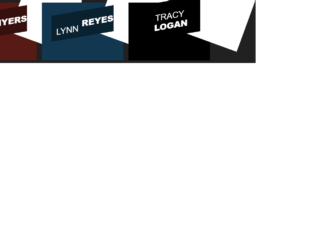
This is an example of an image hover with a title slide effect, designed using CSS, HTML, and Bootstrap framework 4. The form consists of three images, which are imported to the code with their URLs. The font style is also imported to the code using its URL. The images are given the styles of font-family as 'Raleway', Arial, sans-serif, position as relative, margin as 10px, min-width as 220px, max-width as 310px, max-height as 220px, background as #000000, font color as #ffffff, text-align as center, box-shadow as 0 0 5px rgba(0, 0, 0, 0.15). The header titles are given a font-weight of 400, and a test-transform style as uppercase to automatically convert all the letters to uppercase. The three titles are given three different background colors as #0a212f, #36100c, and #583804. The images change their opacity to 1, and takes a transform effect of scale(1.1) on hover, whereas the title takes transform effect of skew(-10deg) rotate(-10deg) translate(-150%, -50%), to implement the sliding effect.
Source: https://mdbootstrap.com/snippets/jquery/charkiewicz/831872#js-tab-view