This is an example of an admin dashboard interface, designed using CSS, Html, JavaScript, and Bootstrap framework 4. The form consists of a navbar, sidebar, search bar, input text fields, and a date-picker. The concept of Lists has been used with UL and LI components. UL element has been used with the child elements of LI to display the child elements of the sidebar, in an orderly manner. The JavaScript methods have been used to implement the functionality of the sidebar and the date-picker. The body of the form is given a background color as #A9A9A9. The search bar is given a border-top and a border-bottom style of 1px solid rgba(255, 255, 255, 0.3). The sidebar item is created as collapsible items, and given a side wave effect from Html, on a focus event.
Source: https://mdbootstrap.com/snippets/jquery/krzysztof-wilk/314029#js-tab-view
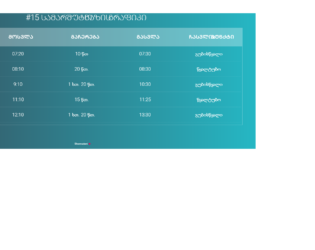
This is an example of another data table layout, designed using Html, CSS, JavaScript, and Bootstrap framework 4. The font style has been imported to the code with its URL. The title of the table is given a style set of font-size as 30px, font color as #fff, text-transform as uppercase to automatically convert the text to uppercase, font-weight as 300, text-align as center, and margin-bottom as 20px. The table header is given a background color as rgba(255,255,255,0.3). The body of the form is given the styles of background as linear-gradient(to right, #25c481, #25b7c4), and the font-family as 'Roboto', sans-serif. The table header has the styles of padding as 20px 15px, text-align as center, font-weight as 500, font-size as 20px, font color as #fff, and text-transform as uppercase. The table data is displayed with a style set of text-align as center, vertical-align as middle, font-weight as 300, font-size as 18px, font color as #fff, and border-bottom as solid 1px rgba(255,255,255,0.1).
Source: https://mdbootstrap.com/snippets/jquery/berika_tavadze/462110#js-tab-view
This is an example of a table layout with a fixed table header, designed using Html, CSS, JavaScript, and Bootstrap framework 4. The font style is imported to the code with its URL. The table consists of a fixed header and five data columns. The body of the form is given the styles of background as linear-gradient(to right, #25c481, #25b7c4), and the font-family as 'Roboto', sans-serif. The title of the table is displayed using the styles of font-size as 30px, font color as #fff, text-transform as uppercase to automatically convert the text to uppercase, font-weight as 300, text-align as center, and margin-bottom as 15px. The table header is given a background color as rgba(255,255,255,0.3). The table header has the styles of text-align as left, font-weight as 500, font-size as 12px, font color as #fff, and text-transform as uppercase. The table is also given a scroll bar.
Source: https://mdbootstrap.com/snippets/jquery/berika_tavadze/461964#js-tab-view
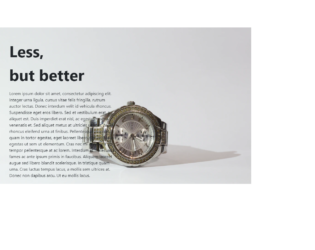
This is an example of a simple product details page, designed using CSS, Html, and Bootstrap framework 4. The form consists of a sidebar with hover effects, a header, and a product description given in a paragraph. The product image which has been used as the background image is imported to the code with its URL. The details container is given a margin-top as 8%, and a margin-left as 10%. The background-size of the form is defined as cover. The header is displayed using a font-size of 60px, and a font-weight as bold to highlight the text. It is given a margin-top value of 5%. The product details paragraph is displayed using a font-size of 16px. The sidebar items take the font color of gray, in a hover event.
Source: https://mdbootstrap.com/snippets/jquery/krzysztof-wilk/1241435#js-tab-view
This is an example of a testimonial card layout, designed using CSS, Html, and Bootstrap framework 4. The testimonial card consists of the profile image, profile details sections, and a navbar to scroll through user details, user email id, and web page. The profile image and logo are imported to the code with its URL. The image is given height and a width of 200. The form is given a background color of #d7ccc8. The details are justified and centered. The user name is displayed using a letter-spacing of 15px, and two font colors: #bcaaa4 to display the surname and #d7ccc8 to display the first name. The designation of the user is displayed using a letter-spacing of 5px. The content section is displayed with a font color of #8d6e63. The bottom section of the testimonial card consists of a navbar, created using toggle buttons.
Source: https://mdbootstrap.com/snippets/jquery/krzysztof-wilk/1527271#js-tab-view
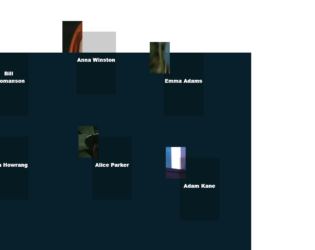
This is an example of a web layout with movable profile avatars and hover effects, designed using CSS, HTML, JavaScript, and Bootstrap framework 4. The avatars are given an animation to move along with the mouse cursor movement, on hover. The profile images are imported to the code with their URLs. JavaScript methods have been used to implement the movable animation and the resize effect on the avatars. The body of the form is given a background color as #08202B. The navbar is given a style set of font-family as 'GTAmericaExpanded', sans-serif, font-size as 2.4rem, font color as #fff, font-weight as 900, text-transform as uppercase to automatically convert the text to uppercase, cursor style as pointer to get the hand cursor effect on hover, and line-height as 1.2em. The avatar name is given the styles of font-size as 1.2rem, font color as #fff, font-weight as 800, and transform as translateY(-50%). The name changes its font-size to 1.7rem, on hover. The avatar photo container is given a width and a height of 50%, and 60% respectively, which gets changed to 65% and 75% in a hover event.
Source: https://mdbootstrap.com/snippets/jquery/tomekmakowski/854141#js-tab-view