This is an example of another navbar, with an inline login form in a dropdown feature, designed using CSS, Html, and Bootstrap framework 4. The font, bootstrap, and CSS styles are imported to the code with their URLs, whereas media quarries have been used to increase the responsiveness of the form. The navbar consists of navigation items, a search bar, a dropdown list, and a login form in a dropdown. The login form consists of the user name and password input text fields, where the fields are validated as required fields. The body of the form is given a font family style as 'Open Sans', sans-serif. The input text fields are given a border color as #dfe3e8. The navbar is given a background color as #fff, and a border-bottom style as 1px solid #dfe3e8. The navbar items are given a font color of #999, which changes to #29c68c in a hover event and to #26bb84, in the active mode.
Source: https://www.tutorialrepublic.com/codelab.php?topic=bootstrap&file=navbar-with-inline-login-form-in-dropdown
This is an example of a stylish navbar, designed using Html, CSS, and Bootstrap framework 4. The navbar consists of navigation items, a search bar, and a dropdown list. The font, bootstrap, and CSS styles are imported to the code with their URLs, whereas media quarries have been used to increase the responsiveness of the form. The body of the form is given the styles of background color as #eeeeee, and font-family style as 'Varela Round', sans-serif. The navbar is given the styles of font color as #fff, background color as #926dde, and box-shadow as 0 0 4px rgba(0,0,0,.1). The user image is given a width and a height of 36px with the border-radius set as 50% to get the circle shape. The Brand logo is displayed with a font color of #efe5ff, and a font-size of 24px. In a hover event, the brand logo and navbar items change their font color to #fff and take a text-shadow style of 0 0 4px rgba(255,255,255,0.3).
Source: https://www.tutorialrepublic.com/snippets/preview.php?topic=bootstrap&file=beautiful-navbar-with-menu-icons
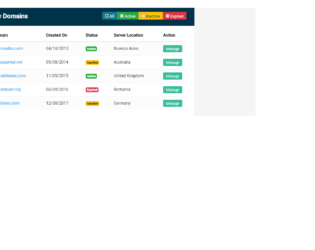
This is an example of a data table with a filtering option, designed using CSS, Html, JavaScript, and Bootstrap framework 4. The font, bootstrap, and CSS styles are imported to the code with their URLs. The body of the form is given the styles of font color as #566787, background color as #f5f5f5, and font-family as 'Roboto', sans-serif. The table wrapper is given a box-shadow style of 0 0 1px 0 rgba(0,0,0,.25). The table title section is given the styles of border-bottom as 1px solid #e9e9e9, background color as RGB(0, 50, 74), and font color as #fff, whereas the table header title is displayed with a font-size of 24px. The table is given a set of four filters: All, Active, Inactive, and Expired, which are created as info, success, warning, and danger type buttons from Html. JavaScript methods have been used to implement the functionality of the filters. Each individual data row is given a manage button with a background color of #37BC9B, which changes to #2e9c81 on hover.
Source:https://www.tutorialrepublic.com/snippets/preview.php?topic=bootstrap&file=data-table-with-filter-row-feature
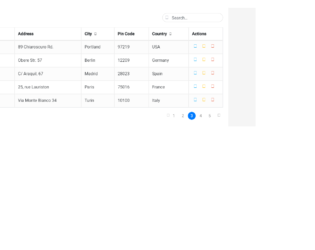
This is an example of another data table with View, Edit, Delete options, and a search bar, designed using Html, JavaScript, CSS, and Bootstrap framework 4. The font, bootstrap, and CSS styles are imported to the code with their URLs.The buttons are given a tooltip feature, which is implemented using the JavaScript methods. The concept of Lists has been used with UL and LI components, whereas the UL element has been used with the child elements of LI to display the child elements of the page links, in an orderly manner. The body of the form is given the styles of font color as #566787, background color as #f5f5f5, and font-family as 'Roboto', sans-serif. The table wrapper is given a box-shadow style of 0 1px 1px rgba(0,0,0,.05). The table title is displayed using a font-size of 22px. The search box text is displayed using a font color of #a0a5b1, and a font-size of 19px, whereas the border of the search box, is set to change its border color to #3FBAE4, on a focus event.
Source:https://www.tutorialrepublic.com/snippets/preview.php?topic=bootstrap&file=data-table-with-search-box
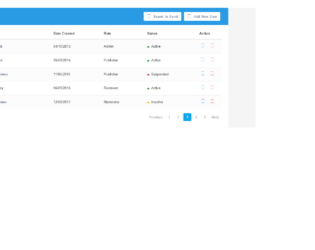
This is an example of a user management data table layout, designed using CSS, JavaScript, Html, and Bootstrap framework 4. The users are given the ability to remove table rows, view settings, export table data to excel, and add new users, using buttons. The 'Settings' and 'Add New User' buttons are given a tooltip feature, which is implemented using the JavaScript methods. The font, bootstrap, and CSS styles are imported to the code with their URLs. The body of the form is given the styles of font color as #566787, background as #f5f5f5, font-family as 'Varela Round', sans-serif, and font-size as 13px. The table wrapper is given a box-shadow style of 0 1px 1px rgba(0,0,0,.05). The table header is given a background color of #299be4, and font color of #fff, whereas the table header title is displayed using a font size of 24px. The cursor style of the buttons is set as pointer to get the hand cursor effect on pointer. The user names in the table are displayed with a font color of #566787, which changes to #2196F3, on hover.
Source: https://www.tutorialrepublic.com/codelab.php?topic=bootstrap&file=user-management-data-table
This is an example of a delete confirmation modal, designed using Html, CSS, and Bootstrap framework 4. The CSS and font styles are imported to the code with their URLs. The delete confirmation form is designed to be opened upon clicking on the modal link. The form is given a font-style of 'Varela Round', sans-serif. The body of the confirmation form is set as #636363. The title of the login form is displayed with a font-size of 26px. The cross icon is given a width and a height of 80px, a border style of 3px solid #f15e5e, and a border-radius of 50% to get the circle shape. The modal content is displayed with a font-size of 14px. The form consists of a 'Cancel' button and a 'Delete' button, which are given the background color of #c1c1c1, and #f15e5e, respectively. In a hover event, the 'Cancel' button turns its background color to #a8a8a8, whereas the 'Delete' button turns to #ee3535.
Source:https://www.tutorialrepublic.com/codelab.php?topic=bootstrap&file=delete-confirmation-modal