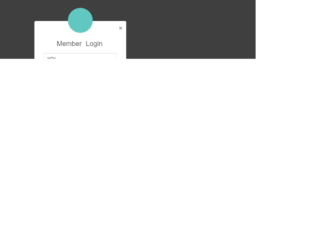
This is an example of an elegant login form, which can be accessed through a modal link. It is designed using Html, CSS, and Bootstrap framework 4. The CSS and font styles are imported to the code with the URLs. The body of the form is given a font-family style of 'Varela Round', sans-serif. The title of the login form is displayed with a font-size of 26px. The input text fields turn its border color to #70c5c0, on focus mode. The avatar is given a background color of #60c7c1, height and width as 95px, box-shadow as 0px 2px 2px rgba(0, 0, 0, 0.1), and border-radius as 50% to get the circle shape. The 'Login' button is created as a primary type button and given a background color of #60c7c1, which changes to #45aba6, in a hover event. The user name and password fields are validated by making them required fields.
Source:https://www.tutorialrepublic.com/snippets/preview.php?topic=bootstrap&file=elegant-modal-login-form-with-avatar-icon
This is an example of a registration form, designed using Html, CSS, and Bootstrap framework 4. The font and CSS styles are imported to the code using their URLs. The information card is given a width of 450px, box-shadow of 0px 2px 2px rgba(0, 0, 0, 0.3), and consists of labels, input text fields, 'Accept Terms' checkbox, and 'Register Now' button. The body of the form is given the styles of font color as #fff, background color as #63738a, and font-family as 'Roboto', sans-serif. The input field text is displayed using a font color of #969fa4. The input text fields take a border color of #5cb85c, on the focus mode. The title of the form is displayed with a font color of #636363. The 'Register Now' button is created as a success type button and given the font-size of 16px, and the font-weight as bold. The 'Privacy policy' and 'Terms of Use' links take an underline effect, in a hover event.
Source:https://www.tutorialrepublic.com/codelab.php?topic=bootstrap&file=simple-registration-form
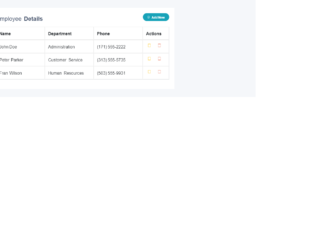
This is an example of a data table with add and removes row feature, designed using CSS, Html, JavaScript, and Bootstrap framework 4. The CSS and font styles are imported to the code with their URLs. The body of the form is given the styles of font color as #404E67, background color as #F5F7FA, and font-family as 'Open Sans', sans-serif. The table wrapper is given a width of 700px, and a box-shadow of 0 1px 1px rgba(0,0,0,.05). The table title is displayed using a font-size of 22px. The 'Add New' button is displayed with the styles of height as 30px, font-weight as bold, font-size as 12px, border-radius as 50px to get the round shape, and line-height as 13px. The table rows are given a border-color as #e9e9e9. The functionality of the 'Add New', 'Edit', and "Remove' buttons are implemented using JavaScript methods. The cursor style for the Edit and Delete buttons is set as pointer to get the hand cursor effect on hover, and the buttons are also given a tooltip feature to be activated on hover.
Source:https://www.tutorialrepublic.com/snippets/preview.php?topic=bootstrap&file=table-with-add-and-delete-row-feature
This is an example of a simple login page, designed using CSS, Html, and Bootstrap framework 4. The CSS styles and fonts are imported to the code using their URLs. The form is given a width of 350px and a margin of 50px auto. The form consists of input text fields to enter user name and password, 'Remember me' checkbox, and 'Forgot Password' and "Create Account' links to other forms. The login card is given a background color of #f7f7f7, and a box-shadow style of 0px 2px 2px rgba(0, 0, 0, 0.3). The information card title is given a margin value of 0 0 15px. The card information is displayed using a font-size of 15px. The 'Login' button is created as a primary type button and given the styles of font-size as 15px, and font-weight as bold to highlight the button name.
Source: https://www.tutorialrepublic.com/codelab.php?topic=bootstrap&file=simple-login-form
This is an example of a registration form, designed using JavaScript, Html, CSS, and Bootstrap framework 4. The form consists of input text fields and a 'Sign Up' button. JavaScript methods have been used to implement the functionality of the input text fields. The information container is given a border style of 1px solid #dadce0. The header is displayed with the styles of font-size as .875rem, font color as #3c4043, and font-weight as 500. The 'Sign Up' button is given a border color of #dadce0. On hover, the button changes its background color to #f6f9fe, and border-color to #d2e3f. In the active mode, it takes a background color of #e4eefd and a border color of #d2e3fc. The input text fields are given a border style of ed4da, and the input text is displayed using a font-size of .875rem, and a line-height of 1.5. The input text fields take a border value of #4285f4, and a box-shadow inset 0px 0px 0px 1px #4285f4, when they are focused.
https://mdbootstrap.com/snippets/jquery/bartek-malanowski/280980#html-tab-view
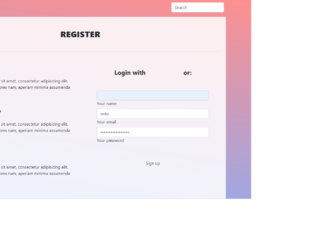
This is an example of a registration web page, designed using HTML, CSS, and Bootstrap framework 4. The table consists of an information container, search bar, navbar, input text fields, and 'Signup' button. The background image is imported to the code with its URL. The information card is given a background color of rgba(255, 255, 255, 0.85). Media quarries have been used to increase the responsiveness of the form. The concept of Lists has been used with UL and LI components. UL element has been used with the child elements of LI to display the child elements of the navbar, in an orderly manner. The font-weight of the section headers is set as bold to highlight the text. The users are given the ability to login with social media logins as well. The 'Signup' button is created as a rounded button from Html.
Source: https://mdbootstrap.com/snippets/jquery/mdbootstrap/49383#js-tab-view