This is a simple example of a News Letter component with pure CSS and HTML. The CSS element “background” has been used to display the background image with the color of linear-gradient; (rgba(0,0,0,0.7),rgba(0,0,0,0.6)),url('https://pbs.twimg.com/media/DWH8pTQW4AAdp4F.jpg').The background image is centered with the center style element. Initially the typing space for the email address won’t be visible to the user as it is set to a 0 width. The mouse hover element has been used to display the input text field by setting the width on the mouse hover event whereas the focus event has been used to make the type space appear automatically. The color of the button “subscribe” is set as green and the font color as whitesmoke.
Source: https://codepen.io/andryjohn/pen/agVYJp?&page=1
This is an example for creating a newsletter component for a website with the use of CSS, HTML and JavaScript. JavaScript function has been used to automatically calculate and display the distance between the mouse cursor and the Signup button. The sub element of pageY and pageX of the event variable has been used to calculate the position of the cursor. CSS style has been implemented for the h2 (title) with the use of the CSS element “active” to apply the effect of vertically moving up and down by using the translateY value. The complete page is set to have a background color of linear-gradient (to bottom, #ffffff 60%, #e2e2e2).
Source: https://codepen.io/andreas-litis/pen/MMNyGa
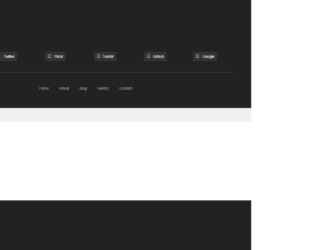
This is an example of a classic footer section of a website with pure CSS. The HTML element strong has been used to make the text Bold. The element of UL and child element of its LI have been used to display the list. CSS styles have been implemented to display the background shapes and the element “after” to apply the styles when the elements are loaded. The img tag has been used to display the image in the footer. The h3 element is set to have a font size of 18px, font-weight of 400.
This is a sample design for the footer section of a website with a search bar. To apply the icons and the font styles to the text, the font-awesome style sheet has been imported. Creating the search bar has been done by using “form” tag and the input type text element to display the text field and the button element for the search button. CSS style of border-top has been used to display the line on top of the search bar. The font style of the footer section is set as “Raleway sans-serif” and the values of input type text element to have a height of 45px, the width of 40%, padding-left of 20px and the color as #333.
This is an example of the footer section of a website with pure CSS. CSS style has been used with the background element to apply a background color to the footer section. The background color is set to a dark shade of gray with the value of #1c1c1c and the font color to white with #fff. A href element is used to mount the mobile number where the prefix tel: is appended to link the number to a mobile application on the user device. Likewise, the prefix mailto: has been used to link it with an email id and redirect to an email application on click.
Another classic example to create the footer section of a website with only CSS and HTML. Img element in HTML has been used to display the given image. CSS styles have been used to apply the mouse hover effects for the elements. Background element is used to change the color of the elements whereas transition element is used to apply the effect of “ease in”. The complete footer section is set to have the background color value of #272272, a medium blue. Border bottom style is used with the use of the value of 1px dotted #e4e9f0 to create the dotted line in the footer and its color set to light green.