This is an example of a pricing table, designed using HTML, CSS, and Bootstrap framework 4. The Bootstrap styles, CSS styles, and Font styles are imported to the code with their URLs. The form is given the styles of background-color as #eee, and font-family as 'Montserrat', sans-serif. The table heading is given a font color of #3b99e0, whereas the content section is given the styles of text-align as center, max-width as 420px, margin as auto, and opacity as 0.7. The pricing card has the styles of background-color as #ffffff, box-shadow as 0px 2px 10px rgba(0, 0, 0, 0.075), border-top as 2px solid #5ea4f3, and padding as 30px. The banner in the middle price card is given a style set of width as 160px, height as 32px, font-size as 12px, text-align as center, color as #fff, font-weight as bold, box-shadow as 0px 2px 3px rgba(136, 136, 136, 0.25), background as #4dbe3b, transform as rotate(45deg) to rotate the banner, and padding-top as 7px. The price label is given the styles of margin as 15px 0, font-size as 45px, text-align as center, and font color as #2288f9.
Source: https://epicbootstrap.com/snippets/pricing-table
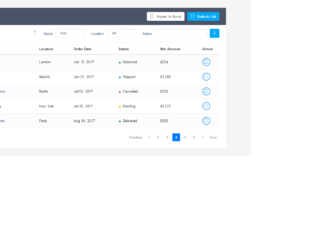
This is an example of a bootstrap order details table with a search filter, designed using HTML, CSS, and JavaScript. Bootstrap style sheets including the fonts, are imported to the form with their URLs. The body is given a styles set of color as #566787, background as #f5f5f5, font-family as 'Varela Round', sans-serif, and font-size as 13px. The refresh list button is given a background color of #03A9F4 whereas the export to excel button is given the background color #fff. Both buttons change their colors in a hover event, into #03a3e7 and #f2f2f2 respectively. Table title is given the styles color as #fff, background as #4b5366, padding as 16px 25px, margin as -20px -25px 10px, border-radius as 3px 3px 0 0, and font-size as 24px. The name section is given the color #566787, which changes to #2196F3 in a hover event. The status is also marked by colors which are, delivered as #10c469, shipped as #62c9e8, pending as #FFC107, and cancelled as #ff5b5b. Tooltip style has been used to display a popup in a hover event on view details icon whereas JavaScript functions are used to implement tooltip activation.
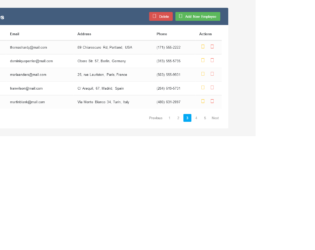
This is an example of a bootstrap user management data table, designed using CSS, HTML, and JavaScript. Bootstrap style sheets including the fonts, are imported to the form with their URLs. The body is given a styles set of color as #566787, background as #f5f5f5, font-family as 'Varela Round', sans-serif, and font-size as 13px. The title is given the styles padding-bottom as 15px, background as #299be4, color as #fff, padding as 16px 30px, margin as -20px -25px 10px, border-radius as 3px 3px 0 0, and font-size as 24px. The buttons in the header section have the styles of color as #566787, float as right, font-size as 13px, background as #fff, min-width as 50px, and border-radius as 2px which then take a background color of #f2f2f2, in a hover event. The icons are given the cursor style pointer to get the hand pointer effect. In a hover event, settings button and name section takes the color #2196F3 whereas the delete button takes the color #F44336. Tooltip style has been used to display a popup in a hover event on settings and delete icons whereas JavaScript functions are used to implement tooltip activation.
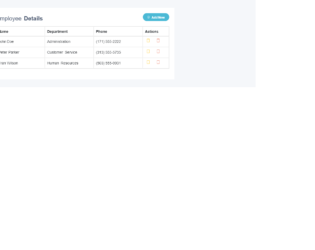
This is an example of a bootstrap table with add and delete row feature, designed using CSS, HTML, and JavaScript. Bootstrap style sheets including the fonts are imported to the form with their URLs. The body is given a style set of color as #404E67, background as #F5F7FA, and font-family as 'Open Sans', sans-serif. The table title is given the styles of padding-bottom as 10px, and margin as 0 0 10px whereas table header two has the styles margin: 6px 0 0, and font-size: 22px. The cursor style for all the buttons is set as pointer to get the hand pointer effect and the colors of add, edit and delete buttons are set as #27C46B, #FFC107, and #E34724, respectively. Tooltip style has been used to display a popup in a hover event on add new, edit and delete icons whereas JavaScript functions are used to implement append table with add row form on add new button click, add row on add button click, edit row on edit button click, and delete row on delete button click functions.
This is an example of a bootstrap CRUD (Create, Read, Update, Delete) data table for a database with modal form, designed using HTML, CSS, and JavaScript. Bootstrap style sheets including the fonts are imported to the form with their URLs. The body is given a styles set of color as #566787, background as #f5f5f5, font-family as 'Varela Round', sans-serif, and font-size as 13px. The table title is given the styles of padding-bottom as 15px, background as #435d7d, color as #fff, padding as 16px 30px, margin as -20px -25px 10px, and border-radius as 3px 3px 0 0 whereas header two is given a margin of 5px 0 0, and font-size of 24px. The table has the styles of font-weight as bold and color as #566787. The background colors of edit and delete icons are set as #FFC107 and #F44336, respectively. The concept of Lists has been used with the LI component to display the details in an orderly manner. Once checked, the checkbox takes the color #03A9F4. Tooltip style has been used to display a popup in a hover event on edit and delete icons whereas JavaScript functions are used to implement tooltip activation and checkbox implementation.