This is an example of a simple signup form with a side image, designed using HTML, CSS, and Bootstrap framework 4. The background image is imported to the code with its URL. The body of the form is given a background color of lightgrey, whereas the card is given a background color of #fff. The form consists of six input text fields and a primary type button. The title of the form is given the styles of font-weight as bold, and color as #ff39c2. The button is given a height of 50px, width of 100%, font-size of 15px, and a background color as #6200EA. The sign-in text is given a text-decoration style as underline, and font color as #ff39c2. The input fields are given a box-shadow style of 0px 0.1px 0px 0px #dae0e5. The input fields are also given a transform style of translate3d(0, -100%, 0).
Source: https://bbbootstrap.com/snippets/bootstrap-signup-form-side-image-59894099
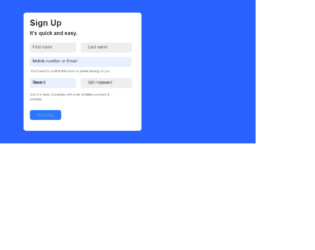
This is an example of another simple signup form designed using HTML, CSS, and Bootstrap framework 4. The form consists of input text fields and a primary type button. Media quarries have been used to increase the responsiveness of the form. The body of the form is given the styles of background as #2962FF, and font-family as Arial, Helvetica, sans-serif. The font-weight of the card heading is set as Bold. The form consists of five input text fields. The input text field labels are given a font color of #495057, and a box-shadow of 0 0 0 0 rgba(0, 123, 255, .25). The font-sizes of the input fields are set as 12px. The Next Step primary type button is given the styles of border-radius as 8px, background as #2979FF, and width as 120px. The font-size of the button is set to 15px.
Source: https://bbbootstrap.com/snippets/bootstrap-simple-quick-signup-form-10837447
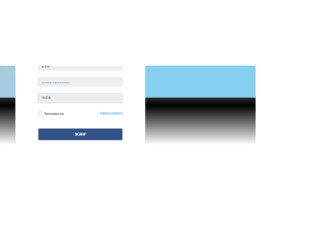
This is an example of a login/signup form with dropdown input and social media buttons. The icons and font styles are imported to the code with their URLs. The form consists of a signup button, on which by clicking on, the users will be redirected to another form where the country can be selected from a dropdown list, and social media icons can be used to sign in. The body of the form is given the styles of min-height as 81vh, background as linear-gradient(0deg, #fff, 50%, #DEEEFE), and font-family as 'Rubik', sans-serif. The card is given the styles of width as calc(480px + 10 * ((100vw - 320px) / 680)), and box-shadow as 0px 5px 10px rgba(0, 0, 0, 0.8). The sign in button is given the styles of font-size as calc(12px + (13 - 12) * ((100vw - 360px) / (1600 - 320))), padding as calc(6px + 5 * ((100vw - 320px) / 780)), and color as #000. The sign in button takes the color of #315189, in a hover event.
Source: https://bbbootstrap.com/snippets/login-signup-form-dropdown-input-and-social-buttons-35175582
This is an example of a login/ sign up a web form, designed using CSS, HTML, and Bootstrap framework 4. The form consists of a signup button, on which by clicking on, the users will be redirected to another form with social media sign in or signup option. The button takes the background color of #52B4DB, in a hover event. The icons and font styles are imported to the code with their URLs. The body of the form is given the styles of min-height as 81vh, background as linear-gradient(0deg, #fff, 50%, #DEEEFE), and font-family as 'Rubik', sans-serif. The font-size of the signup button is set as 14px. The social media buttons are given the styles of font-size as calc(12px + (13 - 12) * ((100vw - 360px) / (1600 - 320))), padding as calc(6px + 5 * ((100vw - 320px) / 780)), and color as #000, and take the background color of #52B4DB, in a hover event. The buttons are given a cursor style as pointer to get the hand cursor effect.
Source: https://bbbootstrap.com/snippets/login-signup-social-media-modal-36071946
This is an example of simple signup with social media web form, designed using CSS, HTML, and Bootstrap framework 4. The social media images are imported to the code with their URLs. The users are given the ability to sign up by clicking on the images, which are displayed in two rows. The body of the form is given a background color of RGB(0, 0, 0), and font color of #fff. The card container is given a margin-top as 200px, whereas the title of the form is given a font-size as calc(16px + 6 * ((100vw - 320px) / 680)). The images are given the styles of width as 250px, height as 150px, and border-radius as 7px. The second row of images is given a margin-top style as calc(18px + 6 * ((100vw - 320px) / 680)). Media quarries are also used to increase the responsiveness of the form.
Source: https://bbbootstrap.com/snippets/signup-social-media-26250948
This is an example of a signup form with a carousel function, designed using CSS, HTML, and Bootstrap framework 4. The images are imported to the code with their URLs. Media quarries have been used to increase the responsiveness of the form. The concept of Lists has been used with UL and LI components. UL element has been used with the child elements of LI to display the carousel items in an orderly manner. The body of the form is given a background color of #EEEEEE. The carousel section of the card is given a background color of #512DA8, height as 100%, and font color as #fff. The social media sign-ins are given different background colors and a font-size of 20px, where the buttons change the background color to #EEEEEE, in a hover event. The input fields are given a border style as 1px solid lightgrey, color as #2C3E50, font-size as 14px, and letter-spacing as 1px. In a focus event, the input fields take a border style of 1px solid #512DA8. The Create Account button is given a background color of #512DA8, which changes to #311B92, in a hover event.
Source: https://bbbootstrap.com/snippets/sign-up-form-auto-carousel-testimonials-62466161