This is an example of a Signup form with an auto carousel testimonials feature, designed using HTML, CSS, and Bootstrap framework 4. The concept of Lists has been used with UL and LI components. UL element has been used with the child elements of LI to display the carousel indicators in an orderly manner. The body of the form is given the styles of color as #000, height as 100%, and background-color as #EEEEEE. The testimonial card is given the styles of border-bottom-left-radius and border-top-left-radius as 20px, background-color as #512DA8, height as 100%, color as #fff, padding-left and right as 13%. The input fields of the signup form, have the styles of border as 1px solid light grey, border-radius as 10px, margin-bottom as 25px, margin-top as 2px, width as 100%, box-sizing as border-box, color as #2C3E50, and font-size as 14px. The signup button is given a background color of #512DA8, which changes to #311B92 in a hover event.
Source: https://bbbootstrap.com/snippets/sign-up-form-auto-carousel-testimonials-62466161
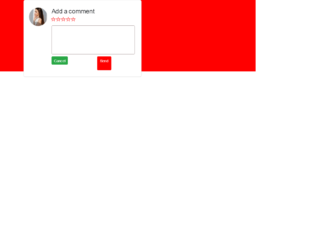
This is another example of a comment section with rating stars, designed using HTML, CSS, and Bootstrap framework 4. The profile image and font styles are imported to the code with the URLs. The rating stars are created as radio buttons. The body of the form is given the styles of display as grid, place-items as center to place the card in the center, font-family as 'Manrope', sans-serif, and background as red. The comment card is given a width as 450px, and a border-radius as 6px. The text area is given a border as 1px solid #ad9f9f. The send button is given a background color as #ff0000, which changes to #f50202, in a hover event. The rating buttons are given a cursor style as pointer to get the hand cursor effect in a hover event. The rating icons take a fill effect of #ff0000, in hover and active events.
Source: https://bbbootstrap.com/snippets/bootstrap-comment-section-form-ratings-98792632
This is an example of a login form with Facebook and Google sign-in links, designed using CSS, HTML, JavaScript, and Bootstrap framework 4. The icons, background image, and the card image are imported to the code with their URLs. JavaScript functions are used to implement the click functions of the input text fields. The form container has the styles of width as 450px, height as 550px, background-color as white, top as 50px, left as 35%, box-shadow a 0 0 20px black, and border-radius as 8px. The card image is given a width of 50px, and a height of 150px. The text of the form is given the styles of font-size as 25px, font-family as 'Roboto Slab', serif, text-alignment as center, and position as relative. The font-size of the input text fields are set to 20px, with the margin-bottom style set as 15px. In a hover event, the background color of the input fields turns to gainsboro, whereas in a focus event, the fields take a box shadow effect of 0 0 10px green. The cursor style for the login button is set as pointer to get the hand cursor effect. The Facebook and Google sign-in buttons also take their respective colors as their background color, in a hover event.
Source: https://bbbootstrap.com/snippets/login-form-facebook-and-google-link-26654961
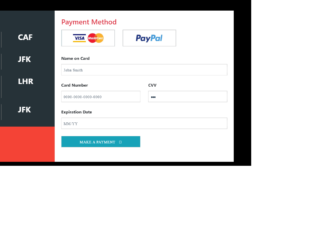
This is an example of a payment form with an input mask, designed using CSS, HTML, JavaScript, and Bootstrap framework 4. The payment options images are imported to the code with their URLs. JavaScript functions have been used to implement the date format, number format, and the radio button active status in the input fields. The body of the form is given a background color of #000000. The left side card is given a background color of #263238, and height as 100%. The font-size of the bill value is set as 30px. The bill dates are displayed in a #BDBDBD font color. The payment method radio buttons are given a height of 64, width of 204, border value of 2px solid light grey, and cursor style as pointer to get the hand cursor effect. The radio buttons take a box-shadow effect of 0px 0px 0px 1px rgba(0, 0, 0, 0.2) in a hover event and a box-shadow effect of 0px 0px 0px 1px rgba(0, 0, 0, 0.4), in a focus event.
Source: https://bbbootstrap.com/snippets/payment-form-input-mask-20478269
This is an example of a demo requesting form with validation, designed using CSS, HTML, JavaScript, and Bootstrap framework 4. The background image is imported to the code with its URL. JavaScript functions have been used to implement the validation by switching the border colors of the input text fields between red and green, according to the true-false conditions. The information card is given the styles of padding as 30px 40px, margin-top and bottom as 60px, and box-shadow as 0 6px 12px 0 rgba(0, 0, 0, 0.2). The blue text section is given a font color as #00BCD4. The font-size of the input text fields are set as 18px, and the font-weight is set as 300. In a focus event, the text fields take the border color of #00BCD4. The cursor style for the button is set as pointer to get the hand cursor effect and a text-transform style is set as uppercase to automatically convert the text to uppercase.
Source: https://bbbootstrap.com/snippets/request-demo-form-validation-12274818
This is an example of edit your job profile form, designed using CSS, HTML, and Bootstrap framework 4. The form consists of a profile image, input text fields, and buttons. The profile image is imported to the code with its URL. The body of the form is given a background color of #BA68C8. The input fields take a border color of #BA68C8 in a focus event, whereas the experience button takes background and border color of the same color and font color of #fff in a hover event. The Save Profile button take the background color of #682773, in hover and active events. The cursor style for buttons is set as pointer to get the hand cursor effect in a hover event. The text labels are given a font-size of 11px. The social media images are also imported to the code with their URLs and their labels are given a bold black font style, in HTML.
Source:https://bbbootstrap.com/snippets/bootstrap-edit-job-profile-form-add-experience-94553916