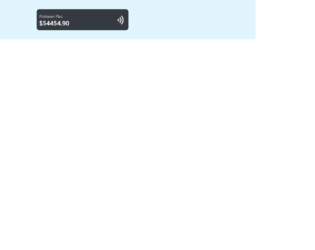
This is an example of a credit card template with a hover animation, designed using CSS, HTML, and Bootstrap framework 4. The image of the credit card is imported to the code using its URL. The form is given a height of 100vh, and background color of #E1F5FE. The credit card is given a style set of padding as 10px, width as 350px, height as 80px, and border-radius as 10px. The card type is displayed using the styles of font color as #ccc, and font-size as 15px. The card number is displayed using the styled of line-height as 17px, and font color as #ccc. The upper section of the card is given an animation style of height 1s ease-in forwards, whereas the card-details section is given the styles of card-details 1.5s ease-in forwards. In a hover event, the card number takes the styles of top as 45%, and position as relative.
Source: https://bbbootstrap.com/snippets/bootstrap-credit-card-animation-hover-effect-12294813
a simple login form for students
Aadi Web Solutions expertise in developing multi-functional, robust, dynamic, and scalable CMS websites utilizing advanced technologies (ASP.Net/PHP). We create websites for your Small, Medium and large business enterprise. If you want to propel your business forward, Cross-department collaboration and performance drive everything we create.
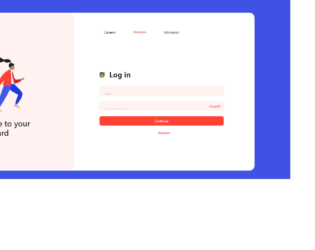
This is an example of a student login form, designed using HTML, CSS, and Bootstrap framework 4. The background images are imported to the code with their URLs. The body is given the styles of background-color as #4052e4, display as grid, and place-items as center to centralize the content. The header buttons take a background color of #fff2f1, and a font color of #e0726c, on hover. The user image is given a width and a height of 22px. The input text fields are given the styles of background-color as #fff2f1, border-radius as 8px, padding as 8px 17px, font-size as 13px, border as 1px solid #f5f0ef, and font color as #dccece. The 'Continue' button is given the styles of background-color as #ff4133, and border as 1px solid rgb(300, 200, 200). The 'Register' text is displayed using the styles of font-weight as bold, font color as #e0726c, and font-size as 12px.
Source: https://bbbootstrap.com/snippets/bootstrap-student-login-form-61721837
This is an example of a login form with footer and social media icons, designed using HTML, CSS, and Bootstrap framework 4. The images and icons are imported to the code with their URLs. The body of the form is given a background color of #B0BEC5, and font color of #000. The information card is given a box-shadow of 0px 4px 8px 0px #757575. The social media icons are given a font-size as 18px, border-radius as 50% to get the circular shape, cursor style as pointer to get the hand cursor effect on hover and background color as #3b5998 for Facebook, #1DA1F2 for Twitter, and #2867B2 for LinkedIn. The input text fields are given the styles of border as 1px solid lightgrey, background color as #2C3E50, font-size as 14px, and letter-spacing as 1px. In a focus event, the text fields take a border value of 1px solid #304FFE. The 'Login' button is given a background color as #000, which turn to #1A237E, in a hover event.
Source: https://bbbootstrap.com/snippets/login-form-footer-and-social-media-icons-55203607
This is an example of a login form with social media icons, designed using HTML, CSS, and Bootstrap framework 4. The concept of Lists has been used with UL and LI components display the social media icons in an orderly manner. The body of the form is given a background color of #8E24AA, whereas the information container is given the styles of border-top as 4px solid #F8BBD0, and a background-color as #BA68C8. The social media icons are given a border-radius as 50% to get the circular shape, height, and width as 50px, and background color of #ad63b9. The text lines of the form are displayed in #df9de8 color. The input text fields are given a border value of 1px solid #9952a5, which turns to 1px solid #71357b, in the selected mode. The 'Register Now' button is given a height of 45px, and a linear gradient background color of (to right, #E55D87 0%, #5FC3E4 100%), which turn to (to right, #5FC3E4 0%, #E55D87 100%), on hover.
Source: https://bbbootstrap.com/snippets/bootstrap-login-form-social-media-icons-56471957
This is an example of a credit card payment form with 4 different options, designed using CSS, HTML, JavaScript, and Bootstrap framework 4. The card images are imported to the code with their URLs and used to create the payment options as radio buttons. JavaScript methods have been used to implement the functionality of the radio buttons and validate the formatted input of the card number. The background color of the form is set as #C5CAE9. The heading of the form is displayed using a font-size of 40px. The input text fields are given the styles of border as 1px solid lightgrey, border-radius as 6px, width as 100%, font-family as arial, font color as #2C3E50, font-size as 14px, and letter-spacing as 1px. In a focus event, the text fields take the styles of box-shadow as 0px 0px 0px 1.5px skyblue, font-weight as bold, and border as 1px solid #304FFE. Input text field labels are given the styles of line-height as 48px, font-size as15px, and font color as gray, which changes to #304FFE, in a focus event. The 'Pay' button is given a background color of #304FFE, which changes to #3F51B5, on hover. The radio buttons take a box-shadow of 0px 0px 0px 1px rgba(0, 0, 155, 0.4), and a border effect of 2px solid blue, in the selected mode.
Source:https://bbbootstrap.com/snippets/credit-card-payment-form-4-different-options-47317865