This is an example of another login form with a background image, designed using CSS, HTML, and Bo0tstrap framework 4. The background image is imported to the code with its URL while the media quarries are used to increase the responsiveness of the form. The 'Sign in' button is given a border-radius of 25px. The form is divided into two sections and the left section is given a background color of aquamarine, while the right section is given a background color of gray. The input text is displayed using a font-color of #495057. The header of the account details section is displayed using the styles of font color as #fff, and font-weight as 200. The account description text is displayed with the styles of font color as #fff, margin-bottom as 4%, and font-weight as 200. The button is created as info type Bootstrap buttons.
Source: https://bbbootstrap.com/snippets/login-form-background-image-15064663
This is an example of another signup form with sidebar image, designed using Bootstrap framework 4, CSS, and HTML. The sidebar image is imported to the code with its URL and media quarries have been used to increase the responsiveness of the form. The background color of the form is set as #8E24AA. The form container is given a box-shadow style of 1px 1px 5px rgba(0, 0, 0, 0.1), whereas the information form is given a style set of display as table-cell, width as 400px, background-color as #ffffff, padding as 40px 60px, and color as #505e6c. The title of the form is displayed using the styles of font-size as 24px, and line-height as 1.5. The input text fields are given a border-bottom style of 1px solid #dfe7f1 and a text-indentation value of 6px. The agreement text is displayed using the styles of font-size as 13px, and line-height as 20px. The 'Signup' button takes a transform effect of translateY(1px), in the active mode.
Source: https://bbbootstrap.com/snippets/bootstrap-create-account-sidebar-image-15398911
This is an example of a signup/ login form, designed using CSS, HTML, and Bootstrap framework 4. The image logo is imported to the code with its URL and the buttons are created as primary type buttons. The body of the form is given a background color of #EBEAEF and the information card is given the styles of border-radius as 10px, background-color as #4270C8, and width as 350p. The first line of text in the form is displayed using a font-size of 25px, and font color of #9FB7FD. The font-size of the login button is defined as 13px. The input text fields are given a border-bottom style of 1.5px solid #E6EBEE, which changes to 2px solid #8A97A8, in a focus event. The input field text is displayed with a font-size of 80%, a transform style of translate3d(0, -90%, 0), opacity of 1, and a font-color of #8B92AC. The font-size of the 'Get Started' button is defined as 15px.
Source: https://bbbootstrap.com/snippets/bootstrap-signup-login-form-56423928
This is an example of a login form with information text, designed using HTML, CSS, and Bootstrap framework 4. The body of the form is given a font color of #000, and a background color as linear-gradient(to right, #D500F9, #FFD54F). The input text fields are given the styles of background-color as #F3E5F5, border-radius as 50px to get the circle shape, padding as 12px 15px 12px 15px, box-sizing as border-box, border as 1px solid #F3E5F5, font-size as 16px, font color as #000, and font-weight as 400. The input fields take a border effect of 1px solid #D500F9 and a font-weight of 400. The form is divided into two cards and the right side card is given a background color of linear-gradient(to right, #FFD54F, #D500F9). The input field label is displayed using a font size of 12px. The cursor style for the buttons is set as pointer to get the hand cursor effect in a hover event. Media quarries are used to make the form more responsive.
Source: https://bbbootstrap.com/snippets/login-form-information-text-67856111
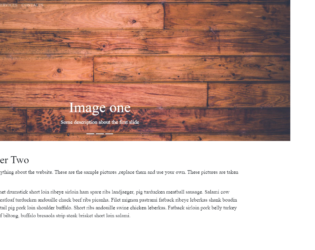
This is an example of a half-page image slider with a dynamic navbar, designed using HTML, CSS, JavaScript, and Bootstrap framework 4. The webform consists of three slides with images. The concept of Lists has been used with UL and LI components. UL element has been used with the child elements of LI to display the slides and navigation items, in an orderly manner. The header title of the form is given a font-weight as light. The main navbar is given a padding-left style as 50px, and a padding-top style as 20px. The background images are imported to the code using the URLs. The font-family for the navbar is given as 'Source Serif Pro', serif. JavaScript functions have been used to implement the functionality of the slider. The .active class has been added to make the carousel visible.
Source: https://bbbootstrap.com/snippets/half-page-image-slider-dynamic-navbar-74751043
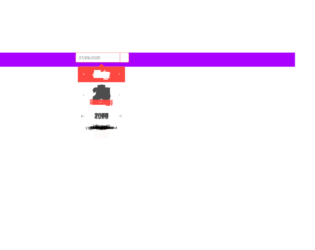
This is an example of a date-picker, designed using HTML, CSS, JavaScript, and Bootstrap framework 4. A jquery plugin has been used to implement the functionality of the date picker and the CSS properties of the form. The body of the form is given a background color as #AA00FF. The calendar button is created as a warning type button and given a color as #fff. The input date filed is given a border value of 1px solid #ed433e. In a focus event, the input date field takes a border effect of #f8c146. The jquery library has been used to scroll through the dates and months of the calendar. The min year is defined as 1970 and the range of years is defined as 10, in JavaScript. The calendar is given a fade-in animation, and the format of the date is set as m/d/y in JavaScript.
Source: https://bbbootstrap.com/snippets/datepicker-using-html-and-jquery-plugin-35354562
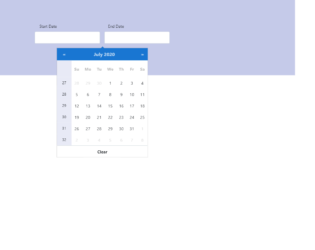
This is an example of a blue-themed date picker with date range and week number, designed using CSS, HTML, JavaScript, and Bootstrap framework 4. JavaScript methods are used to implement the functionality of the date picker. The body of the form is given a font color as #000 and background color as #C5CAE9. The input text fields are given the styles of padding as 22px 15px, border as 1px solid #CFD8DC, border-radius as 4px, box-sizing as border-box, background-color as #fff, font color as #000, font-size as 16px, and letter-spacing as 1px. In a focus event, the input fields take a border effect of 1px solid #1976D2. The calendar is given a background color as #1976D2. The date slot of the calendar takes a background color of #eee, in a hover event. The border-radius of the date slot turns to 50% to get the circle shape, in a hover event. Media quarries have been used to increase the responsiveness of the form.
Source: https://bbbootstrap.com/snippets/blue-themed-date-picker-date-range-and-week-number-61366925
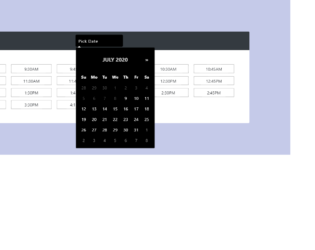
This is an example of a dark themed date and time picker, designed using CSS, HTML, JavaScript, and Bootstrap framework 4. JavaScript methods are used to implement the functionality of the date picker. The body of the form is given a background-color of #C5CAE9, and font color of #000. The information card is given a box-shadow style of 0px 4px 8px 0px #7986CB. The date input field is given the styles of padding as 10px 20px, border as 1px solid #000, border-radius as 10px, background-color as #616161, font color as #fff, font-size as 16px, letter-spacing as 1px, and width as 180px. In a focus event, the input date field takes a border style of 1px solid #512DA8. The date slot of the calendar takes a background color of #eee, in a hover event. In the active mode, the date slot takes a background color of linear-gradient(#90CAF9, #64B5F6), and font color as #000. The Month value of the calendar is displayed using a font-size of 20px, and a text-transform style of uppercase to automatically convert the text to uppercase. The cursor style for the time slots is set as pointer to get the hand cursor effect on a hover event while the background color of the time slot changes to #3D5AFE, in a focus event.
Source: https://bbbootstrap.com/snippets/dark-themed-date-and-time-picker-76906698
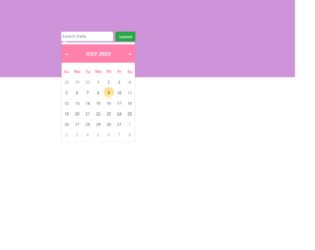
This is an example of a pink-themed custom date-picker, designed using CSS, HTML, JavaScript, and Bootstrap framework 4. The functionality of the date picker is implemented using JavaScript methods. The body of the form is given the styles of font color as #000, height as 100%, and background-color as #CE93D8. The input text fields are given a style set of padding as 10px 20px 10px 20px, border as 1px solid lightgrey, border-radius as 6px, box-sizing as border-box, background-color as #fff, font color as #2C3E50, font-size as 14px, and letter-spacing as 1px. In a focus event, the input fields take a border effect of 1px solid #512DA8. The 'Submit' button is created as a success type button. The date slots of the calendar take a background color of #eee, in a hover event. In the active mode, the date slot takes the styles of border-radius as 50% to get the circle shape, background color as linear-gradient(#90CAF9, #64B5F6), and font color as #fff. The Month value of the calendar is displayed using a font-size of 20px, and a text-transform style of uppercase to automatically convert the text to uppercase.
Source: https://bbbootstrap.com/snippets/pink-themed-custom-datepicker-93081189
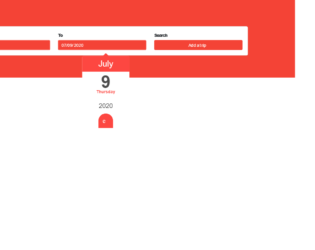
This is a template of a date picker input form with a button, designed using JavaScript, HTML, CSS, and Bootstrap framework 4. The button is created as a primary pro-type button. The dropdown function of the date-picker is created using JavaScript. The body of the form is given the styles of display as grid to arrange the information in a grid layout, background color as #F44336, and font-family as 'Manrope', sans-serif. The information card is given a background color as #fff, border-radius as 6px, and word-wrap style as break-word to allow long words to be able to break and wrap onto the next line.The input text fields have the styles of background-color as #f44336, opacity as 1, font color as #fff, and border style as 1px solid #f44336. The button is given a background and a border color of #f44336. The button changes its background color to #d8271a, in a hover event, whereas it takes the background color of #f44336, in a focus event.
Source: https://bbbootstrap.com/snippets/bootstrap-datepicker-input-form-button-18422292
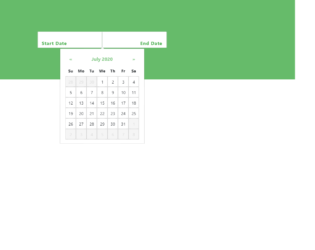
This is an example of a web form with a date picker, designed using CSS, HTML, JavaScript, and Bootstrap framework 4. The date picker provides a date range to select from. The functionality of the date-picker is designed using JavaScript methods. The body of the form is given a font-color of color: #000, and a background color of #66BB6A. The input fields of the date-picker has the styles of padding as 30px 15px, border as 1px solid lightgrey, border-radius as 10px, box-sizing as border-box, background-color as #fff, font color as #4CAF50, font-size as 18px, letter-spacing as 1px, and font-weight as bold. The text alignment of the first field is set as left whereas the text-alignment for the second one is set as right. The fields take a border effect if 1px solid #512DA8, in a focus event. When a date is picked, the date slot takes the styles of border-radius as 50% to get the circle shape, background-image as linear-gradient(#90CAF9, #64B5F6), and font color as #fff. Media quarries are used to increase the responsiveness of the form.
Source: https://bbbootstrap.com/snippets/green-themed-datepicker-date-range-54853616
This is an example of a Contact Us form with a loading button, designed using JavaScript, HTML, CSS, and Bootstrap framework 4. JavaScript methods have been used to implement the loading feature of the button. The body of the form is given the styles of font-family as "Roboto", Helvetica, Arial, sans-serif, font-weight as 100, font-size as 12px, line-height as 30px, font color as #777, and background as #fff. The information card is given a background color of #F9F9F9, and a box-shadow value of 0 0 20px 0 rgba(0, 0, 0, 0.2), 0 5px 5px 0 rgba(0, 0, 0, 0.24). The title of the form is displayed as a block with the font-size and the font weight set as 30px, and 300 respectively. The input text fields are given a border value of 1px solid #ccc, and a background color of #FFF. In a hover event, the text fields take a transition effect of border-color 0.3s ease-in-out, and a border effect of 1px solid #aaa. The 'Submit' button is given a cursor style as pointer to get the hand cursor effect, background as #f0715f, and font-size as 15px. The button changes its background color to #f07150, in a hover event.
Source: https://bbbootstrap.com/snippets/contact-us-form-loading-button-57040609