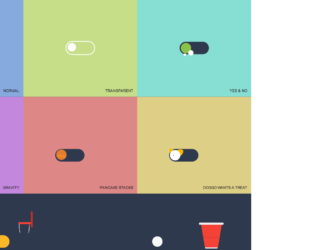
This is an example of a toggle buttons layout with animations, designed using HTML, CSS, and Bootstrap framework 4. The icons and CSS styles are imported to the code with their URLs, whereas media queries have been used to increase the responsiveness of the form. The form consists of eight toggle button containers named Normal, Transparent, Yes & No, Gravity, Pancake Stacks, Doggo Wants a Treat, Kobe Bryant Tribute, and Beer Pong. The body of the form is given a background color of #2e394d. The toggle button containers are given eight different background colors which are #dec387, #de8797, #87aade, #c5de87, #87ded2, #c487de, #de8787, and #decf87. The title of the toggle button container is given the styles of font as 500 14px 'Rubik', sans-serif, letter-spacing as .5px, text-transform as uppercase, and text-shadow as 0 1px 1px rgba(0,0,0,0.4). The toggle buttons are given the styles of width as 7em, background as #2e394d, height as 3em, border-radius as 50px, transition as all .3s ease, transform-origin as 20% center, and cursor as pointer to get the hand cursor effect in a hover event. The toggle buttons are given different animations to be generated in a checked event.
Source: https://codepen.io/oliviale/pen/xxboXzo
This is an example of a task management dashboard interface, designed using HTML, CSS, and Bootstrap framework 4. The fonts and images are imported to the code with their URLs, whereas media queries have been used to make the form responsive. The colors are predefined as variables. The body is given a set of styles as justify-content as center, flex-direction as column, overflow as auto, width as 100%, height as 100vh, padding as 20px, font-family as 'DM Sans', sans-serif, and font-size as 12px. The cursor style for buttons is set as pointer to get the hand cursor effect. The left bar is given the styles of background-color #f5f8ff, width as 230px, and border-right as 1px solid #e3e7f7, whereas the right bar is given the styles of width as 320px, border-left as 1px solid #e3e7f7, display as flex, and flex-direction as column. The header is given the styles of font-size as 20px, color as #5d606b, and margin-left as 30px. The task box takes a transforming effect of scale(1.02), in a hover event.
Source: https://codepen.io/aybukeceylan/pen/gOpbRPO
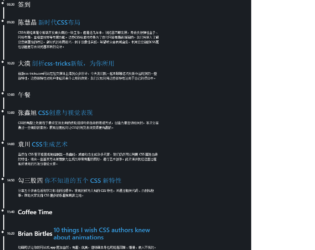
This is an example of a bootstrap timeline layout designed using HTML, CSS, and Bootstrap layout 4. External links are imported to the code with their URLs. The concept of Lists has been used with UL and LI components. UL element has been used with the child elements of LI to display the icons and timeline items in an orderly manner. The body of the form is given a style set of display as flex, justify-content as center, align-items as center, min-height as 100vh, and background color #1a1e23. The timeline is given a style set of display as grid to arrange the timeline in a grid layout, gap as 40px, max-width as 600px, font-size as 0.75rem, line-height as 1, font color as white, clip-path as inset(0 0 100% 0), animation as expand 5s forwards linear. The timeline list item is given a font color of #3498db, whereas the timeline line has a background color as white.
Source: https://codepen.io/alphardex/pen/bGdNxea
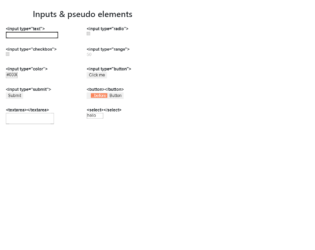
This is an example of a web form with input types and pseudo-elements, designed using HTML, CSS, and Bootstrap framework 4. The concept of Lists has been used with UL and LI components. UL element has been used with the child elements of LI to display the icons and elements in an orderly manner. There are eight types of inputs and elements displayed on the form, which are text¸ radio, checkbox, range, color, button, text area, and Select. The wrapper class is given the styles of max-width as 600px, margin as 2rem auto 1rem. The header of the form is given a text-align style as center. The list items are displayed in a grid, and the number of columns for the grid is defined as 2. The grid-gap is set as 1rem, with the font-style for the list items is set as 16px/1.4 Arial, sans-serif. An outline style of 1px solid #DDD is set for the list item box, with a padding value as .5rem.
Source: https://codepen.io/yoksel/pen/eYNmRNe
This is an example of a form with radio buttons with animations, designed using HTML, CSS, and Bootstrap framework 4. The type of buttons is defined as radio. The background image is imported to the code with its URL, whereas media queries have been used to increase the responsiveness of the form. The body of the form is given a style set of position as 50% 50%, color as #381803, display as flex, font as 1em Nunito, sans-serif, height as 100vh, and line-height as 1.5. The buttons are given the styles of max-width as 10em, padding as 1.5em 0, position as relative, and border-radius as 50% to get the circle shape. The button label is given the styles of cursor as pointer to get the hand cursor effect, display as flex, letter-spacing as 0.1em, width and height as 1.5em, box-shadow as 0 0 0.75em #000 inset and text-transform as uppercase to convert the text to uppercase. The color of the radio button ball is set as #2762f3. The radio ball is given a wobble effect as wobble# {$s} 0.5s linear forwards.
Source: https://codepen.io/jkantner/pen/oNXjjZM
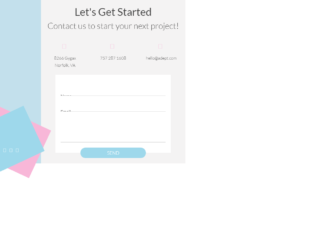
This is an example of a bootstrap contact form designed using HTML, CSS, and Bootstrap framework 4. The fonts and background images are imported to the form with their URLs. The concept of Lists has been used with UL and LI components. UL element has been used with the child elements of LI to display the icons in an orderly manner. The contact form container is given the styles of background as #F4F3F3, and font-family as 'Lato', sans-serif. The Contact-US label is given a background colors of #C3E0EC, #F8B7D8, and #9ED8EB. The label title is given a font-size as 1.5rem, font color as white, and transform as rotate(-90deg) to make the label vertical. The social media icons bar is given the height and width of 25px. The header title is given a font color of #444, whereas the input fields have the styles of height and line-height as 40px, border-bottom as 1px solid rgba(68,68,68,.3), font-size as 1rem, and color as rgba(68,68,68,.8). The button is given the styles of border-radius as 20px, bottom as -20px, background as #9ED8EB, color as white, font-size as 1.1rem, and font-weight as 300.
Source: https://codepen.io/rickyeckhardt/pen/rNVOrBL