This is an example of a web form accordion menu, designed using HTML, CSS, JavaScript, and Bootstrap framework 4. The JavaScript library JQuery has been used to implement the accordion expand functions. The concept of Lists has been used with UL and LI components. UL element has been used with the child elements of LI to display the child elements of the accordion in an orderly manner. The body of the form is given a style set of height as 100%, font-size as 20px, min-width as calc(300px + 1.5rem), line-height as 1.5, background-color as #333, font-family as "HelveticaNeue-Light", "Helvetica Neue Light", "Helvetica Neue", Helvetica, Arial, "Lucida Grande", sans-serif, and color as rgba(255, 255, 255, .5). The title of the form is given the styles of font-weight as 700, font-size as 1.6rem, and color as white. The accordion child elements are given an opacity of 100ms ease-in-out, which changes to .5, in a hover event. The plus mark is given a font size of .6rem, and a transform style of translateY(-50%), which changes its icons to minus when it is expanded. The accordion items are set to reveal a sub-menu when they are expanded.
Source: https://codepen.io/jamestalmond/pen/BpqrWo
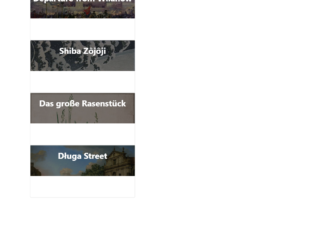
This is another example of an accordion with image cards, designed using CSS, HTML, and Bootstrap framework 4. The images are imported to the code with their URLs, whereas the concept of Lists has been used with UL and LI components. UL element has been used with the child elements of LI to display the child elements of the accordion in an orderly manner. Media queries are also used to increase the responsiveness of the form. The accordion is given four child elements with four different background images. The body of the form is given a background color as #444. The credits section is given the styles of color as #222, background-color as #f8dc3d, font-family as "Segoe UI", "Ubuntu", monospace,
font-weight as 500, padding as 2px 10px, and border-radius as 4px.The accordion child elements are given a width of 16.666%, and an opacity of 0.4, which changes to width as 50%, and opacity as 1, in a hover event.
Source: https://codepen.io/emoreno911/pen/dOveoY
This is another example of an accordion layout with 3D paper folding effect, designed using HTML, CSS, JavaScript, and Bootstrap framework 4. The images are imported to the code with their URLs, whereas JavaScript functions have been used to implement the paper folding effect. The body of the form is given the styles of background-color as #202B2E, display as flex, justify-content as center, align-items as center, height as 100vh, and font-family as 'IM Fell French Canon'. The background color of the Details section is set as White. A transform-style for the accordion is given as preserve-3d to help get the 3D effects. The cursor style for the image card is given as pointer to get the hand cursor effect. The image card displays the card title with a border-bottom style as 2px solid #D8303D, and changes the opacity to 1, in a hover effect. The card title is given a transition of all .4s ease-in-out, whereas the card details section is given the styles of color as white, font-style as italic, padding-top as 10px, font-weight as 400, and transition as all .5s ease-in-out .2s.
Source: https://codepen.io/paweltar/pen/EyVrmm
This is another example of a web form with an accordion feature, designed using CSS, HTML, and Bootstrap framework 4. The fonts and icons are imported to the code with their URLs. The concept of Lists has been used with UL and LI components. UL element has been used with the child elements of LI to display the child elements of the accordion in an orderly manner. The body of the form is given the styles of font-family as 'Lato', sans-serif, and background as #e74c3c, whereas the title of the form is given the styles of color as #fff, text-align as center, margin-top as 2em, font-weight as 200, and font-size as 80px. The wrapper section of the accordion is given a background color of #3D464E. The cursor style for the accordion child elements is set as pointer to get the hand cursor effect. The child elements are given the styles of border-right as 1px solid #3D464E, float as left, overflow as hidden to hide the details in normal state, height as 177px, width as 72px, transition as all 0.5s ease, and background as #fff. In a hover event, the items take a width of 350px to expand the details.
Source: https://codepen.io/larrygeams/pen/DyiBb
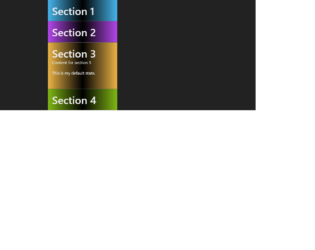
This is an example of a web form with an accordion feature, which gets activated on hover, designed using HTML, CSS, and Bootstrap framework 4. The body of the form is given a background color of #222. The accordion item is given a style set of font-family as "PT Sans" sans-serif, background-image as linear-gradient (90deg, #eee, #f5f5f5, #eee), border-bottom as 1px solid #666, padding as 1em, and color as #eee, whereas the accordion header title is given a margin as 0. The accordion is given 4 child elements and each of the element is given a background color of HSL(200, 80%, 60%), HSL(280, 60%, 45%), HSL(40, 80%, 40%), and HSL(80, 40%, 40%), respectively. The overflow of the child elements is defined as hidden to hide the details in normal state and the transition style is defined as height .25s, to expand the details in a hover event. The 3rd child element is given the style of height as 6em to expand the details by default.
Source: https://codepen.io/uniqname/pen/gKmpz
This is an example of a web form with an accordion feature, designed using HTML, CSS, React JavaScript, and Bootstrap framework 4. React JavaScript functions have been used to implement the accordion functions, whereas the fonts are imported to the code with its URL. The body of the form is given a style set of font-family as 'quicksand', font-weight as lighter, and a linear gradient background as rgba(92,129,202,1). The accordion is given the styles of box-shadow as 0px 13px 23px -13px rgba(0,0,0,0.5), width as 420px, background-color as transparent, margin as auto, and margin-top as 50px. The title has a style set of height and width as 30px, and 400px, background-color as rgba(0,0,0, .4), color as #ffddcc, text-transform as uppercase to automatically convert the text to uppercase, letter-spacing as 1px, line-height as 2, transition as all .2s ease-in, and cursor style as pointer to get the hand cursor effect in a hover event. In a hover event, the background color of the accordion turns to rgba(0,0,0, .5), whereas in the active mode, it turns to rgba(0, 0, 0, .55).
Source: https://codepen.io/matthewvincent/pen/EKKeyX