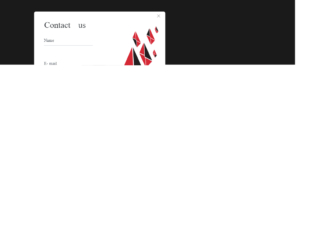
This is an example of a Contact Us form with a modal feature, designed using CSS, HTML, and Bootstrap framework 4. The font style and the background image is imported to the code with the URLs. The Contact Us form is created to be expanded by clicking on the modal button. The body of the form is given a background color of #eee, and a font-family style of 'Merriweather', serif. The text on the modal button is displayed with the styles of font-weight as 100, and font-size as 30p. The 'Send' button is given a background color of #000. The input text fields are given a border-bottom style of 1.5px solid #dae0e5, whereas the input text is displayed with the styles of opacity as 0.5, letter-spacing as 1px, and font-size as 90%. In a focus event, the text on input fields, change their styles to font color as #000, border-color as #fff, border-bottom as 1.5px solid #000, opacity as 1, and letter-spacing as 1px.
Source: https://bbbootstrap.com/snippets/bootstrap-contact-us-form-section-31203496
This is an example of another Contact Us form, designed using CSS, HTML, and Bootstrap framework 4. The font style is imported to the code with its URL. The body of the form is given the styles of background color as #027676, and font-family as Arial, Helvetica, sans-serif. The information card is given the styles of width as 550px, and box-shadow as 0 0 5px rgba(0, 0, 0, 0.1). The title of the form is displayed using a font-family style of Roboto Slab, a font color of #028282, and font-weight as bold. The input text field labels are displayed using a font-size of 9px. In a focus event, the input text fields take the styles of border-color as 1.5px solid #adb5bd, background as #ff000012, letter-spacing as 1px, and font color as #000. The 'Send Message' button is given a font-size as 12px. It turns its background color to #027676, in a hover event and #018080, in a focus event.
https://bbbootstrap.com/snippets/bootstrap-contact-us-query-form-22216183
This is an example of another simple Contact Us form, designed using HTML, CSS, and Bootstrap framework 4. The body of the form is given the styles of display as grid to display the content in a grid layout, place-items as center to centralize the content and background color as #00d2ff. The form card is given a background color as #fff, and a word-wrap style as break-word to allow long words to be able to break and wrap onto the next line. The input text fields are given a border-color as transparent transparent #00d2ff transparent. In a focus event, the border-color of the text fields turns to transparent transparent blue transparent with a box-shadow value of 0 0 0 0rem rgba(0, 123, 255, .25). The fields are also given an underline color of #64e4fe. The cursor style for the 'Send' button is set as pointer to get the hand cursor effect. It is also given the styles of background-color as #00d2ff, font color as white, and text-transform as uppercase to automatically convert the text to uppercase. In a hover event, it takes a box-shadow effect of 0 10px 15px rgba(0, 0, 0, .1).
Source: https://bbbootstrap.com/snippets/bootstrap-simple-contact-us-form-60067759
This is an example of a simple contact us form, designed using CSS, HTML, and Bootstrap framework 4. The background of the form is given a color of #f7f7f7. The input text fields are given the styles of font-size as 13px, border-bottom as 1px solid #d3d3d3, background as transparent and font-family as 'Roboto. The text fields are given a clip style as rect(0, 0, 0, 0) to create a rectangular window that shows a part of the content within. The 'Send Message' button is created as a primary type button. The button is given a style set of margin as 30px auto, display as block, padding as 11px 32px, background color as #4285f4, and border color as 1px solid #4285f4. It is also given a transition style of all 0.3s ease 0s. In focus and hover events, the button changes its font color to #4285f4 and takes a border value of 1px solid #4285f4.
Source: https://bbbootstrap.com/snippets/contact-us-form-42085788
This is an example of a contact us form with a date picker and text area, designed using HTML, CSS, JavaScript, and Bootstrap framework 4. The font style is imported to the form using its URL. The background of the form is set to red, with the display style given as grid to display the information in a grid layout and the font style is set as Manrope', sans-serif. The form card has the styles of word-wrap as break-word to allow breaking and wrapping long words onto the next line, and the background-color as #fff. The 'Send Message' button as a success type button and given a background color of #ff5300, and a font color of #fff, which turns into the background color of #ff0000, in a hover event. The JavaScript methods have been used to develop the functionality of the date picker. The input text fields take a border color of #ff5300, and a box shadow of 0 0 0 1px RGB(255, 255, 255), in a focus event.
Source:https://bbbootstrap.com/snippets/bootstrap-contact-us-form-datepicker-and-text-area-87033260
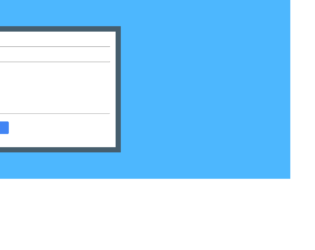
This is an example of a simple contact us form, designed using HTML, CSS, and Bootstrap framework 4. The background color of the form is set as #4DB7FE. The background-size is set as cover for the background image to resize and cover the whole container. The form card is given a border of rgba(68, 68, 65, 0.77), whereas the background color of the card is set to white, with a padding of 20px. The button is created as a primary type button. The styles for the input text fields are set as border-bottom as 1px solid #61615e, background as transparent, and transition as all 0.3s ease 0s. The 'Send Message' button has the styles of display as block, padding as 11px 32px, transition as all 0.3s ease 0s, and margin as 30px 0px. It is also given the styles of background-color as #4285f4, color as #fff, and border as 1px solid #4285f4.
Source: https://bbbootstrap.com/snippets/contact-us-responsive-form-91369694