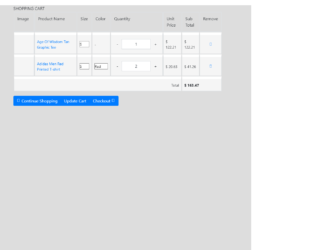
This is an example of a shopping cart table, designed using HTML, CSS, and Bootstrap framework 4. The product images and font styles are imported to the code with their URLs. The form consists of product images, a table that displays the product name and details, price details, drop-down lists, and buttons. The form is split into two sections; the bestseller section and the shopping cart section, and given the styles accordingly. The body of the form is given a background color of #ddd. The table data is displayed with the styles of font-family as FontAwesome, font-style as normal, font-weight as normal, text-decoration as inherit, margin-left as 5px, and font-size as 0.75em. The table headers are displayed using a font color of #344644. The table raws are given a border-bottom value of 2px solid #C2C2C2. The 'Continue Shipping', 'Update Cart', and 'Checkout' buttons are created as primary type buttons.
Source: https://www.bootdey.com/snippets/view/shopping-cart-table#css
This is an example of another user profile layout, designed using HTML, CSS, and Bootstrap framework 4. The images and Bootstrap styles are imported to the code with their URLs. The body of the form is given a background color of #eee, whereas the cover section is given a linear gradient background color mixed with #00b5ec. The profile pic is given height and a width of 120px. The profile name is displayed with the styles of font-weight as 500, and font color as #fff. The 'Edit Profile' tab is created as success type buttons. The toggle tabs of the menu bar are displayed using a font size of 12px, font-weight of 700, and font color of #929ba1, which gets changed to #242a30, in the active mode. Two table rows of the form are given border-top and bottom styles as 1px solid #b9c3ca. The form also consists of drop-down lists. The 'Update' button is created as a primary type button.
Source: https://www.bootdey.com/snippets/view/bs4-profile-about#css
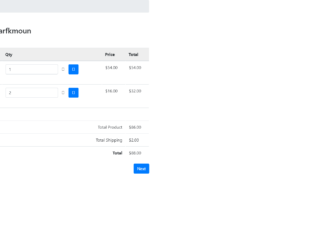
This is an example of a user shopping cart layout, designed using CSS, HTML, and Bootstrap framework 4. The font style and images are imported to the code with their URLs. The background color of the table is set as #eee. The form is given two bread crumb tabs as 'Home', and 'Cart'. The panel heading of the form is given a box-shadow style of rgba(0, 0, 0, 0.3) 7px 7px 7px. Each available product line item in the cart is given the ability to be edited and removed from the cart. The 'Edit' button is created as a default types button whereas the 'Remove' button is created as a primary type button. The 'Continue Shopping' and 'Next' buttons are created as success and primary type buttons, respectively. The amount labels are given a text-right value to make them aligned to the right side of the form.
Source: https://www.bootdey.com/snippets/view/shopping-cart#css
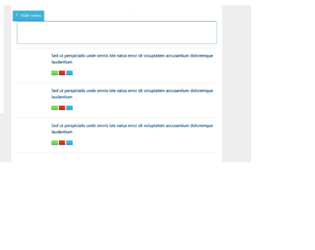
This is another example of a user timeline layout with a hide option, designed using HTML, CSS, JavaScript, and Bootstrap framework 4. The images, icons, and font styles are imported to the code with URLs. JavaScript methods have been used to implement the functionality of the 'Hide' icon and the tooltips. The concept of Lists has been used with UL and LI components. UL element has been used with the child elements of LI to display the child elements of the sidebar, in an orderly manner. The body of the form is given a background color as #eee. The user profile pic has a border-radius value of 50% to get the circle shape and a width and a height of 50%. The user title name is displayed with the styles of font color as #5a7391, font-size as 16px, and font-weight as 600. The 'Follow' button is given a text-transform style as uppercase to automatically convert the text to uppercase. The View, Delete, and a Share button is given different background colors as #80d752, #39b3d7, and #d73814, and given a tooltip feature to be activated on hover.
Source: https://www.bootdey.com/snippets/view/User-wall-with-sidebar-show-hide#js
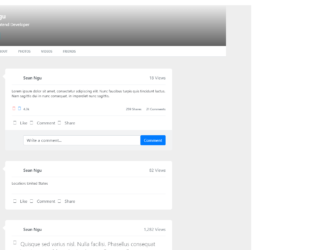
This is an example of a user timeline layout, designed using CSS, HTML, and Bootstrap framework 4. The images and Font styles are imported to the code with their URLs. The profile header is imported to the code as an image with its URL. The user name is displayed with a font color of #fff, and font size of 7zpx. The 'Edit Profile' button is created as an info type button. The toggle tabs of the menu bar are displayed using a font size of 12px, font-weight of 700, and font color of #929ba1, which gets changed to #242a30, in the active mode. %. The concept of Lists has been used with UL and LI components. UL element has been used with the child elements of LI to display the child elements of the toggle buttons, in an orderly manner. The timeline bar is displayed with a font color of #2d353c, whereas the date in the timeline bar is displayed with a font size of 20px.
Source: https://www.bootdey.com/snippets/view/bs4-profile-with-timeline-posts#css
This is an example of an 'About Me' profile layout, designed using CSS, HTML, and Bootstrap framework 4. The images and Bootstrap styles are imported to the code with their URLs. Media quarries have been used to increase the responsiveness of the form. The form consist of a user information section, skills section, about me and settings forms, and project experience table. The body of the table is given the styles of font color as #6c757d, and background-color as #f5f6f8. The card box is given a background color of #fff, and a border style of 1px solid #e7eaed. The 'Follow' and 'Message' buttons are created as success and danger type buttons. The About me header is displayed with a font size of 13 and a text-transform style as uppercase to automatically convert the text to uppercase. The 'About Me' and 'Settings' toggle buttons are given a background color of #1abc9c.
Source: https://www.bootdey.com/snippets/download/about-me-profile