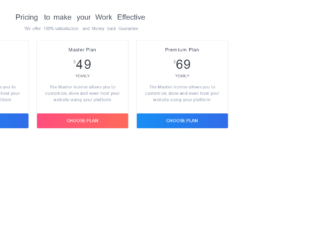
This is an example of a bootstrap card view with pricing cards, designed using HTML, and CSS. Bootstrap fonts and styles are imported to the form with their URLs. The web form is given the styles of font-family as "Montserrat", sans-serif, background color of #8d97ad, and font-weight as 300. The h1 to h6 sections are given a color of #3e4555, whereas the subtitle is given the styles of color as #8d97ad, and line-height as 24px. The card title has the styles of line-height as 22px and font-size as 18px. The font-size of the price is set as 3rem, and the plan type is set as 14px. Two choose plan buttons are given the color #188ef4 and also the linear gradient color of that, for the browsers that support linear gradient colors. In a hover event, the color of the button switch between #188ef4 and #316ce8. The other button is given a gradient color based on #ff4d7e, which switches between #ff4d7e and #ff6a5b, in a hover event.
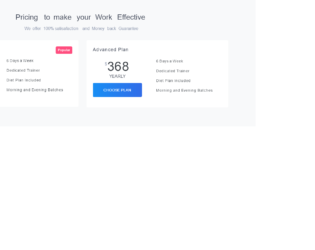
This is an example of a bootstrap pricing plan widget with toggle buttons, designed using HTML, JavaScript, and CSS. JavaScript functions have been used to implement the toggle feature. The concept of Lists has been used with UL and LI components. UL element has been used with the child elements of LI to display the details in an orderly manner. The web form is given the styles of font-family as "Montserrat", sans-serif, background color of #8d97ad, and font-weight as 300. The h1 to h6 sections are given a color of #3e4555 and a font-weight of 500. The titles inside the cards are given the styles of line-height as 22px, and font-size as 18px. The background color of the form is set to #f4f8fa and the styles for the subtitle is set to color: #8d97ad, and line-height: 24px. The buy basic buttons are given the color #2cdd9b and also the linear gradient color of that, for the browsers that support linear gradient colors. In a hover event, the color of the button switch between #2cdd9b and #1dc8cc.
This is an example of a bootstrap card view with pricing cards, designed using HTML, and CSS. The concept of Lists has been used with UL and LI components. UL element has been used with the child elements of LI to display the details in an orderly manner. The web form is given the styles of font-family as "Montserrat", sans-serif, background color of #8d97ad, and font-weight as 300. The h1 to h6 sections are given a color of #3e4555 and a font-weight of 500. The background color of the form is set to #f4f8fa, whereas the plan type has the styles of line-height as 22px, and font-size as18px and the subtitle has the styles of color as #8d97ad and line-height as 24px. The font-size for the price box is set to 16px. The choose plan button is given the color #188ef4 and also the linear gradient color of that, for the browsers that support linear gradient colors. In a hover event, the color of the button switch between #188ef4 and #316ce8.
This is another example of a bootstrap navigation bar with submenu dropdowns, designed using CSS, HTML, and JavaScript. JavaScript functions have been used to implement the dropdown menu function. The concept of Lists has been used with UL and LI components. UL element has been used with the child elements of LI to display the details in an orderly manner. The web form is given the styles of font-family as "Montserrat", sans-serif, background color of #8d97ad, and font-weight as 300. The h1 to h6 sections are given a color of #3e4555. The styles for the drop-down menu is set as padding as 8px 1rem, and color as #8d97ad, whereas the styles for the navigation bar is set to padding as 12px 0px, color as #8d97ad, font-weight as 400, and changes its color to #2cdd9b, in a hover event. The font size for the menu is set as 12px. The hire me button is also given the styles of color: #2cdd9b, background-color: transparent, and border-color: #2cdd9b.
This is a template of a bootstrap navigation bar with submenu dropdowns, designed using CSS, HTML, and JavaScript. JavaScript functions have been used to implement the dropdown menu function. The concept of Lists has been used with UL and LI components. UL element has been used with the child elements of LI to display the details in an orderly manner. The web form is given the styles of font-family as "Montserrat", sans-serif, background color of #8d97ad, and font-weight as 300. The h1 to h6 sections are given a color of #3e4555. The navigation bar is given the background color #188ef4 and also the linear gradient color of that, for the browsers that support linear gradient colors. The font color of the drop-down list is set as #8d97ad, whereas the styles for the navigation bar is set to padding as 12px 0px, color as #ffffff, and font-weight as 400, which changes its color to #263238, in a hover event. The signup button has the styles of color: #fff, background-color: #343a40, border-color: #343a40, and changes its styles to color: #fff, background-color: #23272b, border-color: #1d2124, in a hover event.
This is another example of a bootstrap card view, designed using HTML, CSS, and bootstrap framework 4. Fonts and images are imported to the code with their URLs. The concept of Lists has been used with the LI component to display the details in an orderly manner. The profile pic is set as img-fluid rounded-circle in HTML. The web form is given the styles of font-family as "Montserrat", sans-serif, background color of #8d97ad, and font-weight as 300. The h1 to h6 sections are given a color of #3e4555 and a font-weight of 500, the subtitle is given the styles of color as #8d97ad, line-height as 24px, and font-size as 13px. The name of the person is given a line-height of 22px, and a font-size of 18px. The list of social media icons is given the styles of color: #8d97ad, and padding-right: 15px, which takes a transformation of translate3d (0px, -5px, 0px), with a transition of 0.1s ease-in and change its color to #316ce8, in a hover event.