This is an example of a simple bootstrap admin panel, designed using HTML, CSS, JavaScript, and bootstrap framework 4. The icons are imported to the form with their URLs. Media queries have been used to increase the responsiveness of the form. The concept of Lists has been used with UL and LI components. UL element has been used with the child elements of LI to display the details in an orderly manner. JavaScript functions have been used to implement the dashboard chart. The form is developed using grid layout and the length for the rows and columns are set as 1fr. The body of the form is given the styles of font-family as Inter, Arial, sans-serif, and background as #eff4f7. The header is given a background color of #202020. The sidebar is given a style set of background as #0d28f2, font-size as 15px, padding as 20px 0, font color as #fff, and opacity as 0.5, which changes to 1, in a hover event.
Source: https://codepen.io/botmirp/pen/MWYoOZW
This is an example of a responsive bootstrap admin panel with hover effects, designed using HTML, CSS, and bootstrap framework 4. The icons, images, and fonts are imported to the code with their URLs. The concept of Lists has been used with UL and LI components. UL element has been used with the child elements of LI to display the details in an orderly manner. Media queries have been used to increase the responsiveness of the form. The font family for the form is set as 'Muli', sans-serif. The sidebar is given a style set of padding as 20px, margin-bottom as 6px, color as #606060, font-weight as 600, border-left as solid 4px rgba(0,0,0,0.1), margin-left as 4px, cursor as pointer to get the hand cursor effect, and a transition of all 0.3s. In a hover event, the sidebar takes the color of #fcc728. The drop-down items take a transform effect of rotate (90deg), in a hover event. The section titles has the styles of font-weight as 400, font-size as 1.3em, and text-decoration as underline, whereas the section tables are given a background color of #fcc728, and filter as drop-shadow(0px 6px 0px #e2b324).
Source: https://codepen.io/rafael-medeiros-the-sasster/pen/abzLvrv
This is an example of a bootstrap admin panel interface with hover effects, designed using HTML, CSS, JavaScript, and bootstrap framework 4. The icons and fonts are imported to the code with their URLs. The concept of Lists has been used with UL and LI components. UL element has been used with the child elements of LI to display the details in an orderly manner. Tooltip feature on the sidebar has been implemented using JavaScript functions. The colors of the form are predefined as $main-color: #102c58. $text-color: #ababab, $light-blue: #5f9cfd, $red: #f91605, $navy: #051835, $bg-color-light: #f3f3f3, $bg-color-dark: $navy, $orange: #f5642d, $light-grey: #d0d0d0,and $header-color: #ffffff. The body of the form is given a style set of font-family as "Open Sans", font-size as 14px, font-weight as 400, background-color as $bg-color-light, and font color as $main-color. The tooltip is given a background color as #051835, font-size as 12px, and border-radius as 3px. The sidebar items are given the color of #102c58, which changes to #f5642d, in a hover event.
Source: https://codepen.io/Arsalanrazzaq/pen/wvBPVjx
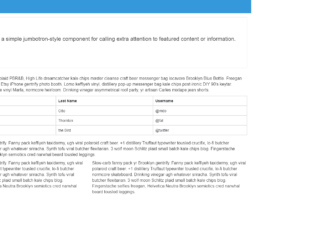
This is an example of a bootstrap admin panel interface with hover effects, designed using HTML, CSS, JavaScript, and bootstrap framework 4. The icons and fonts are imported to the code with their URLs whereas JavaScript functions have been used to implement the hover effects on the sidebar. The body of the form is given a style set of background as #f5f5f5, and font-family as 'Lato', sans-serif. The sidebar icon names are given a font-size of 16px, whereas the content is given the styles of font-size as 16px, and line-height as 1.428571429, and a transition style as all .2s ease-in-out. The header section of the form has the styles of background as #3498DB, width as 100%, height as 50px, line-height as 50px, color as #fff, and the logo is given a font style of uppercase to automatically convert the text to uppercase. The Learn More button is given a background color of #428bca. The sidebar list takes an animation of swing, in a hover event.
Source: https://codepen.io/farhansiddiqui/pen/OJPvmgZ
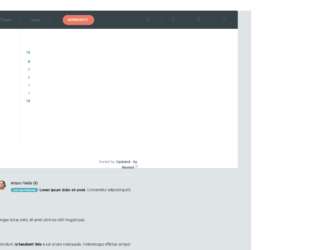
This is an example of a bootstrap support admin panel interface with hover effects, designed using HTML, CSS, and bootstrap framework 4. The icons, images, and fonts are imported to the code with their URLs. The logo is given the styles of background color as #45a7b9, font color as #fff, and font-size as 14px. The top menu is given a background color as #374249. The top menu items are given a font-size of 14px, and background color of #727b7f, that changes to #fff, in a hover event. The New Ticket icon is given the styles of font-size as 12px, border-radius as 50px to get the round shape, margin-left as 50px, padding as 10px 20px, text-transform style as uppercase to automatically convert the text to uppercase and a background color as #ec7b65, which changes to #f7826c in a hover event. The column heading has the styles of color as #aab4b5, font-size as 12px, font-weight as 700, and letter-spacing as 2px. The vertical menu items are given a font color as #aab3b5, which changes to #727c80 in a hover event. The message options links are also given a border of solid 2px #dfe4e6, which changes to solid 2px #32b287, in a hover event.
Source: https://codepen.io/s8990/pen/MWYXQqZ
This is an example of a bootstrap admin panel interface with hover effects, designed using HTML, CSS, JavaScript, and bootstrap framework 4. The icons and fonts are imported to the code with their URLs. The concept of Lists has been used with UL and LI components. UL element has been used with the child elements of LI to display the details in an orderly manner. JavaScript functions have been used to implement the toggle function and hover effects on the sidebar. The form is given a background color of #f5f5f5. The font-size of the sidebar items is set as 16px, whereas the content section has the styles of font-size as 16px, and line-height as 1.428571429. The header section of the form has the styles of background as #3498DB, width as 100%, height as 50px, line-height as 50px, color as #fff, and the logo is given a font style of uppercase to automatically convert the text to uppercase. The sidebar list takes an animation of swing, in a hover event.
Source: https://codepen.io/esteghamat/pen/abzaQKO