This is an example of a bootstrap admin panel with hover effects, designed using HTML, CSS, JavaScript, and bootstrap framework 4. The icons, images, and fonts are imported to the form with their URLs. The concept of Lists has been used with UL and LI components. UL element has been used with the child elements of LI to display the details in an orderly manner. Media queries have been used to increase the responsiveness of the form. JavaScript functions have been used to implement the sidebar effects. The body of the form is given a font-family of 'Ubuntu', sans-serif, and transition of all 0.2s ease-out. The header section is given a background color of #444, whereas the header title has the styles of color as #FFF, font-size as 20px, and line-height asn40px. The sidebar is given a background color as #F80, font-size as 18px, height as 50px, line-height as 50px, padding-right as 20px, width as 100%, color as #FFF, and transition as all 0.2s ease-out, which changes the background color to lighten(#F80, 15%).
Source: https://codepen.io/saipulmuiz/pen/oNvMZPv
This is an example of a Wordpress admin frame, designed using HTML, CSS, and bootstrap framework 4. The icons and fonts are imported to the form with their URLs. The concept of Lists has been used with UL and LI components. UL element has been used with the child elements of LI to display the details in an orderly manner. Media queries have been used to increase the responsiveness of the form. The body of the form is given a style set of background as #f1f1f1, color as #444, font-family as -apple-system,BlinkMacSystemFont,"Segoe UI",Roboto,Oxygen-Sans,Ubuntu,Cantarell,"Helvetica Neue",sans-serif, font-size as 13px, line-height as 1.4em, and min-width as 600px. The admin bar is given the styles of font-size as 13px, font-weight as 400, and line-height as 32px. The sidebar items are given a background color of #32373c, and font color of #b4b9be, which changes to #00b9eb, in a hover event. The cursor style for the sidebar is set as pointer to get the hand cursor effect, in a hover event.
Source: https://codepen.io/pirtpalmatharu/pen/KKKmEJB
This is an example of a bootstrap responsive admin screen with hover effects, designed using HTML, CSS, JavaScript, and bootstrap framework 4. The icons, images, and fonts are imported to the form with their URLs. The concept of Lists has been used with UL and LI components. UL element has been used with the child elements of LI to display the details in an orderly manner. Media queries have been used to increase the responsiveness of the form. JavaScript functions have been used to implement the search bar and sidebar effects. The body of the form is given a background color of #d9e4ee, and a font-family style as Helvetica Neue, Helvetica, Arial, Verdana, sans-serif. The header logo is given a transform effect of rotate(180deg) to work on a hover event. The sidebar header is given a background color as #0f92d1, whereas the menu items are given the color #35495d. The menu section takes the color #ef8700, in a hover event, whereas the sidebar items are given a font color of #98cde6, text-transform style as uppercase to automatically convert the text to uppercase. The items change the font color to white, in a hover event.
Source: https://codepen.io/nadiaschutz/pen/bGGoOjY
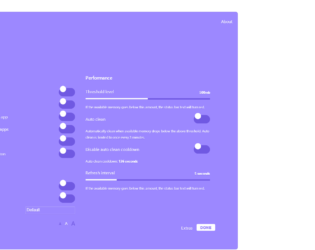
This is an example of a bootstrap settings panel with toggle feature, designed using HTML, CSS, JavaScript, and bootstrap framework 4. The icons and fonts are imported to the form with their URLs. Media queries have been used to increase the responsiveness of the form. JavaScript functions have been used to implement the toggle, radio item, and slider features. All the colors are predefined as variables. The body of the form is given a style set of font-size as 1.6rem, font-family as 'Heebo', system-UI, and text-shadow as 0px 1px 1px dark (#9c88ff). The container card is given a background color of #9c88ff, max-width of 1200px, border-radius as .8rem, and margin-bottom as 2rem. The toolbar dots are given the background colors of #EA6759, #FFCC00, and #2DCC72, and a border radius of 50%, which take a transform effect of scale(1.1), and a box-shadow effect of inset 0px 0px 3px rgba(white, .1), in a hover event. The toggle buttons are given a width of 62px, height of 32px, margin of 4px, background as dark (#9c88ff), border-radius as 999px, cursor as pointer to get the hand cursor effect, and a transform of translate (-50%), which take the background color white when they’re active.
Source: https://codepen.io/makhtar/pen/zYYQOVm
This is an example of a bootstrap admin dashboard user interface with charts, designed using HTML, CSS, JavaScript, and bootstrap framework 4. The icons, images, and fonts are imported to the form with their URLs. The concept of Lists has been used with UL and LI components. UL element has been used with the child elements of LI to display the details in an orderly manner. Media queries have been used to increase the responsiveness of the form. All the colors are predefined as variables. JavaScript functions have been used to show display date, time and implement the charts. The font-family style for the form is set as Roboto, Arial, Helvetica, sans-serif, with the background color set as #fff. The page container is given a transition value of all 500ms ease. The background color of the sidebar is set as #202020. The hover items take a font color of #00BCD4, in a hover event. A cursor style for charts and sidebar items are set as pointer to get the hand cursor effect.
Source: https://codepen.io/chun2670/pen/zYxrZEZ
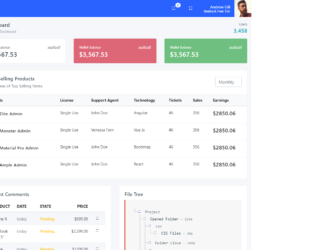
This is an example of a bootstrap dashboard interface with hover effects, designed using HTML, CSS, JavaScript, and bootstrap framework 4. The icons, images, and fonts are imported to the form with their URLs. An external CSS file has been imported for CSS styling. The concept of Lists has been used with UL and LI components. UL element has been used with the child elements of LI to display the details in an orderly manner. The tooltip feature has been enabled using JavaScript functions. The product images are given a width of 50px. The content of the form is inserted into a column layout. The tooltip feature is enabled for the comment table on the pencil icon to display a message in a hover event. A text-style for the Comments table is set as uppercase to automatically convert the text to uppercase. Hover effects have been implemented on buttons and cards.
Source: https://codepen.io/sebas-galeano/pen/yLyXjpa