This is an example of a bootstrap admin dashboard user interface with charts, designed using HTML, CSS, JavaScript, and bootstrap framework 4. The icons, images, and fonts are imported to the form with their URLs. The concept of Lists has been used with UL and LI components. UL element has been used with the child elements of LI to display the details in an orderly manner. JavaScript functions have been used to implement dropdown effects and graphs. The sidebar is given a background color of #27272B, whereas the sidebar items are given the styles of color as #666, font-size as 30px, transition as all 100ms, and an animation-delay as 500ms. In a hover event, the menu items take the color of white, and cursor style as pointer to get the hand cursor effect. An active menu item has the styles of color as white, background-color as #29BBF1, font-size as 50px, and opacity as 1. The notification circle is given a background-color as #E54E36, and a border-radius of 100%.
Source: https://codepen.io/nemra1/pen/bGNjzMR
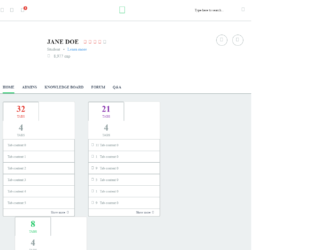
This is an example of a bootstrap admin dashboard user interface with charts, designed using HTML, CSS, JavaScript, and bootstrap framework 4. The icons, images, and fonts are imported to the form with their URLs. The concept of Lists has been used with UL and LI components. UL element has been used with the child elements of LI to display the details in an orderly manner. JavaScript functions Navigation (), Tabs (), Collapse (), Graphs (), LineChart () have been used to implement the charts, graphs, and hover effects. The colors are predefined as @primary: #2DCC70, @body: #2B3A4F, @grey: #92A1A2, @grey-light: #ECF0F1, @blue: #59A4E8, @orange: #E54239, @purple: #8F40B3, @night-blue: #34495E, and @night-blue-dark: #233342. The header section is given the styles of background-color as @primary, height as 80px, and padding as 0 15px. The border-radius for the profile image is set as 50% to get the circle shape. The sidebar items have the styles of color as @grey, font-size as 20px, margin-right as 20px, and change the background-color to @night-blue-dark, and the font color to white, in a hover event.
Source: https://codepen.io/Zerka1982/pen/oNgQWPQ
This is an example of a bootstrap dashboard with neat value indicators, designed using HTML, CSS, and bootstrap framework 4. The icons, images, and fonts are imported to the code with their URLs. The card titles are given an animation-delay of 0.4s, 0.5s, 0.6s, and opacity values of 0.25, 0.5, and 0.5, respectively. The card titles are given a letterspacing of 0.1em, and a text transform style as uppercase to automatically convert the text to uppercase. The Weekly Users number is given a font style of monospace, and a font-size of 2.25rem. Two animated indicator dots from the styles danger and warning animated infinite flash slower, have been added to indicate the health status. Links to redirect to the necessary pages have also been added to the feedback section and top referrals section. The smiley icon in the feedback section has the styles of position as absolute, top as -0.2em, and right as -0.2em.
Source: https://codepen.io/tscherr/pen/OJPdmPZ
This is an example of a bootstrap project management user interface with charts, designed using HTML, CSS, JavaScript, and bootstrap framework 4. The icons, images, and fonts are imported to the form with their URLs. The concept of Lists has been used with UL and LI components. UL element has been used with the child elements of LI to display the details in an orderly manner. JavaScript functions Selectize(), and Charts() have been used to implement the search and charts features. The colors are predefined as $bg: #1b2431, $light-text: #738297, $dark-text: #273142, and $light-bg: #313D4F. The body of the form is given a style set of background-color as $bg, font color as #202020, font-family as "Montserrat", "Helvetica", "Open Sans", "Arial", and font-size as 13px. The sidebar is given the styles of border-left as 5px solid transparent, color as $light-text, and padding as .5rem .75rem, which changes its color to white, in a hover event. The projects table is given a background color of #273142, which changes to lighten($dark-text, 5%), in a hover event.
Source: https://codepen.io/pagan/pen/bGNZdrQ
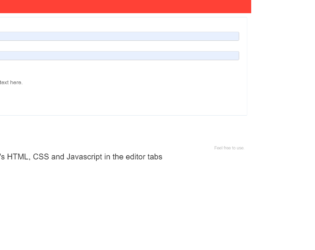
This is an example of a bootstrap admin panel interface with hover effects, designed using HTML, CSS, JavaScript, and bootstrap framework 4. The icons are imported to the form with their URLs. JavaScript functions have been used to implement the toggle feature on the sidebar. The concept of Lists has been used with UL and LI components. UL element has been used with the child elements of LI to display the details in an orderly manner. The body of the form is given the styles of background as #f5f5f5, and font-family as 'Lato', sans-serif. The sidebar items are given a font-size of 16px. The header section is given a style set of background as #FF4136, width as 100%, height as 50px, line-height as 50px, and color as #fff. The logo is given a text-transform style as uppercase to automatically convert the text to uppercase. The sidebar is given a transition style as all .2s ease-in-out. The sidebar items take a background-color of #eee, and an opacity value of .9, in a hover event.
Source: https://codepen.io/kusnahle/pen/QWWYzQE
This is an example of a mini admin panel with hover effects, designed using HTML, CSS, and bootstrap framework 4. The icons, and fonts are imported to the code with their URLs. The concept of Lists has been used with UL and LI components. UL element has been used with the child elements of LI to display the details in an orderly manner. The body of the form is given a style set of background-color as rgb(220,220,220), font-size as 16px, and font-family as sans-serif. The logo has the styles of height as 145px, and border-bottom as 1px solid rgb(235,235,235). The sidebar items are given a style set of color as rgb(140,140,140), font as 16px/40px helvetica,verdana,sans-serif, box-sizing as border-box, border-bottom as 1px solid rgb(235,235,235), box-shadow as inset 0 1px 0 rgb(255,255,255), text-indent as 20px, and text-transform as capitalize to make the first letter of the each word uppercase. In a hover event, the items take the effects of background-color as rgb(255,255,255), and box-shadow as 1px 0 0 rgb(255,255,255),inset 5px 0 0 -1px rgb(234,83,63).
Source: https://codepen.io/francgio/pen/oNgvaEw