WordPress Code Recipes for Modern Themes
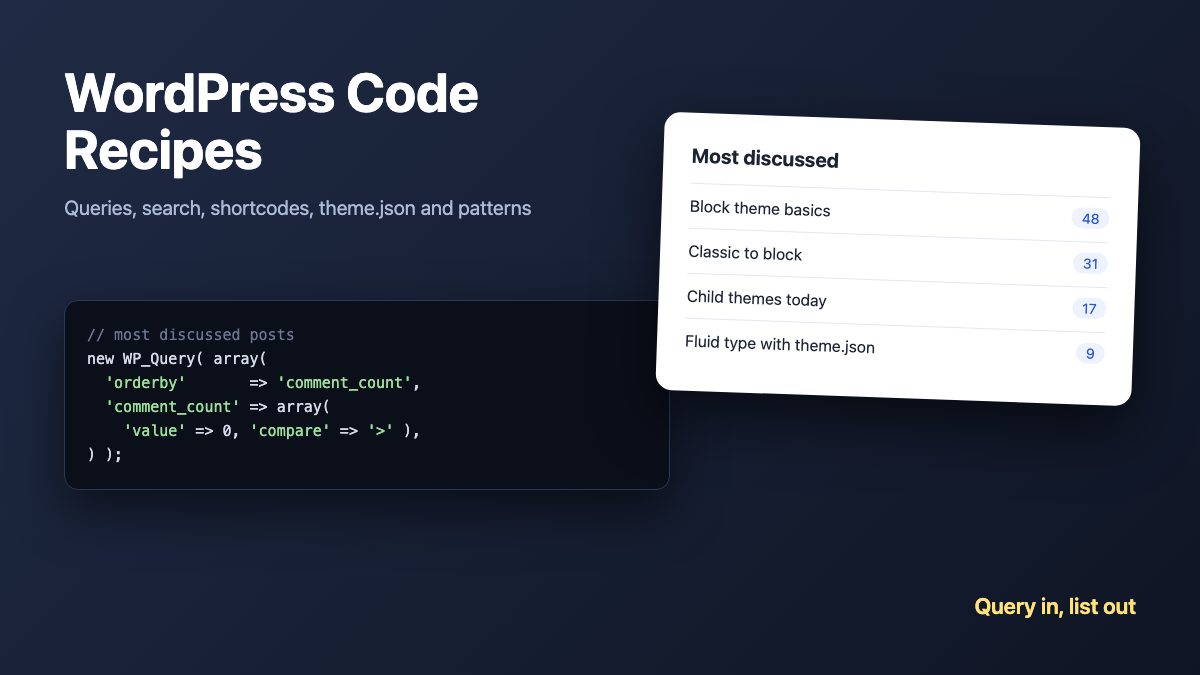
These are the WordPress code recipes a designer actually reuses: query posts by date, custom field or popularity, show related posts, improve search, add shortcodes, and tweak feeds. Every snippet here uses today’s WordPress APIs, so it works in classic themes, and the last sections cover block themes with theme.json, block styles and patterns.
The original 2009 version of this list leaned on query_posts(), raw SQL and scraping Twitter and FeedBurner. All of that is gone or unsafe now. The pattern that replaced it is simple: ask WordPress for the posts you want with WP_Query arguments, change the main query with pre_get_posts, and change output with filters.
Before you paste anything
Three ground rules apply to every recipe below.
- Put code in a plugin or child theme. Code in a parent theme’s
functions.phpdisappears on update. A small site plugin, or a child theme, keeps it safe. If you are new to theme structure, start with the custom WordPress theme tutorial. - Never use
query_posts(). It replaces the main query and breaks pagination. Usepre_get_poststo change the main query, or a newWP_Queryfor a secondary list, and callwp_reset_postdata()afterwards. - Escape output. Wrap printed values in
esc_html(),esc_url()andesc_attr(). The old recipes echoed raw values.
Block themes have no single.php or search.php to paste into. They use HTML templates and the Query Loop block, but PHP still runs through functions.php or a plugin. Where a recipe has a block-theme route, it is noted.
Query recipes
Each of these builds a secondary list with WP_Query. The WP_Query reference lists every argument.
Posts published between two dates
The old posts_where filter with hand-written SQL is replaced by the date_query argument.
$query = new WP_Query( array(
	'posts_per_page' => 10,
	'date_query'     => array(
		array(
			'after'     => '2027-05-01',
			'before'    => '2027-05-15',
			'inclusive' => true,
		),
	),
) );
Posts with a specific custom field value
Use meta_query. It supports comparisons, numeric types and multiple conditions.
$query = new WP_Query( array(
	'meta_query' => array(
		array(
			'key'     => 'review_type',
			'value'   => 'movie',
			'compare' => '=',
		),
	),
) );
Latest sticky posts
The undocumented caller_get_posts argument is long gone. Today it is ignore_sticky_posts, and post__in takes the sticky IDs.
$sticky = get_option( 'sticky_posts' );

if ( $sticky ) {
	rsort( $sticky ); // newest IDs first
	$query = new WP_Query( array(
		'post__in'            => array_slice( $sticky, 0, 5 ),
		'ignore_sticky_posts' => true,
	) );
}
Most commented posts, all time or one year
No SQL needed. Order by comment_count, and use the comment_count query argument (added in WordPress 4.9) to leave out posts with no comments, so the database does the filtering and you always get the full five. Add a date_query for a single year, or remove it for all time.
$popular = new WP_Query( array(
	'posts_per_page'      => 5,
	'orderby'             => 'comment_count',
	'order'               => 'DESC',
	'ignore_sticky_posts' => true,
	'comment_count'       => array( 'value' => 0, 'compare' => '>' ),
	'date_query'          => array( array( 'year' => (int) wp_date( 'Y' ) ) ), // remove for all time
) );

if ( $popular->have_posts() ) {
	echo '<ul>';
	while ( $popular->have_posts() ) {
		$popular->the_post();
		printf(
			'<li><a href="%s">%s</a> (%d)</li>',
			esc_url( get_permalink() ),
			esc_html( get_the_title() ),
			get_comments_number()
		);
	}
	echo '</ul>';
	wp_reset_postdata();
}
Early in January the current year may have few commented posts, so the list can be shorter than five. That is correct, not a bug; drop the date_query if you want a list that never runs short.
Related posts by tag
Exclude the current post, match on its tags, and ignore stickies. Use all of the post’s tags rather than only the first, which is what the old recipe did.
$tag_ids = wp_get_post_tags( get_the_ID(), array( 'fields' => 'ids' ) );

if ( $tag_ids ) {
	$related = new WP_Query( array(
		'tag__in'             => $tag_ids,
		'post__not_in'        => array( get_the_ID() ),
		'posts_per_page'      => 5,
		'ignore_sticky_posts' => true,
	) );

	if ( $related->have_posts() ) {
		echo '<h2>Related posts</h2><ul>';
		while ( $related->have_posts() ) {
			$related->the_post();
			printf( '<li><a href="%s">%s</a></li>', esc_url( get_permalink() ), esc_html( get_the_title() ) );
		}
		echo '</ul>';
		wp_reset_postdata();
	}
}
Scheduled (future) posts
Ask for post_status future, ordered soonest first. Handy for an events list.
$upcoming = new WP_Query( array(
	'post_status'    => 'future',
	'posts_per_page' => 10,
	'orderby'        => 'date',
	'order'          => 'ASC',
) );
Randomize post order
Add 'orderby' => 'rand' to any query. On a large site, random ordering is slow because MySQL has to sort every row. Cache the result in a transient if the list is on a busy page.
In a block theme, the Query Loop block has no random option, but you can add one. The query_loop_block_query_vars filter (WordPress 6.1+) lets you change the query. Be careful where you read settings from: the filter receives the inner Post Template block, not the Query Loop block you configured, so a CSS class set on the Query Loop is not visible there. The pattern in the Block Editor Handbook is to give the Query Loop a namespace attribute (a registered block variation does this for you), spot it in pre_render_block, which fires for the outer block before its children render, and switch the query filter on only for that block.
function wdw_random_loop( ?bool $set = null ): bool {
	static $on = false;
	if ( null !== $set ) {
		$on = $set;
	}
	return $on;
}

// Switch on when a Query Loop with our namespace starts rendering.
add_filter( 'pre_render_block', function ( $pre, $parsed_block ) {
	if ( 'core/query' === ( $parsed_block['blockName'] ?? '' )
		&& 'wdw/random-posts' === ( $parsed_block['attrs']['namespace'] ?? '' ) ) {
		wdw_random_loop( true );
	}
	return $pre;
}, 10, 2 );

// ...and off again when it has finished.
add_filter( 'render_block_core/query', function ( $content ) {
	wdw_random_loop( false );
	return $content;
} );

add_filter( 'query_loop_block_query_vars', function ( $query ) {
	if ( wdw_random_loop() ) {
		$query['orderby'] = 'rand';
	}
	return $query;
} );
Register the variation so editors can insert it from the block inserter. Save this as random-posts.js, enqueue it on enqueue_block_editor_assets with wp-blocks as a dependency, and the variation stamps namespace onto the block for you:
wp.blocks.registerBlockVariation( 'core/query', {
	name: 'wdw/random-posts',
	title: 'Random posts',
	description: 'A Query Loop that shows posts in random order on the front end.',
	isActive: [ 'namespace' ],
	attributes: { namespace: 'wdw/random-posts' },
	scope: [ 'inserter' ],
	innerBlocks: [
		[ 'core/post-template', {}, [ [ 'core/post-title' ] ] ],
	],
} );
Two limits: the filter only affects the front end, so the editor preview keeps the normal order (core documents this), and the same pattern works for any extra setting, such as a custom field or a single category. It is the block-theme answer to most recipes in this section.
Change the main query with pre_get_posts
When the change belongs to the page WordPress is already building, hook pre_get_posts. Always check is_main_query() and ! is_admin() so you do not alter admin screens or secondary queries.
Exclude categories from search
add_action( 'pre_get_posts', function ( $query ) {
	if ( ! is_admin() && $query->is_main_query() && $query->is_search() ) {
		$query->set( 'category__not_in', array( 1, 2, 3 ) ); // category IDs
	}
} );
Exclude categories from your RSS feed
add_action( 'pre_get_posts', function ( $query ) {
	if ( ! is_admin() && $query->is_main_query() && $query->is_feed() ) {
		$query->set( 'category__not_in', array( 5 ) ); // change the ID
	}
} );
Because the hook receives the query by reference, you do not return anything. Returning a value, as the 2009 recipe did, is harmless but pointless.
Search results
These recipes live in search.php for classic themes. In a block theme, the Search Results Title and Query Total blocks cover the first two without code.
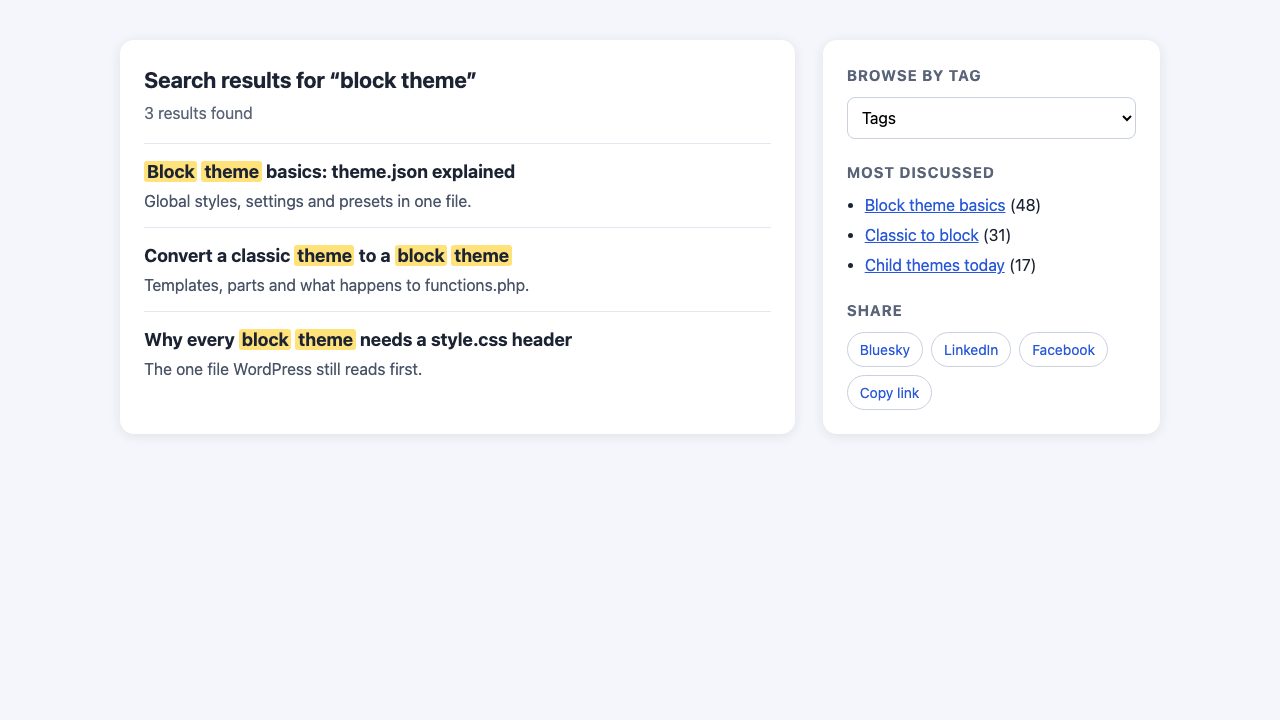
Show the number of results
The main query already counted the results. Reading found_posts costs nothing, while the old recipe ran a second unlimited query.
global $wp_query;

printf(
	'<h1>%s</h1>',
	esc_html( sprintf(
		/* translators: 1: result count, 2: search term */
		_n( '%1$d result for “%2$s”', '%1$d results for “%2$s”', $wp_query->found_posts, 'my-theme' ),
		$wp_query->found_posts,
		get_search_query( false )
	) )
);
Highlight the search terms
Filter the title instead of editing every template. Escape the terms with preg_quote() so a search for c++ cannot break the regex, and wrap matches in the semantic <mark> element.
add_filter( 'the_title', function ( $title ) {
	if ( ! is_search() || ! in_the_loop() || is_admin() ) {
		return $title;
	}

	$terms = array_filter( preg_split( '/\s+/u', trim( get_search_query( false ) ) ) );
	if ( ! $terms ) {
		return $title;
	}

	$pattern = '/(' . implode( '|', array_map( fn( $t ) => preg_quote( $t, '/' ), $terms ) ) . ')/iu';

	return preg_replace( $pattern, '<mark>$1</mark>', $title );
} );
Style it in your theme’s CSS, and keep contrast high:
mark {
	background: #ffe27a;
	color: inherit;
	padding-inline: 0.15em;
	border-radius: 3px;
}
Add the comment page number to the title
Paged comments create near-duplicate URLs, so a distinct title helps. Modern themes declare add_theme_support( 'title-tag' ) and WordPress builds the title for you; adjust it with the document_title_parts filter instead of editing header.php.
add_filter( 'document_title_parts', function ( $parts ) {
	$cpage = (int) get_query_var( 'cpage' );

	if ( is_singular() && $cpage > 1 ) {
		$parts['page'] = sprintf( 'Comment page %d', $cpage );
	}

	return $parts;
} );
Content and output recipes
Add a footer note to RSS items
The the_content filter runs for pages, archives and feeds, so check the context you want. This version appends a link back to your site only in the RSS feed, the usual place for a copyright notice or a credit line.
add_filter( 'the_content', function ( $content ) {
	if ( is_feed() ) {
		$content .= sprintf(
			'<p>Originally published on <a href="%s">%s</a>.</p>',
			esc_url( get_permalink() ),
			esc_html( get_bloginfo( 'name' ) )
		);
	}

	return $content;
} );
To add something after every single post on the site itself, do not use PHP in a block theme. Open the single post template in the Site Editor and insert a block or pattern after the Post Content block.
Word count and reading time
The old code used eregi_replace(), which was removed in PHP 7. This version is Unicode-aware, so accented and non-Latin words count correctly.
function wdw_word_count( string $html ): int {
	$text = trim( preg_replace( '/\s+/u', ' ', wp_strip_all_tags( strip_shortcodes( $html ) ) ) );

	return '' === $text ? 0 : (int) preg_match_all( "/[\p{L}\p{N}'’-]+/u", $text );
}

$words   = wdw_word_count( get_post_field( 'post_content', get_the_ID() ) );
$minutes = max( 1, (int) ceil( $words / 220 ) );

printf( '%d words · %d min read', $words, $minutes );
Shortcodes
A shortcode is still the quickest way to reuse a snippet in the editor, and it works inside the Shortcode block. Accept attributes with shortcode_atts() and return the output rather than echoing it.
add_shortcode( 'cta', function ( $atts ) {
	$atts = shortcode_atts( array(
		'label' => 'Read the guide',
		'url'   => home_url( '/guide/' ),
	), $atts, 'cta' );

	return sprintf(
		'<p><a class="button" href="%s">%s</a></p>',
		esc_url( $atts['url'] ),
		esc_html( $atts['label'] )
	);
} );
Use it as [cta label="Get started" url="/start/"]. For anything with layout, a block pattern is the better modern choice: register it with register_block_pattern() or drop a .php file in your theme’s patterns/ folder.
Greeting on a specific date
Use wp_date() so the date follows the timezone set in Settings, not the server’s.
if ( '12-25' === wp_date( 'm-d' ) ) {
	echo '<p class="greeting">Merry Christmas!</p>';
}
Tags in a dropdown menu
You do not need a 60-line custom tag cloud. Fetch the terms with get_terms() and print a select. Navigate with a small script, not an inline onchange attribute, which many Content Security Policies block.
$tags = get_terms( array( 'taxonomy' => 'post_tag', 'orderby' => 'name', 'hide_empty' => true ) );

if ( $tags && ! is_wp_error( $tags ) ) {
	echo '<label for="tag-jump" class="screen-reader-text">Browse by tag</label>';
	echo '<select id="tag-jump" data-jump><option value="">Browse by tag</option>';
	foreach ( $tags as $tag ) {
		printf(
			'<option value="%s">%s (%d)</option>',
			esc_url( get_term_link( $tag ) ),
			esc_html( $tag->name ),
			$tag->count
		);
	}
	echo '</select>';
}
document.querySelector('[data-jump]')?.addEventListener('change', (e) => {
if (e.target.value) window.location.href = e.target.value;
});Enqueue the script with wp_enqueue_script() and the strategy argument set to defer. For a styled version of the same idea in Bootstrap, see this navbar with animated dropdown menus.
Fetch an RSS feed
Skip wp_rss() and rss.php; they are deprecated. Use fetch_feed(), which returns a SimplePie object or a WP_Error, and always escape the result.
$feed = fetch_feed( 'https://wordpress.org/news/feed/' );

if ( ! is_wp_error( $feed ) ) {
	echo '<ul>';
	foreach ( $feed->get_items( 0, $feed->get_item_quantity( 5 ) ) as $item ) {
		printf(
			'<li><a href="%s">%s</a></li>',
			esc_url( $item->get_permalink() ),
			esc_html( $item->get_title() )
		);
	}
	echo '</ul>';
}
Short links and share buttons
WordPress already makes short links. wp_get_shortlink() returns the ?p=ID URL for the current post, so no third-party API call is needed. For sharing, plain links are fast, need no third-party script and track nobody:
$url   = rawurlencode( get_permalink() );
$title = rawurlencode( get_the_title() );

$links = array(
	'Bluesky'  => "https://bsky.app/intent/compose?text={$title}%20{$url}",
	'LinkedIn' => "https://www.linkedin.com/sharing/share-offsite/?url={$url}",
	'Facebook' => "https://www.facebook.com/sharer/sharer.php?u={$url}",
);

echo '<ul class="share">';
foreach ( $links as $name => $href ) {
	printf( '<li><a href="%s" rel="noopener" target="_blank">%s</a></li>', esc_url( $href ), esc_html( $name ) );
}
echo '</ul>';
On phones, the Web Share API, navigator.share({ title, url }), opens the native share sheet and covers every app at once. It needs HTTPS and a user click, so feature-detect it and fall back to the links above. For the visual side, see this set of social buttons.
Modern theme recipes: theme.json, styles and patterns
Block themes move most design decisions out of PHP and into theme.json. These four recipes are the ones a designer touches first. All the functions below are in WordPress core; I checked their signatures against the 7.1 source.
theme.json: palette, fluid type and layout widths
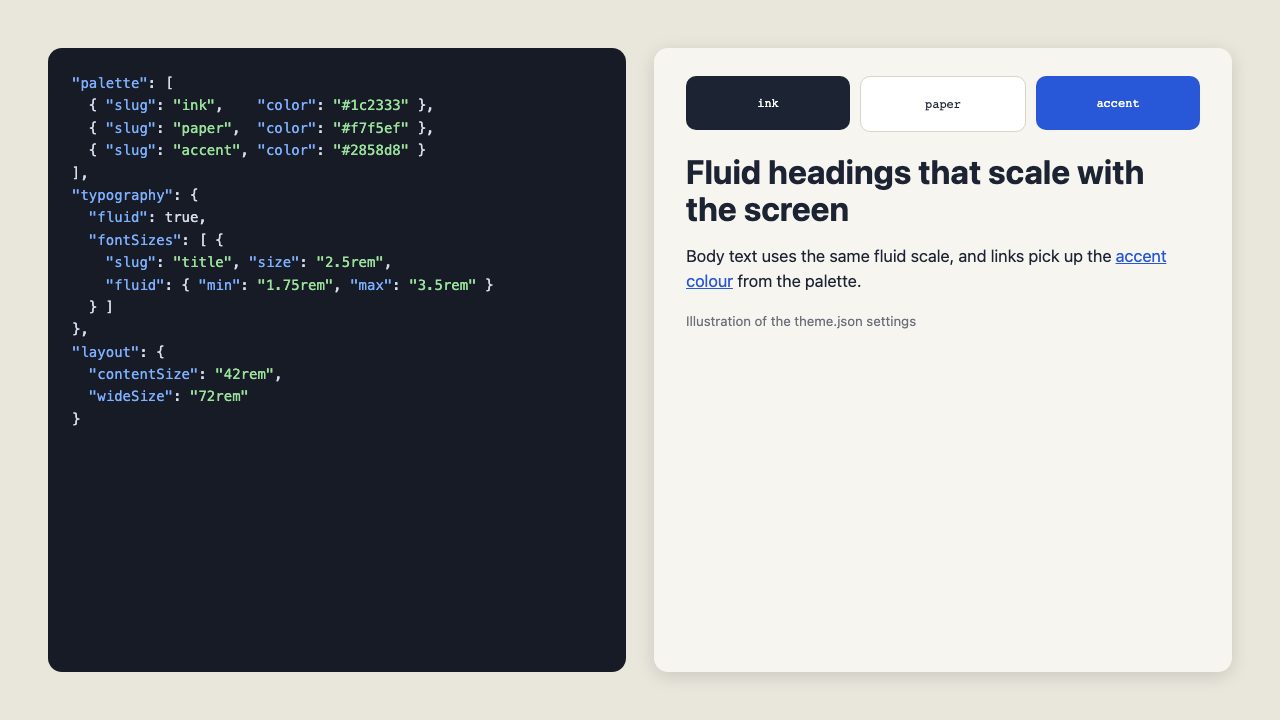
One file defines your colours, a type scale that grows with the viewport, and the content and wide column widths. Set version to 3 and add the schema line for editor autocomplete.
{
	"$schema": "https://schemas.wp.org/trunk/theme.json",
	"version": 3,
	"settings": {
		"color": {
			"palette": [
				{ "slug": "ink",    "name": "Ink",    "color": "#1c2333" },
				{ "slug": "paper",  "name": "Paper",  "color": "#f7f5ef" },
				{ "slug": "accent", "name": "Accent", "color": "#2858d8" }
			]
		},
		"typography": {
			"fluid": true,
			"fontSizes": [
				{ "slug": "body", "name": "Body", "size": "1.125rem", "fluid": { "min": "1rem", "max": "1.25rem" } },
				{ "slug": "title", "name": "Title", "size": "2.5rem", "fluid": { "min": "1.75rem", "max": "3.5rem" } }
			]
		},
		"layout": { "contentSize": "42rem", "wideSize": "72rem" }
	},
	"styles": {
		"color": { "background": "var(--wp--preset--color--paper)", "text": "var(--wp--preset--color--ink)" },
		"elements": { "link": { "color": { "text": "var(--wp--preset--color--accent)" } } }
	}
}
WordPress turns each palette entry into a CSS variable such as --wp--preset--color--accent, and each fluid size into a clamp() value, so you can reuse them in your own CSS.
Register a block style
A block style adds an extra choice to a block’s Styles panel, for example a pull quote. register_block_style() takes the block name and a name, a label and the CSS to load. The CSS is loaded only on pages that use the block.
add_action( 'init', function () {
	register_block_style( 'core/quote', array(
		'name'         => 'pull',
		'label'        => __( 'Pull quote', 'my-theme' ),
		'inline_style' => '.wp-block-quote.is-style-pull { border-inline-start: 4px solid var(--wp--preset--color--accent); font-size: 1.5em; padding-inline-start: 1rem; }',
	) );
} );
Register a block pattern
A pattern is a saved arrangement of blocks that editors insert in one click. Build it in the editor, switch to the Code editor view, and paste the markup into content. A pattern with a category shows up in its own tab of the inserter.
add_action( 'init', function () {
	register_block_pattern_category( 'my-theme', array( 'label' => __( 'My theme', 'my-theme' ) ) );

	register_block_pattern( 'my-theme/call-to-action', array(
		'title'      => __( 'Call to action', 'my-theme' ),
		'categories' => array( 'my-theme' ),
		'content'    => '<!-- wp:group {"layout":{"type":"constrained"}} -->
<div class="wp-block-group"><!-- wp:heading -->
<h2 class="wp-block-heading">Ready to start?</h2>
<!-- /wp:heading -->
<!-- wp:buttons -->
<div class="wp-block-buttons"><!-- wp:button -->
<div class="wp-block-button"><a class="wp-block-button__link wp_element_button">Get started</a></div>
<!-- /wp:button --></div>
<!-- /wp:buttons --></div>
<!-- /wp:group -->',
	) );
} );
Load block CSS only when the block is used
wp_enqueue_block_style() attaches a stylesheet to one block. WordPress loads it only on pages that render that block, which keeps the CSS small. Give it a path too, and WordPress can inline short files.
add_action( 'wp_enqueue_scripts', function () {
	wp_enqueue_block_style( 'core/button', array(
		'handle' => 'my-theme-button',
		'src'    => get_theme_file_uri( 'assets/button.css' ),
		'path'   => get_theme_file_path( 'assets/button.css' ),
		'ver'    => wp_get_theme()->get( 'Version' ),
	) );
} );
Setup recipes
Theme support basics
A classic theme must opt in to the features it uses. Block themes get most of these by default. Hook after_setup_theme:
add_action( 'after_setup_theme', function () {
	add_theme_support( 'title-tag' );          // WordPress writes the <title>
	add_theme_support( 'post-thumbnails' );    // featured images
	add_theme_support( 'responsive-embeds' );
	add_theme_support( 'align-wide' );
	add_theme_support( 'wp-block-styles' );    // core block front-end styles
	add_theme_support( 'html5', array( 'search-form', 'comment-form', 'comment-list', 'gallery', 'caption', 'style', 'script' ) );
} );
Register a custom post type and taxonomy
Portfolios, events and case studies fit a custom post type better than posts with a category. Set show_in_rest to true, or the block editor will not load for the type. Because this changes URLs, put it in a plugin so the content survives a theme change.
add_action( 'init', function () {
	register_post_type( 'project', array(
		'labels'       => array( 'name' => 'Projects', 'singular_name' => 'Project' ),
		'public'       => true,
		'has_archive'  => true,
		'menu_icon'    => 'dashicons-portfolio',
		'show_in_rest' => true,
		'supports'     => array( 'title', 'editor', 'thumbnail', 'excerpt' ),
		'rewrite'      => array( 'slug' => 'projects' ),
	) );

	register_taxonomy( 'project_type', 'project', array(
		'labels'       => array( 'name' => 'Project types', 'singular_name' => 'Project type' ),
		'hierarchical' => true,
		'show_in_rest' => true,
		'rewrite'      => array( 'slug' => 'project-type' ),
	) );
} );
After adding it, open Settings, Permalinks and click Save once so the new URLs resolve. Do not call flush_rewrite_rules() on every request; it is slow.
Turn off the emoji scripts
WordPress loads a small script and style so emoji render on old browsers. Every current browser already draws emoji, so you can remove both. This also removes the emoji conversion for feeds and email, so skip it if you send mail to old clients.
add_action( 'init', function () {
	remove_action( 'wp_head', 'print_emoji_detection_script', 7 );
	remove_action( 'wp_enqueue_scripts', 'wp_enqueue_emoji_styles' );
	remove_action( 'wp_print_styles', 'print_emoji_styles' );
	remove_action( 'admin_print_scripts', 'print_emoji_detection_script' );
	remove_action( 'admin_enqueue_scripts', 'wp_enqueue_emoji_styles' );
	remove_action( 'admin_print_styles', 'print_emoji_styles' );
	remove_filter( 'the_content_feed', 'wp_staticize_emoji' );
	remove_filter( 'comment_text_rss', 'wp_staticize_emoji' );
	remove_filter( 'wp_mail', 'wp_staticize_emoji_for_email' );
} );
Recipes that no longer apply
Four of the original recipes are retired rather than updated.
- Twitter follower and latest tweet. The scraping targets and the old search feed no longer exist, and the platform’s API is paid and authenticated. Link to your profile instead.
- FeedBurner subscriber count. The awareness API was shut down.
- TinyURL calls with
file_get_contents(). They block page rendering on a remote request. Usewp_get_shortlink(). - Digg, StumbleUpon, Delicious and Technorati buttons. Those services are defunct or no longer take submissions.
Where to go next
If a recipe misbehaves, check the common WordPress errors and fixes, and turn on WP_DEBUG in a local copy first; our guide to installing WordPress locally covers that setup. When you are ready to put several recipes into a full theme, follow the theme tutorial linked above. For the older approach to theme tweaks, see WordPress theme hacks.
The official Theme Handbook and the Code Reference remain the best places to confirm any function before you rely on it.
wonderful post! now waiting for some wordpress appetizers!
Wow…..
It’s wonderfull post. It was help us about WordPress Script.
Thanks…
Awesome! Thanks for sharing this nice list.
I’ll work out the ‘show posts between dates’ code.
Thanks for sharing, I’ll use Tags In A Dropdown Menu
Wow! I love WordPress and this snippets will definitely help a lot. Thank you for sharing Nick.
sweeeet!
there are some useful bits of information. thx again;)
Manuel
I just added the related posts code to my post footer, and added the twitter count to my about page. It works great, and is easy to use.
Thanks again!
Early days with my understanding of WordPress but these look really useful thanks.
I particularly like the one to display future posts – does that mean I can see in advance what I will post next week? Would be a great timesaver as I could just cut and paste it then post it :)
Fantastic list! great to see all of these in one place. WP development is something im personally expanding my knowledge on and this will really help.
Cheers for this! :-)
Not sure if this was an error made in haste, but the code snippet you provide in the “Automatically Insert Content In Your Feeds” example won’t actually insert that piece of content into a feed. It does a check to make sure the content is NOT a feed and NOT on the homepage and then inserts some static content at the bottom of the post (on an individual post page, for instance). In this case, that additional content simply suggests subscribing to the RSS feed for the site.
Hope that clears up confusion for anyone just cutting and pasting that snippet, and thanks to the author for passing on the WpRecipes.com resource!
Thank you for this great tutorial on wordpress…
Cheers Mate!
excellent post as always. the social links are difinitely helpful and gets rid of a plugin for me. fresh!
I used the related post hack and it’s not showing anything. It’s just showing the text “Related Posts”. I made two sample posts with the tag High Definition but the related posts are not being listed in either of the pages. Any help?
a good post for those who dont knw html n php..
A delicious set of code recipes, some of which will certainly be useful on my own WordPress blog.
you’re design is very niice, can i get it? :D
The related posts code, when used in the loop, messes the comments up most severely if used on the single post page before the comment template!!
Great post!
Keeping up the good work…
Best wishes
delicious wordpress recipes. very useful in many situations, especially the wp shortcodes.
This is awesome script, i’m gonna use it….
Thanks Nick :)
These are really cool tips. The greatest of WordPress is that it’s the pioneer of all free CMS out there to advocate social networking.
Nice roundup of tips.
@Phil, you’ll need to paste the Related code after your comments include and you should be good to go.
I can always rely on you for some excellent insight into the world of WordPress. You have definitely convinced me that WordPress deserves a lot of attention and you, among a few others, have inspired me to start blogging myself. Keep up the great work.
It’s great to have these short codes in one place. One of my favorite things about WordPress is their community.
extremely useful article as always! WordPress is a huge trend, I am sure many people will evaluate this post and refference to it. At least I will, bookmarking!
A great intro for someone like me who is new to WordPress.
I’m starting to look at WordPress because, as you say, lots of clients now want a CMS. And WordPress has lots of documentation and tutorials out there.
Great article and website. With regards to other comments about wordpress as CMS i’ve been on a six month long journey testing different CMS tools. So far I have used the following. KenticoCMS, SilverStripe, Expression Engine & Word Press. My findings…. WordPress has been the most flexible and user contributed open source tool I have found and with recipe codes like this your can be assured your blog/website can have all the functionlity a high end drupal or joomla site has!
Three posts ago you wrote about Clixpy but the comments don’t work on that page. Why’s that?
The Clixpy demo did not reproduce my test with perfect fidelity, but I’m sure it could be useful. Bookmarked for future reference.
Thanks
This is great, I’m just getting into WordPress and this will be a big help…thanks.
Bookmarked for future reference. Thanks or sharing this kind of template.
Online Word-press Theme making at Website… Check it.
Thanks your this great tutorial. Any WordPress-User can take advantage of it!
This is an invaluable post. There have been too many times where I wanted to do something with WP but since I don’t have a strong PHP background I was completely SOL. Thanks to this post, I’ve discovered another WP resource — and several other resources by the same webmaster.
Thank you!
The code about displaying Twitter follower count is NOT WORKING. I receive the following error: domdocument() expects at least 1 parameter, 0 given. This is in regards to the following line of code you have given: $doc = new DomDocument;
Does anyone know a fix?
Thanks a lot! Great site, great tips. From this moment on I’ll be coming here on a daily basis. When l’m more experienced, I’ll be posting my own tips, but at the moment I’m just a humble reader and learner.
From Russia with respect :)
Nice code, of course! I will take something of it to my brand new (soon) blog.
Thanks and nice job!
Very cool, thanks very much for the picks! The drop-down menu code is one I think I’ll incorporate into my blog!
~Krismom
I have been messing around with WordPress all day. Been one of them coders block days. Thanks for the excellent resources! How did I ever finish off my day without these great reads! Thanks!
Hey, thanks for the post. The short tag part is cool – can you elaborate further on that – more uses, how to integrate php or more custom code into the shortcodes…. I think it could have a lot of use but I’ve got to think of ways to use it to my benefit…
Thanks a lot for the code selected, i will check that website soon
building a wordpress blog now… this is HUGE!
thanks!
Does anyone know of a way to list the most recent post from each author in order of date posted? I’ve looked everywhere for something like that.
Love the Twitter code snippets. We are just starting to utilize WP more and these will be very valuable to us.
Great list of code. I absolutely love working with wordpress, simply because of easy customization like this.
i will try on my blog
this is awsome
Great list of code. I absolutely love working with wordpress.
this is what i want……..
thanx very much…
The code you put in “Automatically Insert Content In Your Feeds” doesn’t insert anything in the feed output, it’s putting something under a single article only.
If this should work like promised in the title it must say:
if(is_feed())
(Wouldn’t make sense to ask people to subscribe to the RSS feed while they are reading it, or? ;-)
Ho ho.. Amazing.. I hope it will compatible to my theme.
Thank you.
i love wordpress, i preferred as no. 1 cms and its ready made code make me more happy, thanks.
loving this im really getting into wordpress, although i feel a little late.
i love wordpress, i preferred as no. 1 cms and its ready made code make me more happy, thanks.
Awesome list.
I found out that some of my plugins use too many cpu resources on my server, so I need to add code that reduces consumption. I look forward to trying these. And for all my searching, it’s rare to find so many in one spot.
Thanks.
Hi there, I’ve created my first wordpress powered blog integrated into my client’s site… with great help from Nick La’s themes and tutorials.
There’s one thing I am stuck on though, and wonder if anyone could help:
Now that my client has many posts, I want the main blog page to show just ‘summaries’ of each post (just like on webdesignerwall), so the user must click on ‘read more’ or ‘the blog post title’ to get the full post.
This means they are more likely to comment and it is neater!
Anyone knows what I need to do to get this to happen II’d be grateful.
Thanks and big shouts to Nick La and Web Designer Wall for the inspirtation and help.
WordPress is a wonder … Actually, I dont understand how people prefer blogspot
Thanks for the “recipe”
Ninel
The content of the post is very well, from here I know much about sports knowledge, especially about the Puma training shoes. Here, I will introduce the puma lovers some good websites about puma with high price point.
Come and make a change for your lovely iphone 4 white!
White iphone 4 Conversion Kit with impressive figure can easily be the focus of the crowd. I really want to get one!
Cool post worth sharing with our team of Web Designer in London & yes nice compilation and thanks for that hard work.
Those are great. I have already used a couple of those but I didn’t know about most of them.
This is a good site to get valuable information. I got very useful information. Since I am a developer. I get very nice idea to implement word-press sites. My client is very demanding. He always try to developed some new in his site. But I get solution for this site.
Thank
Neeraj
I was looking for an easy Site Maintenence Mode solution without the use of any plugin. Your solution works like a charm!
Thanks for sharing this
I¡¦ll right away seize your rss feed as I can’t to find your e-mail subscription hyperlink or newsletter service. Do you’ve any? Kindly permit me understand so that I may just subscribe. Thanks.
I am over joyed, you solved many problems of mine. I was looking for filtering posts with specific custom fields and I got that thanks. Social sharing links are also good thing to know coz most of people add heavy plugins for such simple tasks.
Hi,
I was looking for a php code to display the sticky post in a table format.
Problem is i dont know what to include in my header. Include what file ?
I will drop the php code inside my template.
Hello,
I am working on site in wordpress, where all the Jobs are pulled from the external jobs sites, such as monster, indeed, simplyhired. jobs are getting published on site randomly. but I need to explode the jobs titles after specific ascii character ” – ” for ex Sales and Marketing Manager – Mortons Steakhouse – San Francisco, CA and extract last jobs Address from the title and call it in location column.
Can somebody give me php function or any other way that should work automatically for this. the ” – ” is common for all jobs titles published on site.
waiting….
Thanks
I will drop the php code inside my template.
Nice compilation of wordpress recipes codes. Thanks for sharing.
hello, i just wanna ask if you could provide a code that will trim and show only the text beetween theText Here .. also, a code that will show the text which has a beginning of a word ‘Price’
e.g: post text… Price: $23.99…text text…
the output will be, $23.99
thanks in advance, cheers!
Much appreciated mate. Was wondering how to code the twitter feed.
Hello are using WordPress for your blog platform? I’m new to the blog world but I’m trying to get started and create my own. Do you require any html coding expertise to make your own blog? Any help would be really appreciated!
hi sir
i like this code
thanks for sharing this code
Thank you so much For this code