Email Marketing Tips to Grow Your List and Boost Engagement
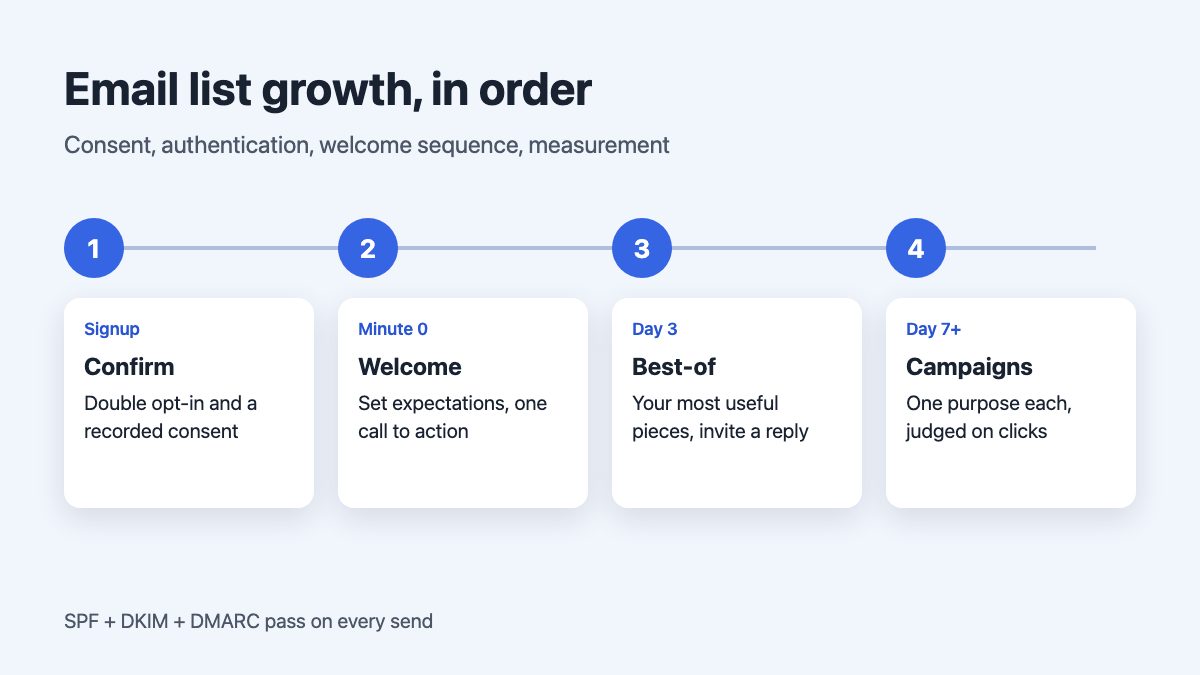
The email marketing tips that still move engagement and subscriber growth come down to five things: collect addresses with clear consent, authenticate your sending domain, send a short sequence of purposeful emails, segment by behaviour, and judge success by clicks and replies rather than opens. Everything else, from subject-line tricks to send-time hacks, is secondary.
The advice in older guides about popups, thank-you emails and teasers still holds, but the ground rules changed. Mailbox providers now enforce authentication and one-click unsubscribe, and Apple’s mail app inflates open tracking. This guide covers the tactics in the order you would build them.
1. Grow your list with consent you can prove
A smaller list of people who asked to hear from you beats a large one that marks you as spam. Offer a specific promise (what you send, how often) next to a single email field, and say what happens next.
- Use double opt-in. Google’s subscription guidelines for senders ask you to have people confirm their address after entering it on your site. It also filters out typos and bots.
- Put the form where intent is highest. An inline form at the end of a useful article often converts well without the annoyance of an interruptive popup, and it avoids mobile usability problems. If you use a modal or slide-in, trigger it on scroll or exit intent, make it dismissible with the keyboard, and do not show it again for a while after it is closed.
- Keep a consent record. Store the time, the form or page, and the exact wording the person agreed to. Under GDPR and ePrivacy rules, consent must be a clear opt-in action, so never use pre-ticked boxes.
- Offer something concrete. A discount, a checklist or a weekly digest with a clear topic all work. “Subscribe to our newsletter” does not.
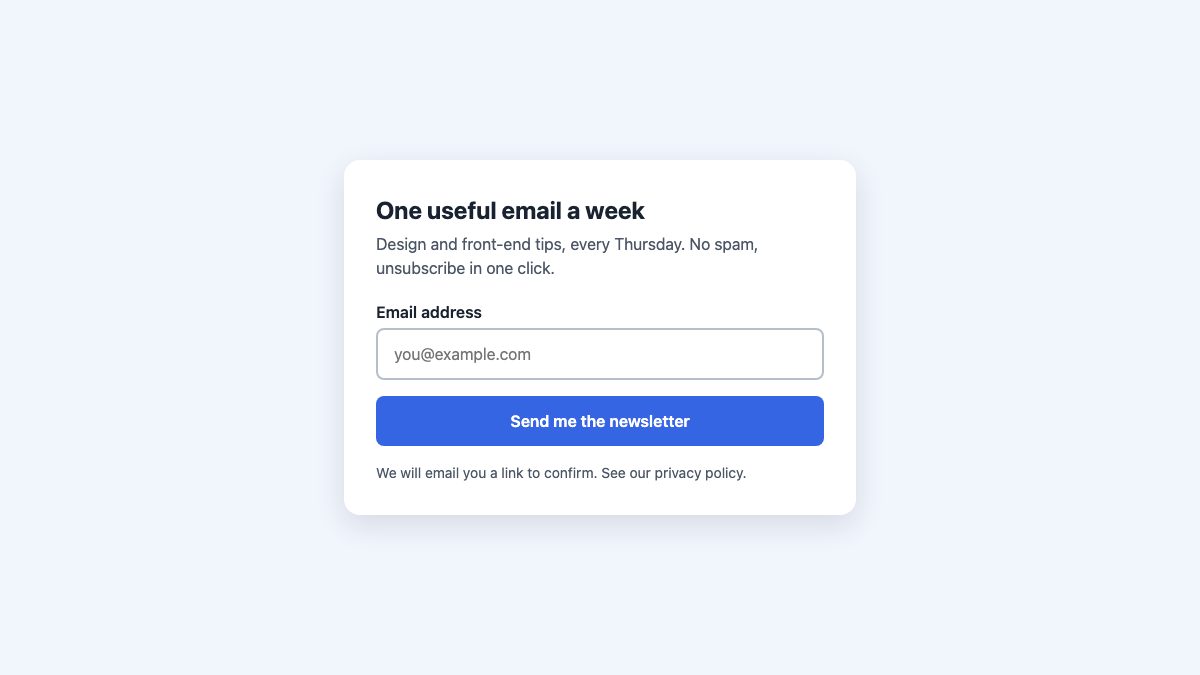
Here is a minimal accessible signup form. The form posts to /subscribe, so your server or email platform must handle that request and send the confirmation email with a signed, expiring link; the HTML alone does nothing. It uses a real label, the right type and autocomplete so browsers can fill it in, and a visible focus ring.
<form action="/subscribe" method="post">
  <h2>One useful email a week</h2>
  <p>Design and front-end tips, every Thursday.</p>
  <label for="email">Email address</label>
  <input id="email" name="email" type="email"
         autocomplete="email" required>
  <button type="submit">Send me the newsletter</button>
  <p>We will email you a link to confirm.</p>
</form>
The screenshot adds some card styling and a privacy-policy note around this markup. For audiences in the EU and UK, add an explicit consent checkbox that is not pre-ticked, inside the form before the button:
<label>
  <input type="checkbox" name="consent" value="yes" required>
  I agree to receive a weekly newsletter by email and can
  unsubscribe at any time. See the <a href="/privacy">privacy policy</a>.
</label>
:root { --accent: oklch(55% .2 265); }
input:focus-visible,
button:focus-visible { outline: 3px solid var(--accent); outline-offset: 2px; }
input:user-invalid { border-color: oklch(55% .22 25); }
button:hover {
background: color-mix(in oklch, var(--accent), black 15%);
}:user-invalid only matches after the visitor has interacted with the field, so the form does not shout at people before they type. If you want ready-made layouts, browse our newsletter signup form, the subscribe modal and the subscribe banner.
2. Authenticate your domain before you send
This is the biggest change since the original version of this article. Google’s requirements for bulk senders (more than 5,000 messages a day to Gmail accounts) include SPF, DKIM and a published DMARC record, which can stay at p=none. Microsoft announced similar rules for high-volume senders to Outlook.com, Hotmail and Live addresses: SPF and DKIM must pass and a DMARC record must exist, and Microsoft enforces them, so non-compliant mail is junked or rejected. Yahoo applies Google-style rules too: authentication, a working one-click unsubscribe and a spam rate below 0.3%, with unsubscribes processed within two days. Smaller senders are not exempt in practice, because authenticated mail is simply trusted more.
- Send from a domain you own, not a free mailbox address.
- Add the SPF and DKIM records your email service provider gives you. Google asks for DKIM keys of at least 1024 bits and recommends 2048 where supported.
- Publish a DMARC record, starting with monitoring only:
_dmarc.example.com. TXT "v=DMARC1; p=none; rua=mailto:[email protected]"- Watch your spam-complaint rate in Google Postmaster Tools. Google tells senders to keep it under 0.1% and never reach 0.3%.
3. Make unsubscribing effortless
It sounds counterintuitive, but an easy exit protects your sender reputation. People who cannot find the link hit the spam button instead, and that is what damages delivery.
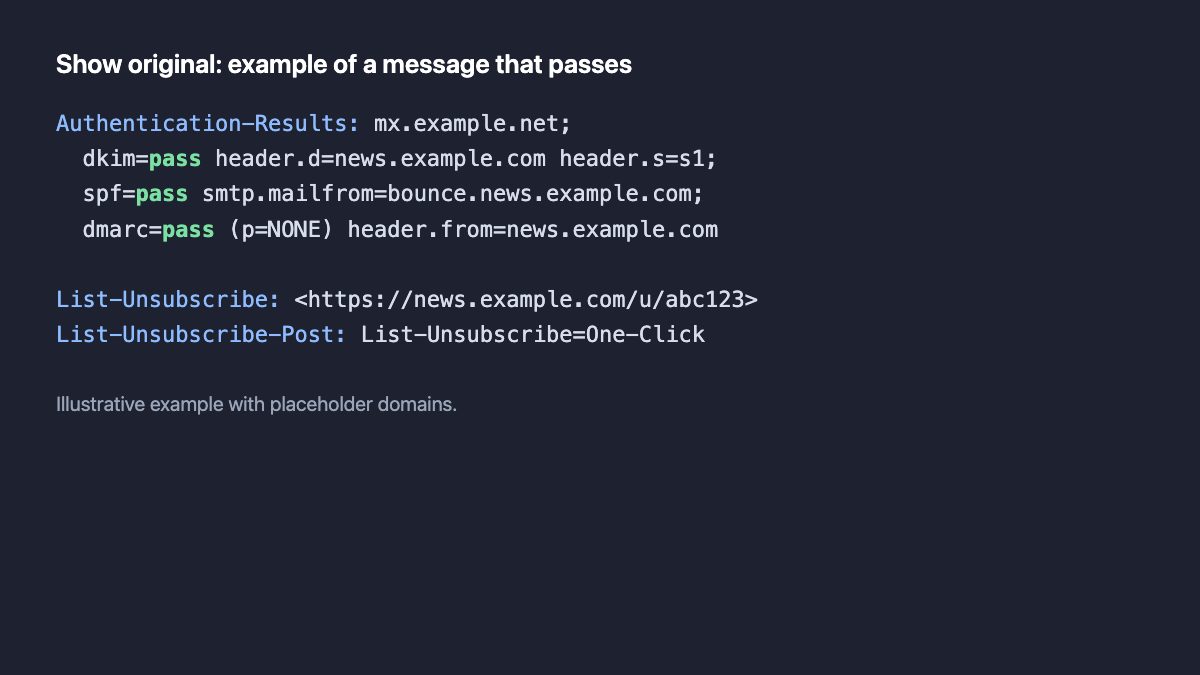
- Marketing mail should support one-click unsubscribe as defined in RFC 8058. That means two headers, signed by DKIM: a
List-Unsubscribeheader with an HTTPS URL, andList-Unsubscribe-Post: List-Unsubscribe=One-Click. Most email platforms add them for you; check yours does. - Keep a visible unsubscribe link in the body as well.
- Honour requests within 48 hours, per Google’s guidance. In the United States, the CAN-SPAM Act sets a limit of 10 business days for honouring opt-outs, and also requires accurate headers, honest subject lines and a valid postal address. The FTC enforces it, with penalties applied per violating email.
List-Unsubscribe: <https://example.com/unsubscribe?token=abc123>
List-Unsubscribe-Post: List-Unsubscribe=One-Click
Whatever the legal minimum, a shorter wait is better: people who see their unsubscribe honoured quickly are less likely to complain, and complaints are what harm your standing with mailbox providers. Rules differ by country (GDPR and ePrivacy in Europe, for instance), so treat the above as a baseline and check local law for your audience.
4. Build a short welcome sequence
The emails that matter most are triggered by what a person just did. Three or four automated messages cover most small businesses.
| When | Job | |
|---|---|---|
| Confirmation | Immediately after signup | Confirm the address and deliver any promised incentive. |
| Welcome | After confirmation | Set expectations: what you send, how often, what they gain. One clear call to action. |
| Best-of | A few days later | Link to your two or three most useful pieces. Ask a question they can reply to. |
| Post-purchase thank-you | After an order or download | Confirm, thank them, suggest one relevant next step, not five. |
Write the way you would to one person. A conversational subject line and a plain, personal tone often outperform a heavily designed template for welcome messages, but test it with your own audience. Replies are a strong positive signal to mailbox providers, so inviting them is worthwhile. For design basics, our guide to making HTML email mobile friendly still covers the single-column layout and tap-target thinking that email clients need.
5. Send campaigns with one purpose each
After the automated emails, regular campaigns keep the relationship going. Each should do one thing.
- Teasers and launches: tell a story, give a date, and point to a single action such as joining a waitlist or pre-ordering.
- Engagement emails: promote your most useful content, show off a feature people underuse, or ask a question that is easy to answer.
- Offers and giveaways: personalised or time-bound offers (such as a birthday perk) make sense because they are relevant to that person. Say clearly when the offer ends and who can claim it.
- Win-back: for people who have not engaged in a while, send a short “still want these?” message, and remove them if they do not respond. A smaller engaged list helps your reputation.
Landing pages carry a lot of weight in campaigns, because every click ends there. Our landing page inspiration roundup shows how others structure them, and encouraging referrals ties into word of mouth marketing.
Choose an email service provider and build accessible emails
You rarely need to run your own mail server. When comparing providers, check that they:
- Let you authenticate your own domain with SPF and DKIM, not only a shared one.
- Add one-click unsubscribe headers automatically and handle bounces and complaints.
- Support double opt-in, consent records and easy export of your list, so you can leave.
- Offer segmentation by behaviour, reporting on clicks, and a pricing tier that fits your list size.
- Can display your logo next to your messages through BIMI, if you want it. BIMI needs an enforced DMARC policy (
quarantineorreject) and, in most mailboxes, a verified logo certificate, so treat it as a later step.
Build every email with a plain-text version alongside the HTML, real text rather than text baked into images, meaningful alt text, sufficient colour contrast, a logical heading and reading order, and descriptive link text. Many clients block images by default, so the message should still make sense without them.
If your platform offers AI features for drafting, personalization or send-time optimization, use them as assistants. Review every message yourself, never feed subscribers’ personal data into tools your privacy policy does not cover, and judge the results by clicks and conversions rather than by what the tool predicts.
6. Measure what still means something
Since Mail Privacy Protection arrived in Apple’s mail apps, tracking pixels can be pre-loaded in the background, so an “open” may be logged even when no one read the message. Open rate is now a rough signal at best. Click tracking is generally less affected, because a click needs a real person (though security scanners can also trigger link clicks, so treat the numbers as directional).
- Judge campaigns by click-through, conversions, replies and unsubscribes.
- Do not build segments or “resend to non-openers” automations that depend on opens alone.
- A/B test one variable at a time (subject line, call to action, send time) and pick the winner on clicks or revenue.
- Segment by behaviour: what they clicked, bought or downloaded tells you more than demographics.
Email marketing checklist
- Signup form states the promise, uses double opt-in and records consent (EU: explicit checkbox).
- SPF, DKIM and DMARC are set up and passing for your sending domain.
- Every marketing email has one-click unsubscribe headers and a visible link.
- Welcome sequence is live and each email has a single call to action.
- Spam complaints stay well under 0.1%.
- Reports focus on clicks and conversions, not opens.


Email marketing is the most efficient way to communicate with your readers. Email is like a personal message on the facebook where the sender is targeting an individual user.
Among all the tips I like #5. Running a contest on your blog is the best way to optimizing your email and increase engagement with subscribers.
Aweber and mailchimp are dominating the email marketing, but this is not only thing there are various facts which we should keep in mind for doing email marketing. Thanks for these facts !!