This is an example of a Signup form with an auto carousel testimonials feature, designed using HTML, CSS, and Bootstrap framework 4. The concept of Lists has been used with UL and LI components. UL element has been used with the child elements of LI to display the carousel indicators in an orderly manner. The body of the form is given the styles of color as #000, height as 100%, and background-color as #EEEEEE. The testimonial card is given the styles of border-bottom-left-radius and border-top-left-radius as 20px, background-color as #512DA8, height as 100%, color as #fff, padding-left and right as 13%. The input fields of the signup form, have the styles of border as 1px solid light grey, border-radius as 10px, margin-bottom as 25px, margin-top as 2px, width as 100%, box-sizing as border-box, color as #2C3E50, and font-size as 14px. The signup button is given a background color of #512DA8, which changes to #311B92 in a hover event.
Source: https://bbbootstrap.com/snippets/sign-up-form-auto-carousel-testimonials-62466161
This is an example of a multi-step signup form wizard, designed using HTML, CSS, JavaScript, and Bootstrap framework 4. The icons and the background image is imported to the code with their URLs. The signup form takes the users through account details, personal details, and payment details stages. JavaScript has been used to implement the field set effects. The background of the form is given a linear gradient color of linear-gradient(120deg, #FF4081, #81D4FA). The field set is given the styles of background as white, box-shadow as 0 2px 2px 2px rgba(0, 0, 0, 0.2), padding as 20px 40px 30px 40px, width as 94%, margin as 0 3% 20px 3%, and position as relative. The input text fields of the form are given a font color of #2C3E50, and a font-size of 16px. The text fields take a border bottom style of 2px solid skyblue, in a focus event. The action button also takes a border bottom color of box-shadow: 0 0 0 2px white, 0 0 0 3px skyblue, in hover or focus events.
Source: https://bbbootstrap.com/snippets/multi-step-form-wizard-30467045
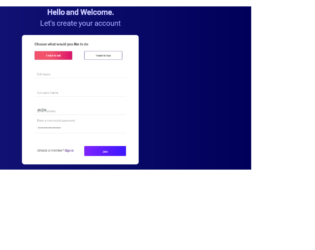
This is an example of another signup form with Buy/ Sell tab selection, designed using HTML, CSS, and Bootstrap framework 4. The font style is imported to the code with its URL. The body of the form is given the styles of background as linear-gradient(to right, rgba(23, 23, 124, 1) 0%, rgba(0, 0, 90, 1) 100%), and font-family as 'Roboto', sans-serif. The title of the form is given a font color of #CBCCFF, and a font-size of 29px, whereas the subtitle is given a font color as #A7A9FF, and a font-size as 28px. The Buy/ Sell tabs are radio type buttons which are given border color of #D15D84, font color of #ffc5d5, and a background color of linear-gradient(to right, rgba(242, 82, 106, 1) 43%, rgba(218, 18, 107, 1) 100%). The input fields are given a border- bottom style of 1.5px solid #E6EBEE. The signin button has the styles of border as 1px solid #7931DB, a linear gradient background color and a border-radius of 3px.
Source:https://bbbootstrap.com/snippets/bootstrap-buy-sell-signup-form-radio-buttons-82387175
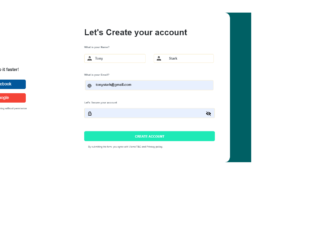
This is an example of a signup form with social media sign-in buttons, designed using HMTL, CSS, and Bootstrap framework4. The icons are imported to the code with their URLs. Media quarries have been used to increase the responsiveness of the form. The body of the form is given the styles of background-color as #006064, and font-family as Arial, Helvetica, sans-serif. The card container is given the styles of background-color as #fff, height as 570px, and border-radius as 20px. The title of the card is given a font-weight as Bold. The Google and Facebook buttons are given the background colors of #F44336, and #01579B, and a border-radius of 5px. The form consists of 4 input text fields, 2 sign-in buttons, and a Create Account button. The input text fields are given a font-size as 13px. In a focus event, the input fields take a border color of #1DE9B6. The background color of the Create Account button is set to #1DE9B6.
Source: https://bbbootstrap.com/tags/signup
This is an example of a simple signup form with a side image, designed using HTML, CSS, and Bootstrap framework 4. The background image is imported to the code with its URL. The body of the form is given a background color of lightgrey, whereas the card is given a background color of #fff. The form consists of six input text fields and a primary type button. The title of the form is given the styles of font-weight as bold, and color as #ff39c2. The button is given a height of 50px, width of 100%, font-size of 15px, and a background color as #6200EA. The sign-in text is given a text-decoration style as underline, and font color as #ff39c2. The input fields are given a box-shadow style of 0px 0.1px 0px 0px #dae0e5. The input fields are also given a transform style of translate3d(0, -100%, 0).
Source: https://bbbootstrap.com/snippets/bootstrap-signup-form-side-image-59894099
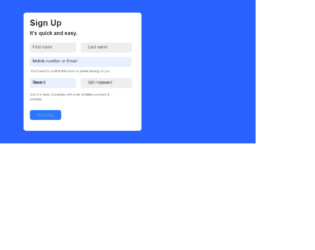
This is an example of another simple signup form designed using HTML, CSS, and Bootstrap framework 4. The form consists of input text fields and a primary type button. Media quarries have been used to increase the responsiveness of the form. The body of the form is given the styles of background as #2962FF, and font-family as Arial, Helvetica, sans-serif. The font-weight of the card heading is set as Bold. The form consists of five input text fields. The input text field labels are given a font color of #495057, and a box-shadow of 0 0 0 0 rgba(0, 123, 255, .25). The font-sizes of the input fields are set as 12px. The Next Step primary type button is given the styles of border-radius as 8px, background as #2979FF, and width as 120px. The font-size of the button is set to 15px.
Source: https://bbbootstrap.com/snippets/bootstrap-simple-quick-signup-form-10837447