This is an example of another login form with a linear gradient background, designed using CSS, HTML, JavaScript, and Bootstrap framework 4. The form is designed in a way where the user is directed to the login form, upon clicking on the Login button. The JavaScript methods have been used to resize the login form, and to implement the functionality of the 'Login', 'Logout', and 'Cancel' buttons. The user is shown the "logged in successfully' message and directed into another form if the details are properly entered. The user is shown a "Please enter user name and password" message if the details are incomplete. Then the user is given the option to logout using the 'Logout" button. The body of the form is given the styles of background as linear-gradient(90deg, #FF512F 10%, #DD2476 90%), and font-family as 'Open Sans', sans-serif. The successful notification is displayed with a background color of #3D9970, whereas the failed notification is displayed with a background color of #FF4136.
Source: https://bootsnipp.com/snippets/k2bEV
This is an example of a Google style login form, designed using CSS, HTML, JavaScript, and Bootstrap framework 4. The profile image, Bootstrap and JavaScript styles are imported to the code with their URLs. The background of the form is given a linear gradient color as linear-gradient(rgb(104, 145, 162), rgb(12, 97, 33)). JavaScript methods have been used to load the profile and form details. The login card is given a style set of background-color as #F7F7F7, box-shadow as 0px 2px 2px rgba(0, 0, 0, 0.3), and border-radius as 2px. The profile image is given a height and a width of 96px, and the border-radius as 50% to get the circle shape. The input text fields take a border style of rgb(104, 145, 162), and a box-shadow style as inset 0 1px 1px rgba(0,0,0,.075),0 0 8px rgb(104, 145, 162), in a focus event. The 'Sign in' button is created as a primary button and given a background color as rgb(104, 145, 162) and a font-size as 14px. The button changes its background color to rgb(12, 97, 33), in the active and hover modes. The 'Forgot password' link also changes its font color to rgb(12, 97, 33), in a hover event.
Source: https://bootsnipp.com/snippets/a6Pdk
This is an example of a login/ sign-in page attached to a navbar, designed using CSS, HTML, and Bootstrap framework 4. The font style, background image, Bootstrap, and JavaScript styles are imported to the code with their URLs. The form consists of a navbar, login form, search bar, and dropdown items. The Login form is attached to the navbar where it can be opened by clicking on the Login navbar item. The Login form consists of social media login buttons, input text fields, and the 'Sign in' button. The Facebook button is given a background color of #3b5998, which turns to #496ebc on hover, whereas the Twitter button is given the color of #55acee, which turns to #59b5fa on hover. The input text fields are validated by making them required in HTML. The media quarries have been used to increase the responsiveness of the form.
Source: https://bootsnipp.com/snippets/DV3m4
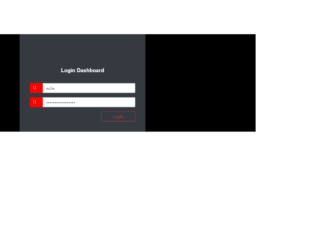
This is an example of another login form, designed using CSS, HTML, and Bootstrap framework 4. The font style, Bootstrap, and JavaScript styles are imported to the code with their URLs. The body of the form is given a background color of #000. The login card is given a border style of 1px solid #28a745. The card header is given the styles of font color as #fff, font-family as sans-serif, font-size as 20px, and font-weight as 600. The login and password icons are given a background color of #ff0000, and a font color of #fff. The input text fields are given the styles of font-size as 1.5rem, font-weight as 700, line-height as 1.6, font color as #495057, background color as #e9ecef, and border style as 1px solid #ced4da. The 'Login' button is created as a danger type button and changes the background color to #ff0000, in a hover event.
Source: https://bootsnipp.com/snippets/E1gVl
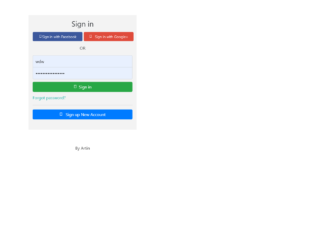
This is another example of a login+ registration form, designed using CSS, HTML, JavaScript, and Bootstrap framework 4. The font style, Bootstrap, and JavaScript styles are imported to the code with their URLs. The form consists of buttons, toggle buttons, and input text fields. The functionality of the toggle buttons has been implemented using JavaScript methods. The input text fields have been validated by making them required in HTML. The Register and Sign-in forms are given the styles of background color as #f3f3f3, box-shadow style as 0 1px 3px rgba(0,0,0,0.12), 0 1px 2px, and width as 412px. The input text fields are given a font-size of 16px. The social media buttons are given the styles of font-weight as 100, font color as white, width as 190px, and font-size as 0.9rem. The two social media buttons are given two different background colors as #3C589C and #DF4B3B. The media quarries have been used to increase the responsiveness of the form.
Source: https://bootsnipp.com/snippets/GavAo
This is an example of an animated login page, designed using CSS, HTML, JavaScript, and Bootstrap framework 4. The font style, CSS, and Bootstrap packages have been imported with their URLs. The form is set to switch between the login page and the register page. JavaScript methods have been used to implement the switching animation of the login and register forms. The body of the form is given a font family style as 'Mukta', sans-serif. The white panel is given the styles of background-color as rgba(255,255, 255, 1), height as 500px, transition as .3s ease-in-out, and box-shadow as 0 0 15px 9px #00000096. The registration and login panels are given a height as 400px, and background-color as rgba(236, 48, 20, 0.9). The 'Register' and 'Login' buttons in the white panel are displayed with the styles of background color as #444444, font color as #f9f9f9, text-transform as uppercase to automatically convert the text to uppercase, and cursor style as pointer to get the hand cursor effect on hover.
Source: https://bootsnipp.com/snippets/92gmX