This is an example of a simple contact us form, designed using HTML, CSS, and Bootstrap framework 4. The CSS and Bootstrap styles are imported to the code with their URLs. Media queries have been used to increase the responsiveness of the form. The form is given a background color as #f1f7fc. The content card is given the styles of max-width as 480px, width as 90%, background-color as #ffffff, padding as 40px, border-radius as 4px, color as #505e6c, and box-shadow as 1px 1px 5px rgba(0,0,0,0.1). The font-size for the title of the form is set as 24px with the font-weight as bold. The input fields take a border effect of 1px solid #b2b2b2, in a focus event. The send button is given a style set of padding as 16px 32px, opacity as 0.9, text-transform as uppercase to automatically convert the text to uppercase, font-weight as bold, font-size as 13px, letter-spacing as 0.4px, and line-height as 1. The button is given a background color of #055ada, and a font color of #fff, and changes its opacity to 1, in a hover event.
Source: https://epicbootstrap.com/snippets/contact-form
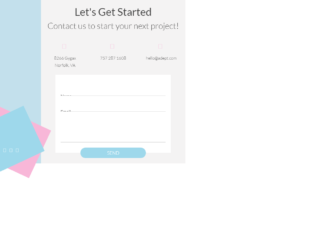
This is an example of a bootstrap contact form designed using HTML, CSS, and Bootstrap framework 4. The fonts and background images are imported to the form with their URLs. The concept of Lists has been used with UL and LI components. UL element has been used with the child elements of LI to display the icons in an orderly manner. The contact form container is given the styles of background as #F4F3F3, and font-family as 'Lato', sans-serif. The Contact-US label is given a background colors of #C3E0EC, #F8B7D8, and #9ED8EB. The label title is given a font-size as 1.5rem, font color as white, and transform as rotate(-90deg) to make the label vertical. The social media icons bar is given the height and width of 25px. The header title is given a font color of #444, whereas the input fields have the styles of height and line-height as 40px, border-bottom as 1px solid rgba(68,68,68,.3), font-size as 1rem, and color as rgba(68,68,68,.8). The button is given the styles of border-radius as 20px, bottom as -20px, background as #9ED8EB, color as white, font-size as 1.1rem, and font-weight as 300.
Source: https://codepen.io/rickyeckhardt/pen/rNVOrBL
This is another example of a simple bootstrap contact us web form with placeholders and a button, designed using HTML, CSS, and bootstrap framework 4. Fonts, icons, and images are imported to the code with their URLs. The web form is given the styles of font-family as "Montserrat", sans-serif, color as #8d97ad, font-weight as 300, padding as 60px 0, margin-bottom as 170px, and background-position as center top. The h1 to h6 sections are given a color of #3e4555 and a font-weight of 500, whereas the subtitle is given the styles of color: #8d97ad, and line-height: 24px. The submit now details button is given a linear gradient color based on #ff4d7e, which switches color between #ff4d7e and #ff6a5b in a hover event. The text color for the social media icons is set as white and the border is set as white rounded circle, in HTML. They are also given the CSS styles of background: transparent, margin: 0 7px, and padding: 11px 12px.
This is an example of a Contact Form with Google maps. The google maps and forms are placed in the container. The divisions are equally done to display the map as large as the given form. Contact details contain name details, contact details like email and telephone number and message. The map is displayed in iFrame and the location is set to Colosseum. Once you click on the map it opens you the google map page. FormGroup tag is used to add the FormControls. Font awesome icons are used to represent the contact details. The divisions are well organized and labels are input tags are well styles. The form has validations and checks it before submitting the form. Icons of social sites like Facebook and linked in are placed. These types of forms can be used for e-commerce websites and organization offering services.
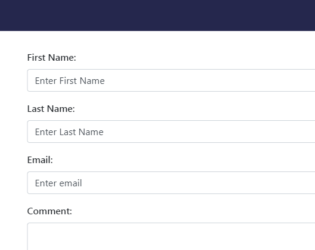
This is a responsive form and works well with most of the devices. Adding this form will give a stylish look to your website and portfolio. It is a simple yet stylish contact form which consists of "container". Contact form is placed inside the container which contains the input tags like “first name”, “lastName”, “email”, “comment” and submit button. FormGroup and FormControl are used to group the label and input area. The image is placed in a contact-info class with the margin set at the bottom. Head tag consists of bootstrap min and jquery references. CSS is defined to match the details added in the contact form. Styles like background color, padding, and height is defined. Class contact-info it needs to be set with margin. Focus on button shadow is none. This form goes well with a personal, portal and business websites.
This is an Bootstrap sticky contact form which will be fixed at the bottom position of the page. It will be located at footer area and when clicked will slide out to show the form. The form is floating and fixed at bottom of page, it will be displayed when the user clicks on “Send a message”. When click it provides animation and popup with all input fields to be filled out. HTML contains the “container” and fixed classes which act as a container. The entire form is placed in this container. The form contains the input, textarea and submit button. The container is using CSS style for all the classes and uses jquery 1.11 for animation. and popup of this form.