This is another example of a login page, designed using HTML, CSS, and Bootstrap framework 4. The font and Bootstrap styles have been imported to the code with their URLs. The body of the form is given a font-family style of 'Josefin Sans', sans-serif, and background color of #f4f4f4. The title of the form is displayed with a style set of font-weight as 600, font-family as 'Josefin Sans', sans-serif, text-transform as capitalize to make the first letter of each word capital, text-align as center, font color as #FFF, and background color as #72d6f5. The login form is given a box-shadow style of 0 2px 4px 0 rgba(0,0,0,0.4). The input text field labels are displayed using a font-weight of 400, and a font-size of 15px. The input text fields are given a background color as #f5f5f5, font color as #565656, font-size as 14px, and border style as 1px solid #f1f1f1. The input text fields take a border-bottom style of 1px solid #6eafc4, in the focus mode. The 'Login' button takes the border color of 2px solid #24acb3, in a hover event.
Source: https://bootsnipp.com/snippets/rldXr
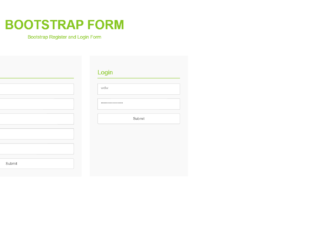
This is another example of a login and registration form, designed using CSS, HTML, and Bootstrap framework 4. The CSS and Bootstrap styles have been imported to the code with their URLs. The form title is displayed with the styles of font color as #88c724, display as block, font-size as 48px, font-weight as 600, line-height as 50px, and text-transform as uppercase to automatically convert the text to uppercase. The subtitle is displayed with the styles of font color as #88c724, font-size as 18px, font-weight as 400, and line-height as 22px. The Login and Registration cards are given a background color of #f9f9f9, and a box-shadow style of 2px 3px 8px #a7a7a7. The title of the cards are displayed using a border-bottom style of 1px solid #88c724, font color of #88c724, font-size of 24px, font-weight of 300, and line-height of 28px. The input text fields take the border-color of #88c724, in a hover event.
https://bootsnipp.com/snippets/m1eGM
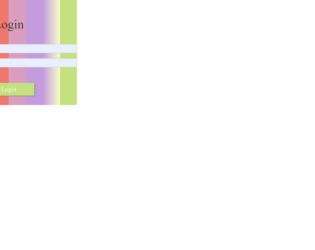
This is another example of a login form, designed using HTML, CSS, and Bootstrap framework 4. The body of the form is given a background color of f7fdca. The login card is given a border style as 3px dotted rgba(0,0,0,0.1). The input text fields are given the styles of background as rgba(0,0,0,0.5), width as 300, font-size as 18px, and background color as white. The input text fields are validated by making them required in HTML and the "User Name and Email" field has been set as auto-focused, to be automatically focused when the form is loaded. The background color of the form is set as a linear gradient color with the colors of linear-gradient(to right, #c4e17f 37.5%, #c4e17f 50%, #c4e17f 50%, #c4e17f ). The font size of the form title is set as 8 and the font size of the input text fields is set as 5, in HTML.
Source: https://bootsnipp.com/snippets/pA90D
This is an example of a simple login page, designed using CSS, HTML, and Bootstrap framework 4. The font and Bootstrap styles have been imported to the code with their URLs. The body of the form is given a style set of background color as #456, and font-family as 'Open Sans', sans-serif. The login header section is given a background color of #28d. The header title is displayed with the styles of font-size as 1.4em, font-weight as normal, text-align as center, text-transform as uppercase to automatically convert the text to uppercase, and font color as #fff. The input text field labels are displayed with a font size of 0.95em. The text fields are given a border color as #bbb, and font color as #555. In a focus event, the text fields take the border color of #888. The input text fields are validated by making them required in HTML. The 'Login' button is given a background color as #28d, font color as #fff, and cursor style as pointer to get the hand cursor effect on hover. In a hover event, the background color of the button changes to #17c.
https://bootsnipp.com/snippets/emZ2y
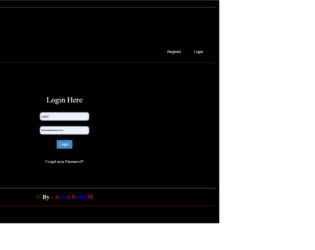
This is an example of another login page with an animated background, designed using CSS, HTML, and Bootstrap framework 4. The height and width of the form are set as 300px. The background color of the form is set as black. The concept of Lists has been used with UL and LI components, whereas the UL element has been used with the child elements of LI to display the navbar items in an orderly manner. The navbar is given a background color of rgba(0,0,0,0.5), and a box-shadow style of 0 0 15px #66ffff. The navbar items are given a font color as white which turns to yellow. The website name is displayed using the font colors of red and green. The animation of the moving the heart is created using the marquee attribute in HTML, where the direction of the marquee is set as right. The 'Login' button has been created as a primary type button.
Source: https://bootsnipp.com/snippets/qlv49
This is an example of a login page with a hover effect on the Login button, designed using CSS, HTML, and Bootstrap framework 4. The background image, font, and the Bootstrap style packages have been imported to the code with their URLs. The login page is given a width of 360px. The login card is given a background color of #3d3d3d and a box-shadow style of 0 0 20px 0 rgba(0, 0, 0, 0.2), 0 5px 5px 0 rgba(0, 0, 0, 0.24). The input text fields are given a style set of font-family as 'Open Sans', sans-serif, background color as #f2f2f2, and font-size as 14px. The 'Login' button is given the styles of font-size as 18px, text-transform style as uppercase to automatically convert the text to uppercase, background color of #e84c3d, font color as #FFFFFF, and cursor style as pointer to get the hand cursor effect on hover. The arrow icon on the button is given the placement of right as -20px, and opacity as 0. In a hover event, the right value gets changed to 0, and opacity changes to 1, to implement the hover effect.
Source: https://bootsnipp.com/snippets/Ekde7
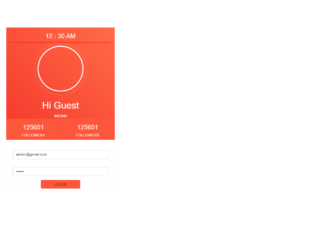
This is an example of a login page with a profile section, designed using CSS, HTML, and Bootstrap framework 4. The profile image, font style, and the Bootstrap styles have been imported to the code with their URLs. The form is given a background color of #2B2B2B, and a font family style of 'Raleway', sans-serif. The login box is given a background color of #f32d27 and a box-shadow style of 0px 0px 8px 0px rgba(50, 50, 50, 0.54). The time is displayed with the styles of font color as #FFF and font-size as 14px. The user image is displayed with a border-radius style as 50% to get the circle shape, height, and width as 175px, and border as 4px solid #FFF. The card consists of two follow tabs, which are given a background color of #FC563B, and the cursor style as pointer to get the hand cursor effect on hover. The tabs take the background color of #F22F26, in a hover event. The 'Login' button is given a background color of #FC563B, which gets changed to #F22F26, on hover.
Source: https://bootsnipp.com/snippets/g6aRo
1. https://webdesignerwall.com/create-snippet?snippet_id=10756
This is a blog layout with a carousel feature, designed using CSS, HTML, and Bootstrap framework 4. The product images have been imported to the code with their URLs. The form consists of 6 blog items split into two pages, three in each. The carousel indicators are given a background color of #708198, which turns to #0fc9af, in the active mode. The blog cards are given the styles of the border as 1px solid #dadada and text-align as center. The section of the blog cards is given a background color of #41cb52. The concept of Lists has been used with UL and LI components, whereas the UL element has been used with the child elements of LI to display the carousel items in an orderly manner. The description of the blog cards is displayed using a font-size of 13px. The 'Read More' button is given a pointer style as cursor to get the hand cursor effect on hover and it takes a box-shadow style of 0px 5px 15px inset #4d5f77, in a hover event.
Source: https://bootsnipp.com/snippets/BxA1B
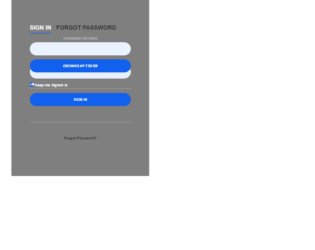
This is another example of a sign in form with a Forgot Password option, designed using CSS, HTML, and Bootstrap framework 4. The background image and Bootstrap styles have been imported to the code with their URLs. The form consists of two other internal forms; the sign-in form and the Forgot Password form. The body of the form is given the styles of font color as #edf3ff, background color as #c8c8c8, and font style as 600 16px/18px 'Open Sans',sans-serif. The text-transform style for the titles of the two forms is set as uppercase to automatically convert the text to uppercase. The tabs are given a font size of 22px, and a transform effect as rotateY(180deg), to create the rotating effect. The active tab takes the font color of #fff and the border color of #1161ee. The 'Submit' and 'Reset password' buttons are given a background color of #1161ee.
Source: https://bootsnipp.com/snippets/BERlz
This is an example of another login form, designed using CSS, HTML, and Bootstrap framework 4. The profile image, Bootstrap and JavaScript styles are imported to the code with their URLs. The background of the form is given a color as linear-gradient(rgb(104, 145, 162), rgb(12, 97, 33)). The login card is given a style set of background-color as #F7F7F7, box-shadow as 0px 2px 2px rgba(0, 0, 0, 0.3), and border-radius as 2px. The profile image is given a height and a width of 96px, and the border-radius as 50% to get the circle shape. The input text fields take a border style of rgb(104, 145, 162), and a box-shadow style as inset 0 1px 1px rgba(0,0,0,.075),0 0 8px rgb(104, 145, 162), in a focus event. The 'Login' and 'Register' buttons are created as a primary button and given a background color of rgb(104, 145, 162) and a font-size of 14px. The background color of the buttons get changed to rgb(12, 97, 33), in the active and hover modes.
Source: https://bootsnipp.com/snippets/GXl8R
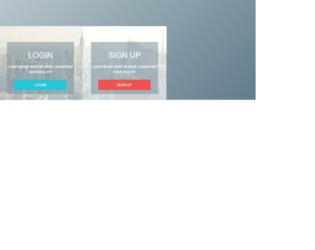
This is an example of another login and signup page, designed using CSS, HTML, JavaScript, and Bootstrap framework 4. The background image, Bootstrap, and JavaScript packages have been imported to the code with their URLs. The users are given the option to switch between login and signup forms by clicking on the 'Login' and 'Signup' buttons. The form with the input text fields changes from one form to another, upon clicking on the buttons. This functionality has been implemented with JavaScript methods. The body of the form is given a linear gradient background of linear-gradient(135deg, #cfd8dc 0%,#607d8b 100%,#b0bec5 100%). Both the Login and Signup forms are given a box-shadow style of 1px 10px 30px -10px rgba(0,0,0,0.5). The background images of the forms are given a grayscale filter. The titles of the two forms are displayed with the styles of font-weight as 400, and font color as #757575.
Source: https://bootsnipp.com/snippets/3M90n
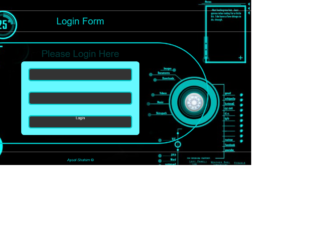
This is an example of a stylish login form, designed using HTML, CSS, JavaScript, and Bootstrap framework 4. The background image, Bootstrap styles, and JavaScript packages have been imported to the code with their URLs. The subtitle of the form is given a blinking animation which has been implemented by JavaScript methods. The background color of the body is set as black. The login card is given a height of 2px, a width of 1px, and a box-shadow style of 0 0 15px #66ffff. The input text fields are given a style set of width as 90%, height as 50px, border-radius as 10px, border as 4px solid #00cccc, background-color as #333333, and font color as white. In the focus mode, the text fields take a border style of 6px solid #00cccc. The 'Login' button is created with a style set of width as 90%, height as 50px, border-radius as 10px, border as 4px solid #00cccc, background-color as #333333, font color as white, and cursor style as pointer to get the hand cursor effect on hover.
Source: https://bootsnipp.com/snippets/0BEmR