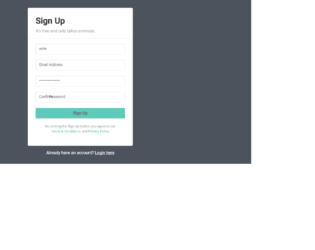
This is an example of another signup form, designed using CSS, HTML, and Bootstrap framework 4. The font and Bootstrap styles are imported to the code with their URLs. The form consists of the input text fields and the 'Signup' button. The body of the form is given the styles of font color as #fff, background color as #4c535d, and font-family as 'Roboto', sans-serif. The signup card is given a width of 400px, font color as #9ba5a8, background color as #fff, and box-shadow as 0px 2px 2px rgba(0, 0, 0, 0.3). The text fields are given a border color as #e1e4e5, and a font-size as 14px. The form title is displayed using the styles of font color as #333, and font-weight as bold. The 'Signup' button is created as a primary type button and given the styles of font-size as 16px, font-weight as bold, and background color as #5fcaba. The button changes its background color to #3fc0ad on hover, whereas the 'terms of use' and 'privacy policy' links take an underline effect.
Source: https://www.tutorialrepublic.com/snippets/preview.php?topic=bootstrap&file=quick-sign-up-form
This is an example of a user login form which can be accessed through a modal, designed using CSS, HTML, and Bootstrap framework 4. The login form consists of the input text fields, the 'Login' button, and the user avatar image. The body of the form is given a font-family style as 'Varela Round', sans-serif. The form is given a background color of #636363 and a width of 350px. The title of the login card is displayed with text-align style as center, and font-size as 26px. The input text fields take a border color effect as #70c5c0, in the focus mode. The avatar image is given a background color as #60c7c1, box-shadow style as 0px 2px 2px rgba(0, 0, 0, 0.1), and the border-radius as 50% to get the circle shape. The 'Login' button is given a background color of #60c7c1, which gets changed to #45aba6, on hover.
Source:https://www.tutorialrepublic.com/snippets/preview.php?topic=bootstrap&file=elegant-modal-login-form-with-avatar-icon
This is an example of a simple registration form, designed using CSS, HTML, and Bootstrap framework 4. The form consists of input text fields, 'Accept terms' checkbox, and the 'Signup' button. The font and Bootstrap styles are imported to the code with their URLs. The body of the form is given the styles of font color as #fff, background color as #63738a, and font-family as 'Roboto', sans-serif. The signup form is given a width of 450px, background color as #f2f3f7, box-shadow as 0px 2px 2px rgba(0, 0, 0, 0.3), and font color as #999. The input text fields are given a background color as #969fa4, which gets changed to #5cb85c, in a focus event. The 'Signup' button is created as a success type button and given the styles of font-size as 16px, and font-weight as bold. The 'terms of use' and 'privacy policy' link also take an underline effect on hover.
Source: https://www.tutorialrepublic.com/snippets/preview.php?topic=bootstrap&file=simple-registration-form
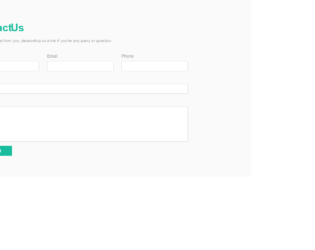
This is an example of a stylish contact us form, designed using CSS, HTML, and Bootstrap framework 4. The font and Bootstrap styles are imported to the code with their URLs. The form consists of input text fields and the 'Send' button. The body of the form is given the styles of font color as #333, background color as #fafafa, and font-family as "Patua One", sans-serif. The title of the form is displayed using a font color of #19bc9d, and the font-weight as bold. The text fields are given a border color of #19bc9d, which gets changed to #19bc9d, in a focus event. The 'Send' button is created as a primary type button and displayed with a style set of font color as #fff, min-width as 150px, font-size as 16px, and background color as #19bc9d. The buttons turn its background color to #15a487, on hover. The subtitle of the form is displayed with a font size of 15px. The input text fields have been validated by making them required.
Source: https://www.tutorialrepublic.com/snippets/preview.php?topic=bootstrap&file=elegant-contact-form
This is an example of a classic newsletter subscription form, designed using HTML, CSS, JavaScript, and Bootstrap framework 4. The font and Bootstrap styles are imported to the code with their URLs. JavaScript methods have been used to display the subscription form when the page is refreshed. The body of the form is given a font-family style of 'Open Sans', sans-serif, and a background color of #9f9f9f. The title of the subscription form is displayed using the styles of font color as #000, text-align as center, font-family as 'Raleway', sans-serif, font-weight as 800, font-size as 30px, and text-transform style as uppercase to automatically convert the text to uppercase. The close button is given an opacity of 0.5, which gets changed to 0.8, on hover. The input text field take a box-shadow of 0 0 8px rgba(0, 0, 0, 0.1), in the focus mode. The 'Subscribe' button is given a style set of font color as #fff, background color as #353535, transition as all 0.4s, font-family as 'Raleway', sans-serif, and text-transform as uppercase. The button changes its background color to #171717, and takes a box-shadow style of 0 0 8px rgba(0, 0, 0, 0.4), in a hover event.
Source:https://www.tutorialrepublic.com/snippets/preview.php?topic=bootstrap&file=classic-newsletter-signup-form
This is an example of a sign-up form with a blue background, designed using CSS, HTML, and Bootstrap framework 4. The font and CSS styles are imported to the code with their URLs. The form consists of the input text fields and the 'Sign up' button'. The body of the form is given the styles of font color as #fff, background color as #344a71, and the font-family style as 'Roboto', sans-serif. The information card is given a width of 400px, font color as #9ba5a8, background color as #fff, box-shadow style as 0px 2px 2px rgba(0, 0, 0, 0.3). The form title is given a font color as #333, and the font-weight style as bold. The input text field labels are displayed with a font-size of 14px. The text fields are given a border color of #e1e4e5, which gets changed to #49c1a2, in the focus mode. The 'Signup' button is displayed with a font-size of 16px and given a background color of #49c1a2, which gets changed to #3cb094, on hover.
Source: https://www.tutorialrepublic.com/snippets/preview.php?topic=bootstrap&file=cool-sign-up-form