This example can be used in any responsive designs as it is flexible, customizable, on/off toggle switches like regular radio buttons. It just uses the field set element which groups the related items in form, radio button which can be toggled. The styling is written using SCSS, using google fonts, and sass mixins. These mixins can be used to create the CSS code that can be reused throughout the website. They act like classes and can be included to add the properties to the classes. These are included using @include. Later the SaSS transpiler can convert it into CSS. Once you see the responsiveness of the code, the properties are switched from auto width to full width. In smaller screens, it adjusts well and is set in full width where as in larger screens it sets itself to auto width. You can use these for smaller screen applications. Source: https://codepen.io/dsenneff/pen/ZoLVZW
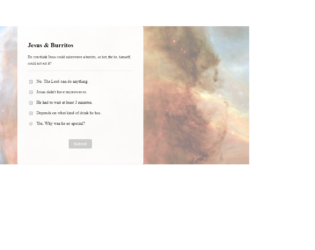
This is a classic example of Radio buttons which can be used for survey forms or to select the ratings for feedback. This is created with unique and visually appealing survey questions and mandatory radio button. The HTML page is created inside an entire box with the CSS properties of width, margin, and padding. Along with the box has a shadow property set using “box-shadow”. This gives the depth along the Y and Z axis. The WebKit engine and filter property applied to enhance the shadow effect of the box. For the right positioning of the text and buttons the transform method is used in CSS. Also check out the transition method used to show the gradient when the button is selected. The jquery scripts have few functions for switching from the active spots, saving the data, etc pushing the data. This increased the functionality of the form. Source: https://codepen.io/tobiasdev/pen/XgegoO