15. https://webdesignerwall.com/create-snippet?snippet_id=7914
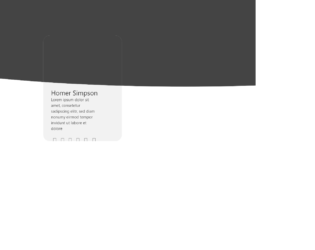
This is an example of an image card layout form with hover effects, designed using HTML, CSS, and Bootstrap framework 4. The icons and images are imported to the form with their URLs. The font style for the form is given as 'Segoe UI', sans-serif. The background of the form is given two colors; #444, and #f2f2f2. The gray shaped area is given the styles of top as -200px, left as -450px, width as 3000px, and height as 530px. The white shaped area is given the styles of top as 135px, left as calc(50vw - 150px), height as calc(350px + 4vw), and width as 300px. The content section has the styles of display as inline-block, margin-top as calc(50% + 4vw), width as 80%, height as 40%, padding as 0 10%, text-align as left, and color as #444. The name title is given the styles of color as #222, font-size as 25px, and font-weight as normal. The description is given a font-size of 15px. The icons are given a cursor style as pointer to get the hand cursor effect and change their color into #222, in a hover event.
Source: https://codepen.io/Pedru/pen/XWJGpqz
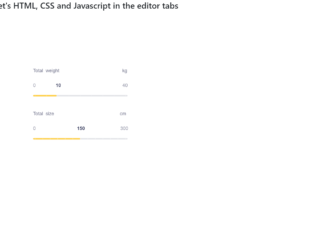
This is a sample template of a web form with a slider with a fill and configurable tick marks, designed using HTML, CSS, JavaScript, and Bootstrap framework 4. The icons and fonts are imported to the code with their URLs. JavaScript functions have been used to implement the slider functionalities. The colors and sizes are predefined. The slider container is given a max-width as 440px, border-radius as 40px, and box-shadow as 0px 8px 40px rgba(128, 128, 128, 0.15). The slider headers are given the styles of font-family as "Poppins", sans-serif, font-size as 18px, font-weight as 300, and color as #71738b. The slider value container is given the styles of font-family as "Hind Madurai", sans-serif, font-size as 18px, and color as #71738b. The slider value is given a font color of #34385a. The slider handle size is defined as 14px, whereas the slider progress is shown in #ffd049 color. The cursor style for the slider is set as pointer to get the hand cursor effect.
Source: https://codepen.io/viestursm/pen/BayEjaN
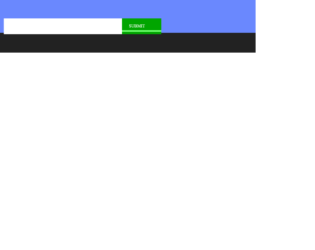
This is an example of a submission web form with animations, designed using HTML, CSS, JavaScript, and Bootstrap framework 4. The images are imported to the code with their URLs. JavaScript functions have been used to implement the animations on the submit button click. The colors are predefined as $o as #ffa440, $g as #01a500, $b as #6a88fe, and $elastic as cubic-bezier(0.175, 0.885, 0.32, 1.275). The body of the form is given the styles of display as grid, place-items as center, height as 100vh, font-family as 'Press Start 2P', overflow as hidden, and background as $b. The fireworks image is given height and width of 16px, and a transform style of scale(2), with an animation style of boom 0.5s steps(2, end) 1 forwards, fade 0s ease-in-out 1 forwards. The green color pipe is given a transition of 1.5s $elastic, and animation of grow2 0.5s ease-in-out 1 forwards, run2 1.5s ease-in 1 forwards.
Source: https://codepen.io/cobra_winfrey/pen/OJVJJoj
This is a web form with a responsive photo gallery grid, designed using CSS, HTML, and Bootstrap framework 4. The images and CSS styles have been imported to the code with their URLs, whereas the media queries are used to increase the responsiveness of the form. The number of rows and the minimum number of columns for the grid is given as 3 and 2, respectively. The background of the form is given as #262626, with the height as 100vh, and filter as drop-shadow(2px 2px 5px). The hex cell is given the styles of grid-column-end as span 2, margin as calc(-1*var(--hl)) 0, transform as scale(.95), and clip-path as polygon(50% 0, 100% 25%, 100% 75%, 50% 100%, 0 75%, 0 25%) to implement the polygon shape. The images are given a transform style of scale(calc(1 + .2*var(--hl))). In a hover event, the images in the hex cell, take a zooming effect.
Source: https://codepen.io/thebabydino/pen/PowXYpV
This is an example of a web form with buttons with hover effects, designed using HTML, CSS, JavaScript and Bootstrap framework 4. The icons have been imported to the code with their URLs, whereas the media queries are used to increase the responsiveness of the form. JavaScript functions have been used to implement the hover effects on buttons. There are three buttons in the form named as Buttton, Playful Hover, and Simple. The colors are predefined as --color-hover: #2B3044, --background: #362A89, --hover-back: #6D58FF, --hover-front: #F6F8FF, --background: #275EFE, and --background-hover: #1749DB. The cursor style for the buttons is set as pointer to get the hand cursor effect. The form is given the styles of font-family as 'Inter UI', 'Inter', Arial, and background as #E1E6F9. The buttons are given the styles of border-radius as 20px, line-height as 24px, font-size as 14px, font-weight as 600, and letter-spacing as .02em. The first two buttons take a fill effect with the colors #6D58FF, and #F6F8FF, whereas the third one takes a transforming effect.
Source: https://codepen.io/aaroniker/pen/OJPqPMR
This is an example of a task management User Interface, designed using HTML, JavaScript, and Bootstrap framework 4. The users are given the ability to change the color theme of the interface by a color picker. JavaScript functions have been used to implement the color theme effect. The images have been imported to the code with their URLs. The interface is designed in two containers. The name title of the first container is given the styles of text as indigo-600, font as medium ml-3, whereas the description is given the styles of text as gray-600, and font as sm. The New Contact and New Task buttons have the styles of text as gray-600, and border as gray-400. There are checkboxes to select each person, and the theme buttons are assigned their respective colors to pick from.
Source: https://codepen.io/knyttneve/pen/vYEzXOR