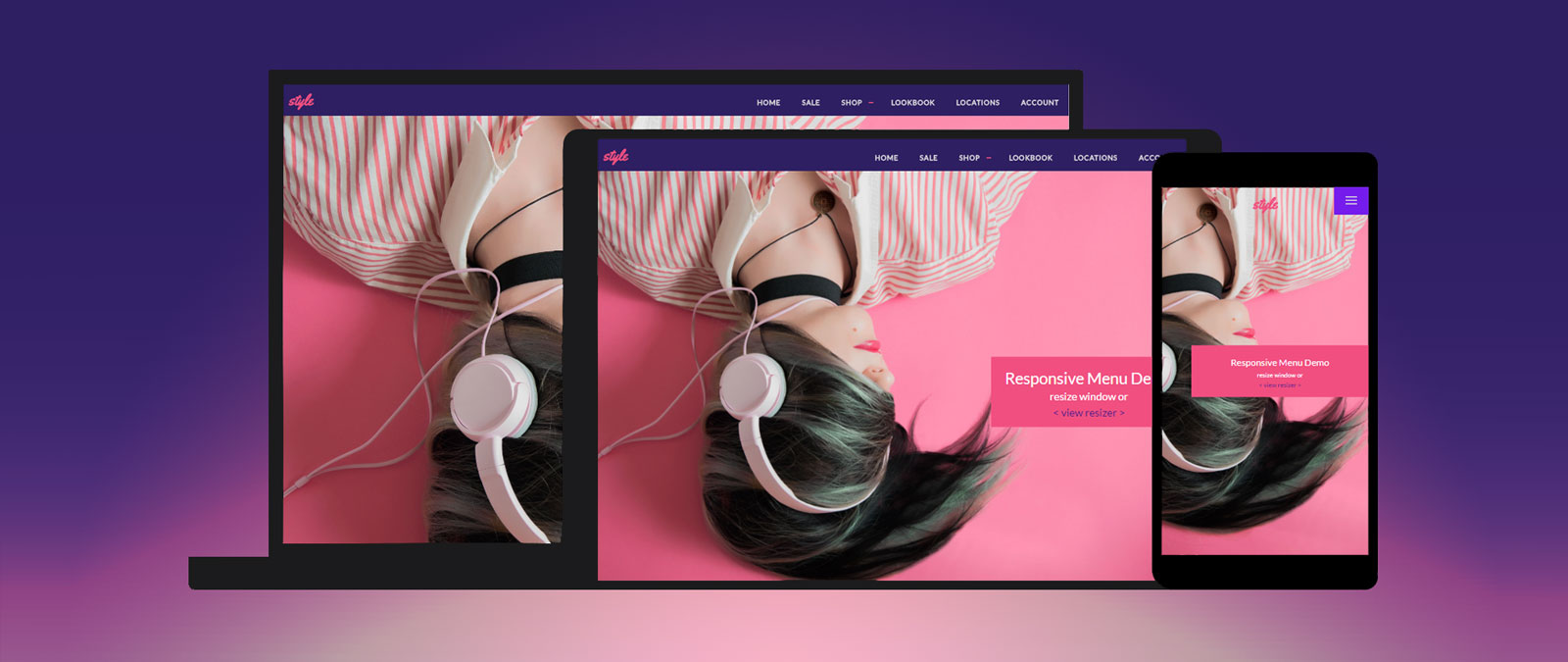
Previously I wrote a tutorial on how to make a mobile navigation for responsive design, now I've discovered a new technique to produce a responsive menu without having to use Javascript. It uses clean and semantic HTML5 markup. The menu can be aligned left, center or right. Unlike the previous tutorial where it is clicked to toggle, this menu toggles on hover which is more user friendly. It also has an indicator to show the active/current menu item. It works on all mobile and desktop browsers including Internet Explorer!
Responsive Column Layouts 124
Typically, to create a column layout, you would need to add the first or last classes to reset the margin space and clear the float. Today I'm going to share a very simple CSS trick to create a responsive column layout using nth-of-type pseudo class. I use this trick to code the WordPress themes at Themify. It doesn't require any first or last class and the number of columns can be adjusted base on the viewport. In other words, it can be toggled from 4-column to 3-column or 2-column, etc.
Viewport Meta Tag For Non-Responsive Design 180
I'm sure you all are using viewport meta tag for responsive design, but did you know that the viewport tag can also be very useful for non-responsive design? If you haven't got the time to convert your design to responsive yet, you should read this article on how to use viewport tag to improve the appearance of your design on mobile devices.
Decorative CSS Gallery – Part 2 148
Long ago I wrote a tutorial on how to make decorative image galleries using an extra <span> tag. It requires jQuery to append the span tag which isn't quite user friendly. Today I'm going to share a better method without using Javascript. The same result can be achieved by using :before or :after pseudo element. The :before element is one of the commonly under used elements, but it is quite useful for adding additional elements or content. Learn it now and start using it.
Expandable Mobile Search Form 109
Previously I wrote a tutorial on mobile navigation, today I'm going to share a CSS tutorial on how to make an expandable search form that is suitable for mobile and responsive designs. This trick uses native CSS properties — no Javascript or extra markups required. It is a simple and effective way to design a compact search form.
Setting Breakpoints in Responsive Design 122
Lately, I've been blogging a lot about Responsive Design. I've covered the technical side of media queries, basic implementation, full design tutorial, some CSS tricks, and a list of awesome responsive sites. Today, I want to talk about setting breakpoints in responsive design. How should you set the breakpoints? What is the general guideline? I'm going to share my view on setting breakpoints.
Creating a Modern Lightbox with CSS3 and JavaScript 76
Today we have a guest post by Andy Walpole sharing his experience from creating the Lightbox Ultra on Mozilla Demo Studio. Several years ago developer Lokesh Dhakar created the familiar Lightbox script with Prototype and script.aculo.us. It's smooth animation and sleek aesthetics were an instant hit in the web design community and it was used on a multitude of different projects.