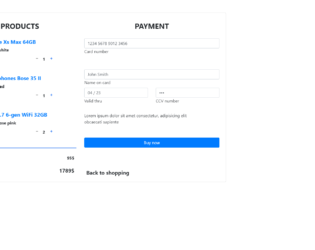
This is an example of an e-commerce shopping card form, designed using CSS, HTML, and Bootstrap framework 4. The product images are imported to the code with their URLs. Media quarries have been used to increase the responsiveness of the form. The form consists of product details, the number of quantity to be purchased, input text fields to enter the user and payment details, and a 'Buy Now' button. The input text fields are given a border style of 2px solid #4285f4, to be displayed on the active mode. The button is created as a primary type button in HTML. The input text fields are given a set of default autofocus values. This template can be used in an e-commerce website in which products can be added into the cart, where the total amount will also be displayed, and payment details will also be entered into the form to submit a purchase request.
Source: https://mdbootstrap.com/snippets/jquery/marta-szymanska/731529#js-tab-view
This is an example of a shopping bag checkout form with the order summary, designed using HTML, CSS, and Bootstrap framework 4. The concept of Lists has been used with UL and LI components. UL element has been used with the child elements of LI to display the breadcrumb items in an orderly manner. The body of the form is given a background color of linear-gradient(110deg, #BBDEFB 60%, #42A5F5 60%). The breadcrumb items are given a font-size of 10px, and a text style as uppercase to automatically convert the text to uppercase. The input text fields take a border value of 1.5px solid #4bb8a9, in a focus event. The 'Purchase' button is given a style set of font-size as 1rem, font color as white, background-color as #4bb8a9, height as 2.8rem, and border-radius as 0.2rem, which takes a background color of #26A69A in a hover event. The 'Add Gift Code' button is given a background-color of #fff, font color of #4bb8a9, border-radius of 0.2rem, and border as 1px solid #4bb8a9, which turns its background color to #4bb8a9, and font color to #fff, in a hover event.
Source: https://bbbootstrap.com/snippets/shopping-bag-checkout-order-summary-94502209
This is an example of a shopping cart with a card payment checkout form, designed using HTML, CSS, and Bootstrap framework 4. The images are imported to the code with their URLs. The card payment form is given the styles of background as blue, padding as 10px, border-radius as 6px, color as #fff, and font-weight as bold. The product details are displayed using a font-size of 12px. Each product raw is given a box-shadow style of 5px 5px 15px -2px rgba(0, 0, 0, 0.42). The card type section is given the styles of font-weight as 400, and font-size as 10px, whereas the card types are given in radio button forms. The cursor style for the card types is given as pointer to get the hand cursor effect in a hover event. The card types are set to take an outline effect of #fff, in a checked event. The input fields are given the styles of background as RGB(102, 102, 221), font color as #fff, and border color as RGB(102, 102, 221). The checkout button is set as a primary type button, in HTML.
Source:https://bbbootstrap.com/snippets/bootstrap-shopping-cart-credit-card-payment-form-28547121
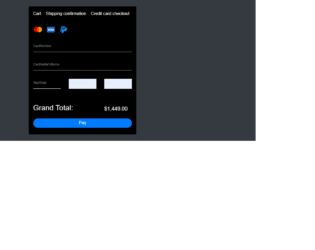
This is an example of a dark themed shopping cart payment form, designed using CSS, HTML, and Bootstrap framework 4. The body of the form is given the styles of font-family as Arial, Helvetica, sans-serif, and background color as #343a40. The payment options images are imported to the code using the URLs. The payment card is given the styles of background as #000 to get the dark theme, font color as #fff, and width as 410px. The payment options are given the hover effects of text-decoration as underline and cursor as pointer to get the hand cursor effect. The Pay button is given a border-radius value of 30px. The input text fields are given a font color of #dae0e5 and a font size as 75%. The input fields take the values of transform as translate3d(0, -100%, 0), opacity as 1, top as 10px.
Source:https://bbbootstrap.com/snippets/bootstrap-dark-themed-shopping-checkout-form-60033953
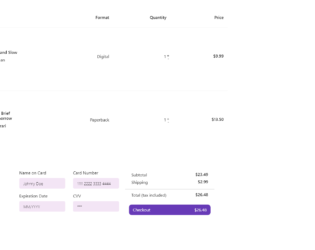
This is an example of a shopping cart checkout form with payment options, designed using HTML, CSS, JavaScript, and Bootstrap framework 4. The product images are imported to the code with their URLs. JavaScript functions have been used to indicate the active status of the payment options, removing the gray filter class. The quantity indicator is given a cursor style as pointer to get the hand cursor effect in a hover event, as well as to change the color to #FF5252. The product image is given a height of 180px and a width of 120px. The input text fields are given the styles of background-color as #F3E5F5, padding as 8px 15px 8px 15px, width as 100%, border-radius as 5px, box-sizing as border-box, border as 1px solid #F3E5F5, font-size as 15px, color as #000 , and font-weight as 300. The input fields take a border effect of 1px solid #9FA8DA, and a font-weight of 400, in a hover event.
Source: https://bbbootstrap.com/snippets/shopping-cart-checkout-payment-options-86973257
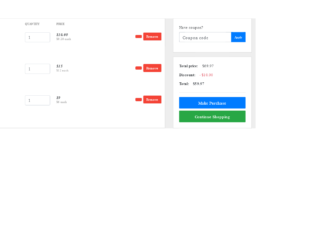
This is an example of an E-commerce shopping cart with the ability to enter a coupon code, designed using HTML, CSS, and Bootstrap framework 4. The product images and fonts are imported to the code with their URLs. Media quarries are also used to increase the responsiveness of the form. The body of the form is given the styles of background-color as #eeeeee, font-family as 'Open Sans', serif, and font-size as 14px. The product image is given the height and width of 80px. The price section is given a font-weight as 600 bold. The muted price is given a font color as #969696. The Make Purchase and Continue Shipping buttons are given a font-style as Capitalize to make the first letter of every word capital, with the font-size set as 15px. The smaller buttons are given a background color of #F44336, with a border color as #f8f9fa. The Coupon Code Apply button is given a font-size of 11px.
Source:https://bbbootstrap.com/snippets/simple-shopping-cart-coupon-code-input-text-39165166